





Raty i finansowanie
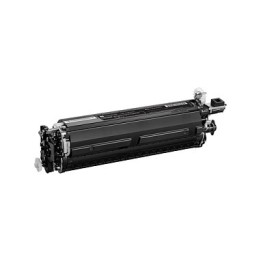
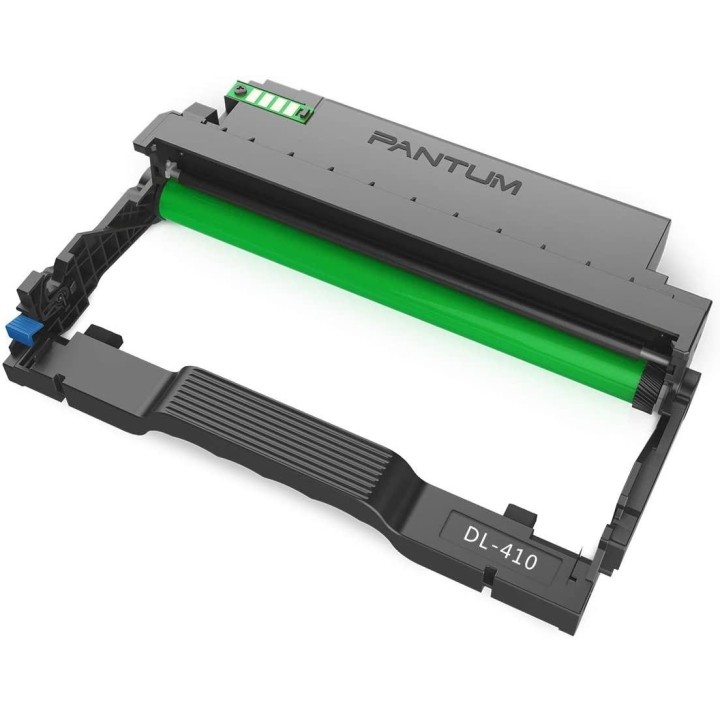
Bęben Pantum DL-410 (czarny)
- MPN:
- DL-410
- EAN:
- 6936358006958
Akceptowane płatności
Opis produktu
Bęben Pantum DL-410
Bęben DL-410 firmy Pantum to idealne rozwiązanie dla tych, którzy potrzebują gwarancji wysokiej jakości i niezawodnych wydruków. Dzięki wydajności do 12000 stron urządzenie może wykonywać wymagające zadania bez pogorszenia jakości wydruku. Bębna można używać w parze z kasetami Pantum: TL-410, TL-410H, TL-410X. w celu obniżenia kosztów eksploatacji. Produkt jest przyjazny dla środowiska.
Specyfikacja
- Gwarancja producenta: 24 miesiące
- Kompatybilność: P3010D, P3010DW, P3300DN, P3300DW, M6700D, M6700DW, M7100DN, M7100DW, M6800FDW, M6802FDW,M7200FD, M7200FDN, M7200FDW , M7300FDN, M7300FDW
- Kolor: czarny
- Wydajność: 12000 str.
- Do drukarek: Pantum
- MPN:
- DL-410
- EAN:
- 6936358006958
Szczegóły produktu
- Marka PANTUM
- Kod produktu 6610fcb331376fee77653262
- Dostępność 9 Przedmioty
- EAN13 6936358006958
- MPN DL-410
Specyfikacja
- Rodzaj produktu Bęben
- Kompatybilne marki Pantum
- Oryginalność materiału Oryginalny
- Wydajność deklarowana (str.) 12000 str.
- Kolor materiału Czarny
Producent
Producent
Pantum Europe GmbH
Niemcy 65479 Raunheim Niemcy
E-mail: info@panturn.eu
Formularz kontaktowy: https://www.pantum.eu/
Bezpieczeństwo
Informacje o bezpieczeństwie
List of printer and scanner drum safety warnings based on the requirements of General Product Safety Regulation (GPSR) 2023/988 * Make sure the drum is compatible with your printer or scanner model. The wrong drum can damage the device. * Do not touch the surface of the drum. This can affect the print quality and life of the drum. * Replace the drum according to the manufacturer's instructions. Incorrect installation may cause damage to the printer. * Protect the drum from direct sunlight and high humidity. This can shorten its lifespan. * Do not use damaged drum. This can affect the quality of the print and damage the printer. * Keep the drum out of reach of children. The danger of swallowing small parts. * Use the drum as intended. Do not attempt to modify it or use it for other purposes. * Do not open or disassemble the drum. It contains substances that can be harmful to health. * If the substance from the drum comes into contact with the skin or eyes, immediately wash it with plenty of water and consult a doctor. * Recycle the used drum in accordance with local regulations. Do not throw it into ordinary waste. * Do not expose the drum to extreme temperatures. This can affect its performance and shorten its lifespan. * Use only recommended cleaning products to clean printer components that may come into contact with the drum. Strong detergents can damage it. * Regularly check the condition of the drum. If you notice any damage, replace it immediately. * If the printer displays an error message related to the drum, immediately check its status and correctness of installation. * When replacing the drum, make sure the printer is off power. This will minimize the risk of electric shock. * After replacing the drum, make sure all printer covers and protections are properly mounted. * If you have any doubts about the use of the drum, please contact the technical service of the printer manufacturer. * When cleaning the printer, avoid direct contact of cleaning agents with the drum surface.