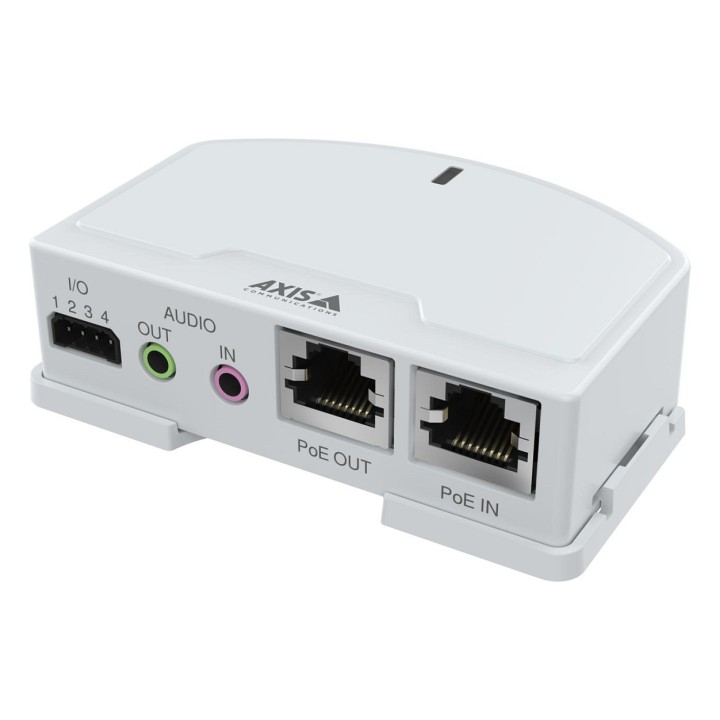
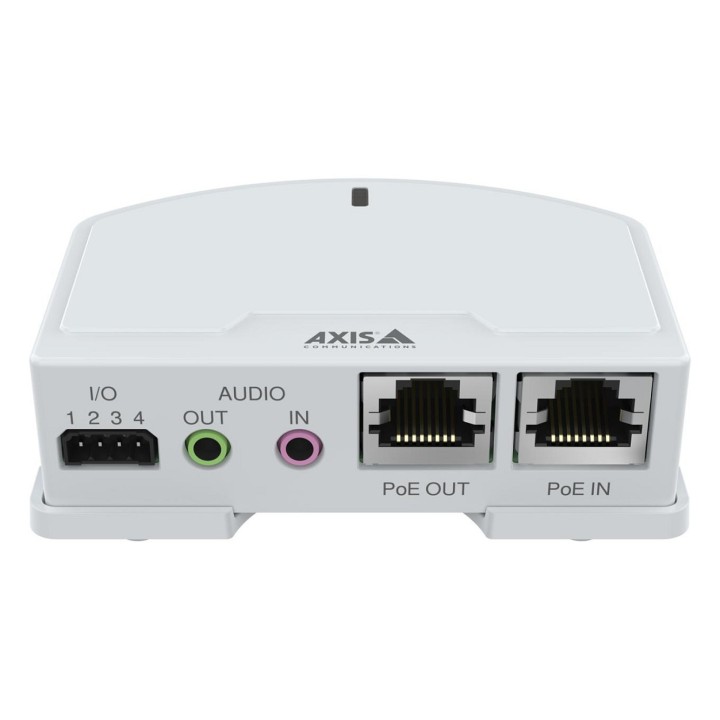
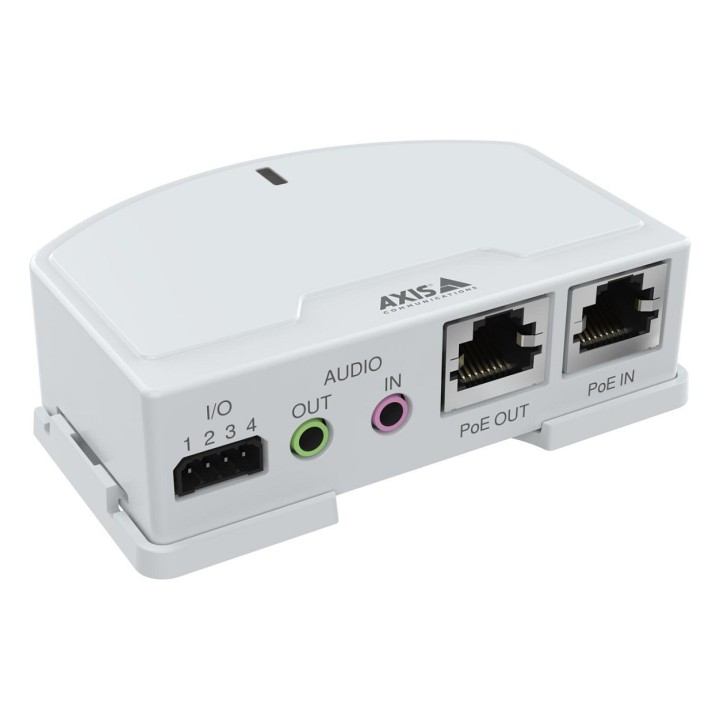
AXIS T6101 MKII AUDIO I/O/INTERFACE
PragmaPay dla biznesu
Zapłać za zakupy firmowe później lub w ratach przez Tpay.
Sprawdź, jak działa (otwiera się w nowej karcie)Opis produktu
AXIS T6101 Mk II Audio and I/O Interface enables the use of two-way audio and I/O connectivity for Axis cameras that do not have these capabilities already built-in. With portcast technology, this device uses the camera’s IP address and allows it to provide seemingly camera-integrated audio and I/O connectivity, enabling audio and video in one stream over the network. It can be installed anywhere between the switch and the Axis camera, providing the ports right where you want them.
Specyfikacja
- Certification: CE
- Ethernet LAN (RJ-45) ports: 2
- Signal direction: Input/output
- Module type: Digital
- Nominal output voltage: 12 V
- Power consumption: 50 mA
- Operating temperature (T-T): -40 - 50 °C
- Storage temperature (T-T): -40 - 65 °C
- Relative humidity: 10 - 85 %
Szczegóły produktu
- Marka AXIS
- Kod produktu 667b694f606d4e0eab886fec
- Dostępność 24 Przedmioty
- EAN13 7331021079335
- MPN 02553-001
Producent
Producent
Axis Communications AB.
Emdalavägen 14 22369 Lund Sweden
E-mail: agata.majkucinska@axis.com
Formularz kontaktowy: https://www.axis.com/pl-pl/contact-us
Telefon: +48793155227
Bezpieczeństwo
Informacje o bezpieczeństwie
List of industrial automation safety warnings based on the requirements of General Product Safety Regulation (EU) 2023/988 (GPSR): * General Safety: * Before installing, operating or maintaining industrial automation, please refer to the instruction manual. * Ensure that industrial automation systems are installed and serviced by qualified personnel. * Make sure that all electrical connections are made correctly and in accordance with applicable standards. * Before starting any work, make sure that the industrial automation system is disconnected from the power supply. * Regularly inspect and maintain industrial automation systems to ensure they are functioning properly and safely. * Do not make any modifications to industrial automation systems without consulting the manufacturer or a qualified specialist. * Use only original spare parts and accessories recommended by the manufacturer. * Ensure that industrial automation systems are properly grounded to prevent electric shock. * Mechanical hazards: * Make sure all moving parts of industrial automation systems are properly secured to prevent injuries. * When working with industrial automation systems, use appropriate personal protective equipment such as safety glasses and gloves. * Regularly check the condition of shields and mechanical protections and repair or replace them when they are damaged. * Electrical Hazards: * Never touch exposed wires or electrical components in industrial automation systems. * Use only insulated tools and equipment when working with industrial automation systems. * Regularly check the condition of electrical wires and cables and replace them when they are damaged. * Environmental hazards: * Ensure that industrial automation systems are adequately protected from environmental factors such as moisture and temperature. * Do not use industrial automation systems in potentially explosive areas unless they are intended for this purpose. * Emergency procedures: * In case of failure or malfunction of the industrial automation system, immediately turn it off and report the problem to the appropriate staff. * Prepare an emergency plan that will include procedures for shutting down systems, evacuating and providing first aid. * Ensure that staff are trained in emergency procedures.