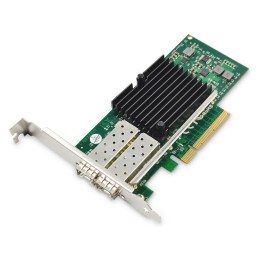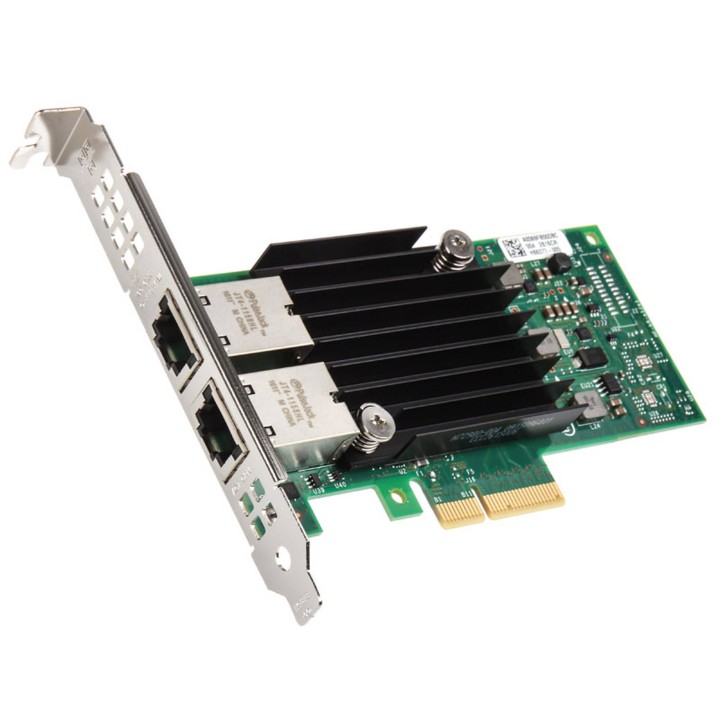
Karta sieciowa Intel X550-T2 10Gb 2xRJ45 PCIe x4 OEM

Cena: 612,49 zł
Brutto
Dostępność produktu: Dostępny 16 szt.
Czas dostawy Wysyłka w ciągu 3 dni roboczych
Koszt dostawy Dostawa od 11,99 zł

Raty Pekao

Za zakupy możesz zapłacić na raty przez Tpay.

Oblicz ratę (otwiera się w nowej karcie)

PragmaPay dla biznesu

Zapłać za zakupy firmowe później lub w ratach przez Tpay.

Sprawdź, jak działa (otwiera się w nowej karcie)

Opis produktu

Szybkie połączenie 10 Gb/s

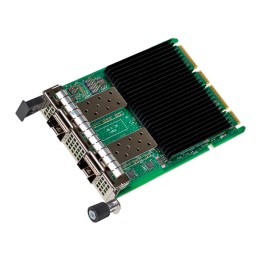
Karta sieciowa Intel X550-T2 zapewnia przewodową łączność o prędkości do 10 Gb/s za pośrednictwem dwóch portów RJ45.
Produkt przeznaczony do zastosowań serwerowych oraz stacji roboczych wymagających wydajnej transmisji danych.

Interfejs i konstrukcja

Karta wykorzystuje magistralę PCI Express 3.0 x4 do podłączenia do płyty głównej i oferuje dwa standardowe złącza RJ45 dla stabilnego połączenia sieciowego na poziomie 10 Gb/s.

Szczegóły produktu

  • Marka Intel
  • Kod produktu 66437aee0c243f133c28cd32
  • Dostępność 16 Przedmioty
  • EAN13 4260610450657
  • MPN X550T2BLK-C

Producent

Producent

Intel Polska Sp. z o.o.

Słowackiego 173 80-298 Gdańsk Polska

E-mail: media@asus.com

Formularz kontaktowy: https://www.intel.com/content/www/us/en/support/co

Osoba odpowiedzialna w UE

Intel Deutschland GmbH

Dornacher Str. 85622 Feldkirchen Niemcy

E-mail: Intel-Safety-Reporting@intel.com

Bezpieczeństwo

Informacje o bezpieczeństwie

List of network card security warnings based on the requirements of General Product Safety Regulation (GPSR) 2023/988: * Make sure that the installation of the network adapter complies with the manufacturer’s instructions. Incorrect installation can lead to damage to your device or computer. * Before installing or disassembling the network card, turn off the computer and disconnect it from power. * Protect your network card from moisture and extreme temperatures. Do not use it in places where it may be exposed to water or direct sunlight. Use the network adapter for its intended purpose. Do not try to modify or repair it on your own. * Regularly check that the network card is properly attached to the motherboard slot. A loose connection can cause network problems. * Make sure your network adapter drivers are up to date. Outdated drivers can lead to compatibility and security issues. Use a dry, soft cloth when cleaning the network card. Avoid using cleaning products that can damage components. If your network card has an antenna, make sure it is properly attached and undamaged. A damaged antenna can affect signal quality. * Pay attention to sharp edges or card components that may pose a potential injury hazard during installation or disassembly. * If your network card has electronic components, keep it away from children.

Ładowanie...
Wróć na górę