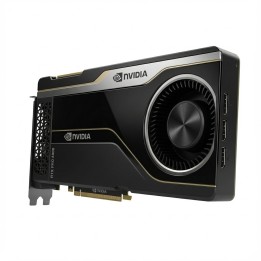
NVIDIA Tesla L4 karta graficzna 24 GB GDDR6 Ada pasywna
PragmaPay dla biznesu
Zapłać za zakupy firmowe później lub w ratach przez Tpay.
Sprawdź, jak działa (otwiera się w nowej karcie)Opis produktu
Zastosowanie i architektura
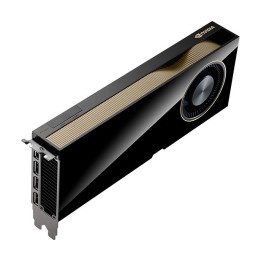
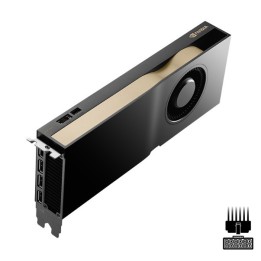
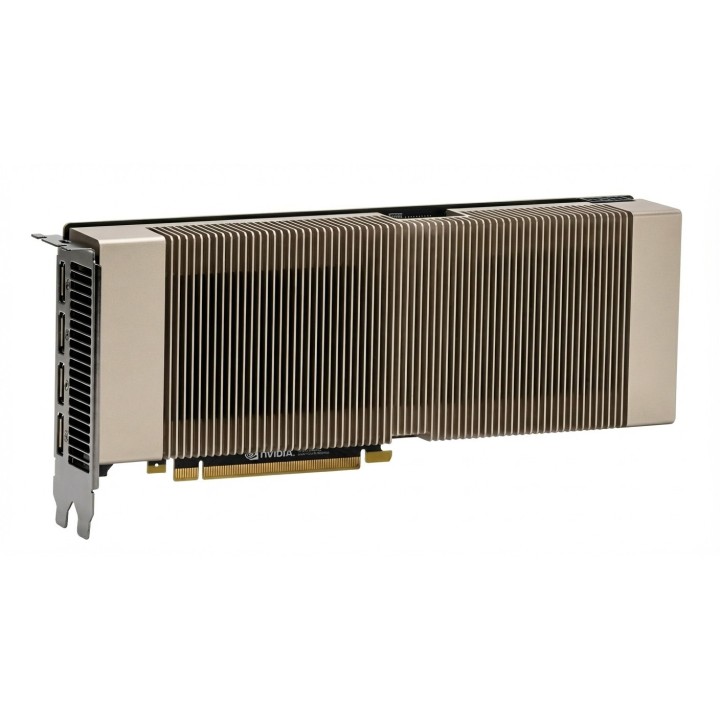
NVIDIA Tesla L4 to karta akceleracyjna oparta na architekturze Ada, wyposażona w rdzenie Tensorowe oraz 24 GB pamięci GDDR6.
Przeznaczona do przyspieszania zadań związanych z uczeniem maszynowym, inferencją i wymagającymi obliczeniami w środowiskach profesjonalnych.
Chłodzenie i montaż
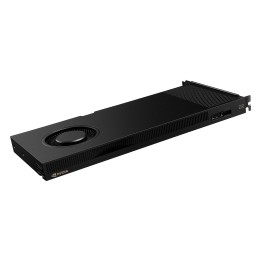
Karta wyposażona w pasywne chłodzenie, co wymaga zapewnienia odpowiedniego przepływu powietrza w obudowie lub szafie serwerowej.
Konstrukcja umożliwia instalację jako element systemu obliczeniowego; szczegóły montażu i zasilania zależą od konfiguracji sprzętowej.
Szczegóły produktu
- Marka NVIDIA
- Kod produktu 69194eea60201d074e3eff90
- Dostępność 6 Przedmioty
- EAN13 8592978576318
- MPN 900-2G193-0000-001
Producent
Producent
NVIDIA Corporation
2788 San Tomas Expressway 95051 Santa Clara, CA Stany Zjednoczone
Formularz kontaktowy: https://www.nvidia.com/pl-pl/support/consumer/
Osoba odpowiedzialna w UE
NVIDIA GmbH
Flossergasse 2 81369 München Niemcy
Formularz kontaktowy: https://www.nvidia.com/pl-pl/support/consumer/
Bezpieczeństwo
Informacje o bezpieczeństwie
List of graphics card security warnings based on the requirements of General Product Safety Regulation (EU) 2023/988 (GPSR): 1. Risk of electric shock: * Make sure your computer is disconnected from power before installing or disassembling your graphics card. Do not touch the graphics card with wet hands. Use only the power supply with the appropriate power and voltage, according to the specification of the graphics card. 2. Risk of hardware damage: * Be careful when installing and disassembling the graphics card to avoid damaging the PCI-e slot, connectors or the card itself. * Make sure the graphics card is properly attached to the PCI-e slot and secured with screws. * Do not use excessive force when inserting or removing the graphics card. 3. Risk of overheating: * Provide adequate ventilation in the computer case to avoid overheating of the graphics card. * Monitor the temperature of the graphics card and, if necessary, install additional fans or change the cooling system. * Do not block the ventilation holes of the graphics card. 4. Fire risk: * Make sure that all power cables are properly connected to the graphics card and power supply. * Do not use damaged power cables. * Regularly check the condition of the power cables and replace them if necessary. 5. Risk of personal injury: * Watch out for sharp edges and elements on the graphics card to avoid cuts. * When working with a graphics card, use protective gloves. 6. Risks associated with improper use: * Do not try to repair a damaged graphics card yourself. * Do not modify the graphics card in a way that does not comply with the manufacturer's instructions. Do not use the graphics card in an environment with high humidity or dust. 7. Warnings for children: * Keep your graphics card out of reach of children. Make sure that children do not play with the graphics card or its elements. 8. Disposal: * Used graphics card must be disposed of in accordance with local electronic waste regulations.
Karty graficzne
Ostatnio oglądane
Produkty, które ostatnio zwróciły Twoją uwagę.