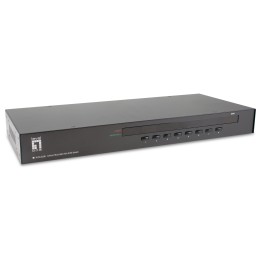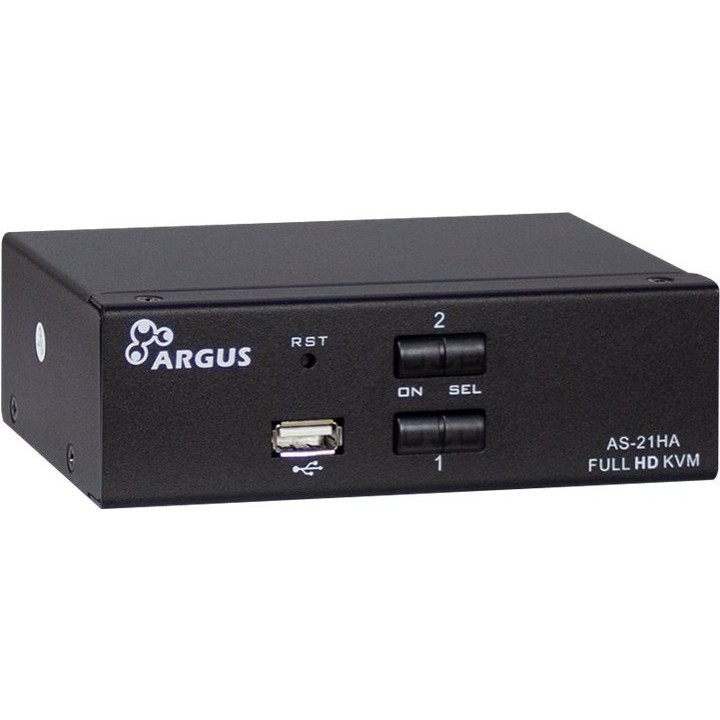
Przełącznik KVM AS-21HA HDMI

Cena: 322,49 zł
Brutto
Dostępność produktu: Dostępny 3 szt.
Czas dostawy Wysyłka w ciągu 3 dni roboczych
Koszt dostawy Dostawa od 11,99 zł

Raty Pekao

Za zakupy możesz zapłacić na raty przez Tpay.

Oblicz ratę (otwiera się w nowej karcie)

PragmaPay dla biznesu

Zapłać za zakupy firmowe później lub w ratach przez Tpay.

Sprawdź, jak działa (otwiera się w nowej karcie)

Opis produktu

Przełączanie komputerów i peryferiów

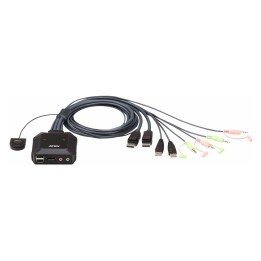
Przełącznik KVM AS-21HA HDMI umożliwia sterowanie wieloma komputerami przy użyciu jednego zestawu urządzeń - klawiatury, myszy oraz monitora z wejściem HDMI.
Urządzenie przełącza sygnał wideo HDMI oraz urządzenia wejścia, co upraszcza pracę na stanowiskach z kilkoma maszynami i ogranicza liczbę wymaganych peryferiów.

Konstrukcja i łączność

Model AS-21HA zaprojektowano z myślą o prostym podłączeniu do infrastruktury opartej na HDMI; współpracuje z typowymi monitorami i kartami graficznymi korzystającymi z tego interfejsu.
Kompaktowa budowa pozwala na umieszczenie urządzenia na biurku lub w niewielkiej zabudowie, a konstrukcja odpowiada standardowym przełącznikom KVM.

Szczegóły produktu

  • Marka Inter-Tech
  • Kod produktu 69cd6b00acc834eeec617509
  • Dostępność 3 Przedmioty
  • EAN13 4260455643436
  • MPN 88887241

Producent

Producent

Inter-Tech

Kurt-Fischer-Straße 23 22926 Ahrensburg Niemcy

E-mail: info@inter-tech.de

Formularz kontaktowy: https://www.inter-tech.de/

Telefon: +49 4102 468 800

Bezpieczeństwo

Informacje o bezpieczeństwie

List of safety warnings for cables, tapes and extension cords (Laptop, PC) based on the requirements of Regulation (EU) 2023/988 on General Product Safety (GPSR): 1. Risk of electric shock: * Make sure the cable is in good condition, no insulation damage * Do not use the cable with wet hands. * Disconnect the cable from the power supply before cleaning. 2. Risk of fire: * Do not overload the extension cord, connect to it only devices with a total power not exceeding the permissible value. * Do not cover the cable with flammable materials such as carpets or blankets. * Do not use damaged cables or extension cords. 3. Risk of tripping and falling: * Arrange the cable in dry a way that it does not pose a risk of tripping. * Protect the cable from accidental pulling, e.g. by animals or children. 4. Risk of damage to equipment: * Use a cable suitable for your device and connector. * Do not bend the cable in a sharp way, this can cause damage to it. * Do not pull the cable when disconnecting it from the device, hold the plug. 5. Child warnings: * Keep cables and extension cords out of reach of children to avoid the risk of electric shock or suffocation. Do not allow children to play with cables. 6. Use in specific environmental conditions: * Do not use cables and extension cords outdoors if they are not intended for this (check the markings). Avoid using cables in damp or wet areas. 7. Maintenance and cleaning: * Clean cables with a dry cloth. * Do not use chemicals to clean cables. 8. Storage: * Store cables in a dry and clean place. Avoid cables in areas exposed to high temperatures or direct sunlight.

Ładowanie...
Wróć na górę