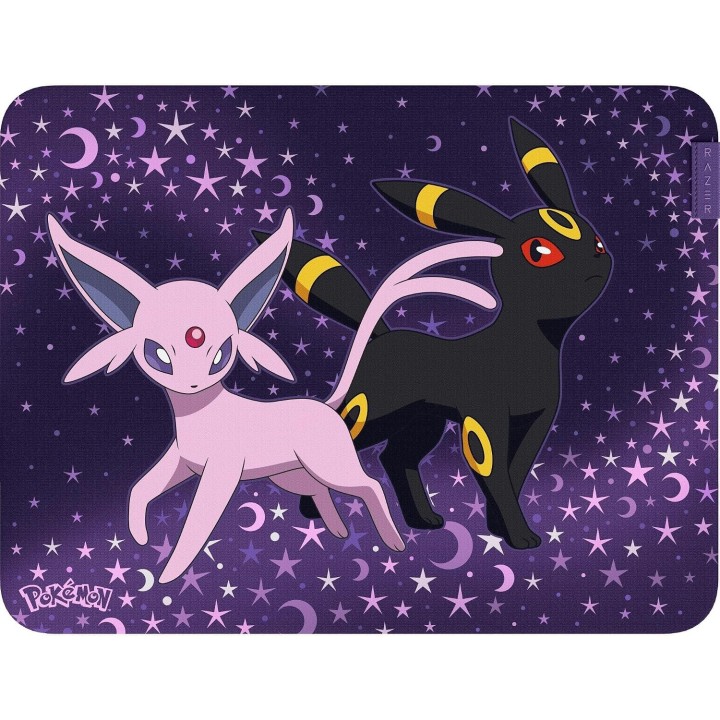
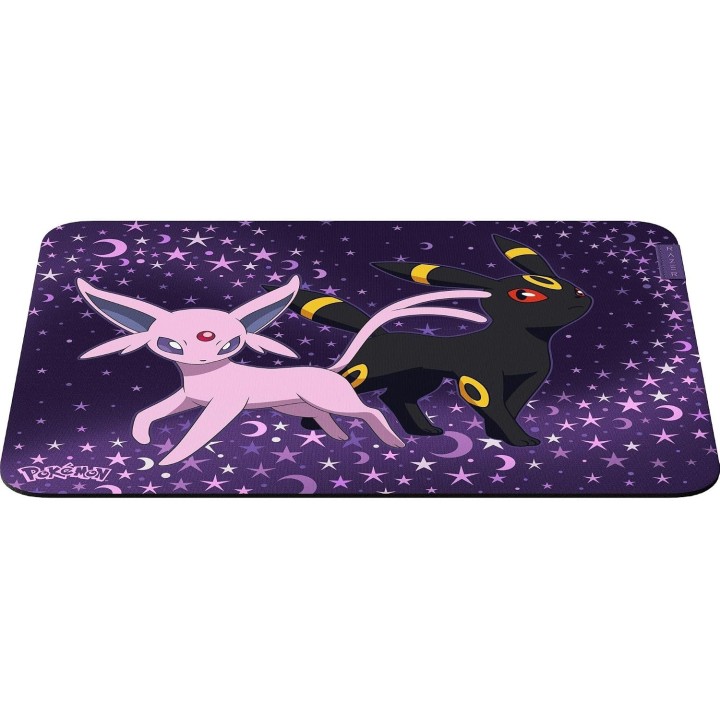
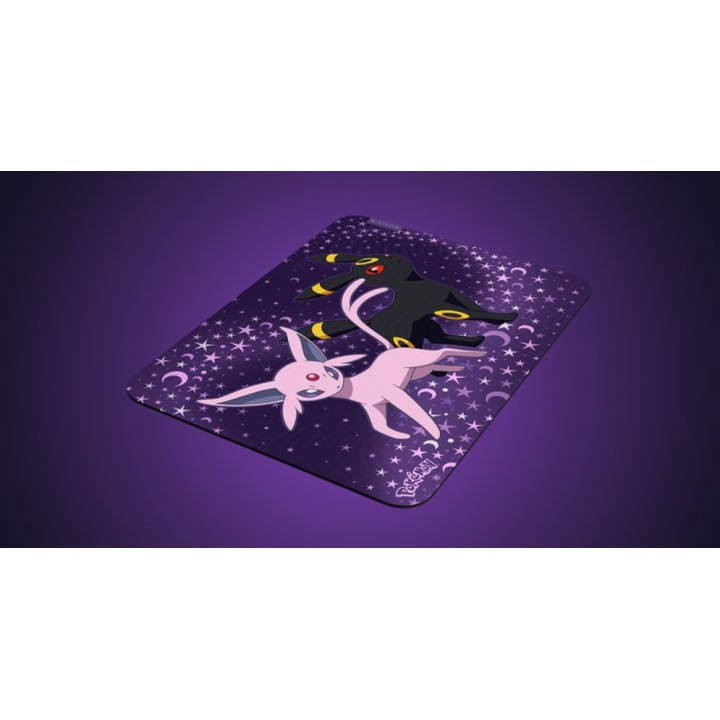
Podkładka pod mysz Razer Gigantus V2 Medium Espeon i Umbreon
PragmaPay dla biznesu
Zapłać za zakupy firmowe później lub w ratach przez Tpay.
Sprawdź, jak działa (otwiera się w nowej karcie)Opis produktu
Zastosowanie
Podkładka pod mysz Razer Gigantus V2 w edycji Espeon i Umbreon przeznaczona do użytku podczas grania oraz pracy przy komputerze. Sprawdzi się zarówno na stanowisku gamingowym, jak i przy codziennych zadaniach biurowych.
Rozmiar i dopasowanie
Podkładka ma wymiary około 36,0 × 27,5 cm, co odpowiada rozmiarowi średniemu. Zapewnia rozsądny obszar roboczy, łatwo dopasowuje się do biurek o standardowej głębokości i nie zajmuje nadmiernie miejsca.
Wzór i kolorystyka
Produkt wyróżnia dekoracyjny motyw z postaciami Espeon i Umbreon utrzymany w liliowo-wielobarwnej tonacji. Grafika stanowi dominujący element wizualny i może przypaść do gustu fanom serii oraz osobom szukającym wyróżniającego się elementu wyposażenia stanowiska.
Komfort pracy i grania
Średni rozmiar podkładki umożliwia wykonywanie zarówno precyzyjnych, jak i szybszych ruchów myszy, dzięki czemu nadaje się do różnych stylów użytkowania - od pracy z dokumentami po rozgrywkę wymagającą kontroli i dynamiki ruchu.
Model i cechy
Model: Razer Gigantus V2 w edycji Espeon i Umbreon. Podkładka nie posiada podświetlenia RGB. Informacje o wymiarach i przeznaczeniu ułatwiają dopasowanie produktu do indywidualnego stanowiska.
Specyfikacja
- Marka: Razer
- Szerokość produktu: 36,00 cm
- Wysokość produktu: 27,50 cm
- Kod producenta: RZ02- -RUEA

Szczegóły produktu
- Marka Razer
- Kod produktu 6abc52fa7347952ddb438e03
- Dostępność 10 Przedmioty
- EAN13 8887910063897
- MPN RZ02-03334800-RUEA
Producent
Producent
Razer (Europe) GmbH
Alter Teichweg 25, 22081 Hamburg, Germany 22081 Hamburg Germany
E-mail: compliance@razer.com
Formularz kontaktowy: https://www.razer.com/eu-en/contact-us
Telefon: +49 (40) 4192 99300
Bezpieczeństwo
Informacje o bezpieczeństwie
List of mouse safety warnings based on the requirements of General Product Safety Regulation (EU) 2023/988 (GPSR): 1. Ergonomics and repetitive movements: I use the mouse ergonomically to avoid strains and injuries. I regularly take breaks to reduce the risk of carpal tunnel syndrome or other problems associated with repetitive movements. 2. Cleaning and Maintenance: I disconnect the mouse from the computer before cleaning. I use a soft dry cloth to clean my mouse. I avoid using liquids that can get inside the unit and damage it. 3. Cable and Connections: I make sure the mouse cable is properly connected to the computer and is not damaged. A damaged cable may pose a risk of electric shock or cause the mouse to malfunction. 4. If I use a battery-operated wireless mouse, I use the right type of battery and insert it correctly. I remove the batteries when the mouse is not in use for extended periods of time to prevent leaks and damage. 5. LED lighting (if applicable): I avoid staring at the intense LED light for a long time, which can cause eye strain. 6. Kids: I store my mouse and small items (e.g. batteries) out of reach of children to avoid the risk of ingestion or choking. 7. Recycling: I return the used mouse to the appropriate recycling point to minimize the environmental impact. 8. Usage: I do not use a damaged mouse as this may result in electric shock or injury. 9. I do not repair the mouse myself, I give it to the service. 10. Storage: I store the mouse in a dry place, away from moisture and extreme temperatures.
Podkładki pod mysz
Ostatnio oglądane
Produkty, które ostatnio zwróciły Twoją uwagę.