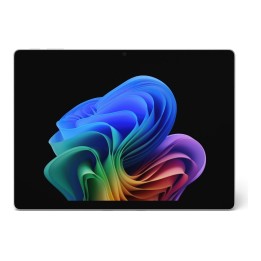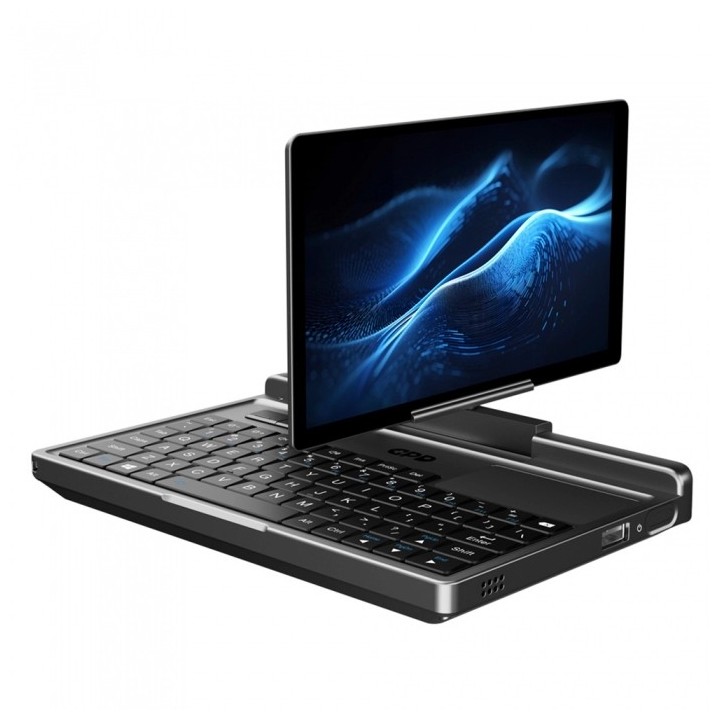


GPD MicroPC 2 K2 7" FHD dotykowy Intel N250 16GB 512GB Win 11
- MPN:
- GPD-MicroPC-2-K2
- EAN:
- 6970787921345
PragmaPay dla biznesu
Zapłać za zakupy firmowe później lub w ratach przez Tpay.
Sprawdź, jak działa (otwiera się w nowej karcie)Opis produktu
Konstrukcja i ekran
GPD MicroPC 2 K2 to kompaktowy, przenośny komputer z dotykowym ekranem o przekątnej 7 cali i rozdzielczości Full HD.
Obudowa została zaprojektowana z myślą o mobilnym użytkowaniu i pracy z ekranem dotykowym.
Wydajność i łączność
Urządzenie jest wyposażone w procesor Intel N250, 16 GB pamięci RAM oraz dysk SSD o pojemności 512 GB.
Posiada łączność Bluetooth i złącze sieciowe LAN, a także czytnik linii papilarnych i zawias umożliwiający obrót ekranu o 360 stopni.
Komputer działa pod kontrolą systemu Windows 11.
- MPN:
- GPD-MicroPC-2-K2
- EAN:
- 6970787921345
Szczegóły produktu
- Marka GPD
- Kod produktu 6ad804e86ad630c09a6d87c2
- Dostępność 18 Przedmioty
- EAN13 6970787921345
- MPN GPD-MicroPC-2-K2
Producent
Producent
Shenzhen GPD Technology Co., Ltd.
1006, Block 4D, Software Industry Base, High-Tech Industrial Park 518057 Shenzhen Chiny
E-mail: sales03@gpd.hk
Telefon: +8675586572275
Osoba odpowiedzialna w UE
CK Mediator Polska Sp. z o.o. sp.k.
Patriotów 110/216 04-844 Warszawa Polska
E-mail: GPSR@ckmediator.pl
Bezpieczeństwo
Informacje o bezpieczeństwie
List of laptop safety warnings based on the requirements of General Product Safety Regulation (EU) 2023/988 (GPSR): 1. Risk of electric shock: * Make sure your laptop is connected to a working grounded outlet. * Do not touch the plug or cable with wet hands. Avoid using your laptop in areas with high humidity. 2. Risk of overheating: * Provide adequate ventilation while maintaining at least 5 cm of free space around your laptop. * Do not block ventilation holes and avoid putting your laptop on soft surfaces dry as blankets or pillows. 3. Fire risk: * Use only original chargers and accessories recommended by the manufacturer. * Do not leave your laptop on unattended near flammable materials. 4. Risk of bodily injury: * Avoid using your laptop in a position that causes excessive heat pressure on your skin to prevent burns. * Use your laptop on a stable surface to minimize the risk of falling. 5. Hazards in humid environments: * Do not use your laptop outdoors in rain or in areas with high humidity, dry as bathrooms. * If your laptop is flooded, disconnect it from the power source immediately and contact the service. 6. Hazards at high temperatures: * Do not expose your laptop to direct sunlight. * Avoid using your laptop at temperatures above the recommended range (usually 5-35°C). 7. Risk of damage during cleaning: * Before cleaning, disconnect the laptop from power and use a soft, slightly damp cloth. Avoid using strong detergents that can damage the surface of your laptop. 8. Caution when replacing accessories: * Use only the accessories recommended by the manufacturer. * When replacing batteries, follow the manufacturer's instructions and do not expose the battery to high temperatures. 9. Battery-related hazards: * Avoid damage to the battery by impacts or punctures. If the battery overheats or swells, stop using the laptop immediately. 10. Child warnings: * Keep power cables out of reach of children. * Make sure your kids don’t play with their laptop or accessories that can be dangerous.
Laptopy
Ostatnio oglądane
Produkty, które ostatnio zwróciły Twoją uwagę.