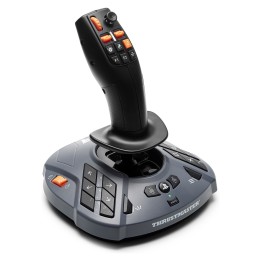
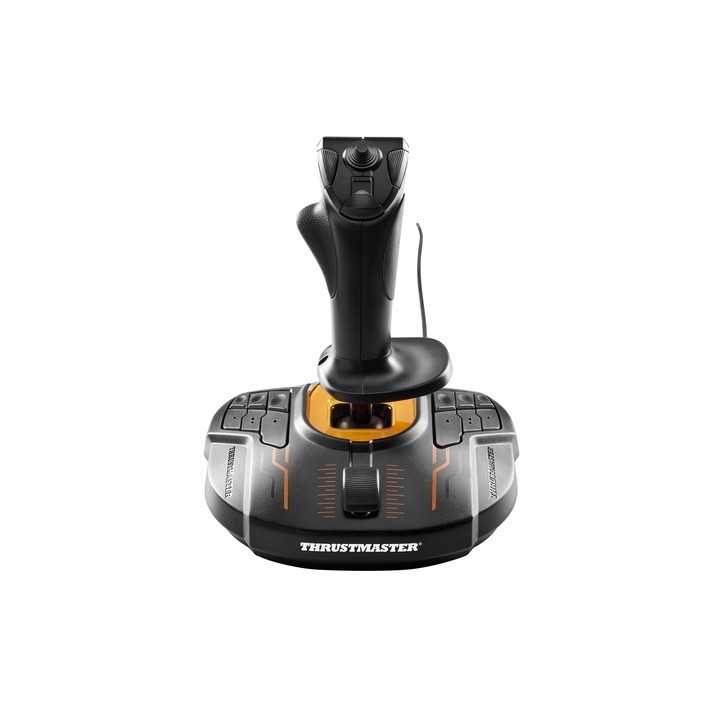
Joystick T.16000M FCS PC
PragmaPay dla biznesu
Zapłać za zakupy firmowe później lub w ratach przez Tpay.
Sprawdź, jak działa (otwiera się w nowej karcie)Opis produktu
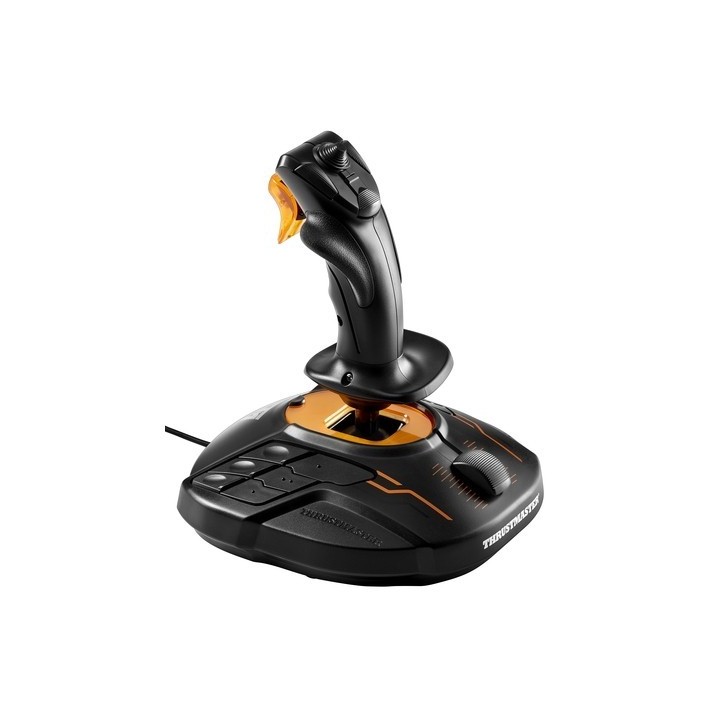
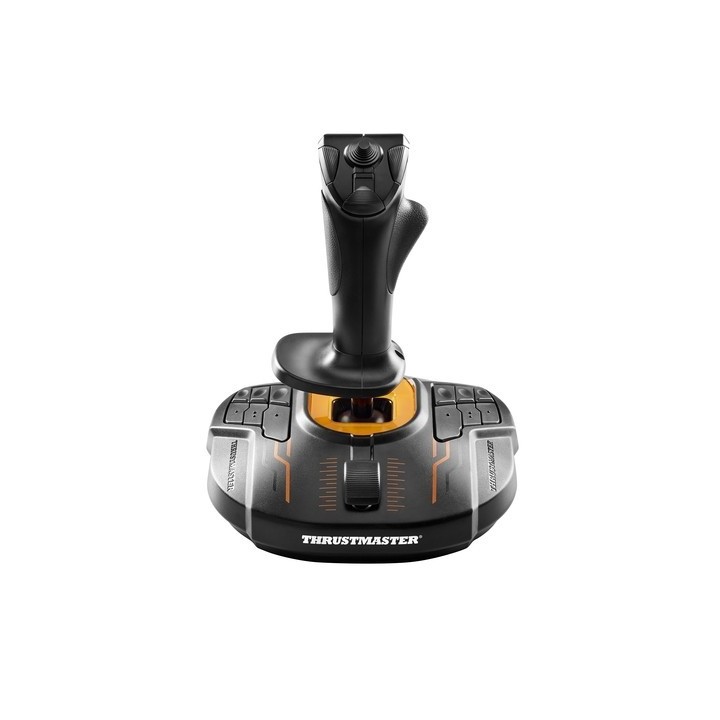
Joystick Thrustmaster T.16000M FCS został zaprojektowany by zapewnić komfort podczas wielogodzinnych sesji w ulubione gry zarówno graczom praworęcznym jak i leworęcznym. Dodatkowo joystick posiada wymienne elementy, które pozwalają na dopasowanie go dla leworęcznych graczy.
Thrustmaster T.16000M FCS został wyposażony w 16 łatwo dostępnych przycisków, z czego 12 znajduje się na podstawie, a 4 na drążku. Ponadto posiada dodatkowy przełącznik, który pozwala na zmianę z profilu prawo na leworęczny i odwrotnie.
Oprogramowanie T.A.R.G.E.T to Twoje centrum dowodzenia, w którym możesz zaprogramować do 256 przycisków joysticka (łącznie z przyciskami klawiatury i myszy). Oprogramowanie T.A.R.G.E.T umożliwia również łącznie urządzeń Thrustmaster między sobą, w celu wykorzystania tylko jednego gniazda USB. Ponadto dzięki aplikacji masz możliwość tworzenia i zapisywania profili przycisków.
Specyfikacja
- Platforma (gry): PC
- Połączenie: Przewodowe
- Interfejs: USB
- Liczba przycisków: 16
- Hat-switch: 8-kierunkowy
- D-pad: Nie
- Zasilanie (lista): Sieciowe
- Kolor (wyliczeniowy): Czarny
- Uwaga: CE+WEEE
Szczegóły produktu
- Marka Thrustmaster
- Kod produktu 660fbaef71a267703caf4d95
- Dostępność 14 Przedmioty
- EAN13 3362932914778
- MPN 2960773
Producent
Producent
Guillemot Corporation S.A.
BP 2, 56204 La Gacilly Cedex 56204 La Gacilly Francja
Formularz kontaktowy: https://www.guillemot.com/en/contact-en/
Telefon: +33 2 99 08 08 80
Bezpieczeństwo
Informacje o bezpieczeństwie
List of joystick safety warnings based on the requirements of General Product Safety Regulation (EU) 2023/988 (GPSR): * Injury risk: * Be careful not to hit the joystick during intense play as this may cause injury. * Avoid joystick drops as this can lead to mechanical damage. * Ergonomics and Health: * Take regular breaks when using the joystick to avoid joint fatigue and strain. * Adjust the joystick settings to your preference to ensure comfort and minimize muscle tension. * Compatibility and correct use: * Make sure the joystick is compatible with your computer or console. * Use the joystick according to the manufacturer's instructions to avoid malfunctioning. * Keeping clean and storing: * Regularly clean the joystick with a dry, soft cloth to avoid dirt and dust buildup. * Store your joystick in a dry and safe place, away from moisture and extreme temperatures. * Children and safety: * Do not allow children to play with the joystick unattended. * Make sure that children do not use the joystick in a way that can lead to injury (e.g. waving). * Cables and Connections: * Check joystick cables for damage. Replace damaged cables. * Make sure the cables are properly connected to avoid operation problems. * Disposal: * Do not throw away the used joystick in ordinary garbage. Give it to the e-waste collection point.