- Nowy

Zapłać za zakupy firmowe później lub w ratach przez Tpay.
Sprawdź, jak działa (otwiera się w nowej karcie)Nie mogliśmy zbudować wokół Ciebie ściany, aby zablokować hałasy w tle, więc zrobiliśmy drugą najlepszą rzecz na liście: dzięki nowemu zestawowi słuchawkowemu Voyager Focus 2 stworzyliśmy „strefę skupienia". Dzięki trzem poziomom aktywnej redukcji szumów (ANC) będziesz słyszeć jedynie Twoją rozmowę. Dzięki naszym profesjonalnym mikrofonom wykorzystującym technologię Poly Acoustic Fence Twoi rozmówcy będą słyszeli tylko Ciebie. Cała nowoczesna inżynieria Poly, jakiej można oczekiwać, przy całodziennym komforcie noszenia, którego potrzebujesz.
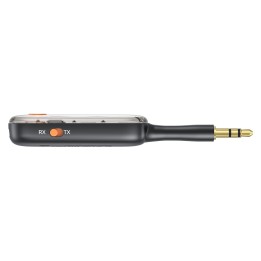
Zwiększa przenośność i elastyczność urządzenia.
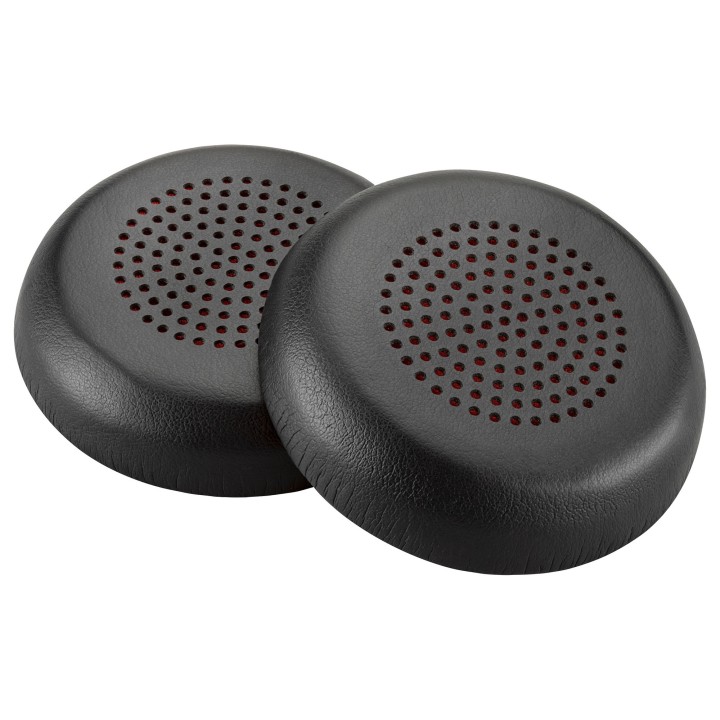
Wykonany z wysokiej jakości części.
HP Inc.
Cami de Can Graells 1-21 08174 Sant Cugat del Valles Spain
E-mail: reg@hp.com
Formularz kontaktowy: https://www.hp.com/es-es/contact-hp
Telefon: 902 02 70 20
HP REG 23010
HP REG 23010 08028 Barcelona Spain
E-mail: reg@hp.com
Formularz kontaktowy: https://www.hp.com/us-en/hp-information.html
List of safety warnings for laptop enclosures and hulls based on the requirements of General Product Safety Regulation (EU) 2023/988 (GPSR): * Make sure the housing is compatible with your laptop model to avoid problems with fitting and component damage. * Check that the housing does not have sharp edges or burrs that could cause cuts. * Be careful when mounting the case so as not to damage delicate laptop components such as motherboard, connectors or cables. * Avoid overtightening the screws that fasten the housing so as not to damage the threads or cause cracks. * If the case has ventilation elements, make sure that they are open and do not block air flow, which could lead to overheating of the laptop. * Do not use the housing in a humid or dusty environment, as this may affect its durability and safety of use. * Store the housing in a dry and safe place, away from heat sources and direct sunlight, to avoid deformation or damage. * Make sure the case does not interfere with laptop ports and connectors, such as USB, HDMI, or power outlet. * If the housing is made of flammable materials, avoid contact with open fire or high temperatures. * In case of damage to the housing (cracks, deformation) immediately stop using it and replace it with a new one. * Pay attention to the ergonomics of the case – make sure that its shape and finish do not cause discomfort when using the laptop. * If the case has additional features (e.g. LED backlight), make sure that they comply with safety standards and do not pose a health hazard. * Be sure to properly recycle the used housing to minimize the negative impact on the environment.







Produkty, które ostatnio zwróciły Twoją uwagę.