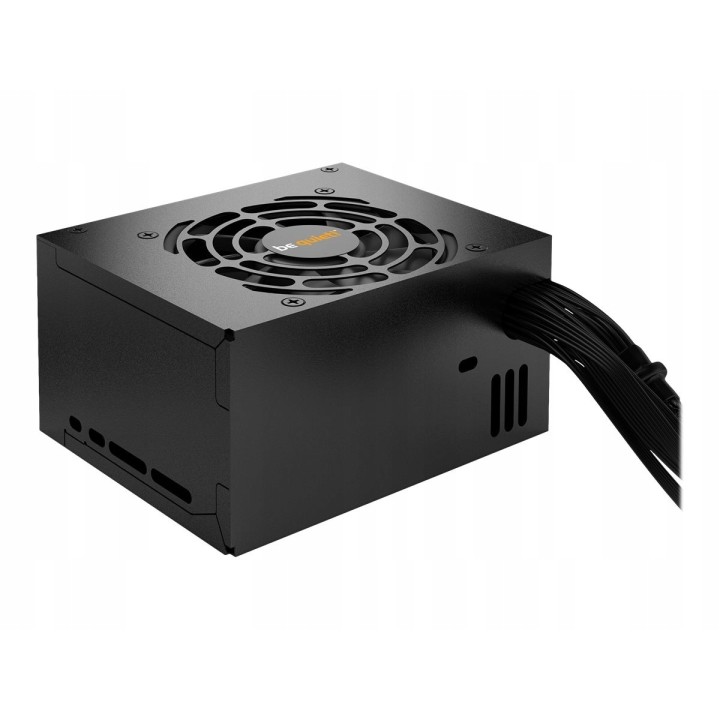
BE QUIET SFX POWER 3 450W — po zwrocie obrazki
Raty i finansowanie
BE QUIET SFX POWER 3 450W — po zwrocie
- MPN:
- EAN:
Akceptowane płatności





Opis produktu
Outlet — produkt używany, po zwrocie
Stan: Do oceny
Produkt jak nowy, tylko otwarte opakowanie
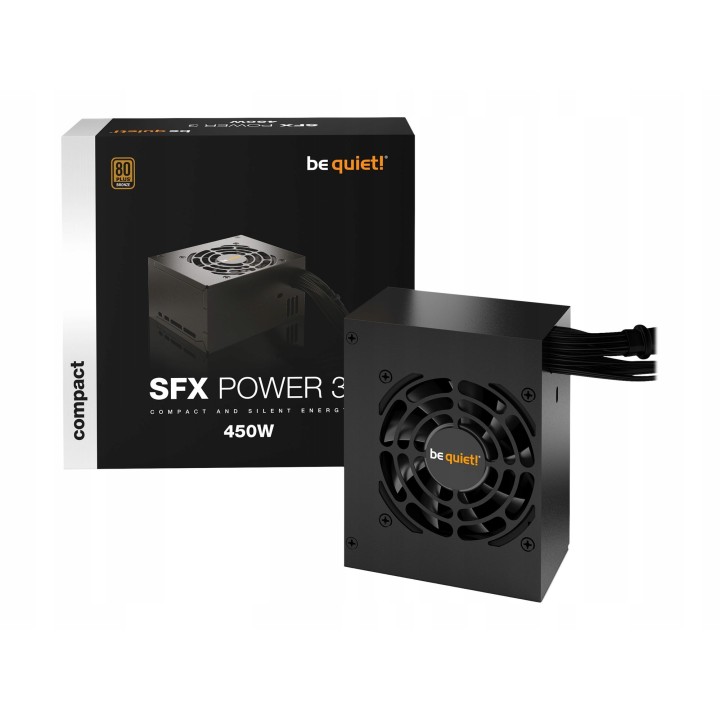
Zasilacz be quiet SFX POWER 3 450W
Be quiet!
SFX Power 3 to kompaktowy zasilacz dedykowany komputerom mini i media PC, wspierający karty graficzne PCIe. Charakteryzuje się mocną linią 12 V o mocy ciągłej 450 W oraz złączami PCIe dla wysokowydajnych procesorów graficznych. Wyposażony w wysokiej jakości wentylator sterowany temperaturowo, gwarantuje cichą pracę. Ponadto spełnia wszystkie wymagania dotyczące bezpieczeństwa i wydajności.
- Maksymalna moc zasilacza: 450 W
- Standard zasilacza: SFX
- Przeznaczenie zasilacza: Komputer stacjonarny
- PFC: Aktywne
- Sprawność: 86% pod typowym obciążeniem
- Zabezpieczenia: OTP (Over Temperature Protection) / zabezpieczenie przed przegrzaniem zasilacza
- Certyfikat: 80 PLUS Bronze
- Ilość wentylatorów (max): 1 szt.
- Średnica wentylatora: 80 mm
- Natężenia zasilacza: -12V (A) 0.3, +5Vsb (A) 2.5
- Wtyczka zasilania: Floppy x 1
- Długość kabli: Max. długość przewodów: 60
- Maks. głośność: 33.8 dB
- Wymiary [G x S x W] (mm): 100 x 125 x 64
- Waga (kg): 0.890
- Certyfikaty: CE, CB, TÜV, CU (Russia)
- MPN:
- EAN:
Szczegóły produktu
- Kod produktu OUT:6aff1e57bb63e7d444ef199d:KT-BF5BC04A0E264A60
- Dostępność 1 Przedmiot
- Stan Używane
Producent
Producent
Listan Poland sp. z o.o.
Łopuszańska 95 02-457 Warszawa Polska
E-mail: info@bequiet.com
Bezpieczeństwo
Informacje o bezpieczeństwie
List of safety warnings for computer power supplies based on the requirements of General Product Safety Regulation (GPSR) 2023/988 * Risk of electric shock: * Make sure the power supply is properly grounded. * Do not open the power supply housing when it is connected to power. * Do not touch any internal components of the power supply when it is connected to power. * Do not use the power supply in humid or wet environments. * Disconnect the power supply from the power supply before cleaning. * Fire risk: * Do not use a power supply with less power than required by your computer. * Make sure the power supply has adequate surge, short-circuit and thermal protection. * Do not cover the power supply to ensure adequate ventilation. * Do not place the power supply near heat sources. * Regularly inspect power cables for damage. * Explosion risk: * Do not use a power supply that is damaged or has visible signs of damage. * Do not try to repair the power supply yourself. * Use the power supply only for its intended purpose. * Dispose of the power supply according to local regulations. * Risk of injury: * Do not drop the power supply. * Do not disassemble the power supply as it contains live components that can cause electric shock. * Do not expose the power supply to extreme temperatures or moisture. * Before installing the power supply, disconnect the computer from the power supply. * Compatibility and selection: * Make sure the power supply is compatible with the motherboard and other computer components. * Check that the power supply has the right connectors for all components. * Overheating protection: * Provide adequate ventilation in the computer case so that the power supply does not overheat. * Regularly clean the power supply fan from dust. * Installation and use: * Follow the manufacturer's instructions when installing the power supply. * Do not overload the power supply by connecting too many devices to it. * Storage: * Store the power supply in a dry and clean place, away from children. * Cables & Connections: * Make sure all cables are properly connected and not damaged. * Do not use extension cords or adapters that are not intended to be used with the power supply.
Outlet