





Raty i finansowanie
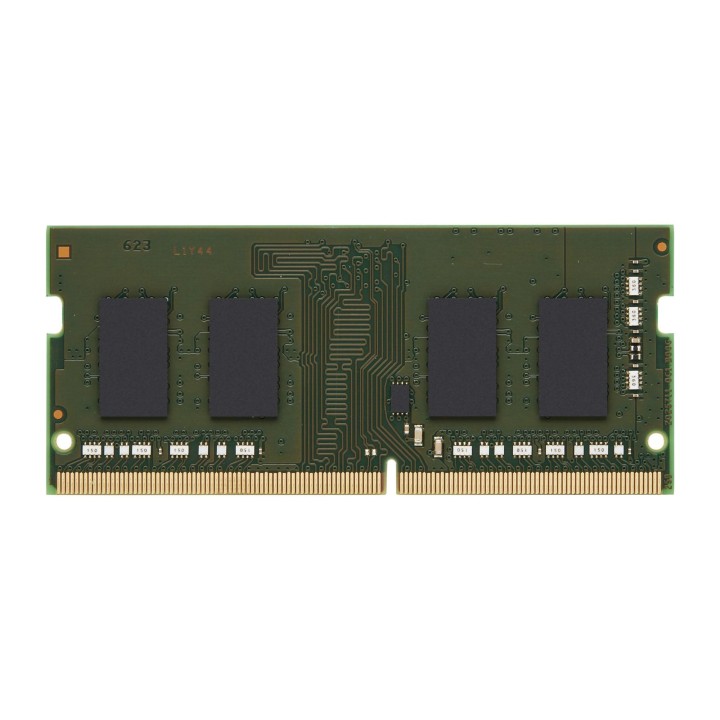
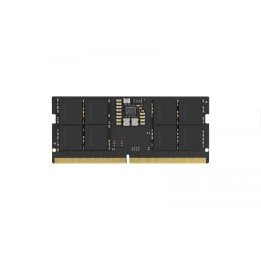
KINGSTON 4GB DDR4 3200MHz SODIMM
- MPN:
- KCP432SS6/4
- EAN:
- 0740617311006
Akceptowane płatności
Opis produktu
Pamięci Kingston są projektowane i produkowane zgodnie ze specyfikacjami poszczególnych marek systemów. Wyróżniają się znakomitą niezawodnością.
Specyfikacja
- Opis produktu: Kingston DDR4 moduł 4 GB SODIMM 260pin PC425600 niebuforowana
- Typ produktu: Moduł pamięci
- Pojemność: 4 GB
- Typ pamięci: DDR4 SDRAM SODIMM 260pin
- Sposób rozbudowy: Standardowy
- Sprawdzenie intgralności danych: Bez ECC
- Szybkość: 3200 MTs (PC425600)
- Latency Timings: CL22
- Cechy: Moduł Jednostronny, niebuforowana
- Napięcie: 1.2 V
- Powłoka łączówki: Złoto
- MPN:
- KCP432SS6/4
- EAN:
- 0740617311006
Szczegóły produktu
- Marka Kingston
- Kod produktu 661034dd71a267703cf9819c
- Dostępność 1 Przedmiot
- EAN13 0740617311006
- MPN KCP432SS6/4
Specyfikacja
- Typ pamięci RAM DDR4
- Opóźnienie CAS CL22
- Pojemność zestawu RAM (GB) 4 GB
- Format modułu RAM SO-DIMM
- Taktowanie efektywne RAM (MT/s) 3200 MT/s
- Pojemność jednego modułu (GB) 4 GB
- Liczba modułów (szt.) 1 szt.
- ECC Nie
- Napięcie pamięci (V) 1,2 V
Producent
Producent
Kingston Technology International Ltd
Blanchardstown Road North D15 PEC4 Dublin Irlandia
E-mail: customerservice@kingston.eu
Osoba odpowiedzialna w UE
Kingston Technology International Ltd / Kingston Digital International Ltd
Blanchardstown Road North D15PEC Dublin Irlandia
E-mail: productsafety@kingston.ie
Bezpieczeństwo
Informacje o bezpieczeństwie
List of RAM security warnings based on the requirements of General Product Safety Regulation (GPSR) 2023/988 * Short circuit risk: Ensure that RAM modules are properly installed and secured in the slots on the laptop motherboard. Incorrect connection can lead to short circuit and damage to components. * Risk of Electrostatic Damage (ESD): Before touching the RAM modules, ground yourself to avoid electrostatic discharges that can damage electronic components. * Risk of overheating: Provide adequate ventilation inside the laptop to prevent RAM modules from overheating during heavy use. * Compatibility: Make sure the RAM modules you purchase are compatible with your laptop model and motherboard specifications. Incompatible modules can cause operating problems or system corruption. * Installation: Turn off your laptop and disconnect it from power before installing or replacing RAM modules. Follow the laptop manufacturer's instructions for proper installation. * Mechanical Damage: Avoid dropping or hitting RAM modules, as they can be damaged and stop working. * Kids: Keep RAM modules out of reach of children, as small items can pose a choking hazard. * Recycling: Recycle used RAM modules at appropriate collection points to avoid negative environmental impacts. * Moisture and liquids: Avoid contact of RAM modules with moisture and liquids that can cause corrosion and damage.