- Nowy
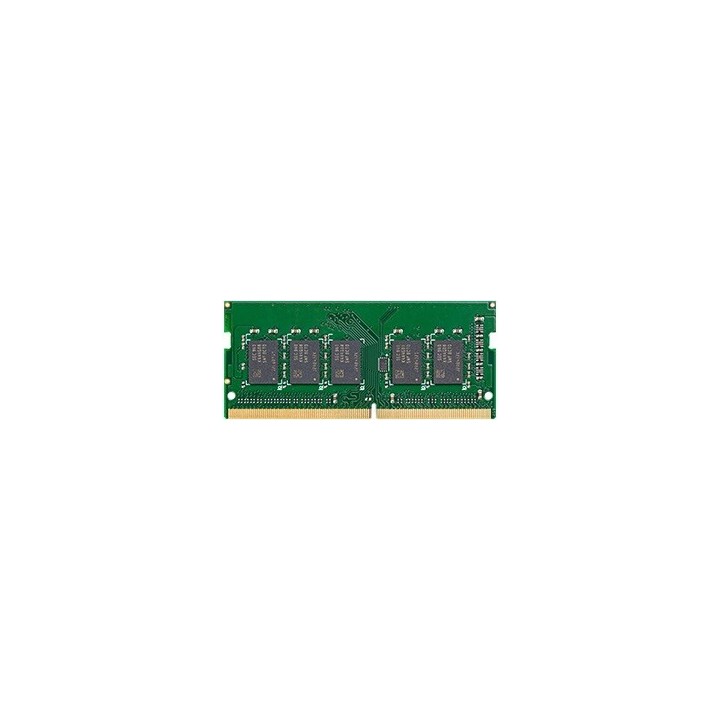
Pamięć DDR4 4GB ECC SODIMM D4ES02-4G Unbuffered
Zawsze wybieraj oryginalne moduły pamięci Synology u dystrybutorów, aby zapewnić sobie optymalną zgodność i niezawodność. Instalacja modułów pamięci innych niż określone przez Synology może prowadzić do niestabilności lub awarii systemu. Firma Synology nie zapewnia całkowitej gwarancji na produkt lub pomocy technicznej, jeżeli do rozbudowy pamięci użyto modułów innych niż te firmy Synology.
Synology GmbH
Grafenberger Allee 125 40237 Düsseldorf Niemcy
E-mail: pl_sales@synology.com
Formularz kontaktowy: https://www.synology.com/company/contact_us
Synology GmbH
Allee 295 40237 Düsseldorf Germany
E-mail: pbiel-ext@synology.com
Formularz kontaktowy: https://www.synology.com/form/inquiry/product
Telefon: +49 211 9666 9666
List of RAM security warnings based on the requirements of General Product Safety Regulation (GPSR) 2023/988 * Short circuit risk: Ensure that RAM modules are properly installed and secured in the slots on the laptop motherboard. Incorrect connection can lead to short circuit and damage to components. * Risk of Electrostatic Damage (ESD): Before touching the RAM modules, ground yourself to avoid electrostatic discharges that can damage electronic components. * Risk of overheating: Provide adequate ventilation inside the laptop to prevent RAM modules from overheating during heavy use. * Compatibility: Make sure the RAM modules you purchase are compatible with your laptop model and motherboard specifications. Incompatible modules can cause operating problems or system corruption. * Installation: Turn off your laptop and disconnect it from power before installing or replacing RAM modules. Follow the laptop manufacturer's instructions for proper installation. * Mechanical Damage: Avoid dropping or hitting RAM modules, as they can be damaged and stop working. * Kids: Keep RAM modules out of reach of children, as small items can pose a choking hazard. * Recycling: Recycle used RAM modules at appropriate collection points to avoid negative environmental impacts. * Moisture and liquids: Avoid contact of RAM modules with moisture and liquids that can cause corrosion and damage.
Produkty, które ostatnio zwróciły Twoją uwagę.