




Raty i finansowanie

Raty Pekao

Za zakupy możesz zapłacić na raty przez Tpay.

Oblicz ratę (otwiera się w nowej karcie)

PragmaPay dla biznesu

Zapłać za zakupy firmowe później lub w ratach przez Tpay.

Sprawdź, jak działa (otwiera się w nowej karcie)

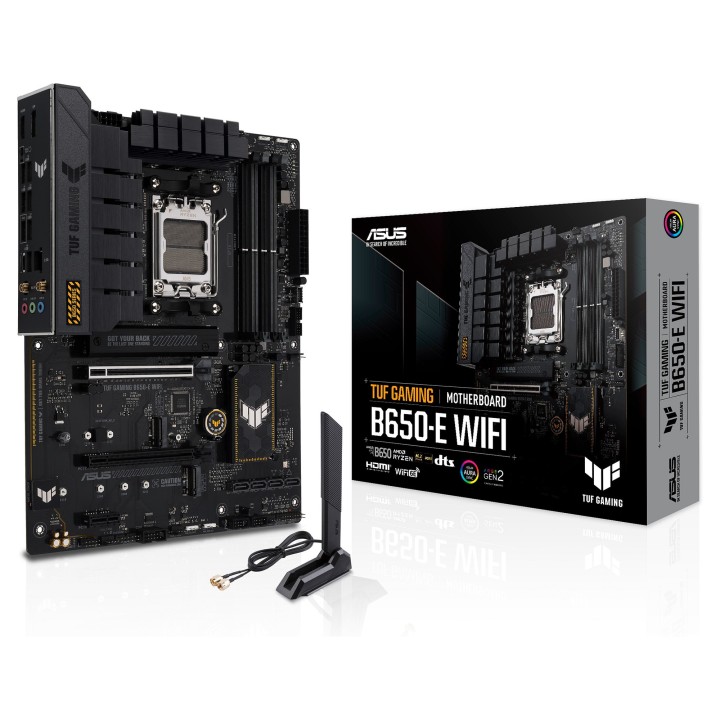
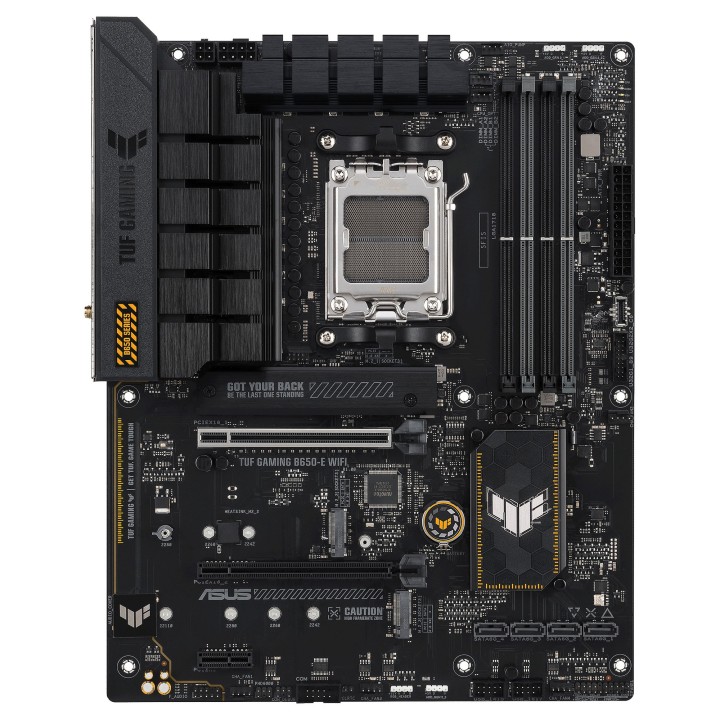
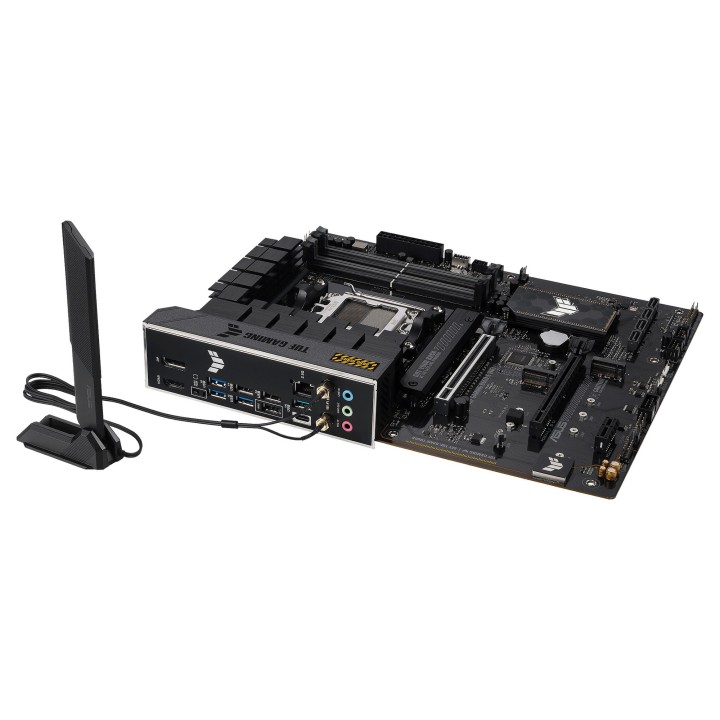
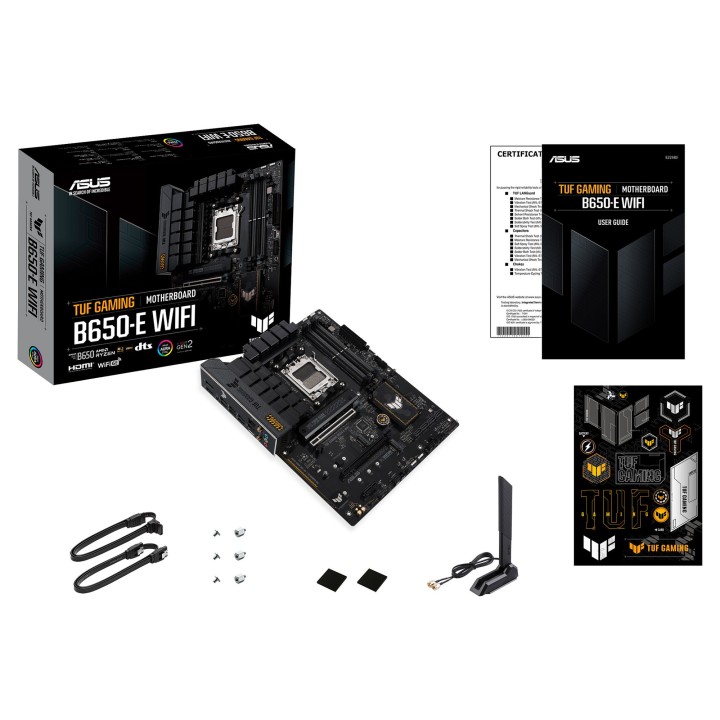
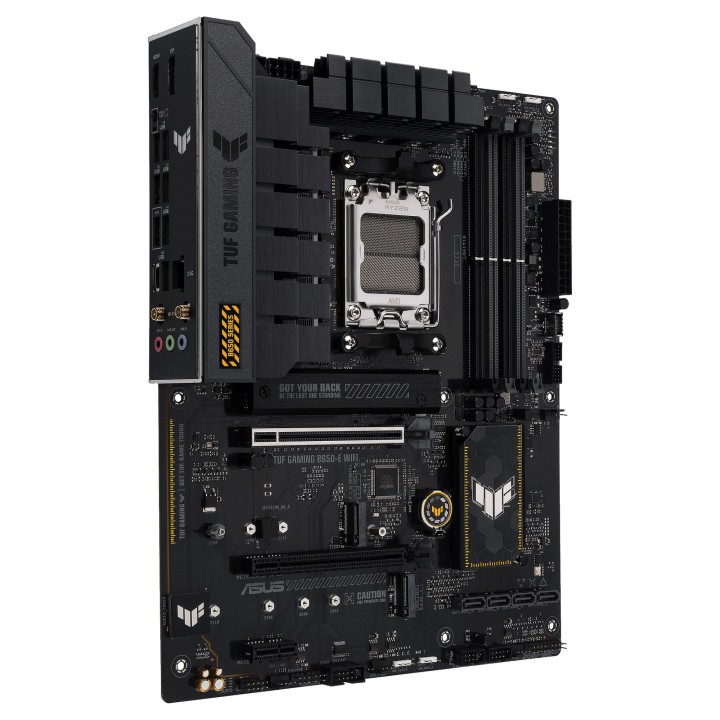
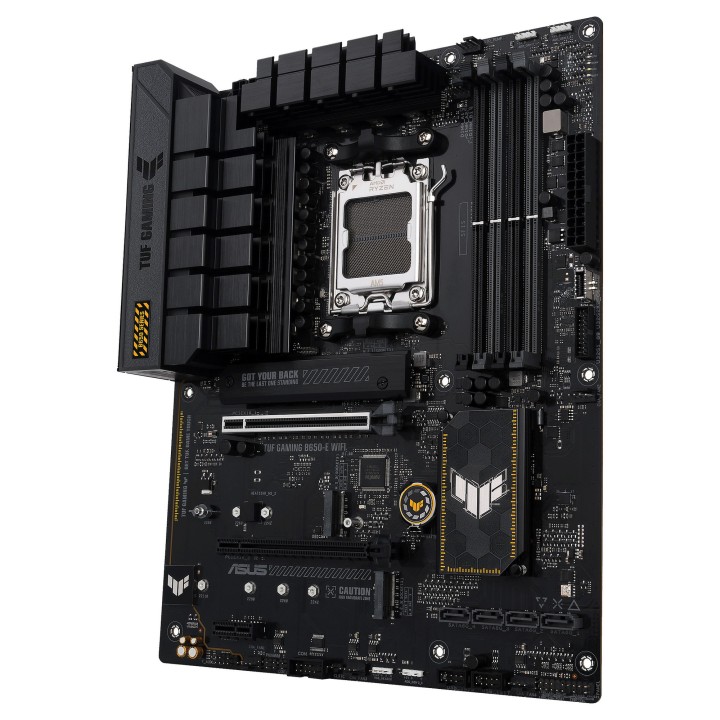
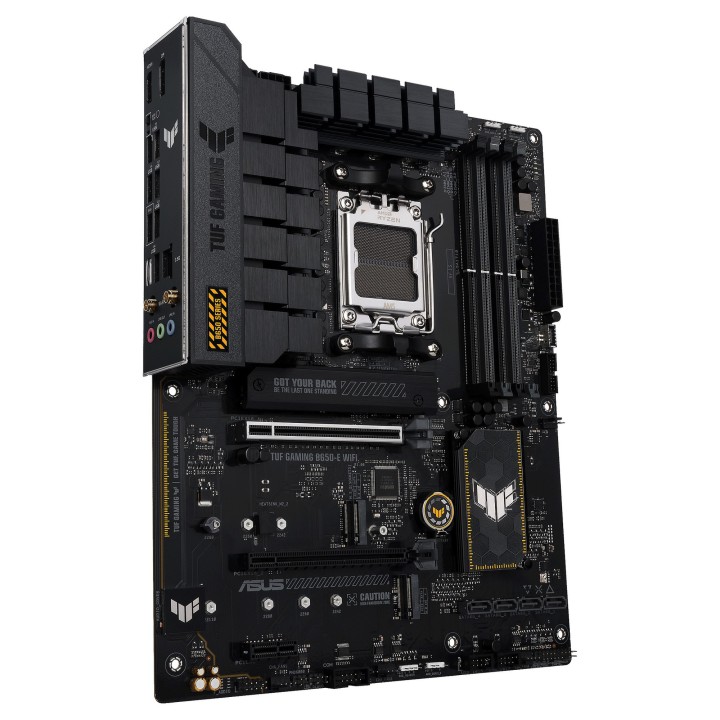
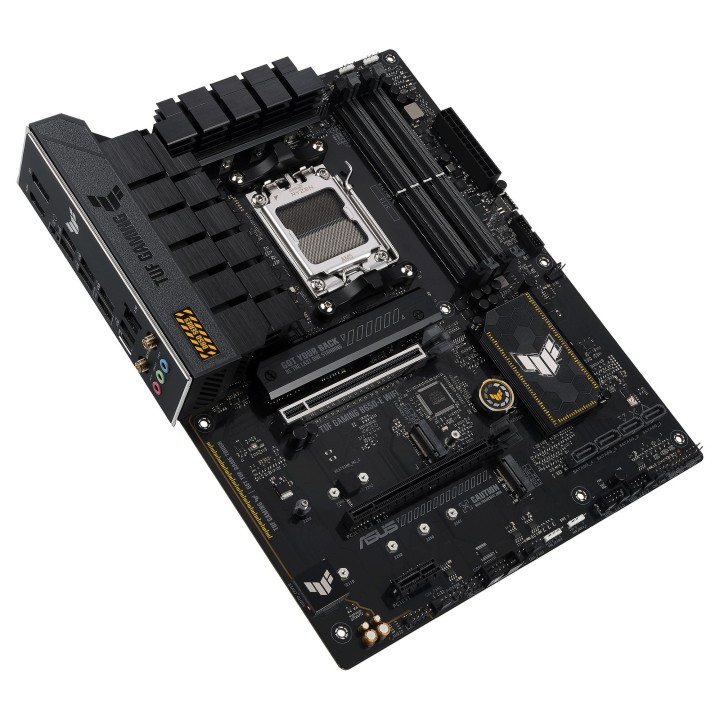
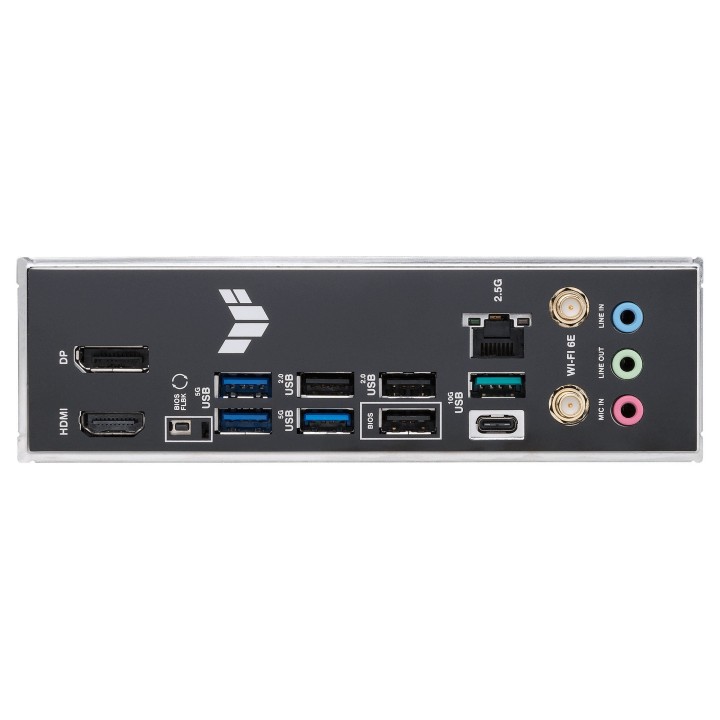
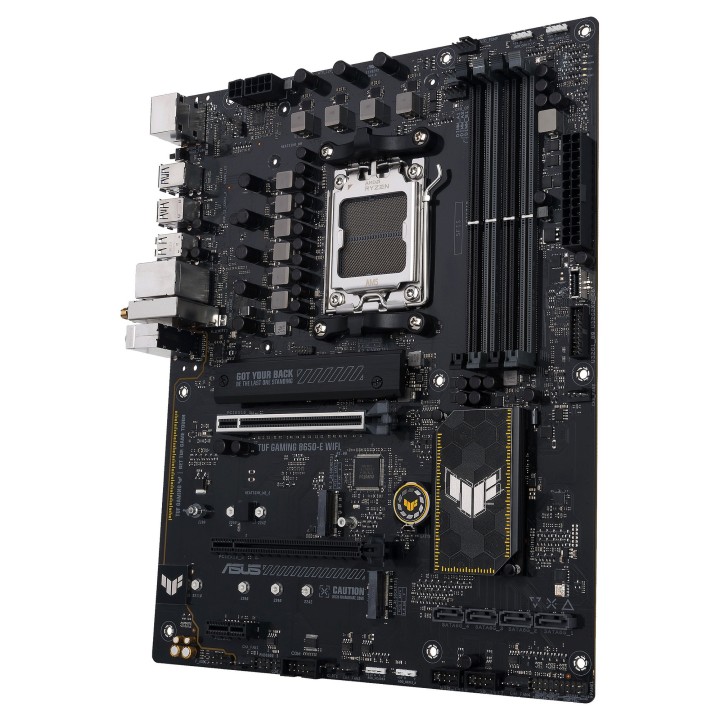
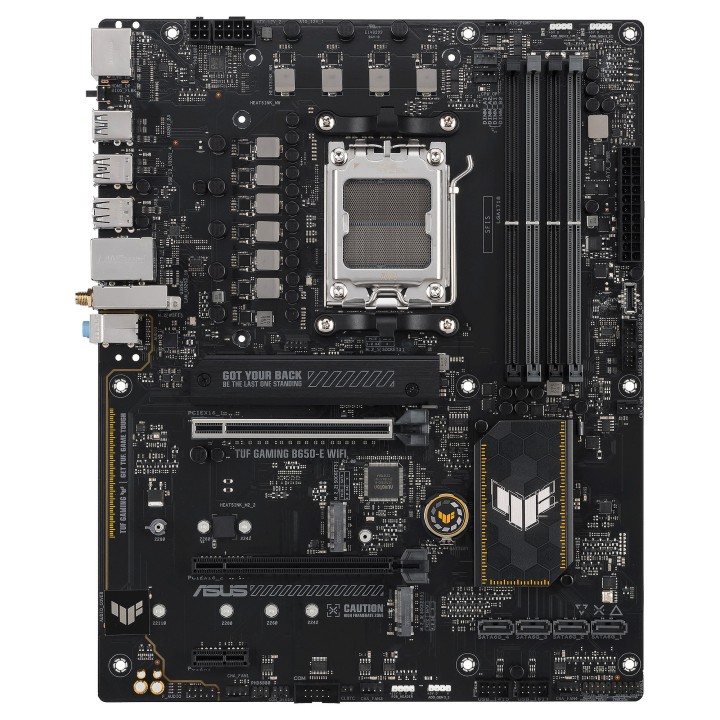
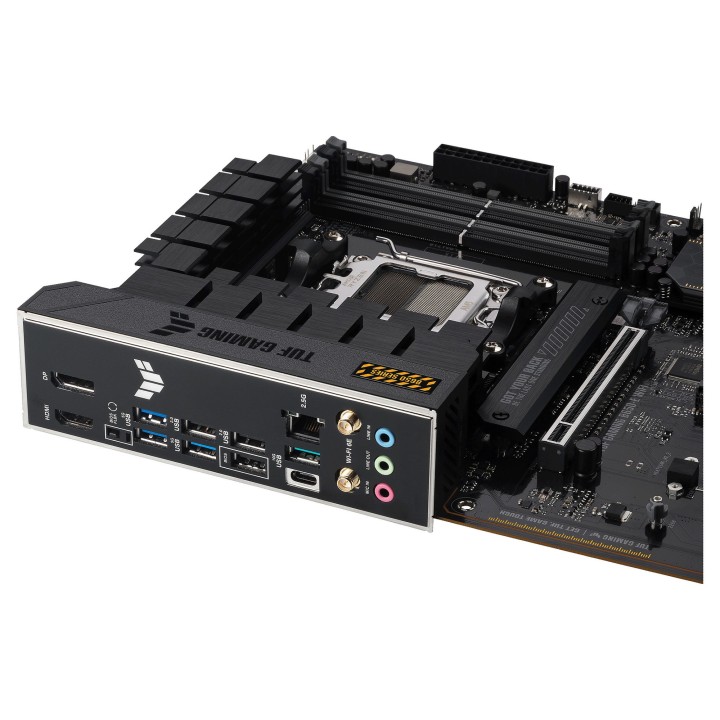
Płyta główna ASUS TUF GAMING B650-E WIFI

MPN:
90MB1GT0-M0EAY0
EAN:
4711387423073
Cena: 990,49 zł
Brutto 805,28 zł netto
Dostępność produktu: Dostępny 10 szt.
Czas dostawy Wysyłka w ciągu 7 dni roboczych
Koszt dostawy Dostawa od 11,99 zł

Akceptowane płatności

Opis produktu

TUF GAMING B650-E WIFI

ASUS TUF GAMING B650-E WIFI wykorzystuje wszystkie niezbędne elementy najnowszego gniazda AM5 dla procesorów stacjonarnych AMD Ryzen i łączy je z funkcjami gotowymi do gry i sprawdzoną trwałością. Zaprojektowana z komponentów klasy wojskowej, ulepszonym rozwiązaniem zasilania i kompleksowym systemem chłodzenia, ta płyta główna przekracza oczekiwania dzięki solidnej i stabilnej wydajności podczas maratonów gier. Płyty główne TUF GAMING przechodzą również rygorystyczne testy wytrzymałościowe, aby upewnić się, że poradzą sobie w warunkach, w których inne mogą zawieść. Pod względem estetycznym ten model zawiera wytrzymałe, czarne i geometryczne elementy konstrukcyjne, aby odzwierciedlić niezawodność i stabilność, które definiują serię TUF GAMING. Ta platforma zapewnia moc i łączność, których wymagają zaawansowane aplikacje komputerowe AI.

Szczegóły produktu

  • Marka Asus
  • Kod produktu 66437b420c243f133c2a0552
  • Dostępność 10 Przedmioty
  • EAN13 4711387423073
  • MPN 90MB1GT0-M0EAY0

Specyfikacja

  • Typ pamięci RAM DDR5
  • Wi-Fi Tak
  • Bluetooth Tak
  • Gniazdo procesora AM5
  • Maksymalna pojemność RAM (GB) 192 GB
  • Chipset AMD B650
  • Złącza wewnętrzne 24pin ATX zasilanie
    4pin 12V zasilanie
    4pin wentylator obudowy
    4pin wentylator opcjonalny procesora (OPT)
    4pin wentylator procesora
    4pin wentylator procesora chłodzenie cieczą
    8pin 12V zasilanie
    Adresowalna dioda LED
    Czujnik otwarcia obudowy (chassis intrusion)
    M.2
    Przedni panel audio
    Przycisk Clear CMOS
    SATA III 6Gb/s
    Taśma LED RGB
    USB 2.0/1.1
    USB 3.0
    USB C
    Zworka Clear CMOS
  • Format płyty ATX
  • Standard PCIe PCIe 4.0 x16; PCIe 3.0 x16
  • Liczba slotów RAM (szt.) 4 szt.
  • Liczba gniazd M.2 (szt.) 3 szt.

Producent

Producent

ASUS Polska SP. z o.o.

Cybernetyki 9 02-677 Warszawa Polska

E-mail: sales@asus-polska.pl

Osoba odpowiedzialna w UE

ASUS Polska Sp. z o.o.

Harkort str 21-23 40880 Ratingen Germany

E-mail: sales@asus-polska.pl

Telefon: 22 571 80 00

Bezpieczeństwo

Informacje o bezpieczeństwie

List of motherboard safety warnings based on the requirements of General Product Safety Regulation (EU) 2023/988 (GPSR): * Risk of electric shock: Make sure the power supply is disconnected before installing or disassembling any components. Do not touch pins, connectors or paths on the board with wet hands or in humid environments. * Short-circuit risk: Be careful that no metal objects come into contact with the plate during installation or use. * Risk of Electrostatic Damage (ESD): Use an antistatic band when working with the motherboard to avoid damage to sensitive components. * Risk of injury: Sharp edges and small elements on the board can pose a risk of injury. Be careful when manipulating. * Fire risk: Incorrect connection of power supply or overheating of components can lead to fire. Make sure all connections are correct and cooling is adequate. * Risk of component damage: Do not use excessive force when installing components to avoid damaging the board or the component itself. * Compatibility: Make sure that all components (processor, RAM, graphics card) are compatible with your motherboard. * Stability: Place the motherboard on a stable, flat surface to prevent mechanical damage. * Overheating: Provide adequate cooling to prevent the motherboard and its components from overheating. Clean radiators and fans regularly. * Kids: Keep the motherboard and small items out of reach of children to avoid the risk of ingestion or other accidents. * Installation: Disconnect the motherboard from power before any interference.

Ładowanie...
Wróć na górę