- Nowy
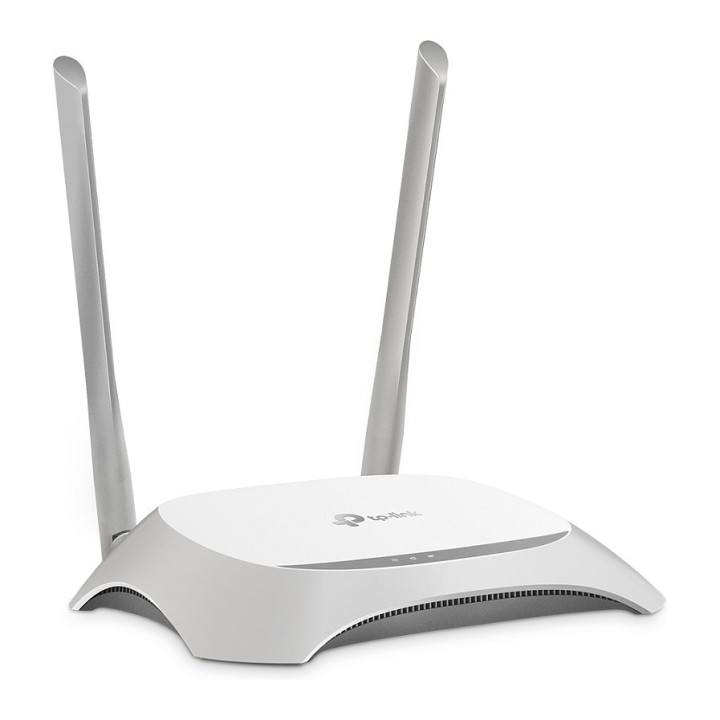
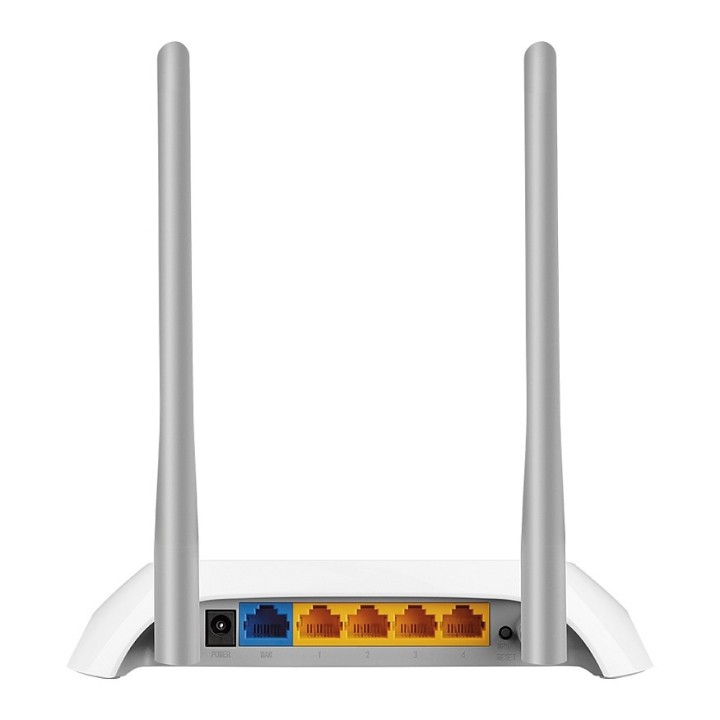
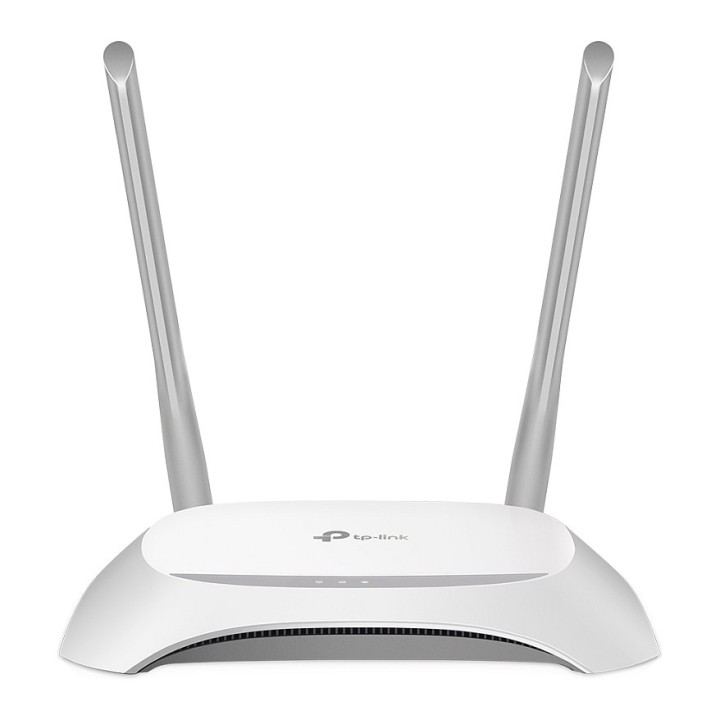
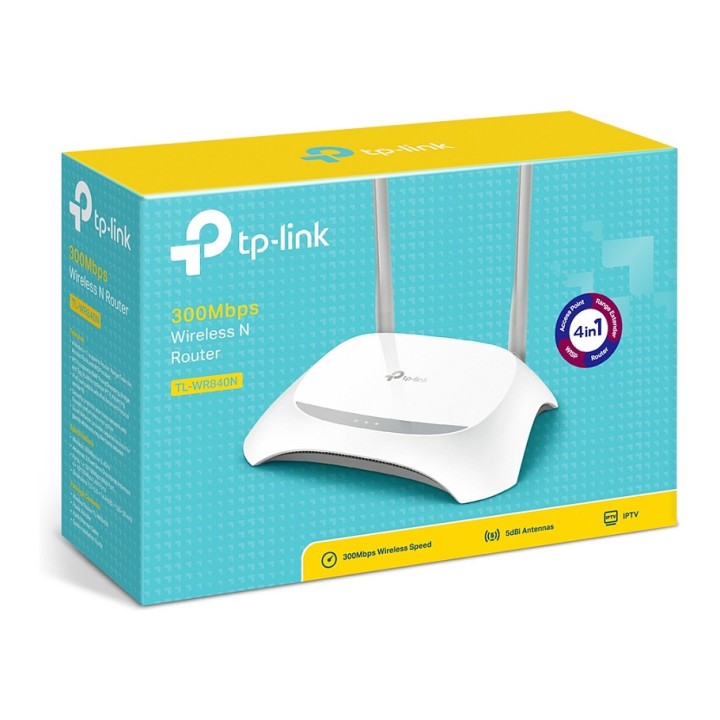
TPLINK TL-WR840N TP-Link TL-WR840N Wireless 802.11n/300Mbps 2T2R router 4xLAN, 1xWAN obrazki
TPLINK TL-WR840N TP-Link TL-WR840N Wireless 802.11n/300Mbps 2T2R router 4xLAN, 1xWAN
Opis produktu
Router TL-WR840N jest opracowanym specjalnie do użytku w małych sieciach biurowych oraz sieciach domowych urządzeniem, umożliwiającym przewodowe oraz bezprzewodowe udostępnienianie połączenia. Charakteryzuje go nowoczesne, eleganckie wzornictwo oraz wysoka wydajność połączeń bezprzewodowych, odpowiednia dla transmisji wideo w jakości HD, telefonii VoIP oraz gier online. Wyposażony jest również w przycisk WPS (Wi-Fi Protected Setup) umożliwiający łatwe nawiązywanie połączeń bezprzewodowych zabezpieczonych szyfrowaniem WPA2.
Prędkość transmisji 300Mb/s odpowiednia zarówno dla codziennego użytkowania jak i bardziej wymagających zastosowań
Przycisk WPS umożliwiający łatwe nawiązanie szyfrowanego połączenia
Kontrola przepustowości po adresach IP umożliwia administratorom ustalanie limitów prędkości przesyłania danych dla poszczególnych komputerów
Tryb WDS umożliwia nawiązanie połączenia typu bridge w celu bezprzewodowego rozszerzenia sieci lokalnej
Specyfikacja
- Opis produktu: TPLink TLWR840N router bezprzewodowy WiFi stacjonarny
- Rodzaj urządzenia: Router bezprzewodowy przełącznik 4portowy (zintegrowany)
- Rodzaj obudowy: Stacjonarny
- Ilość portów WAN: 1
- Protokół komunkacyjny danych: Ethernet, Fast Ethernet, IEEE 802.11b, IEEE 802.11g, IEEE 802.11n
- Pasmo częstotliwości: 2,4 GHz
- Szybkość transmisji danych: 300 Mbps
- Protokół warstwy Sieci Transportu: PPTP, L2TP, IPSec, PPPoE, DDNS
- Protokół routingu: Statyczne trasowanie IP
- Cechy: Port strefy DMZ, zapobieganie atakom typu DoS, filtrowanie adresów MAC, obejście VPN, kontrola rodzicielska, filtrowanie adresów IP, obsługa WMM, obsługa wirtualnych serwerów, WPS, serwer DHCP, kontrola łącza, wyzwalanie portu, SPIF, klient DHCP, rezerwacja DHCP
- Zgodność z normami: IEEE 802.11b, IEEE 802.11g, IEEE 802.11n, UPnP
- Wymiary (szer.głęb.wys.): 18.2 cm x 12.8 cm x 3.5 cm
- Wymagania systemowe: Apple MacOS, Linux, Microsoft Windows 2000XPVista788.110
Szczegóły produktu
- Marka TP-LINK
- Kod produktu 660fd4c471a267703cc4a0fe
- Dostępność 3 Przedmioty
- EAN13 6935364070533
- MPN TLWR840N
Specyfikacja
- Port USB Nie
- Generacja Wi-Fi Wi-Fi 4
- Liczba portów LAN (szt.) 4 szt.
Producent
Producent
TP-Link Polska Sp. z o.o.
Ożarowska 40/42 05-850 Duchnice Polska
E-mail: info.pl@tp-link.com
Telefon: +48 22 360 63 63
Osoba odpowiedzialna w UE
TP-Link
Ożarowska 40/42 05-850 Duchnice Polska
E-mail: office.poland@tp-link.com
Telefon: +48 22 360 63 00
Bezpieczeństwo
Informacje o bezpieczeństwie
List of safety warnings for WiFi and Access Point Routers based on the requirements of Regulation (EU) 2023/988 on General Product Safety (GPSR) 1. Risk of electric shock: * Make sure that the device is connected to a working socket with grounding. * Do not touch the plug or cable with wet hands. * Avoid using the device in places with high humidity. 2. Risk of overheating: * Provide adequate ventilation while maintaining at least 5 cm of free space around the device. * Do not block ventilation openings. 3. Fire risk: * Use only original power supplies and accessories recommended by the manufacturer. * Do not leave the device on unattended near flammable materials. 4. Hazards at high temperatures: * Do not expose the device to direct sunlight. * Avoid using the router at temperatures above the recommended range (usually 5-35°C). 5. Risk of damage during cleaning: * Before cleaning, disconnect the device from the power supply and use a soft, slightly damp cloth. * Avoid using strong detergents that can damage the surface of the device. 6. Warnings for children: * Keep power cables out of reach of children. * Make sure that children do not play with the device or accessories that can be dangerous. 7. Regularly check the technical condition of the device: * Check the condition of the device regularly for mechanical damage, cracks or other defects. * Do not use the device if it has visible mechanical damage. 8. Use in humid environments * Avoid using your router in the bathroom, in the rain or in other humid environments 9. Interference with other devices * Using a router near medical devices such as pacemakers can cause electromagnetic interference. * Keep a distance of at least 15 cm between your router and medical devices. 10. Regular maintenance * Failure to regularly clean ports and sockets can lead to damage or failure. * Clean ports and sockets regularly using a dry and clean cloth, avoiding moisture input. 11. Risk of loss of water resistance * Do not immerse in water if it is not waterproof. 12. Electromagnetic interference * Smartwatches can interfere with medical devices such as pacemakers. 13. Small parts: * Components of the device, can be swallowed by children. * Keep your device and its accessories out of reach of children. Do not allow children to use the device themselves without supervision. 14. Risk of battery damage * Improper use, such as overheating or using a non-original charger, can lead to battery damage and, in extreme cases, to battery explosion. * Charge your device at room temperature and use only original accessories. Do not expose your smartwatch to high temperatures. 15. Maintenance and cleaning * Impurities such as sweat or dirt can cause discomfort and damage to materials. * Clean your smartwatch and strap regularly with a soft, damp cloth. Avoid using harsh chemicals.
Routery Wi-Fi i Access Pointy
- Nowy
- Nowy
- Nowy
- Nowy
- Nowy
- Nowy
- Nowy
- Nowy
- Nowy
- Nowy
- Nowy