- Nowy
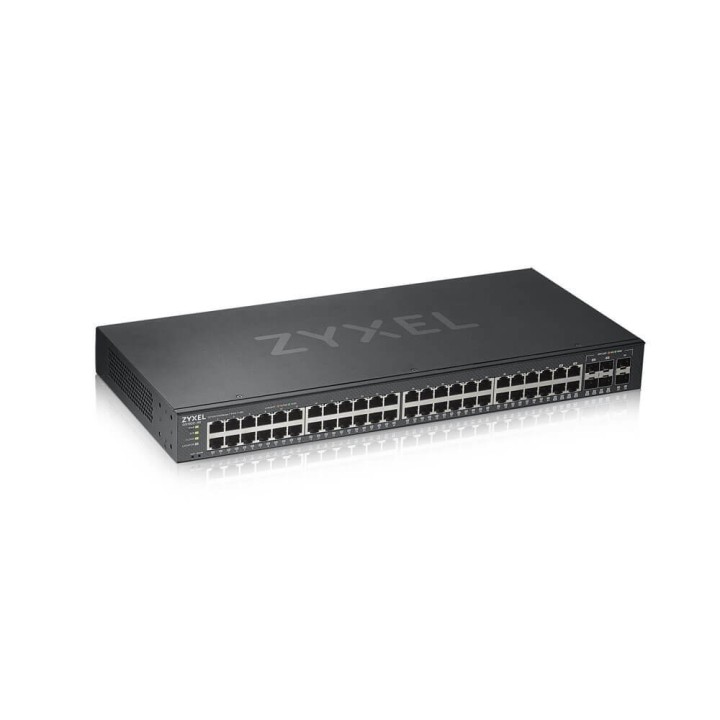
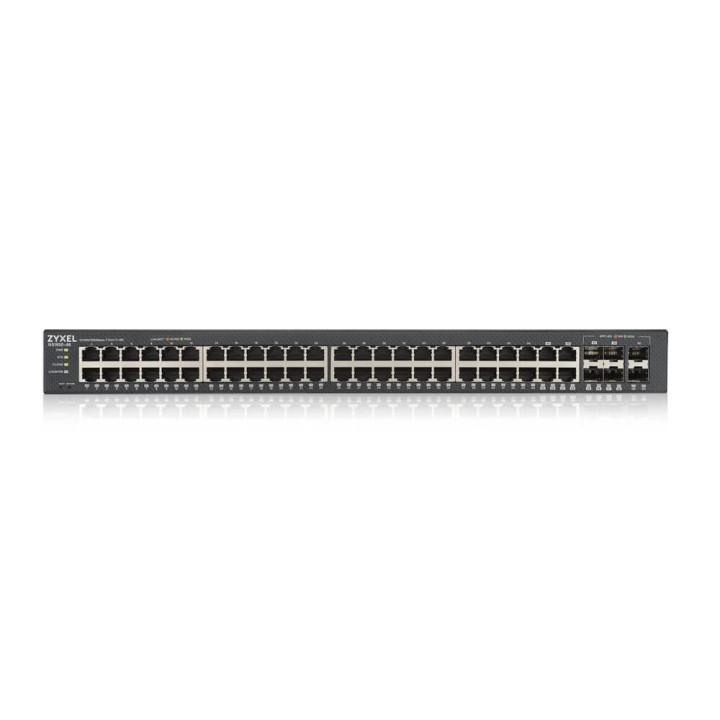
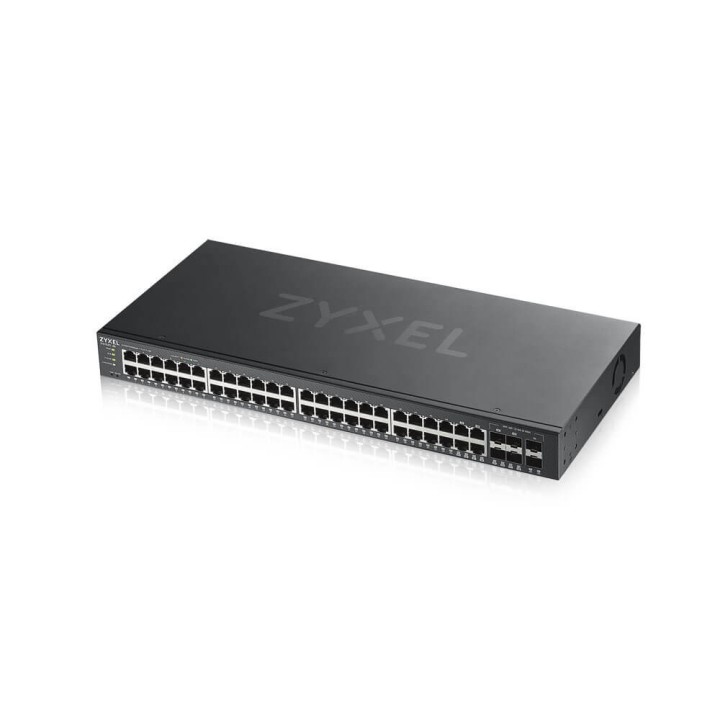
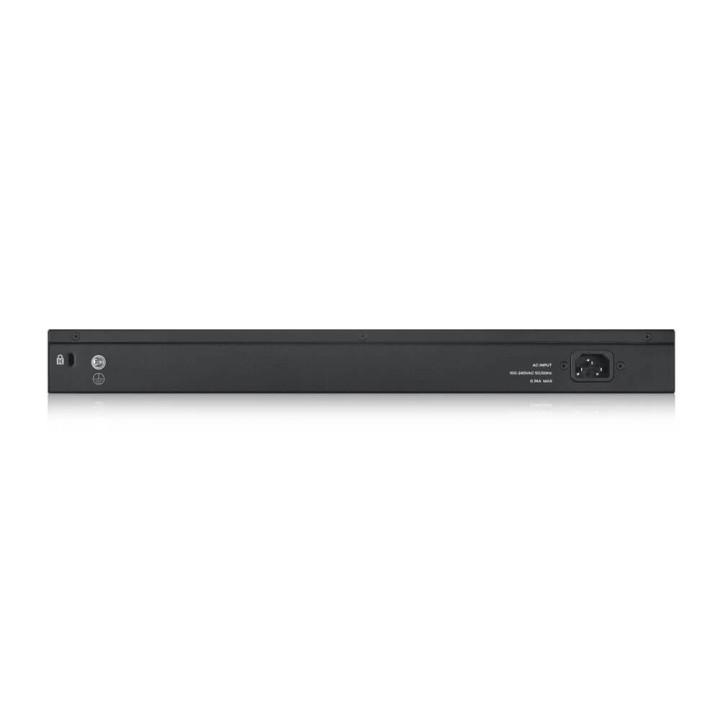
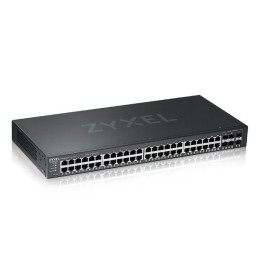
ZYXEL GS1920-48V2-EU0101F Zyxel GS1920-48v2 48-port GbE Smart Managed Switch 4x GbE combo (RJ45/SFP) ports obrazki
ZYXEL GS1920-48V2-EU0101F Zyxel GS1920-48v2 48-port GbE Smart Managed Switch 4x GbE combo (RJ45/SFP) ports
Opis produktu
Seria GS1920v2 oferuje odświeżony wygląd i zarządzanie w chmurze w technologii Zyxel NebulaFlex. Seria GS1920v2 przedstawia system Zyxel NebulaFlex, który umożliwia łatwe przełączanie pomiędzy trybem autonomicznym i zarządzanym z chmury za pomocą naszej darmowej platformy Nebula.Seria GS1920v2 to idealne rozwiązanie dla wielu różnych scenariuszy instalacji SMB i dzięki unikalnej kombinacji portów umożliwia łatwą rozbudową sieci w przyszłości.
Nowoczesny przełącznik zarządzalny z nowym designem i interfejsem
Zarządzaj tak jak chcesz!
Maksymalna elastyczność Twojej sieci gigabitowej
Komfortowo cicha praca
Intuicyjna sygnalizacja LED
Specyfikacja
- Opis produktu: Zyxel GS192048v2 przełącznik 48 porty smart montowany w szafie rack
- Rodzaj urządzenia: Przełącznik 48 porty smart
- Rodzaj obudowy: Montowany w szafie rack 1U
- Podtyp: Gigabit Ethernet
- Porty: 48 x 101001000 4 x zestaw Gigabit SFP 2 x Gigabit SFP
- Wykonanie: Zdolność przełączania: 100 Gbs Szybkość przekierowywania: 75 Mps
- Pojemność: Kolejki priorytetowe na port: 8
- Wielkość tablicy adresów MAC: 16K wpisów
- Protokół routingu: IGMPv2, IGMP, IGMPv3
- Protokół zdalnego zarządzania: SNMP 1, RMON 1, RMON 2, RMON 3, RMON 9, SNMP 3, SNMP 2c
- Cechy: Sterowanie przepływem, obsługa VLAN, nasłuchiwanie IGMP, obsługa Syslog, dublowanie portów, obsługa DiffServ, filtrowanie adresów MAC, Broadcast Storm Control, obsługa IPv6, filtrowanie adresów IP, kontrola nad szturmem pakietów multicast, kontrola nad szturmem pakietów unicast, możliwość aktualizacji firmwaru, WFQ, technologia ZyXEL iStacking, obsługa STP, obsługa RSTP, obsługa MSTP, nasłuchiwanie DHCP, QoS, obsługa RADIUS, snooping MLD, przekaźnik DHCP, Port Security, pułapka SNMP, klient DHCP, MIB, MVR, GVRP, podwójne obrazy oprogramowania, SPQ, NDP, izolacja portów, CoS, proxy IGMP, uwierzytelnianie 802.1x, Duplicated Address Detection, zarządzane w chmurze, obsługa DSCP, bufor pakietów 1,5MB, ErrDisable Recovery, filtrowanie IGMP, dławienie IGMP, obsługa VLAN na podstawie protokołu, zabezpieczenie procesora centralnego, zabezpieczenie źródła IP, inspekcja ARP, ICMP, filtrowanie VLAN, Loop Guard, Voice VLAN, Private VLAN, Guest VLAN, WRR, MAC based VLAN, VLAN Tagging, VLAN na bazie portu, Unknown Storm Control, MRSTP, zamrażanie MAC
- Zgodność z normami: IEEE 802.3u, IEEE 802.3z, IEEE 802.1D, IEEE 802.1Q, IEEE 802.3ab, IEEE 802.1p, IEEE 802.3x, IEEE 802.3ad (LACP), IEEE 802.1w, IEEE 802.1x, IEEE 802.1s, IEEE 802.1ab (LLDP), IEEE 802.3az
- Zasilanie: AC 120230 V (5060 Hz)
- Wymiary (szer.głęb.wys.): 44 cm x 20 cm x 4.45 cm
- Waga: 2.8 kg
Szczegóły produktu
- Marka Zyxel
- Kod produktu 660ff1b871a267703cd43ffe
- Dostępność 20 Przedmioty
- EAN13 4718937601899
- MPN GS1920-48V2-EU0101F
Specyfikacja
- Liczba portów (szt.) 48 szt.
- Rodzaj zarządzania Zarządzalny
- Montaż Rack Tak
- Bez wentylatora Nie
- Liczba portów SFP (szt.) 2 szt.
- Typ obudowy sieciowej Rack (Switche/UPS)
Producent
Producent
Zyxel Communications A/S
Generatorvej 8D 2860 Søborg Dania
E-mail: sales@zyxel.eu
Formularz kontaktowy: https://www.zyxel.com/service-provider/global/en/contact-us
Osoba odpowiedzialna w UE
Zyxel Networks A/S
Gladsaxevej 378 2860 Søborg Denmark
E-mail: sales@zyxel.dk
Formularz kontaktowy: https://www.zyxel.com/global/en/contact
Telefon: +45 39550700
Bezpieczeństwo
Informacje o bezpieczeństwie
List of safety warnings for network equipment based on the requirements of General Product Safety Regulation (GPSR) 2023/988: 1. Risk of electric shock: * Make sure that the device is connected to a working socket with grounding. * Do not touch the plug or cable with wet hands. * Avoid using the device in places with high humidity. 2. Risk of overheating: * Provide adequate ventilation while maintaining at least 5 cm of free space around the device. * Do not block ventilation openings and avoid putting network equipment on soft surfaces such as blankets or pillows. 3. Fire risk: * Use only original power supplies and accessories recommended by the manufacturer. * Do not leave the device on unattended near flammable materials. 4. Risk of bodily injury: * Use the device on a stable surface to minimize the risk of falling. 5. Hazards in humid environments: * Do not use network equipment outdoors in rain or in places with high humidity. * If the device is flooded, immediately disconnect it from the power source and contact the service. 6. Hazards at high temperatures: * Do not expose the device to direct sunlight. * Avoid using network equipment at temperatures above the recommended range (usually 5-35°C). 7. Risk of damage during cleaning: * Before cleaning, disconnect the device from the power supply and use a soft, slightly damp cloth. * Avoid using strong detergents that can damage the surface of the device. 8. Caution when replacing accessories: * Use only the accessories recommended by the manufacturer. * When replacing batteries, follow the manufacturer's instructions and do not expose the battery to high temperatures. 9. Risks associated with battery use: * Avoid damage to the battery by impact or puncture. * If the battery overheats or swells, stop using the device immediately. 10. Warnings for children: * Keep power cables out of reach of children. * Make sure that children do not play with the device or accessories that can be dangerous. 11. Electromagnetic interference: * Using network equipment near medical devices such as pacemakers can cause electromagnetic interference. * Maintain a distance of at least 15 cm between network equipment and medical devices. 12. Fire hazard: * Storing network equipment near flammable materials or using non-original power supplies may increase the risk of fire. * Use your smartphone away from fabrics, paper, and other flammable materials. 13. Regular maintenance: * Failure to regularly clean ports and sockets can lead to damage or failure. * Clean ports and sockets regularly using a dry and clean cloth, avoiding moisture input.
Switche
- Nowy
- Nowy
- Nowy
- Nowy
- Nowy
- Nowy
- Nowy
Ostatnio oglądane
Produkty, które ostatnio zwróciły Twoją uwagę.