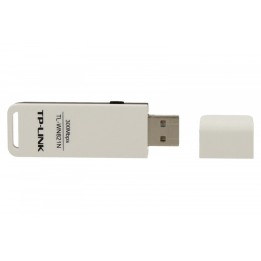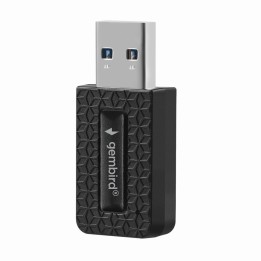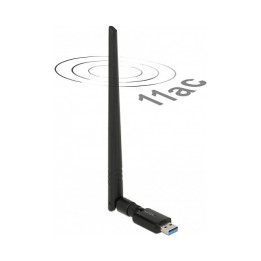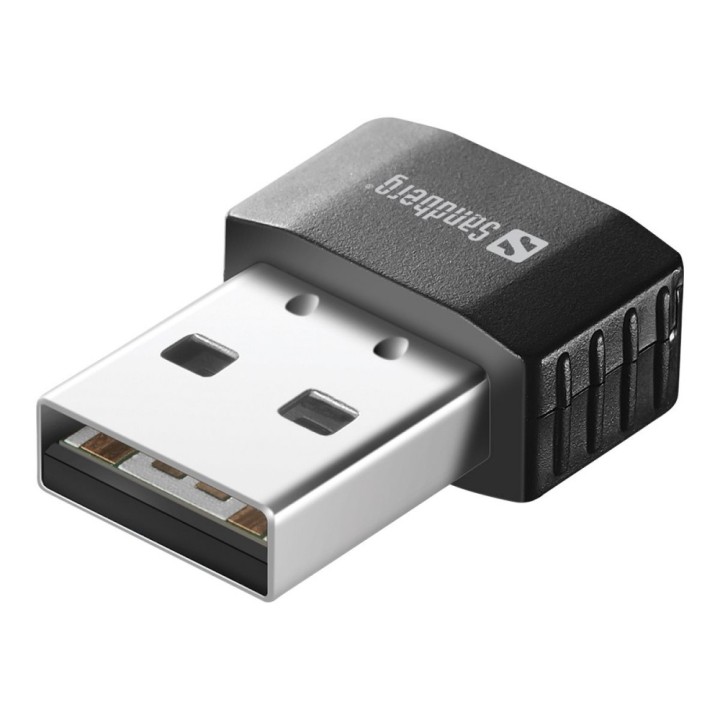
SANDBERG 133-91 Sandberg Micro Wifi Dongle 650 Mbit/s

Cena: 101,49 zł
Brutto
Dostępność produktu: Dostępny 3 szt.
Czas dostawy Wysyłka w ciągu 2 dni roboczych
Koszt dostawy Bezpłatna dostawa od 250 zł.

Opis produktu

Karta sieciowa Sandberg Micro WiFi USB zapewnia bezprzewodowy dostęp do sieci za pomocą portu USB.

Specyfikacja

  • Opis produktu: Sandberg Micro WiFi USB Dongle adapter sieciowy USB 2.0
  • Rodzaj urządzenia: Adapter sieciowy
  • Typ obudowy: Zewnętrzna
  • Typ interfejsu (szyny): USB 2.0
  • Protokół komunkacyjny danych: WiFi 5
  • Szybkość transmisji danych: 650 Mbps
  • Pasmo częstotliwości: 2.4 GHz, 5 GHz
  • Procesor: 1 x Realtek Semiconductor RTL8811CU
  • Zgodność z normami: IEEE 802.11b, IEEE 802.11a, IEEE 802.11g, IEEE 802.11n, IEEE 802.11ac
  • Wymagania systemowe: Apple MacOS, Microsoft Windows XP Vista 7 8 10

Szczegóły produktu

  • Marka SANDBERG
  • Kod produktu 660ffc3871a267703cda4cb2
  • Dostępność 3 Przedmioty
  • EAN13 5705730133916
  • MPN 13391

Producent

Producent

Sandberg A/S.

Bregnerødvej 133D 3460 Birkerød Dania

E-mail: info@sandberg.world

Formularz kontaktowy: https://sandberg.world/pl-pl/contact

Bezpieczeństwo

Informacje o bezpieczeństwie

List of network card security warnings based on the requirements of General Product Safety Regulation (GPSR) 2023/988: * Make sure that the installation of the network adapter complies with the manufacturer’s instructions. Incorrect installation can lead to damage to your device or computer. * Before installing or disassembling the network card, turn off the computer and disconnect it from power. * Protect your network card from moisture and extreme temperatures. Do not use it in places where it may be exposed to water or direct sunlight. * Use the network adapter for its intended purpose. Do not try to modify or repair it on your own. * Regularly check that the network card is properly attached to the motherboard slot. A loose connection can cause network problems. * Make sure your network adapter drivers are up to date. Outdated drivers can lead to compatibility and security issues. * Use a dry, soft cloth when cleaning the network card. Avoid using cleaning products that can damage components. * If your network card has an antenna, make sure it is properly attached and undamaged. A damaged antenna can affect signal quality. * Pay attention to sharp edges or card components that may pose a potential injury hazard during installation or disassembly. * If your network card has electronic components, keep it away from children.

Ładowanie...
Wróć na górę