- Nowy
TPLINK MS105 Mercusys MS105 5-Port 10/100Mbps Desktop Switch obrazki
TPLINK MS105 Mercusys MS105 5-Port 10/100Mbps Desktop Switch
Opis produktu
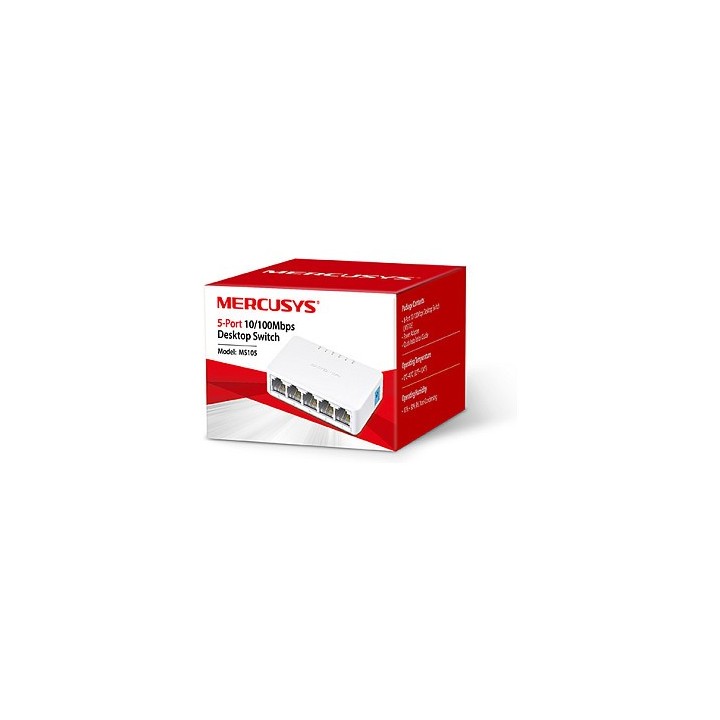
Przełącznik typu desktop, 5 portów 10/100Mb/s
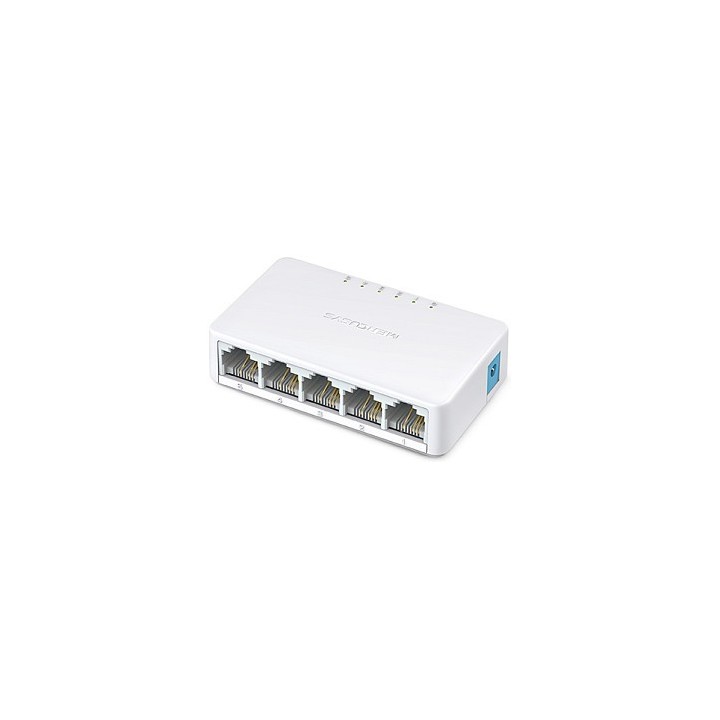
- Pięć portów RJ45 10/100Mb/s (automatyczna negocjacja szybkości połączeń, automatyczne krosowanie Auto MDI / MDIX)
- Prosty sposób na rozbudowę sieci przewodowej
- Miniaturowe rozmiary urządzenia zwiększają wygodę użytkowania
- Brak konieczności konfiguracji dzięki funkcji plug and play
Eleganckie, miniaturowe urządzenie
MS105 rozmiarem przypomina kartę kredytową. Można umieścić go w dowolnym miejscu w domu - nie zajmie wiele miejsca. Urządzenie jest bezwentylatorowe, dzięki czemu pracuje cicho nawet po wielu godzinach użytkowania.

Rozbudowa sieci Ethernet
Pięć portów Ethernet 10/100Mb/s umożliwia szybką rozbudowę sieci przewodowej. MS105 jest w pełni kompatybilny z komputerami, drukarkami, kamerami IP, smart TV, konsolami do gier oraz z wieloma innymi urządzeniami. Właśnie dlatego przełącznik ten idealnie sprawdzi się w domach czy niewielkich biurach.

Łatwy w użyciu
Aby szybko rozbudować sieć przewodową, wystarczy połączyć przełącznik z telewizorem lub komputerem przez kabel Ethernet. Konfiguracja urządzenia nie jest wymagana.

Wydajność, na której możesz polegać
MS105 wyposażony w półdupleks/pełny dupleks i MAC Address Learning Technology zapewnia do 1Gb/s stabilnej przepustowości przełączania. Każde urządzenie zanim trafi do użytkownika poddawane jest kompleksowym testom. Dzięki temu możemy być pewni, że MS105 będzie przez wiele lat dostarczać stabilne połączenia, na których można polegać.

Specyfikacja
- Opis produktu: Mercusys MS105 przełącznik 5 porty niezarządzalny
- Rodzaj urządzenia: Przełącznik 5 porty niezarządzalny
- Podtyp: Fast Ethernet
- Porty: 5 x 10100
- Wykonanie: Zdolność przełączania: 1 Gbs
- Obsługiwane ramki Jumbo: 2000 bajtów
- Cechy: Automatyczna funkcja uplink (auto MDIMDIX), autonegocjacja, bez chłodzenia, zapamiętaj i przekaż, bufor pakietów 768KB, tryb półdupleksu, tryb pełnego dupleksu, poznawanie adresu MAC
- Zgodność z normami: IEEE 802.3, IEEE 802.3u, IEEE 802.3x
- Wymiary (szer.głęb.wys.): 8.2 cm x 4.9 cm x 2.1 cm
Szczegóły produktu
- Marka TP-LINK
- Kod produktu 6610202a71a267703ced8e19
- Dostępność 3 Przedmioty
- EAN13 6957939000363
- MPN MS105
Specyfikacja
- Liczba portów (szt.) 5 szt.
- Rodzaj zarządzania Niezarządzalny
- Bez wentylatora Tak
Producent
Producent
TP-Link Polska Sp. z o.o.
Ożarowska 40/42 05-850 Duchnice Polska
E-mail: info.pl@tp-link.com
Telefon: +48 22 360 63 63
Osoba odpowiedzialna w UE
TP-Link
Ożarowska 40/42 05-850 Duchnice Polska
E-mail: office.poland@tp-link.com
Telefon: +48 22 360 63 00
Bezpieczeństwo
Informacje o bezpieczeństwie
List of safety warnings for network equipment based on the requirements of General Product Safety Regulation (GPSR) 2023/988: 1. Risk of electric shock: * Make sure that the device is connected to a working socket with grounding. * Do not touch the plug or cable with wet hands. * Avoid using the device in places with high humidity. 2. Risk of overheating: * Provide adequate ventilation while maintaining at least 5 cm of free space around the device. * Do not block ventilation openings and avoid putting network equipment on soft surfaces such as blankets or pillows. 3. Fire risk: * Use only original power supplies and accessories recommended by the manufacturer. * Do not leave the device on unattended near flammable materials. 4. Risk of bodily injury: * Use the device on a stable surface to minimize the risk of falling. 5. Hazards in humid environments: * Do not use network equipment outdoors in rain or in places with high humidity. * If the device is flooded, immediately disconnect it from the power source and contact the service. 6. Hazards at high temperatures: * Do not expose the device to direct sunlight. * Avoid using network equipment at temperatures above the recommended range (usually 5-35°C). 7. Risk of damage during cleaning: * Before cleaning, disconnect the device from the power supply and use a soft, slightly damp cloth. * Avoid using strong detergents that can damage the surface of the device. 8. Caution when replacing accessories: * Use only the accessories recommended by the manufacturer. * When replacing batteries, follow the manufacturer's instructions and do not expose the battery to high temperatures. 9. Risks associated with battery use: * Avoid damage to the battery by impact or puncture. * If the battery overheats or swells, stop using the device immediately. 10. Warnings for children: * Keep power cables out of reach of children. * Make sure that children do not play with the device or accessories that can be dangerous. 11. Electromagnetic interference: * Using network equipment near medical devices such as pacemakers can cause electromagnetic interference. * Maintain a distance of at least 15 cm between network equipment and medical devices. 12. Fire hazard: * Storing network equipment near flammable materials or using non-original power supplies may increase the risk of fire. * Use your smartphone away from fabrics, paper, and other flammable materials. 13. Regular maintenance: * Failure to regularly clean ports and sockets can lead to damage or failure. * Clean ports and sockets regularly using a dry and clean cloth, avoiding moisture input.
Switche

- Nowy
- Nowy
- Nowy
- Nowy
- Nowy
- Nowy
- Nowy
- Nowy
- Nowy
- Nowy
- Nowy