- Nowy
Pencil 2 generacja obrazki
Pencil 2 generacja
Opis produktu
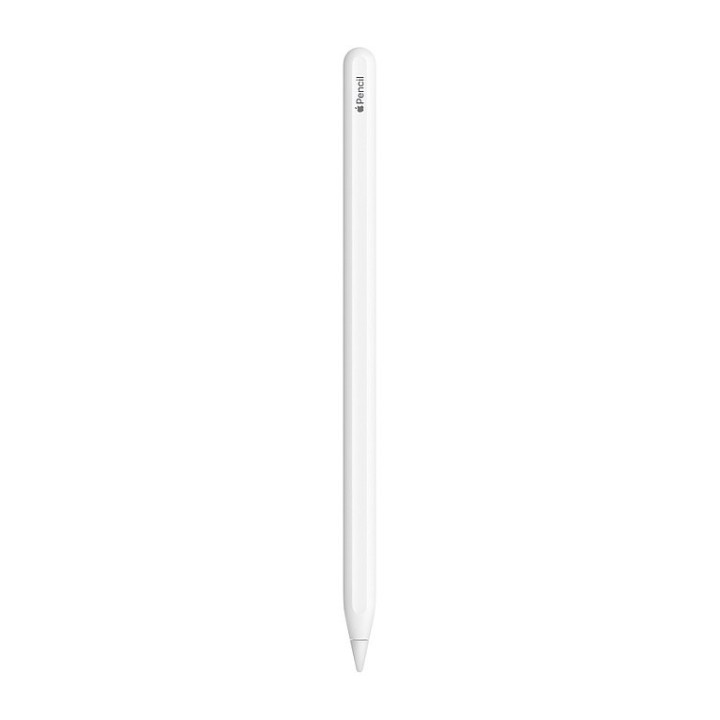
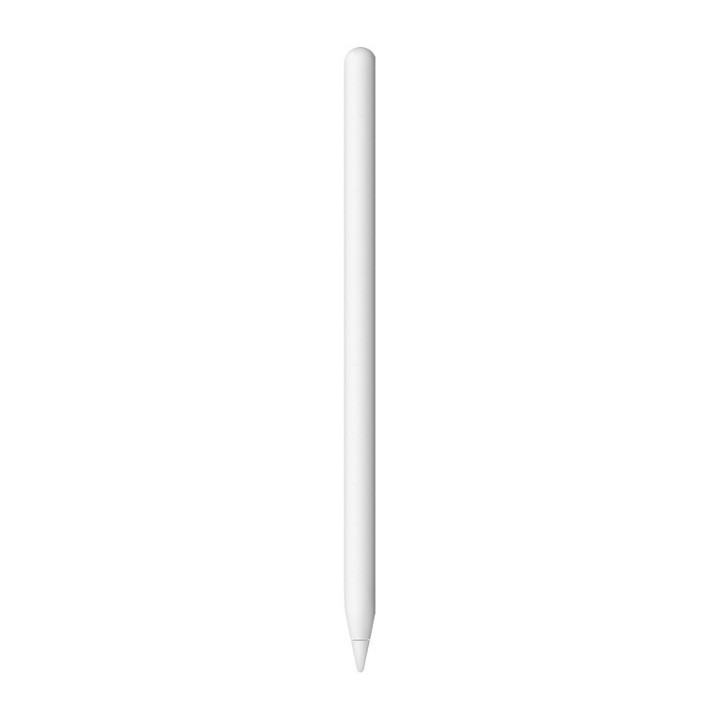
Apple Pencil (2. generacji)
Nowy, dokładny co piksela Apple Pencil ma najmniejsze w branży opóźnienie, dzięki czemu doskonale nadaje się do rysowania, szkicowania, notowania, dodawania adnotacji do mejli i wielu innych rzeczy. A używa się go tak łatwo i naturalnie, jak zwykłego ołówka.
Nowy Apple Pencil ma też intuicyjną powierzchnię dotykową reagującą na dwukrotne stuknięcie. A to oznacza, że możesz zmieniać narzędzia, nie przerywając pracy.
Skonstruowany specjalnie dla iPada Pro 11 cali i iPada Pro 12,9 cala (3. generacji), ma również płaski brzeg, dzięki któremu magnetycznie przywiera do iPada, umożliwiając automatyczne ładowanie i parowanie.
Specyfikacja
- Do ekranów: Pojemnościowych
- Średnica: 8.9 mm
- Długość: 166 mm
- Kolor (wyliczeniowy): Biały
- Waga: 20.7 g
- Pozostałe parametry: Połączenie: Bluetooth
- Uwaga: CE
Szczegóły produktu
- Marka Apple
- Kod produktu 660fbae871a267703caf4352
- Dostępność 127 Przedmioty
- EAN13 0190198893376
- MPN MU8F2ZM/A
Specyfikacja
- Kolor Biały
Producent
Producent
Apple Distribution International Limited
Hollyhill Industrial Estate T23 YK84 CORK Ireland
E-mail: support@apple.com
Formularz kontaktowy: https://support.apple.com/en-sa
Telefon: 1 408 996 1010
Osoba odpowiedzialna w UE
Apple Distribution International Ltd.
Hollyhill Industrial Estate, Hollyhill T23 YK 84 Cork Irlandia
E-mail: emolino@apple.com
Bezpieczeństwo
Informacje o bezpieczeństwie
List of stylus safety warnings based on the requirements of General Product Safety Regulation (EU) 2023/988 (GPSR): * Beware of sharp stylus tips that may cause cuts. * Do not use the stylus if it is damaged. This can lead to the touch screen malfunctioning or scratching. * Keep the stylus out of reach of children to avoid the risk of swallowing small items. * Do not try to repair the stylus yourself, as this can lead to damage or injury. * Avoid using the stylus in wet conditions, as this can damage your device or the stylus itself. * Clean the stylus with a gentle cloth to remove dirt and avoid touch screen scratches. * Use the stylus according to the manufacturer's instructions to ensure its proper operation and avoid damage. * Do not bend or press the stylus, as this may damage it. * For battery-powered styluses, make sure the battery is properly mounted and not damaged. * Do not expose the stylus to extreme temperatures or direct sunlight to prevent damage.
Akcesoria do tabletów
- Nowy
- Nowy
- Nowy
- Nowy
- Nowy
- Nowy