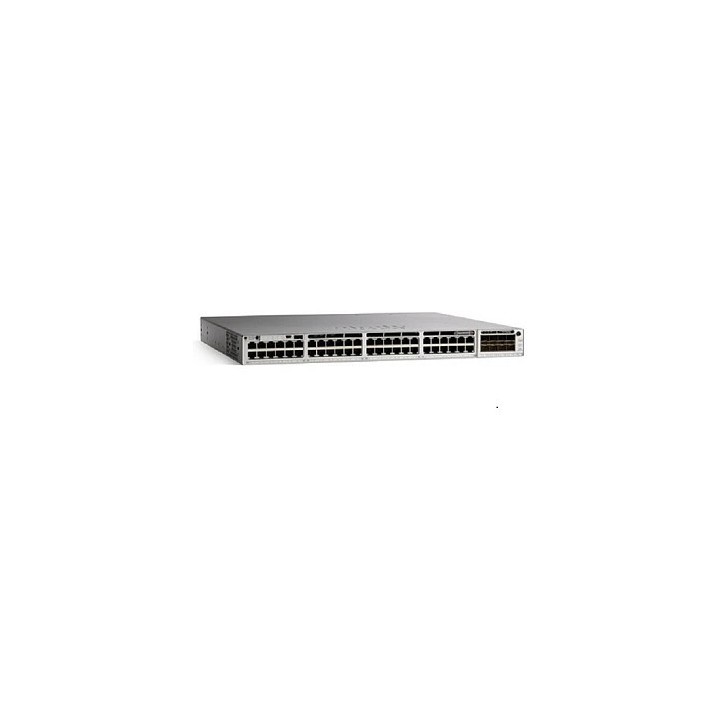
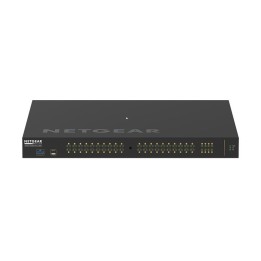
Przełączniki z serii Cisco Catalyst 9300 to wiodąca platforma przełączająca Cisco dla przedsiębiorstw, zbudowana z myślą o bezpieczeństwie, IoT, mobilności i chmurze. Są następną generacją najczęściej wdrażanej platformy przełączania w branży. Przełączniki z serii Catalyst 9300 stanowią fundamentalny blok konstrukcyjny dla Software-Defined Access (SD-Access), wiodącej architektury korporacyjnej Cisco. Przy przepustowości do 480 Gb / s są one rozwiązaniem o największej gęstości w branży z najbardziej elastyczną architekturą uplink. Seria Catalyst 9300 to pierwsza zoptymalizowana platforma dla Wi-Fi 6 o wysokiej gęstości i 802.11ac Wave2. Wyznacza nowe maksima dla skali sieci. Przełączniki te są również gotowe na przyszłość, dzięki architekturze procesorów x86 i większej ilości pamięci, umożliwiając hostowanie kontenerów i uruchamianie aplikacji i skryptów innych firm natywnie w przełączniku.Seria Catalyst 9300 została zaprojektowana z myślą o technologii Cisco StackWise, zapewniając elastyczne wdrażanie z obsługą non-stop forwarding z Stateful Switchover (NSF/SSO), dla najbardziej odpornej architektury w rozwiązaniu stosowym (poniżej 50 ms). Wysoce odporna i wydajna architektura zasilania obejmuje Cisco StackPower, który zapewnia porty Cisco Universal Power over Ethernet (Cisco UPOE) i Power over Ethernet Plus (PoE +) o dużej gęstości. Przełączniki są oparte na architekturze Cisco Unified Access Data Plane 2.0 (UADP) 2.0, która nie tylko chroni inwestycję, ale także pozwala na większą skalę i wyższą przepustowość. Nowoczesny system operacyjny Cisco IOS XE z możliwością programowania oferuje zaawansowane funkcje bezpieczeństwa i konwergencję Internetu rzeczy (IoT).
Specyfikacja
- Opis produktu: Cisco Catalyst 9300L Network Essentials przełącznik 48 porty Tak montowany w szafie rack
- Rodzaj urządzenia: Przełącznik 48 porty L3 Tak wieżowy
- Rodzaj obudowy: Montowany w szafie rack
- Podtyp: Gigabit Ethernet
- Porty: 48 x 101001000 (UPOE) 4 x 10 Gigabajtów SFP (uplink
- Zasilanie przez Ethernet: UPOE
- Budżet poE: 675 W
- Wykonanie: Zdolność przełączania: 392 Gbps
Przełączanie pojemności z układaniem: 712 Gbs
Szybkość przekierowywania: 291,66 Mps
Szybkość przesyłania z układaniem: 529,76 Mps
- Pojemność: Trasy IPv4: 32000
Trasy IPv6: 16000
Skala multicast: 8000
Wpisy skali QoS: 5120
Wpisy skali ACL: 5120
Obsługuje VLANs: 4094
Wirtualny interfejs: 1000
- Wielkość tablicy adresów MAC: 32000 wpisów
- Obsługiwane ramki Jumbo: 9198 bajtów
- Protokół routingu: OSPF, RIP1, RIP2, EIGRP, VRRP, PIMSM, EIGRP for IPv6, OSPFv3, PIMSSM, policybased routing (PBR), RIPng, MSTP
- Protokół zdalnego zarządzania: SNMP 1, RMON 1, RMON 2, SNMP 3, SNMP 2c, CLI, NETCONF, RESTCONF, gRPC, IPv4, IPv6, YANG
- Cechy: Obsługa ACL, QoS, Rapid PVST, SRR, obsługuje PXE, Energy Efficient Ethernet, CoS, FNF, uwierzytelnianie 802.1x, bufor pakietów 16MB, obsługa DSCP, obsługuej MACsec, CoPP, Blue Beacon LED, ZTP, bezpieczne uruchamianie, PIM, FHS, obsługa PVLAN, CIR, moduł Cisco Trust Anchor, Cisco UADP 2.0, Cisco StackWise320 technology
- Zgodność z normami: IEEE 802.3, IEEE 802.3u, IEEE 802.3z, IEEE 802.1D, IEEE 802.1Q, IEEE 802.3ab, IEEE 802.1p, IEEE 802.3x, IEEE 802.3ad (LACP), IEEE 802.1w, IEEE 802.1x, IEEE 802.1s, IEEE 802.1ae, IEEE 1588v2, IEEE 802.1BA, IEEE 802.3bt, WiFi CERTIFIED 6
- Zasilanie: AC 120230 V (50 60 Hz)
- Zasilanie nadmiarowe: Opcja
- Wymiary (szer.głęb.wys.): 44.5 cm x 4.4 cm x 48.8 cm
- Waga: 7.65 kg