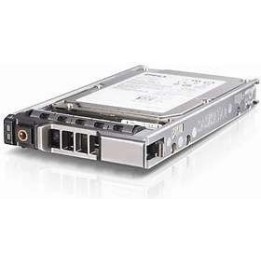
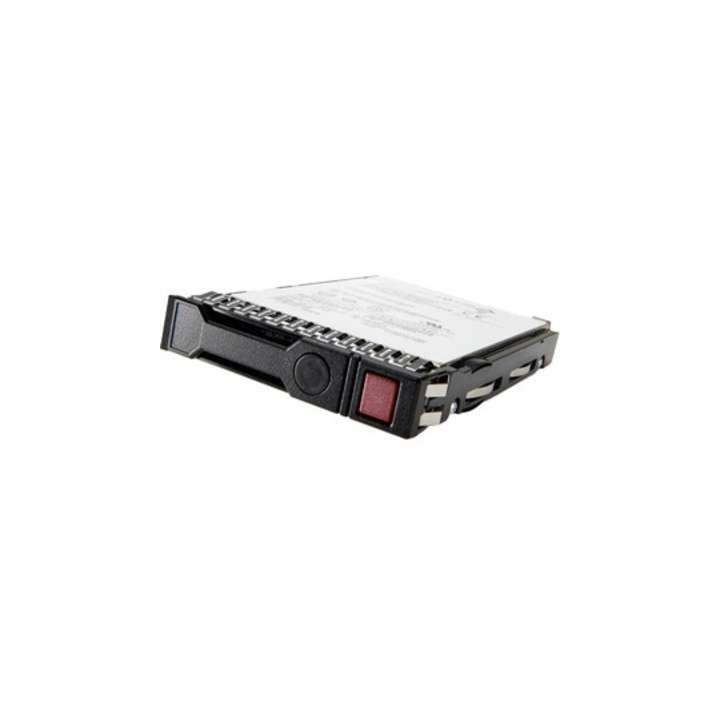
HPE SSD 480GB 2.5inch SATA 6G Read Intensive BC Multi Vendor
Opis produktu
HPE 480GB SATA 6G Read Intensive SFF BC Multi Vendor SSD. Pojemność pamięci SSD: 480 GB, Rozmiar kieszeni dysku SSD: 2.5", Prędkość odczytu z nośnika: 510 MB/s, Prędkość zapisu nośnika: 300 MB/s, Szybkość przesyłania danych: 6 Gbit/s, Przeznaczenie: Serwer
Specyfikacja
- Opis produktu: HPE SSD Read Intensive 480 GB SATA 6Gbs
- Typ: SSD hotswap
- Pojemność: 480 GB
- Typ pamięci NAND: Komórka trzypoziomowa (TLC)
- Rodzaj obudowy: 2,5" x SFF
- Interfejs: SATA 6Gbs
- Szybkość przesyłu danych: 600 MBps
- Klasa Napędu: Read Intensive
- Cechy: Digitally Signed Firmware
- Wymiary (szer.głęb.wys.): 7 mm
- Waga: 500 g
- W pakiecie z: HPE Basic Carrier
- Zaprojektowany dla: ProLiant DL20 Gen10 Plus, DL20 Gen10 Plus Base, DL20 Gen10 Plus Entry, DL20 Gen10 Plus High Performance, DL20 Gen10 Plus Performance, DL325 Gen10 Plus V2, DL325 Gen10 Plus V2 Base, DL325 Gen10 Plus V2 for Weka Base Tracking, DL325 Gen10 Plus V2 Performance, DL345 Gen10 Plus, DL345 Gen10 Plus Base, DL345 Gen10 Plus Entry, DL360 Gen10 Plus, DL360 Gen10 Plus AllNVMe Server for Software Defined Storage, DL360 Gen10 Plus for Weka Base Tracking, DL360 Gen10 Plus Network Choice (2,5"), DL365 Gen10 Plus (2,5"), DL380 Gen10 Plus (2,5"), DL380 Gen10 Plus Network Choice (2,5"), ML30 Gen10 Plus (2,5"), ML30 Gen10 Plus Entry (2,5"), ML30 Gen10 Plus Performance (2,5"); SimpliVity 325 Gen10 Plus V2 Node
Szczegóły produktu
- Marka HP Enterprise
- Kod produktu 661056da71a267703c0c50f1
- Dostępność 30 Przedmioty
- EAN13 0190017508870
- MPN P40497B21
Specyfikacja
- Pojemność nośnika (GB) 480 GB
- Format dysku 2,5 cala
- Prędkość odczytu (MB/s) 510 MB/s
- Prędkość zapisu (MB/s) 300 MB/s
- Typ pamięci flash TLC
Producent
Producent
HP Inc Polska Sp. z o.o.
Szturmowa 2a 02-678 Warszawa Polska
E-mail: support@hp.com
Bezpieczeństwo
Informacje o bezpieczeństwie
List of SSD security warnings based on General Product Safety Regulation (GPSR) 2023/988 requirements: * Before installing or disassembling an SSD, make sure your computer is turned off and disconnected from power. * When installing an SSD, use the appropriate tools and screws to avoid damaging your drive or computer. * Do not open the SSD enclosure as this may result in loss of warranty and damage to the drive. * Protect your SSD from moisture, dust, and extreme temperatures. * Use SSD management software according to the manufacturer's instructions to monitor its health and performance. * Regularly back up data from your SSD to avoid data loss in the event of a drive failure. * Do not disassemble the SSD while writing or reading data, this can lead to data loss. * Do not expose your SSD to shocks, drops, or other mechanical damage. * Once usage is complete, delete data from the SSD securely to prevent unauthorized access to the data. * Follow the rules for the safe handling of electronic waste when disposing of an SSD.
Dyski SSD
Ostatnio oglądane
Produkty, które ostatnio zwróciły Twoją uwagę.