- Nowy
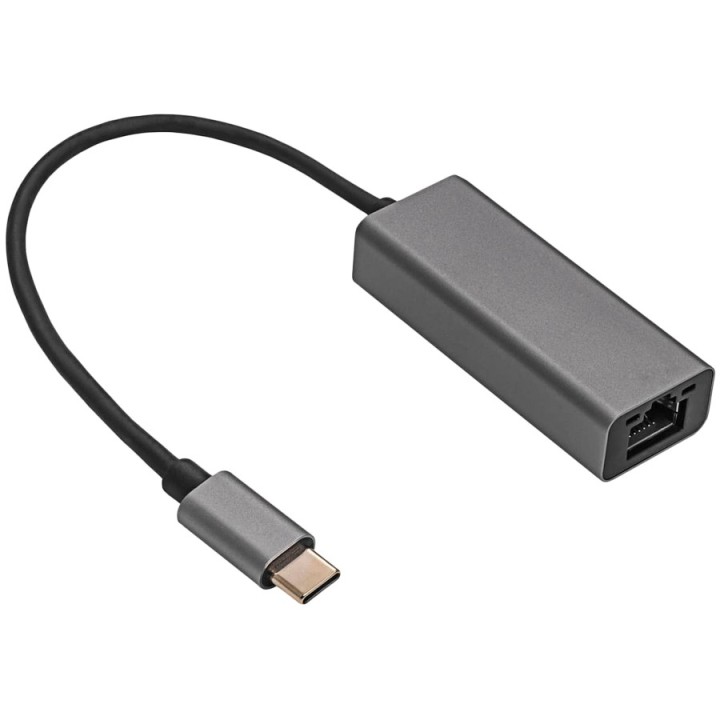
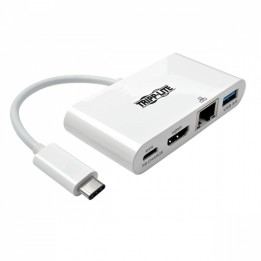
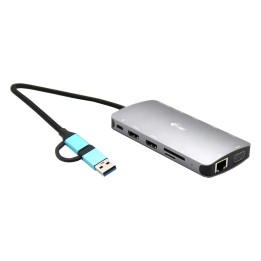
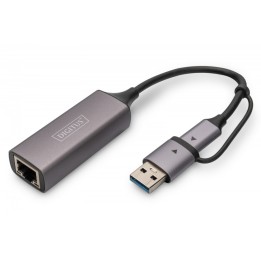
Masz notebook? Chcesz skorzystać ze stabilnego połączenia z Internetem po kablu, a brak w nim gniazda RJ-45? Adapter Akyga AK-AD-65 to zewnętrzna karta sieciowa, która nie wymaga instalacji żadnych dodatkowych sterowników. Wystarczy go podłączyć do odpowiedniego portu USB-C lub Thunderbold 3 w laptopie, a następnie poprzez kabel Ethernetowy połączyć z routerem i można cieszyć się z szybkiego łącza. Jest to łatwy i szybki sposób ograniczenia wszelkich opóźnień, które powstają w przypadku łącza Wi-Fi.Wysoka jakość wykonania zapewnia lepsze połączenie i szybką transmisję danych. Dlatego jest to idealny hub dla graczy, którym zależy na jak najmniejszym PINGu. Ale to nie znaczy, że adapter nie sprawdzi się również w biurze. Wręcz przeciwnie. Mały rozmiar adaptera sprawia, że nie zajmuje dużo przestrzeni na biurku, natomiast aluminiowa obudowa powoduje, że się dobrze prezentuje.
Akyga Europe Sp. z o.o.
Wrocławska 1C 52-200 Suchy Dwór Polska
E-mail: contact@akyga.com
Telefon: +48 713 644 644
List of safety warnings for USB hubs based on the requirements of General Product Safety Regulation (EU) 2023/988 (GPSR): * Risk of electric shock: * Do not use damaged USB cables. * Do not touch the USB hub with wet hands. * Avoid contact with water and moisture. * Risk of overheating: * Do not cover the USB hub during use. * Make sure the USB hub has adequate ventilation. * Do not place the USB hub near heat sources. * Risk of short circuit and damage to devices: * Do not connect devices with too high power consumption. * Use a power supply with the appropriate parameters (if required). * Disconnect unused devices. * Risk of data corruption: * Securely disconnect USB devices before removing the plug from the hub port. * Avoid sudden power disconnection. * Restrictions on use: * Do not use the USB hub as intended. * Do not modify or repair the device yourself. * Child-related hazards: * Keep your USB hub and small accessories out of reach of children. * Do not allow children to play with the USB hub. * Maintenance and cleaning: * Clean the USB hub regularly with a dry cloth. * Do not use aggressive cleaners. * When connecting peripherals, especially external drives: * Use dedicated power supply for the USB hub to provide enough power.
Produkty, które ostatnio zwróciły Twoją uwagę.