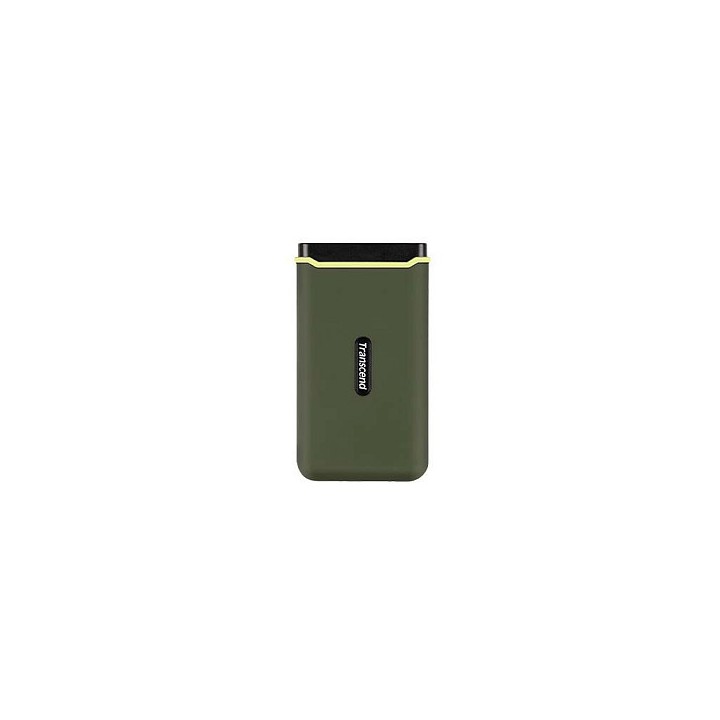
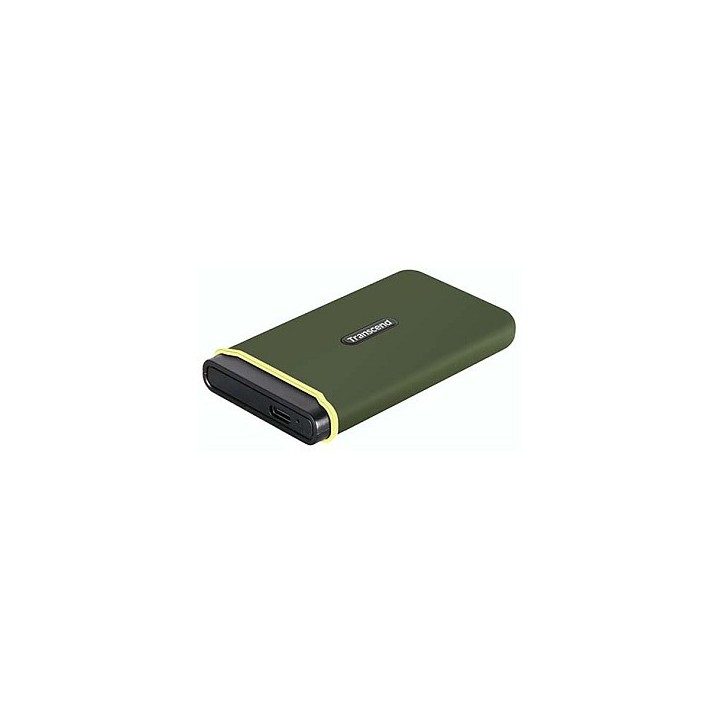
TRANSCEND ESD380C 2TB SSD zewnętrzny USB Type-C
Opis produktu
TRANSCEND ESD380C to kompaktowy, przenośny dysk SSD o pojemności 2 TB z pamięcią 3D NAND, zaprojektowany do szybkiego transferu danych. Zapewnia osiągi do 2000 MB/s przy odczycie i zapisie, co przyspiesza przesyłanie dużych plików i pracę z multimediami.
Obudowa wykonana z miękkiej gumy w kolorze zieleni wojskowej wyposażona jest w system przeciwwstrząsowy SPS, dzięki czemu dysk jest odporniejszy na wstrząsy i użytkowanie w podróży. Jego kompaktowe wymiary (96.5 x 53.6 x 12.5 mm) i waga 75 g ułatwiają przenoszenie i montaż w zestawach mobilnych.
Urządzenie korzysta ze złącza USB Type-C (kabel USB Type-C na USB Type-A), oferuje ochronę dostępu hasłem i współpracuje z systemami Android. Posiada certyfikaty CE, FCC, BSMI, KC, RCM, EAC i UKCA; pracuje przy napięciu 5 V w temperaturach od 0 do 60 °C.
Specyfikacja
- Typ: SSD zewnętrzny (przenośne)
- Pojemność: 2 TB
- Technologia pamięci: 3D NAND
- Prędkość odczytu: 2000 MB/s
- Prędkość zapisu: 2000 MB/s
- Złącze: USB Type-C
- Kabel: USB Type-C na USB Type-A
- Materiał obudowy: Guma
- Kolor obudowy: Zieleń wojskowa
- System przeciwwstrząsowy: SPS
- Ochrona hasłem: Tak
- Obsługiwane systemy operacyjne: Android
- Certyfikaty: CE, FCC, BSMI, KC, RCM, EAC, UKCA
- Napięcie pracy: 5 V
- Zakres temperatur (eksploatacja): 0 - 60 °C
- Szerokość: 53.6 mm
- Głębokość: 12.5 mm
- Wysokość: 96.5 mm
- Waga: 75 g

Szczegóły produktu
- Marka TRANSCEND
- Kod produktu 6610c2fe620507cf6ebe6a8d
- Dostępność 10 Przedmioty
- EAN13 0760557854838
- MPN TS2TESD380C
Specyfikacja
- Pojemność nośnika (GB) 2000 GB
- Prędkość odczytu (MB/s) 2000 MB/s
- Prędkość zapisu (MB/s) 2000 MB/s
Producent
Producent
Transcend Information Trading GmbH
Flughafenstr. 52b 22335 Hamburg Niemcy
E-mail: techsupport-de@transcend-info.com
Formularz kontaktowy: https://www.transcend-info.com/Support/contact_form
Bezpieczeństwo
Informacje o bezpieczeństwie
List of external and portable drive safety warnings based on the requirements of General Product Safety Regulation (GPSR) 2023/988: * Use the drive according to the manufacturer’s instructions to avoid mechanical damage or data loss. * Do not expose the disc to extreme temperatures, moisture, or direct sunlight to prevent overheating or damage. * Protect your drive from drops and bumps, as this can cause damage to internal components and data loss. * Disconnect the drive from your computer in a secure manner (using the "Safe Hardware Removal" feature) to avoid data loss or damage to the drive. * Do not open the disk housing, as this may result in loss of warranty and damage to delicate components. * In case of disk failure, do not try to repair it yourself; contact a professional data recovery service. * Keep the drive away from strong magnetic fields that can disrupt operation and cause data loss. * Use only the original cables and power supplies that came with the drive to avoid compatibility issues and damage. * Regularly back up data from disk to other media to avoid losing important information in the event of a failure. * Keep the disc out of reach of children to avoid accidental damage or ingestion of small items. * When transporting the disk, protect it from shocks and moisture by placing it in a suitable protective case. * Do not attempt to connect a damaged drive to your computer as this may cause additional problems. * Regularly scan the drive with an antivirus program to prevent malware infection. * Do not use the disc near flammable substances, as overheating and fire may occur in the event of a breakdown. * Make sure the voltage in the electrical outlet complies with the requirements of the disk power supply to avoid damage. * If the drive overheats, disconnect it from power immediately and let it cool before reusing. * Clean the disc housing with a soft, dry cloth; do not use chemicals that can damage the surface. * For long-term disk storage, place it in a dry and cool place to avoid component degradation. * If your drive is equipped with encryption software, make sure your password is secure and remembered to avoid permanent loss of access to your data. * When connecting and disconnecting the drive, hold by the housing, not by the cable, to avoid damaging the connector.
Dyski zewnętrzne i banki danych
Ostatnio oglądane
Produkty, które ostatnio zwróciły Twoją uwagę.