- Nowy
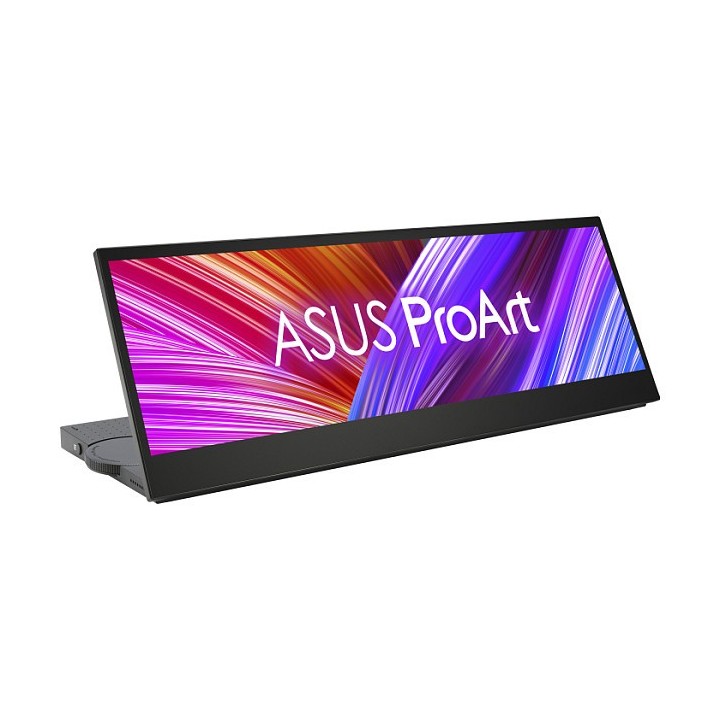
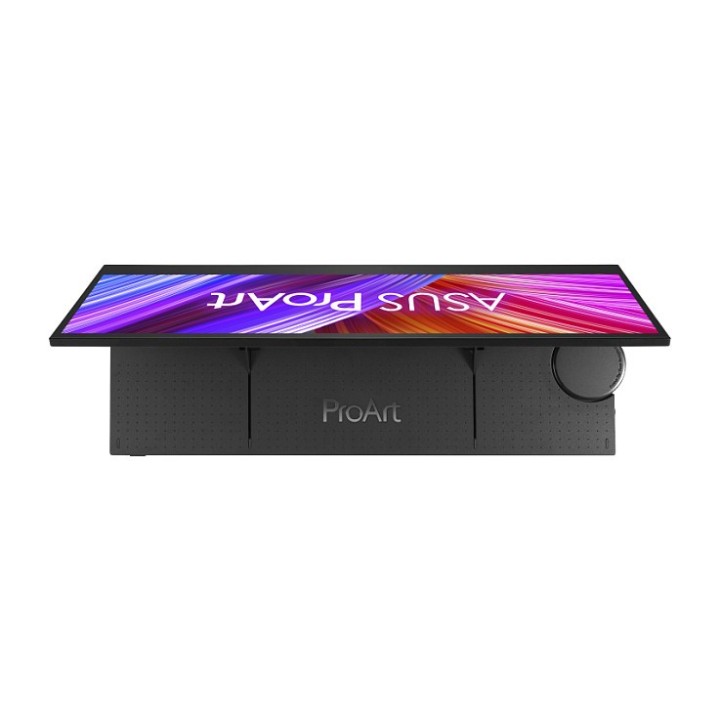
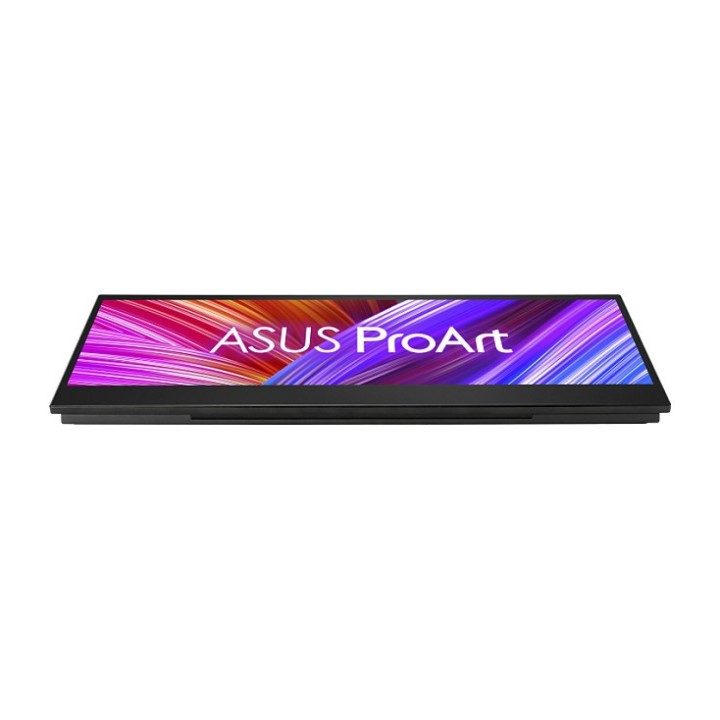
ASUS ProArt PA147CDV 14inch FHD 1920x550 sRGB 10-Point Touch Adobe compatible IPS 32:9 anti-reflective Typ-C USB HDMI obrazki
ASUS ProArt PA147CDV 14inch FHD 1920x550 sRGB 10-Point Touch Adobe compatible IPS 32:9 anti-reflective Typ-C USB HDMI
Opis produktu
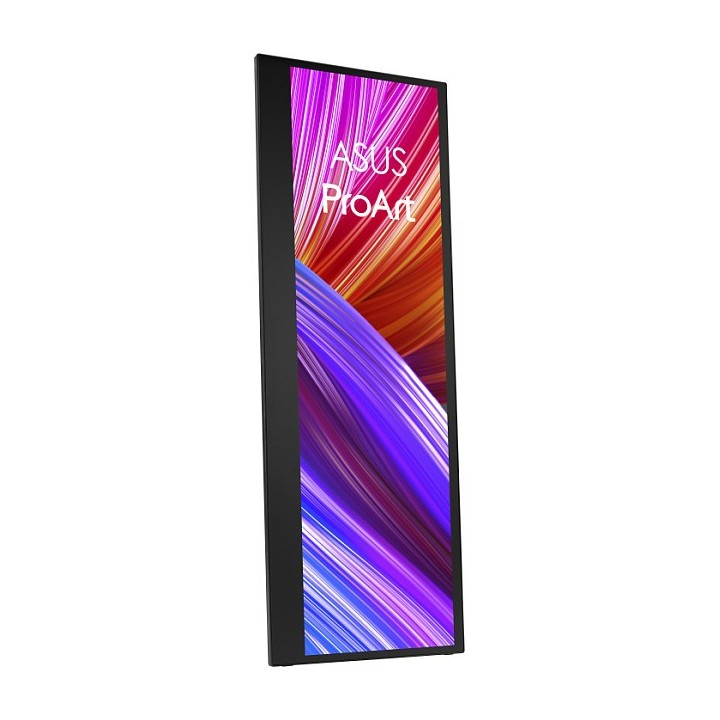
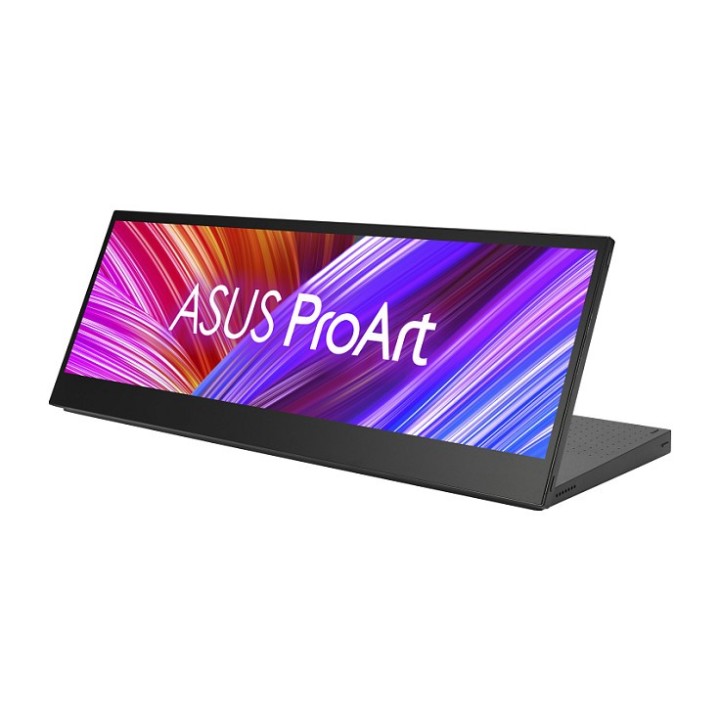
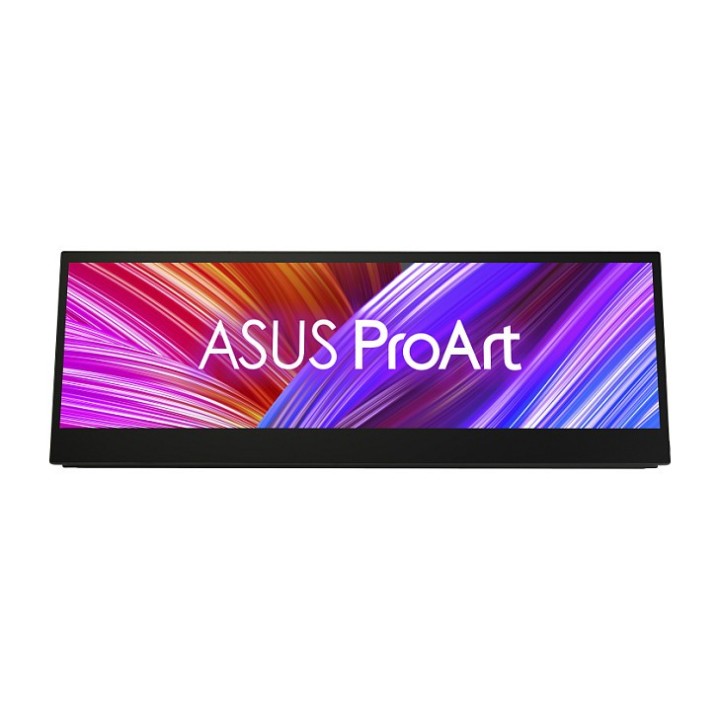
ProArt Display PA147CDV to 14-calowe narzędzie kreatywne o proporcjach 32:9. Zbudowany z myślą o zwiększeniu możliwości twórców i usprawnieniu kreatywnych przepływów pracy w studiu lub w terenie, jest wyposażony w intuicyjne pokrętło ASUS Dial, konfigurowalny panel sterowania, 10-punktowe sterowanie wielodotykowe i obsługę Microsoft Pen Protocol 2.0 (MPP 2.0). PA147CDV posiada certyfikat Calman Verified i jest fabrycznie skalibrowany do Delta E < 2, a także pokrywa 100% przestrzeni kolorów sRGB i Rec. 709, zapewniając wyjątkowe kolory.
14-calowy panel IPS Full HD o proporcjach 32:9 z 10-punktowym multidotykiem i obsługą Microsoft Pen Protocol 2.0
Zweryfikowany przez Calman i fabrycznie skalibrowany do Delta E < 2 dla wyjątkowej dokładności kolorów, ze 100% pokryciem sRGB i 100% pokryciem Rec. 709
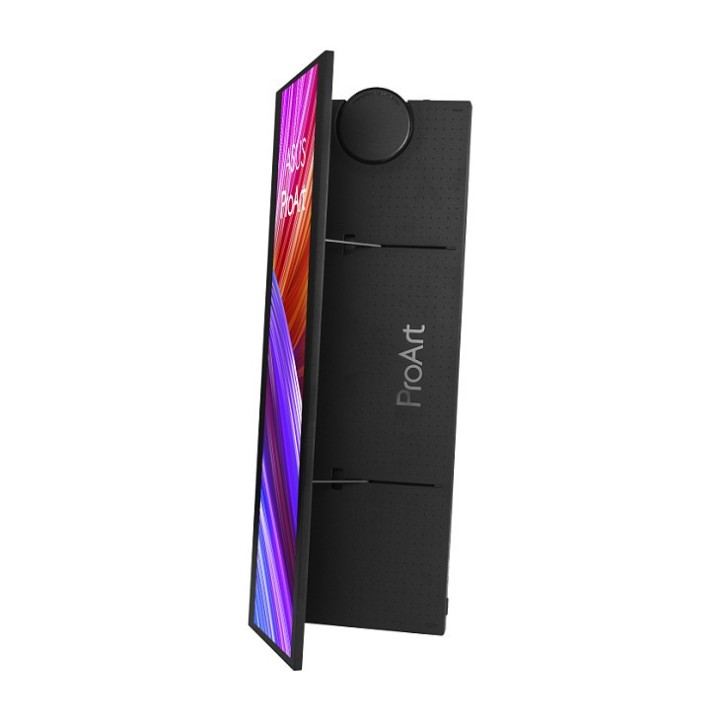
Pokrętło ASUS Dial i panel sterowania zapewniają skróty w obsługiwanym oprogramowaniu kreatywnym Adobe
Opatentowana mechaniczna podpórka rozkłada się płynnie i ustawia monitor w orientacji pionowej lub poziomej, aby dopasować się do różnych scenariuszy twórców
Jeden standardowy port HDMI i dwa porty USB Type-C (tryb DP Alt) do podłączania różnych urządzeń
Monitory ASUS Eye Care są wyposażone w certyfikowane przez TÜV Rheinland technologie Flicker-free i Low Blue Light, które zapewniają komfort oglądania
Specyfikacja
- Opis produktu: ASUS ProArt PA147CDV monitor LED 14"
- Rodzaj urządzenia: Monitor LCD z podświetleniem LED 14" ekran dotykowy
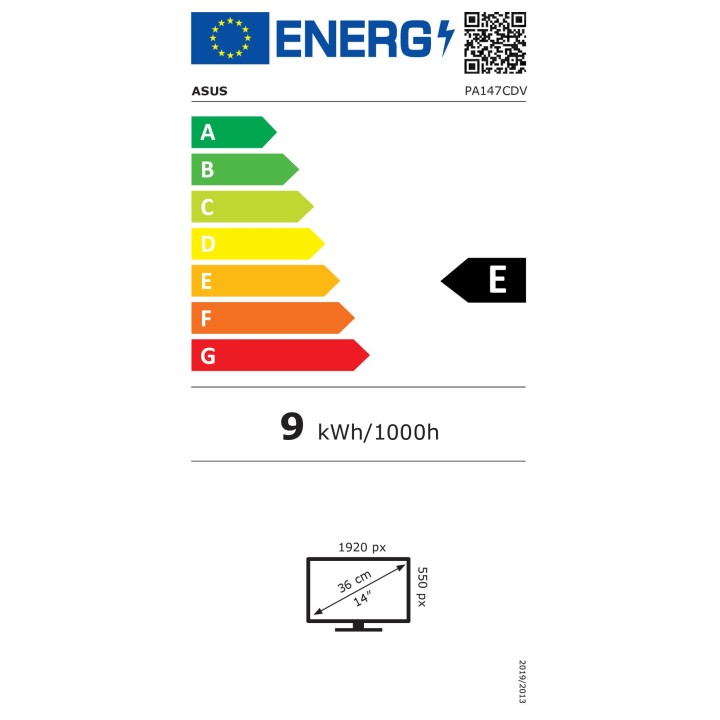
- Adres URL kodu QR Etykiety Efektywności Energetycznej: Https:eprel.ec.europa.euqr1118999
- Klasa energii: Klasa E
- Konsumpcja energii (w trybie ON): 9 W
- Cechy: Koncentrator USBC
- Typ panela: IPS
- Współczynnik kształtu: 32:9
- Rozdzielczość natywna: Full HD 1920 x 550 przy 60 Hz
- Rozstaw pikseli: 0.179 mm
- Jasność: 400 cdm
- Współczynnik kontrastu: 1200:1
- Czas reakcji: 5 ms (szarydoszarego)
- Obsługa kolorów: 16,7 miliony kolorów
- Paleta Kolorów: 100 sRGB, 100 Rec 709
- Złącza wejściowe: HDMI, 2xUSBC
- Regulacja pozycji ekranu: Pivot (obrót), odchylenie
- Powłoka ekranu: Antyrefleksyjna
- Napięcie: AC 100240 V (5060 Hz)
- Kolor: Czarny
- Wymiary (szer.głęb.wys.) z podstawką: 35.72 cm x 2.07 cm x 12.77 cm
- Waga: 950 g
- Zgodność z normami: HDCP 1.4, TUV Rheinland Flicker Free Certification, TUV Rheinland Low Blue Light Certification, cTUVus, CB, CCC, KCC, FCC, BSMI, EAC, CU, RCM, VCCI, JMOSS, RoHS, WEEE, WHQL, BIS, EStandby
Szczegóły produktu
- Marka Asus
- Kod produktu 6610c7f9620507cf6ebf237d
- Dostępność 1 Przedmiot
- EAN13 4711081218265
- MPN 90LM0720B01170
Specyfikacja
- Przekątna ekranu (cal) 14 cal
- Rozdzielczość natywna 1920 × 550
- Typ matrycy IPS
- Częstotliwość odświeżania (Hz) 60 Hz
- Ekran dotykowy Tak
- Zakrzywiony ekran Nie
- Standard VESA 100 × 100
- Pivot Nie
Producent
Producent
ASUS Polska SP. z o.o.
Cybernetyki 9 02-677 Warszawa Polska
E-mail: sales@asus-polska.pl
Osoba odpowiedzialna w UE
ASUS Polska Sp. z o.o.
Harkort str 21-23 40880 Ratingen Germany
E-mail: sales@asus-polska.pl
Telefon: 22 571 80 00
Bezpieczeństwo
Informacje o bezpieczeństwie
List of computer monitor safety warnings based on the requirements of General Product Safety Regulation (EU) 2023/988 (GPSR): * Risk to vision: Long-term gazing at the monitor screen may cause eye strain, dry eyes or headaches. * Limit the working time with the monitor. * Take regular breaks. * Maintain proper distance from the screen. * Ensure proper lighting in the room. * Set the brightness and contrast of the monitor to a comfortable level. * Ergonomics: Incorrect position when working with the monitor can lead to back, neck, and shoulder pain. * Set the monitor to the correct height so that the top edge of the screen is at eye level or slightly below. * Use an adjustable chair and desk to ensure an ergonomic position. * Maintain proper posture while sitting. * Risk of electric shock: Improper use or damage to the monitor can lead to electric shock. * Do not use the monitor in humid environments. * Do not touch the monitor with wet hands. * Do not put any items inside the monitor. * If the power cable is damaged, replace it with a new one. * Disconnect the monitor from power before cleaning. * Fire risk: Overheating or short circuiting in the monitor can cause a fire. * Do not cover the ventilation holes of the monitor. * Do not place the monitor near heat sources. * Use only the original power supply that came with your monitor. * If the monitor overheats, disconnect it from power immediately. * Mechanical damage: The fall of the monitor can cause damage and pose a threat to the user. * Set the monitor on a stable surface. * Secure cables to avoid accidental tripping. * For monitor transport, use appropriate protective packaging. * Cleaning: Improper cleaning of the monitor can damage the screen or cause other problems. * Use only a soft, dry cloth to clean the screen. * Do not use cleaning products containing alcohol, ammonia or other corrosive substances. * Disconnect the monitor from power before cleaning. * Disposal: Incorrect disposal of the monitor can pose a threat to the environment. * Return the used monitor to the e-waste collection point. * Do not throw the monitor in a regular trash can. * Children: The monitor is not a toy and should not be used by children without supervision. * Make sure children do not touch the power cables. * Make sure kids don't play around with the monitor packaging. * Repairs: Do not try to repair the monitor yourself. * Any repairs should be done by qualified personnel. * Monitor portability: Be careful when moving your monitor. * Disconnect all cables before moving. * Use appropriate packaging. * Weather conditions: Do not expose the monitor to extreme temperatures or moisture. * Protect your monitor from direct sunlight. * Adjustable settings: Do not use extreme brightness or contrast settings. * These can cause faster eye strain. * Noise: If the monitor makes disturbing noises, turn it off immediately. * Contact the technical service. * Environmental protection: Be sure to turn off the monitor when not in use. * You save energy this way. * Software: Use only the software provided by the manufacturer. * You will avoid compatibility issues.
Monitory
- Nowy
- Nowy
- Nowy
- Nowy
- Nowy
- Nowy
- Nowy
Ostatnio oglądane
Produkty, które ostatnio zwróciły Twoją uwagę.
- Nowy
- Nowy
- Nowy
- Nowy
- Nowy