- Nowy
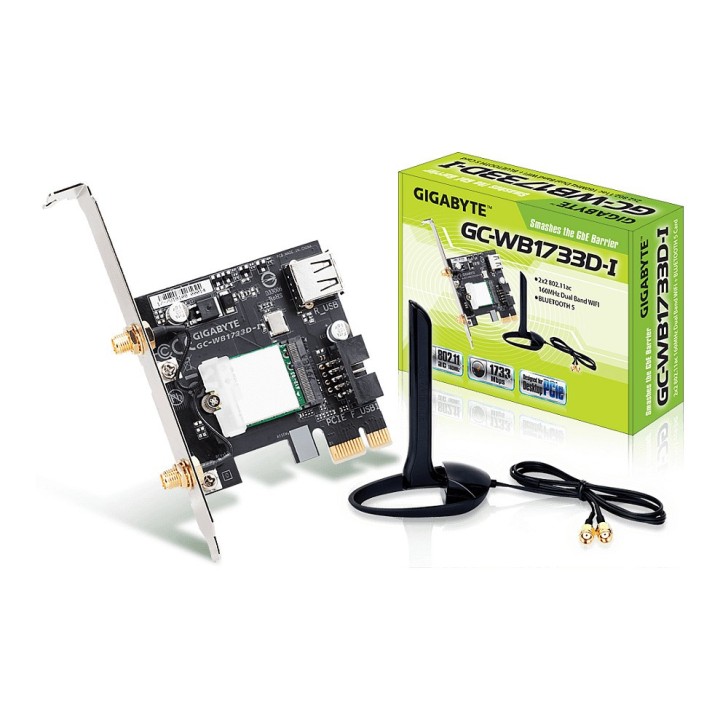
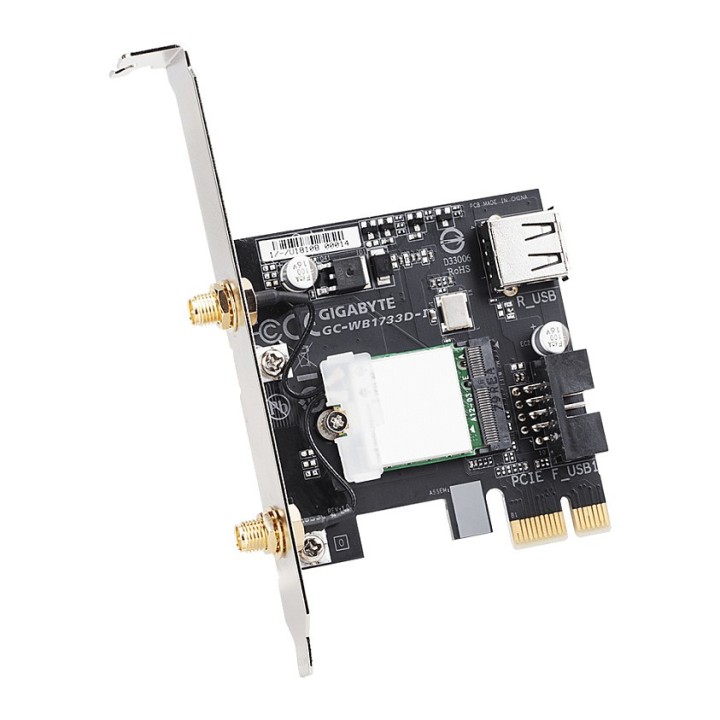
GIGABYTE WiFi and Bluetooth card Intel Wireless-AC 9260 included obrazki
GIGABYTE WiFi and Bluetooth card Intel Wireless-AC 9260 included
Opis produktu
Karta 2x2 802.11ac Dual Band Wi-Fi + Bluetooth 5 GC-WB1733D-I to ekskluzywna karta rozszerzeń PCIe, która oferuje obsługę najnowszej technologii 2x2 802.11ac 160MHz Dual Band Wi-Fi i łączności Bluetooth 5.
Intel Wireless-AC 9260 w zestawie
Zgodność ze standardami IEEE 802.11ac
Antena obsługuje transmisję WLAN 2Tx2R
Szybkie połączenie bezprzewodowe do 1733 Mb/s
Bluetooth 5
Specyfikacja
- Opis produktu: Gigabyte GCWB1733DI (rev. 1.0) adapter sieciowy PCIe
- Rodzaj urządzenia: Adapter sieciowy
- Typ obudowy: Karta wkładana do gniazda
- Typ interfejsu (szyny): PCI Express x1
- Protokół komunkacyjny danych: 802.11a, 802.11bgn, WiFi 5, Bluetooth 5.0
- Szybkość transmisji danych: 1733 Mbps
- Zgodność z normami: IEEE 802.11ac Wave 2, IEEE 802.11b, IEEE 802.11a, IEEE 802.11g, IEEE 802.11n, Bluetooth 5.0, IEEE 802.11d, IEEE 802.11e, IEEE 802.11i, IEEE 802.11h, IEEE 802.11w, IEEE 802.11r, IEEE 802.11k, IEEE 802.1x
Szczegóły produktu
- Marka Gigabyte
- Kod produktu 6610cc33620507cf6ec9d5ae
- Dostępność 8 Przedmioty
- EAN13 4719331803513
- MPN GC-WB1733D-I
Specyfikacja
- Rodzaj urządzenia Bezprzewodowe
- Antena zewnętrzna Tak
- Wersja Bluetooth 5.0
Producent
Producent
Gigabyte Technology Poland Sp. z o.o.
Metalowców 31/3-4 54-156 Wrocław Polska
E-mail: lukasz.moga@gigabyte.com
Osoba odpowiedzialna w UE
GIGA-BYTE TECHNOLOGY B.V.
Steenoven 24 5626DK Eindhoven Netherlands
E-mail: EU.grp@gigabyte.com
Bezpieczeństwo
Informacje o bezpieczeństwie
List of Wi-Fi network adapter security warnings based on the requirements of General Product Safety Regulation (GPSR) 2023/988: 1. Risk of electric shock: * Make sure the device is disconnected from power before installation or disassembly. * Do not touch the metal parts of the network card while the computer is running. * Avoid using the network card in humid environments. 2. Risk of equipment damage: * Install the network card according to the manufacturer's instructions. * Make sure your computer is turned off before installing or disassembling the card. * Do not bend or bend the network card during installation. * Protect your card from electrostatic discharge (ESD). 3. Risk of overheating: * Ensure adequate ventilation inside the computer case. * Do not block the ventilation holes of the network card. 4. Risk of interference: * Keep your network card away from sources of electromagnetic interference (e.g. microwave ovens, cordless phones). * Use shielded antenna cables. 5. Health risks: * Limit long-term exposure to electromagnetic radiation. * Maintain a safe distance from the network card antenna. 6. Data security risks: * Secure your Wi-Fi network with a strong password. * Use WPA3 encryption. * Update your network adapter software. * Use a firewall. 7. Risk of fire: * Do not place the network card near heat or fire sources. * Use only power supplies that comply with your computer specifications. 8. Risk of ingestion: * Keep small network card components (e.g. screws) away from children. 9. Risk of injury: * Beware of sharp edges during installation. 10. Cleaning risk: * Disconnect the card from the power supply before cleaning. * Use a dry, soft cloth. * Do not use detergents or solvents. 11. Risk of hearing damage: * Sound signals emitted by the card set at a safe level.