- Nowy
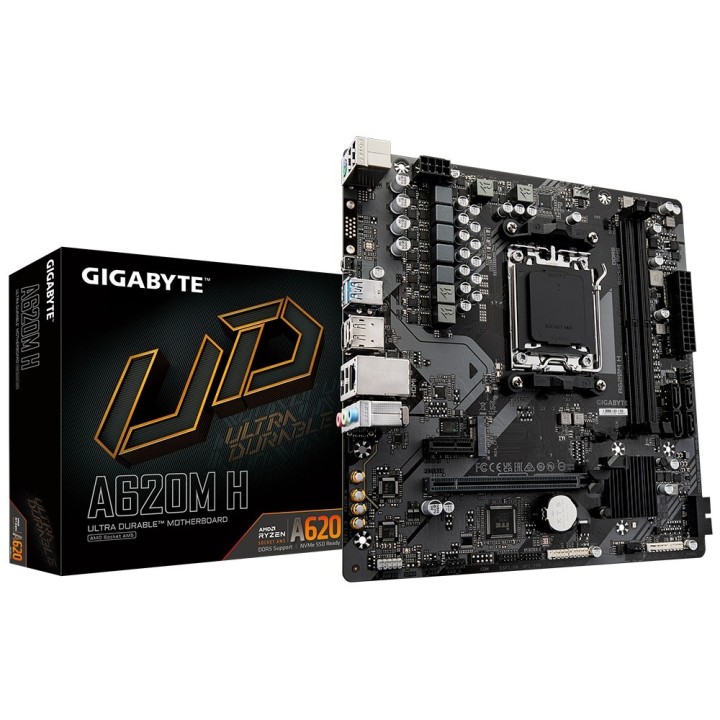
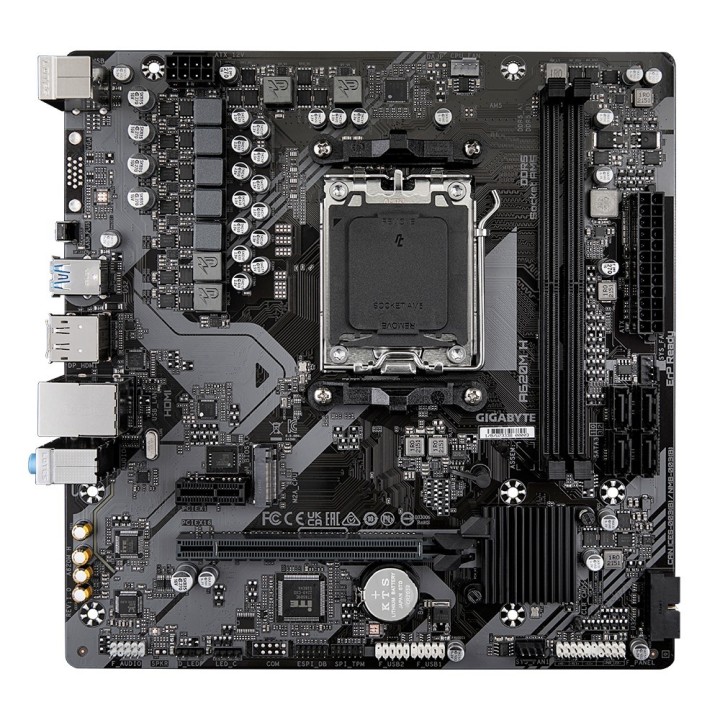
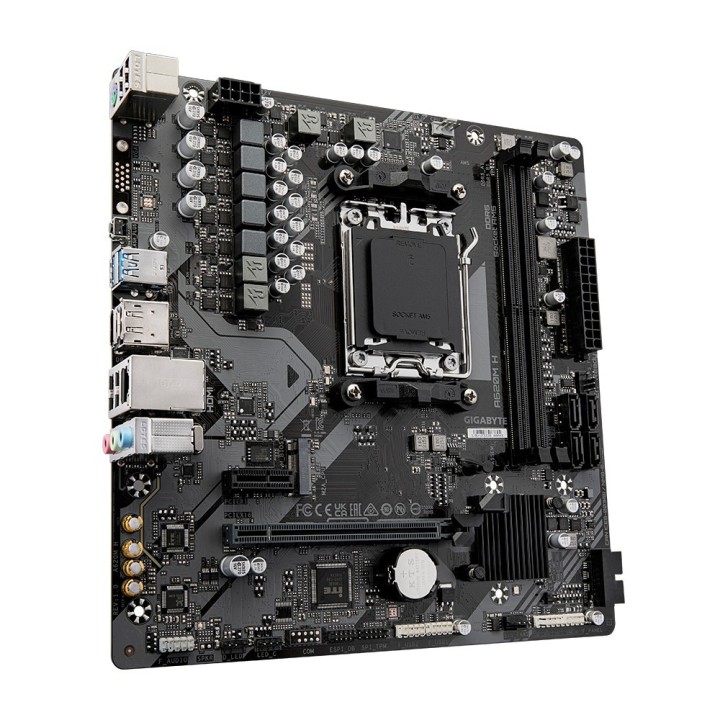
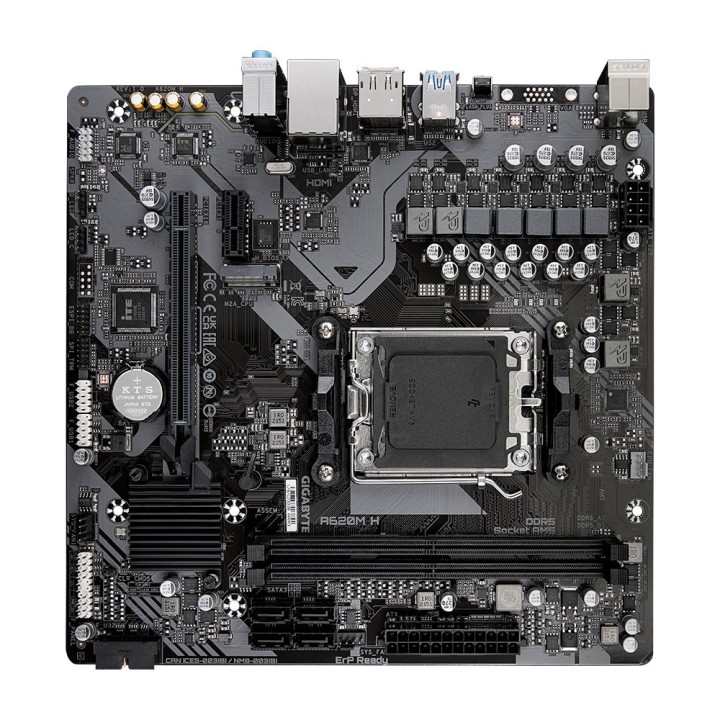
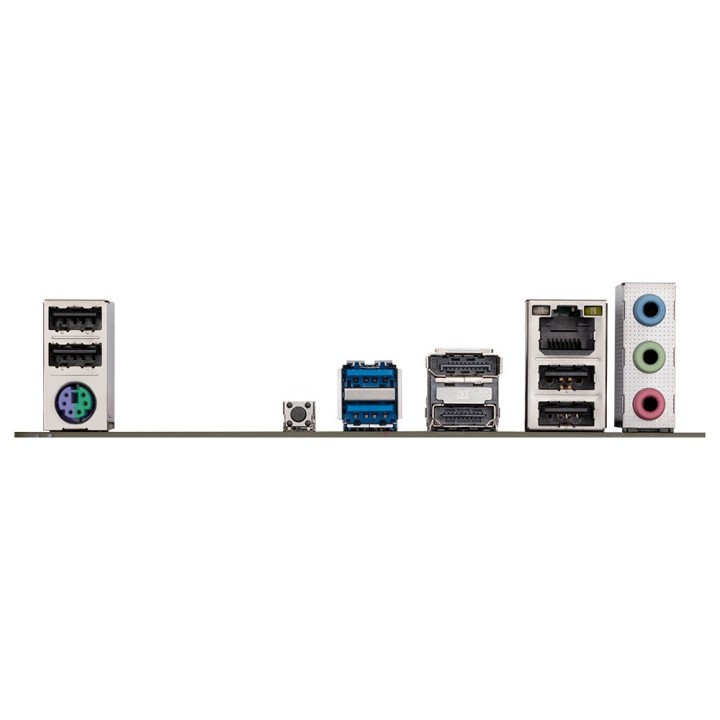
GIGABYTE A620M H AM5 2xDDR5 4xSATA 1xM.2 mATX MB obrazki
GIGABYTE A620M H AM5 2xDDR5 4xSATA 1xM.2 mATX MB
Opis produktu
Wysoka wydajność: cyfrowe rozwiązanie VRM
Dwukanałowe gniazda pamięci RAM
Zaawansowana konstrukcja termiczna
Imponująca wydajność dysku SSD
Gniazdo PCIe z szybkozłączką
Rozszerzone połączenia: DP, HDMI, USB-C
Wiele czujników temperatury i hybrydowe gniazda na wentylatory
Specyfikacja
- Opis produktu: Gigabyte A620M H płyta główna ATX micro Socket AM5 AMD A620
- Typ produktu: Płyta główna ATX micro
- Typ chipsetu: AMD A620
- Port procesora: 1 x Socket AM5
- Zgodne rodzaje procesorów: Ryzen (obsługa Ryzen 7000 Series)
- Max rozmiar RAM: 96 GB
- Obsługiwany RAM: 2 sloty DIMM DDR5, bez ECC, niebuforowana
- Porty pamięci: 4 x SATA600 (RAID), 1 x M.2
- Porty USB FireWire: 2 x USB 3.2 Gen 1 4 x USB 2.0 (2 x USB 3.2 Gen 1 4 x USB 2.0 za pomocą nagłówków)
- Audio: High Definition Audio (8kanałów)
- LAN: Gigabit Ethernet
Szczegóły produktu
- Marka Gigabyte
- Kod produktu 6610ceeb620507cf6ecb564a
- Dostępność 99 Przedmioty
- EAN13 4719331855512
- MPN A620M H
Specyfikacja
- Typ pamięci RAM DDR5
- Wi-Fi Nie
- Bluetooth Nie
- Chipset AMD A620
- Złącza wewnętrzne M.2
- Liczba slotów RAM (szt.) 2 szt.
- Liczba gniazd M.2 (szt.) 1 szt.
Producent
Producent
Gigabyte Technology Poland Sp. z o.o.
Metalowców 31/3-4 54-156 Wrocław Polska
E-mail: lukasz.moga@gigabyte.com
Osoba odpowiedzialna w UE
GIGA-BYTE TECHNOLOGY B.V.
Steenoven 24 5626DK Eindhoven Netherlands
E-mail: EU.grp@gigabyte.com
Bezpieczeństwo
Informacje o bezpieczeństwie
List of motherboard safety warnings based on the requirements of General Product Safety Regulation (EU) 2023/988 (GPSR): * Risk of electric shock: Make sure the power supply is disconnected before installing or disassembling any components. Do not touch pins, connectors or paths on the board with wet hands or in humid environments. * Short-circuit risk: Be careful that no metal objects come into contact with the plate during installation or use. * Risk of Electrostatic Damage (ESD): Use an antistatic band when working with the motherboard to avoid damage to sensitive components. * Risk of injury: Sharp edges and small elements on the board can pose a risk of injury. Be careful when manipulating. * Fire risk: Incorrect connection of power supply or overheating of components can lead to fire. Make sure all connections are correct and cooling is adequate. * Risk of component damage: Do not use excessive force when installing components to avoid damaging the board or the component itself. * Compatibility: Make sure that all components (processor, RAM, graphics card) are compatible with your motherboard. * Stability: Place the motherboard on a stable, flat surface to prevent mechanical damage. * Overheating: Provide adequate cooling to prevent the motherboard and its components from overheating. Clean radiators and fans regularly. * Kids: Keep the motherboard and small items out of reach of children to avoid the risk of ingestion or other accidents. * Installation: Disconnect the motherboard from power before any interference.
Płyty główne
- Nowy
- Nowy
- Nowy
- Nowy
- Nowy
- Nowy
- Nowy
- Nowy
- Nowy
Ostatnio oglądane
Produkty, które ostatnio zwróciły Twoją uwagę.
- Nowy