- Nowy
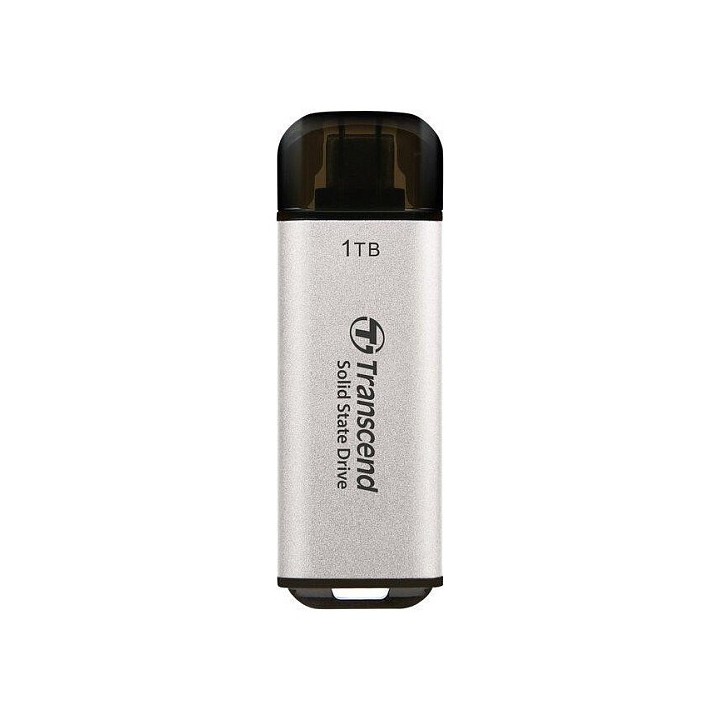
TRANSCEND ESD300S to kompaktowy zewnętrzny dysk SSD o pojemności 1 TB, zaprojektowany z myślą o szybkim przesyle danych przez złącze USB-C. Urządzenie obsługuje standard USB 3.2 Gen 2x1 (10 Gbps), co pozwala na sprawne kopiowanie dużych plików oraz szybki dostęp do archiwów bez potrzeby stosowania zewnętrznego zasilania.
Nośnik wykorzystuje technologię 3D NAND oraz pamięć podręczną SLC, a wbudowany mechanizm korekcji błędów (ECC) dba o integralność zapisanych danych. Dysk jest dostarczany sformatowany w systemie plików exFAT, co ułatwia korzystanie z niego na różnych platformach bez dodatkowej konfiguracji.
Obudowa dysku jest wyjątkowo mała i lekka — wymiary 20 mm x 60.1 mm x 7.8 mm oraz masa 9 g sprawiają, że ESD300S łatwo zmieści się w kieszeni lub torbie. Zasilanie pochodzi bezpośrednio z magistrali USB, co zwiększa mobilność i wygodę użytkowania.
Transcend Information Trading GmbH
Flughafenstr. 52b 22335 Hamburg Niemcy
E-mail: techsupport-de@transcend-info.com
Formularz kontaktowy: https://www.transcend-info.com/Support/contact_form
List of external and portable drive safety warnings based on the requirements of General Product Safety Regulation (GPSR) 2023/988: * Use the drive according to the manufacturer’s instructions to avoid mechanical damage or data loss. * Do not expose the disc to extreme temperatures, moisture, or direct sunlight to prevent overheating or damage. * Protect your drive from drops and bumps, as this can cause damage to internal components and data loss. * Disconnect the drive from your computer in a secure manner (using the "Safe Hardware Removal" feature) to avoid data loss or damage to the drive. * Do not open the disk housing, as this may result in loss of warranty and damage to delicate components. * In case of disk failure, do not try to repair it yourself; contact a professional data recovery service. * Keep the drive away from strong magnetic fields that can disrupt operation and cause data loss. * Use only the original cables and power supplies that came with the drive to avoid compatibility issues and damage. * Regularly back up data from disk to other media to avoid losing important information in the event of a failure. * Keep the disc out of reach of children to avoid accidental damage or ingestion of small items. * When transporting the disk, protect it from shocks and moisture by placing it in a suitable protective case. * Do not attempt to connect a damaged drive to your computer as this may cause additional problems. * Regularly scan the drive with an antivirus program to prevent malware infection. * Do not use the disc near flammable substances, as overheating and fire may occur in the event of a breakdown. * Make sure the voltage in the electrical outlet complies with the requirements of the disk power supply to avoid damage. * If the drive overheats, disconnect it from power immediately and let it cool before reusing. * Clean the disc housing with a soft, dry cloth; do not use chemicals that can damage the surface. * For long-term disk storage, place it in a dry and cool place to avoid component degradation. * If your drive is equipped with encryption software, make sure your password is secure and remembered to avoid permanent loss of access to your data. * When connecting and disconnecting the drive, hold by the housing, not by the cable, to avoid damaging the connector.
Produkty, które ostatnio zwróciły Twoją uwagę.