- Nowy
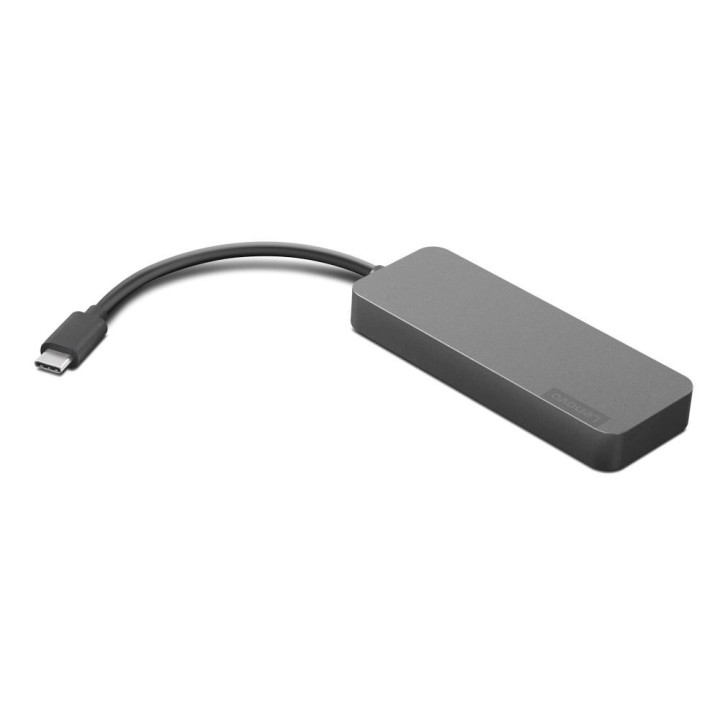
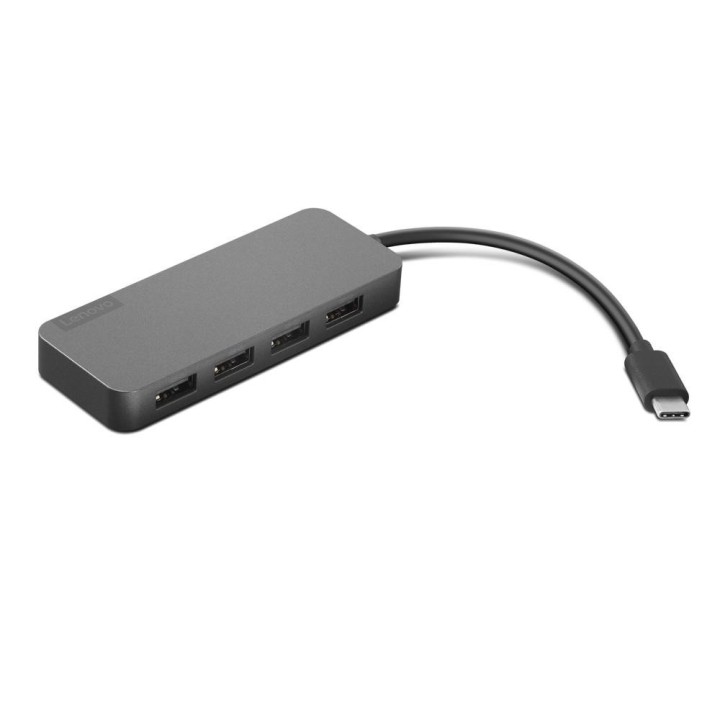
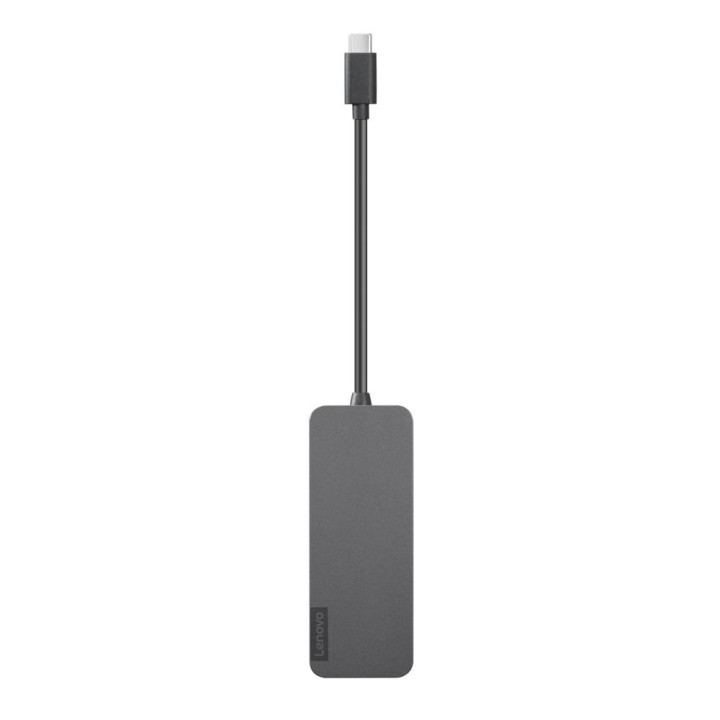
Hub 4-portowy USB-C/4xUSB-A Lenovo (czarny) obrazki
Hub 4-portowy USB-C/4xUSB-A Lenovo (czarny)
Opis produktu
Hub 4-portowy USB-C/4xUSB-A Lenovo
Gdy życie wymaga od Ciebie więcej, koncentrator Lenovo USB-C 1-do-4 pozwala dodać cztery dodatkowe urządzenia USB przy użyciu pojedynczego złącza USB-C. Klawiatury, myszy, napędy optyczne — niezależnie od tego, czego potrzebujesz, możesz z łatwością podłączyć te urządzenia do notebooka lub komputera ze złączem USB-C. Koncentrator ma bardzo niewielki rozmiar i waży zaledwie 42 gramy, dzięki czemu może być zawsze gotowy do pracy i czekać w Twojej kieszeni lub w etui. W zależności od wielu czynników, takich jak moc obliczeniowa hosta i urządzeń peryferyjnych, atrybuty plików oraz parametry konfiguracji systemu i środowisk operacyjnych, faktyczna szybkość transmisji danych może być niższa. Na przykład możesz uzyskać 5 GB/s na złączach USB 3.1 1. generacji (USB 3.0), mniej niż 10 GB/s na złączach USB 3.1 2. generacji i mniej niż 20 GB/s na złączach USB 3.2.

Specyfikacja
- Gwarancja producenta: 24 miesiące
- Interfejs: USB Type-C
- Wymiary: 233 x 37 x 12,5 mm
- Kolor: czarny
- Złącza USB 3.0: 4
- Masa: 42 g
- Długość kabla: 0,1 m
- Typ urządzenia: hub pasywny
Szczegóły produktu
- Marka Lenovo
- Kod produktu 6610fcc631376fee776581db
- Dostępność 5 Przedmioty
- EAN13 0194632496963
- MPN GX90X21431
Producent
Producent
Lenovo Technology B.V. Sp. z o.o. Oddział w Polsce
ul. Gottlieba Daimlera 1 02-460 Warszawa Polska
Osoba odpowiedzialna w UE
Lenovo (Slovakia) s.r.o.
Landererova 12 811 09 Bratislava SLOVAKIA
E-mail: balenovo_sk@lenovo.com
Telefon: +421 2/686 880 00
Bezpieczeństwo
Informacje o bezpieczeństwie
List of safety warnings for docking stations based on the requirements of General Product Safety Regulation (EU) 2023/988 (GPSR) * Risk of electric shock: * Make sure that the docking station is connected to an efficient grounded outlet. * Do not touch the plug or cable with wet hands. * Avoid using the docking station in areas with high humidity. * Risk of overheating: * Provide adequate ventilation while maintaining at least 5 cm of free space around the docking station. * Do not block ventilation openings. * Do not place the docking station on soft surfaces such as blankets or pillows. * Fire risk: * Use only original power supplies and accessories recommended by the manufacturer. * Do not leave the docking station on unattended near flammable materials. * Risk of bodily injury: * Use the docking station on a stable surface to minimize the risk of falling connected devices. * Avoid using the docking station in a position that causes excessive heat pressure on the skin to prevent burns. * Hazards in humid environments: * Do not use the docking station outdoors in rain or in places with high humidity, such as bathrooms. * If the docking station is flooded, immediately disconnect it from the power source and contact the service. * Hazards at high temperatures: * Do not expose the docking station to direct sunlight. * Avoid using the docking station at temperatures above the recommended range (usually 5-35°C). * Risk of damage during cleaning: * Disconnect the docking station from the power supply before cleaning and use a soft, slightly damp cloth. * Avoid using strong detergents that can damage the surface of the docking station. * Caution when replacing accessories: * Use only accessories recommended by the manufacturer. * When replacing batteries, follow the manufacturer's instructions and do not expose the battery to high temperatures. * Battery Use Hazards: * Avoid damaging the battery by impact or puncture. * If the battery overheats or swells, stop using the docking station immediately. * Child warnings: * Keep power cables out of reach of children. * Make sure your kids don't play with the docking station or accessories that can be dangerous. * Cleanliness: * Failure to regularly clean ports and sockets can lead to damage or failure. * Clean ports and sockets regularly using a dry and clean cloth, avoiding moisture input.
Stacje dokujące
- Nowy
- Nowy
- Nowy
- Nowy
- Nowy
Ostatnio oglądane
Produkty, które ostatnio zwróciły Twoją uwagę.