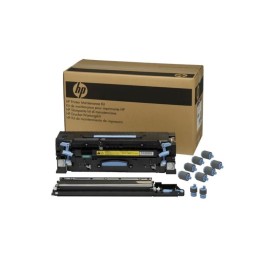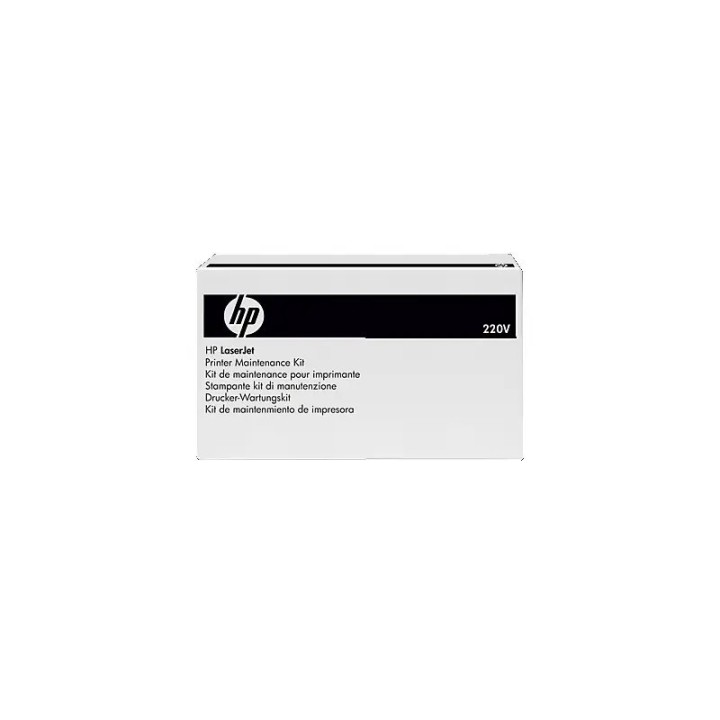
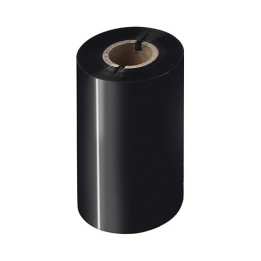
Fuser LaserJet 220V Kit B5L36A

Cena: 938,99 zł
Brutto
Dostępność produktu: Dostępny 14 szt.
Czas dostawy Wysyłka w ciągu 7 dni roboczych
Koszt dostawy Bezpłatna dostawa od 250 zł.

Opis produktu

HP - (220 V) - zestaw utrwalacza termicznego - dla Color LaserJet Enterprise MFP M578, LaserJet Enterprise Flow MFP M578

Specyfikacja

  • Rodzaj wkładu: Grzałka utrwalająca
  • Wydajność (mat.eks.): 150000 str. A4
  • Liczba w opakowaniu jednostkowym: 1
  • Kompatybilność (mat.eks.): HP Color LaserJet M552dn HP Color LaserJet M553dn HP Color LaserJet M553n HP Color LaserJet M553x HP LaserJet Enterprise M577c HP LaserJet Enterprise M577dn HP LaserJet Enterprise M577f HP Color LaserJet Enterprise M555dn HP Color LaserJet Enterprise M554dn HP Color LaserJet MFP M578dn HP Color LaserJet MFP M578c
  • Uwaga: CE+WEEE

Szczegóły produktu

  • Marka HP Inc.
  • Kod produktu 665fac6c507073d3786ddf24
  • Dostępność 14 Przedmioty
  • EAN13 0888182585597
  • MPN B5L36A

Producent

Producent

HP Inc Polska Sp. z o.o.

ul. Szturmowa 2a 02-678 Warszawa Polska

E-mail: support@hp.com

Formularz kontaktowy: https://www.hp.com/us-en/contact-hp/contact.html

Telefon: +1 650-857-1501

Osoba odpowiedzialna w UE

HP Inc Polska sp. z o.o

Plac marsz. Józefa Piłsudskiego 1 00-078 Warszawa Polska

E-mail: support@hp.com

Bezpieczeństwo

Informacje o bezpieczeństwie

List of safety warnings for parts and accessories for printers and scanners, computers and electronics based on the requirements of General Product Safety Regulation (GPSR) 2023/988: 1. Risk of electric shock: * Make sure your printer/scanner is connected to a working grounded outlet. * Do not touch the plug or cable with wet hands. * Avoid using the device in places with high humidity. 2. Risk of overheating: * Provide adequate ventilation while maintaining at least 5 cm of free space around the device. * Do not block ventilation openings. * Do not use the printer/scanner near heat sources or in a sunny place for extended periods of time. 3. Fire risk: * Use only original chargers and accessories recommended by the manufacturer. * Do not leave the device on unattended near flammable materials. 4. Risk of bodily injury: * Use the device on a stable surface to minimize the risk of falling. * Keep power cables out of reach of children. * Make sure that children do not play with the device or accessories that can be dangerous. 5. Hazards at high temperatures: * Do not expose the device to direct sunlight. * Avoid using the printer/scanner at temperatures above the recommended range (usually 5-35°C). 6. Risk of damage during cleaning: * Before cleaning, disconnect the device from the power supply and use a soft, slightly damp cloth. * Avoid using strong detergents that can damage the surface of the device. 7. Caution when replacing accessories: * Use only the accessories recommended by the manufacturer. * When replacing batteries, follow the manufacturer's instructions and do not expose the battery to high temperatures. 8. Risks associated with battery use: * Avoid damage to the battery by impact or puncture. * If the battery overheats or swells, stop using the device immediately. 9. Regular maintenance: * Failure to regularly clean ports and sockets can lead to damage or failure. * Clean ports and sockets regularly using a dry and clean cloth, avoiding moisture input. 10. Effects on eye health: * Long-term staring at the monitor screen when working with a printer/scanner can lead to eye strain. * Take regular breaks from the screen to give your eyes a rest. 11. Risk of cuts: * Replacement of carcasses/toners may involve the risk of getting your hands dirty, so use protective gloves. * Beware of sharp edges and elements inside the printer/scanner when replacing parts or cleaning. 12. Choking hazard: * Small items such as end caps can pose a risk to children – keep them out of reach of children. 13. Electromagnetic interference: * Using a printer/scanner near medical devices such as pacemakers can cause electromagnetic interference. * Keep a distance of at least 15 cm between the printer/scanner and medical devices. 14. Battery explosion risk: * Damaged or low-quality batteries in accessories may explode during charging or heavy use. * Use only original charging accessories. Avoid exposing accessories to impact and high temperature. 15. Failures: * In case of failure of the AC adapter, you should immediately stop using the equipment until the damaged component is repaired. 16. Workplace safety: * Make sure that you have enough space in the place where you use the equipment to avoid tripping and falling. * Take care of proper lighting to see well what you are doing.

Ładowanie...
Wróć na górę