- Nowy
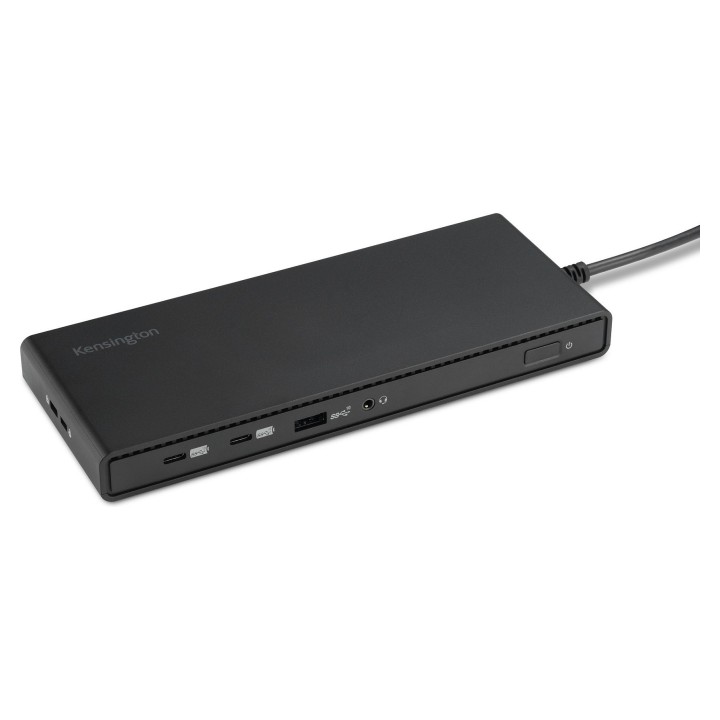
Kensington Potrójna stacja dokująca SD4842P USB-C 100W PD obrazki
Kensington Potrójna stacja dokująca SD4842P USB-C 100W PD
Opis produktu
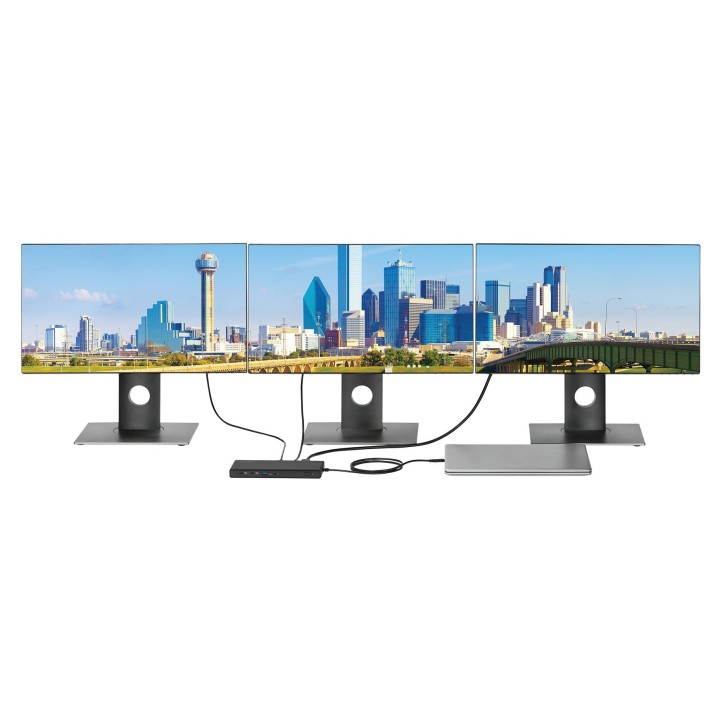
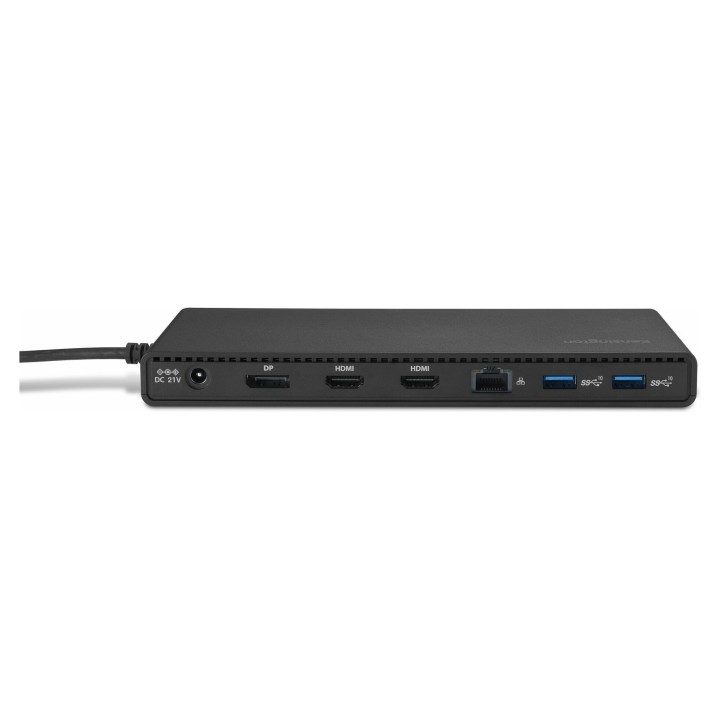
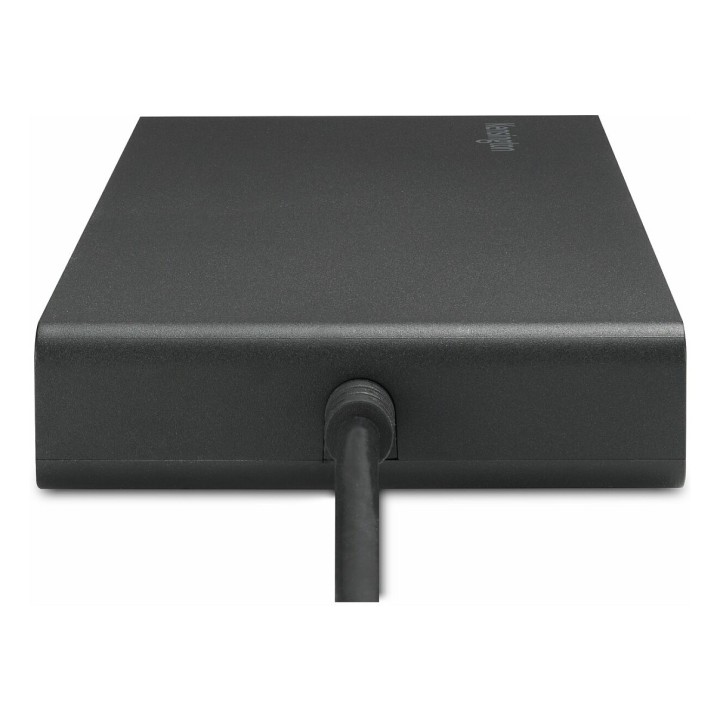
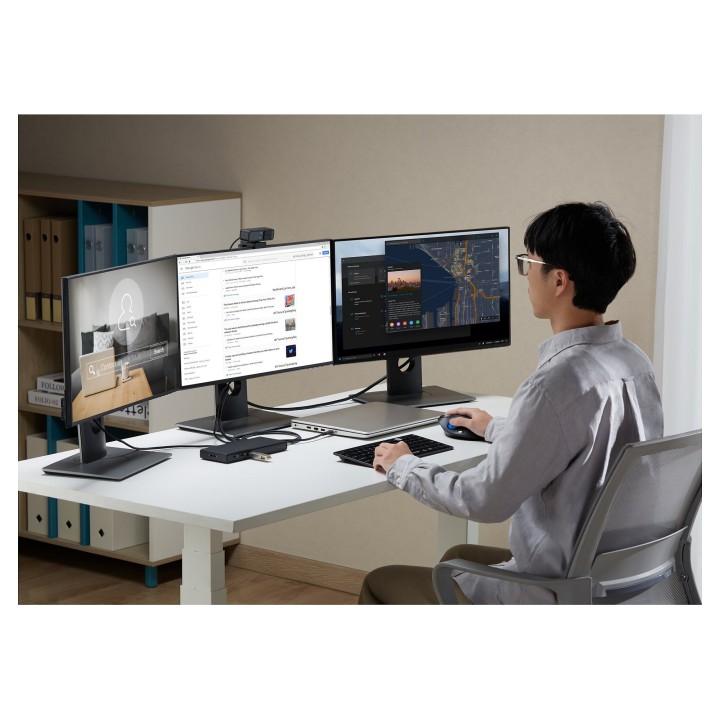
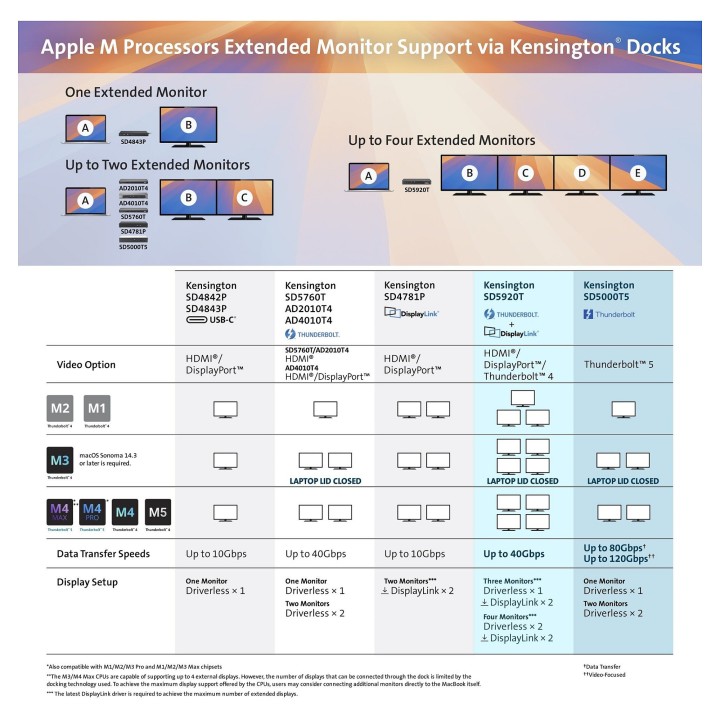
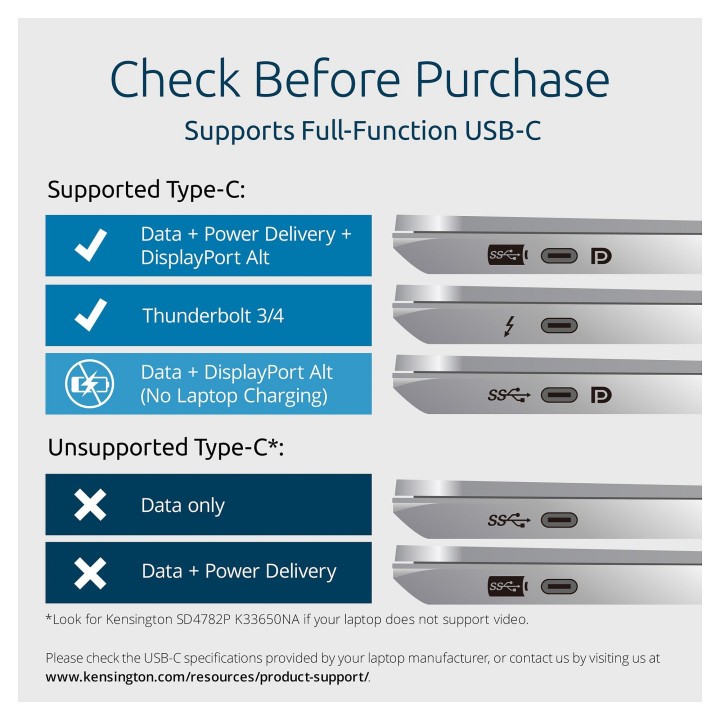
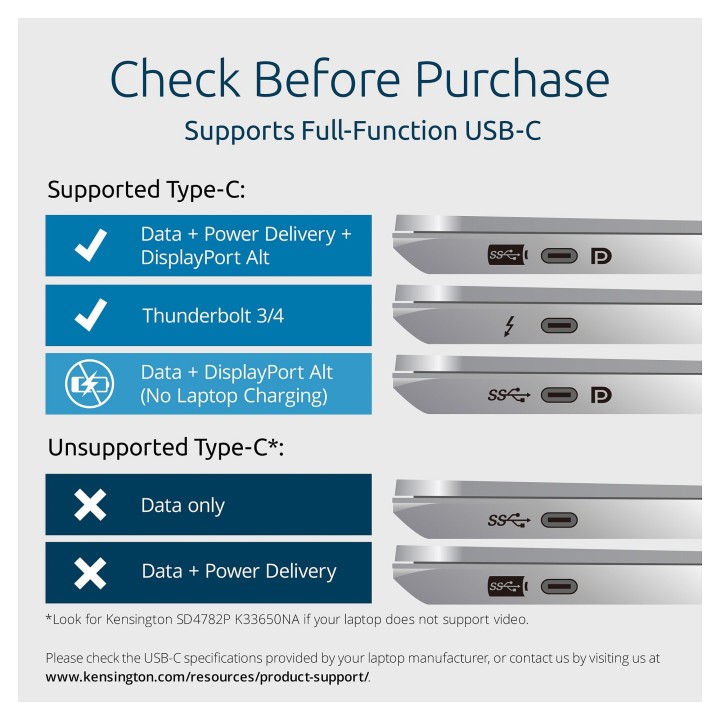
Potrójna stacja dokująca Kensington SD4842P oferuje obsługę do trzech zewnętrznych monitorów (1 x DisplayPort, 2 x HDMI) z obsługą rozdzielczości Full HD (1080p przy 120 Hz). Aby osiągnąć maksymalną wydajność obrazu, stacja, monitor i laptop muszą obsługiwać kompresję obrazu DSC w wersji 1.2. Złącza wideo: DisplayPort 1.4 i HDMI 2.1 zapewniają szerokie możliwości podłączeń bez konieczności stosowania dodatkowych adapterów.
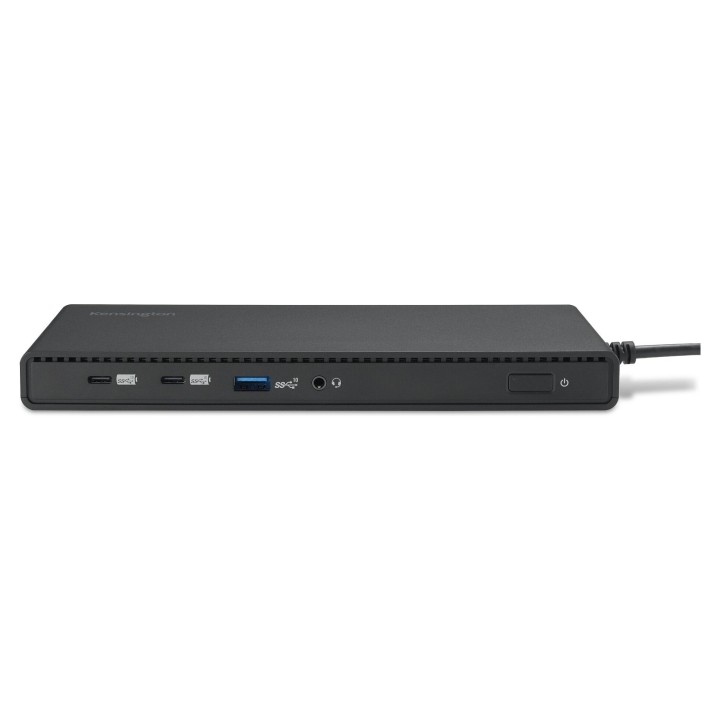
Rozwiązanie działa w trybie Plug and Play dla laptopów z systemem Windows 10 lub nowszym podłączonych przez Thunderbolt 4, Thunderbolt 3, USB4 lub USB‑C Alt Mode — nie jest wymagana instalacja sterowników. Stacja ma przymocowany na stałe kabel hosta, 5 portów USB o przepustowości do 10 Gbit/s (2 x USB‑C 3.2 Gen2 oraz 3 x USB‑A 3.2 Gen2), gniazdo Gigabit Ethernet (100/1000 Mbps) oraz złącze audio combo 3,5 mm.
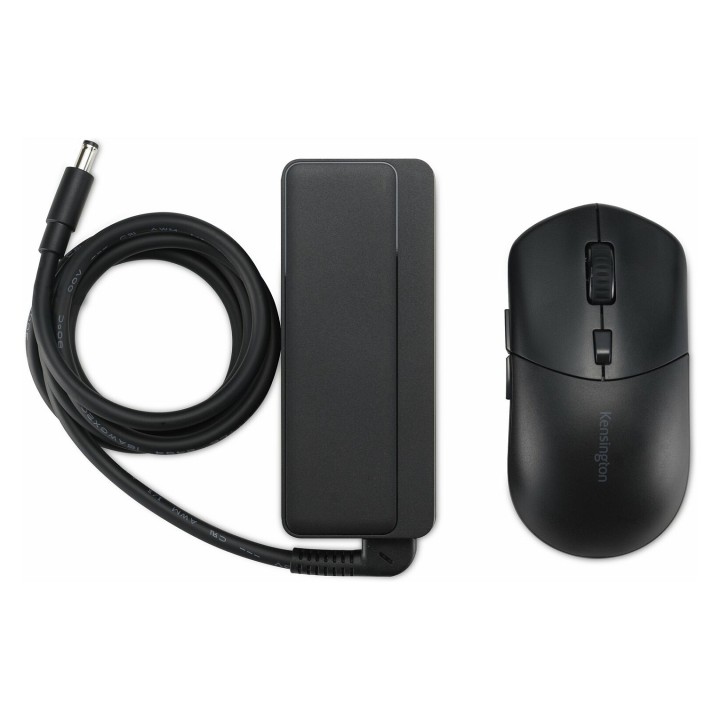
Zasilanie dostarczane jest przez kompaktowy zasilacz GaN umożliwiający ładowanie laptopa do 100 W (USB Power Delivery 3.0). Obudowa wykonana jest z kopolimeru ABS i poliwęglanu, a użyte tworzywo zawiera 73% materiałów pochodzących z recyklingu PCR. Kompaktowe wymiary i masa czynią stację łatwą do umieszczenia na biurku lub montażu w dyskretnym miejscu.
Specyfikacja
- Marka: Kensington
- Model: SD4842P
- Typ produktu: Stacja dokująca USB-C (potrójna wideo)
- Interfejs hosta: USB-C (USB 3.2 Gen2) / kompatybilny z Thunderbolt 4/3 i USB4, USB-C Alt Mode
- System operacyjny (kompatybilność): Windows 10 lub nowszy
- Zasilanie maksymalne (Power Delivery): 100 W
- Wersja USB Power Delivery: 3.0
- Liczba portów USB-C 3.2 Gen2: 2
- Specyfikacja portów USB-C: USB 3.2 Gen2, 10 Gbit/s, 5 V / 3 A (na port)
- Liczba portów USB-A 3.2 Gen2: 3
- Specyfikacja portów USB-A: USB 3.2 Gen2, 10 Gbit/s, 5 V / 0.9 A (na port)
- Liczba portów HDMI: 2
- Wersja HDMI: 2.1
- Liczba złączy DisplayPort: 1
- Wersja DisplayPort: 1.4
- Obsługiwane wyświetlacze: Do 3 zewnętrznych monitorów (1x DP + 2x HDMI)
- Maksymalna częstotliwość odświeżania: 120 Hz (1080p)
- Wsparcie DSC: DSC 1.2 wymagane dla maksymalnej rozdzielczości
- Ethernet: Gigabit Ethernet (100/1000 Mbit/s)
- Wyjście audio: Gniazdo combo audio 3,5 mm (słuchawki/mikrofon)
- Przepustowość danych: 10 Gbit/s (porty USB)
- Kabel hosta: Przymocowany na stałe
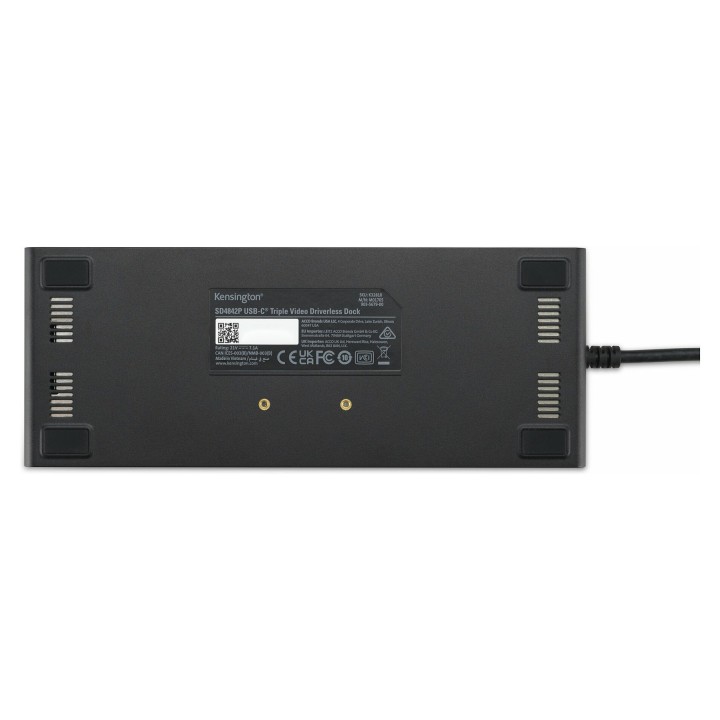
- Typ zasilacza: Kompaktowy zasilacz GaN, napięcie wejściowe 100–240 V AC
- Napięcie operacyjne: 21 V
- Prąd wyjściowy: 7.1 A
- Materiał obudowy: ABS (kopolimer) i PC (poliwęglan)
- Udział materiałów PCR: 73% tworzywa pochodzi z recyklingu (PCR)
- Kolor: Czarny
- Szerokość: 195 mm
- Głębokość: 104 mm
- Wysokość: 36 mm
- Waga: 293 g
- Certyfikaty: CB, CE, FCC, RCM, RoHS, UKCA, VCCI, ErP
Szczegóły produktu
- Marka Kensington
- Kod produktu 666a395aad2817f2d61c056f
- Dostępność 4 Przedmioty
- EAN13 5028252637619
- MPN K32810EU
Specyfikacja
- Złącze do komputera USB 3.2 Gen 2 (3.1 Gen 2) Type-C
Producent
Producent
LEITZ ACCO Brands GmbH & Co. KG
Siemensstraße 64 D-70469 Stuttgart Niemcy
E-mail: germanyinfo@acco.com
Formularz kontaktowy: https://www.leitz.com/pl-pl/services/wsparcie-klienta/
Telefon: +44 (0)203 364 5390
Bezpieczeństwo
Informacje o bezpieczeństwie
List of safety warnings for docking stations based on the requirements of General Product Safety Regulation (EU) 2023/988 (GPSR) * Risk of electric shock: * Make sure that the docking station is connected to an efficient grounded outlet. * Do not touch the plug or cable with wet hands. * Avoid using the docking station in areas with high humidity. * Risk of overheating: * Provide adequate ventilation while maintaining at least 5 cm of free space around the docking station. * Do not block ventilation openings. * Do not place the docking station on soft surfaces such as blankets or pillows. * Fire risk: * Use only original power supplies and accessories recommended by the manufacturer. * Do not leave the docking station on unattended near flammable materials. * Risk of bodily injury: * Use the docking station on a stable surface to minimize the risk of falling connected devices. * Avoid using the docking station in a position that causes excessive heat pressure on the skin to prevent burns. * Hazards in humid environments: * Do not use the docking station outdoors in rain or in places with high humidity, such as bathrooms. * If the docking station is flooded, immediately disconnect it from the power source and contact the service. * Hazards at high temperatures: * Do not expose the docking station to direct sunlight. * Avoid using the docking station at temperatures above the recommended range (usually 5-35°C). * Risk of damage during cleaning: * Disconnect the docking station from the power supply before cleaning and use a soft, slightly damp cloth. * Avoid using strong detergents that can damage the surface of the docking station. * Caution when replacing accessories: * Use only accessories recommended by the manufacturer. * When replacing batteries, follow the manufacturer's instructions and do not expose the battery to high temperatures. * Battery Use Hazards: * Avoid damaging the battery by impact or puncture. * If the battery overheats or swells, stop using the docking station immediately. * Child warnings: * Keep power cables out of reach of children. * Make sure your kids don't play with the docking station or accessories that can be dangerous. * Cleanliness: * Failure to regularly clean ports and sockets can lead to damage or failure. * Clean ports and sockets regularly using a dry and clean cloth, avoiding moisture input.
Stacje dokujące

Ostatnio oglądane
Produkty, które ostatnio zwróciły Twoją uwagę.
- Nowy
- Nowy
- Nowy
- Nowy

- Nowy

- Nowy
- Nowy
- Nowy
- Nowy
- Nowy
- Nowy

- Nowy