- Nowy
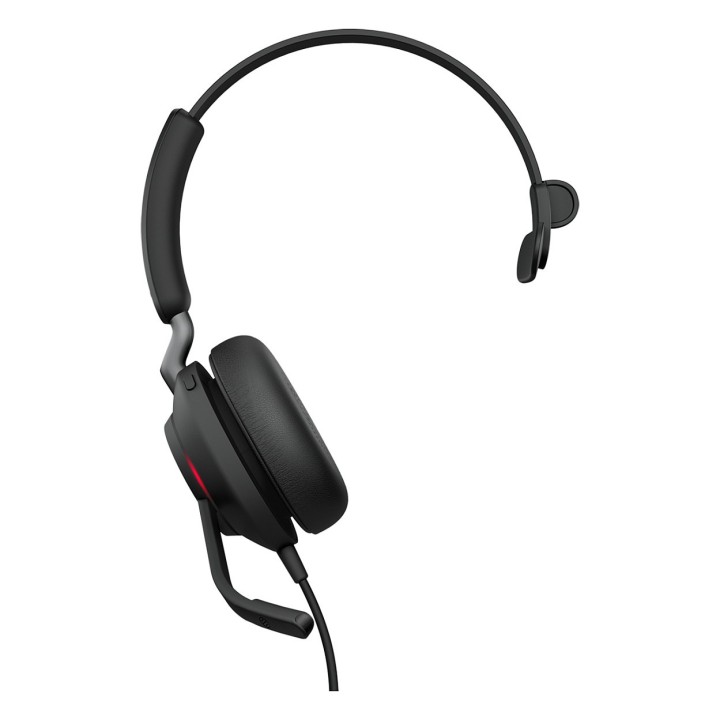
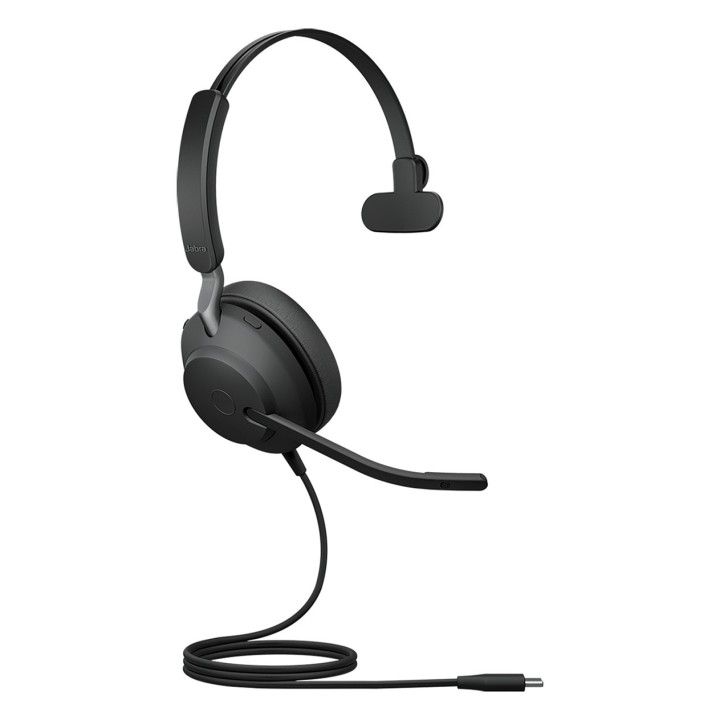
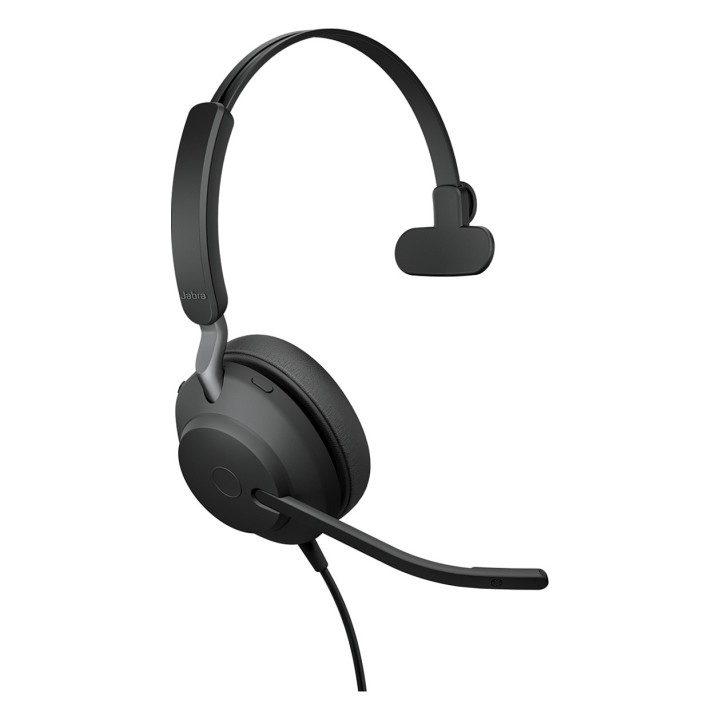
JABRA EVOLVE2 40 SE USB-C UC/MONO obrazki
JABRA EVOLVE2 40 SE USB-C UC/MONO
Opis produktu
Jabra Evolve2 40 SE. Typ produktu: Zestaw słuchawkowy. Technologia łączności: Przewodowa
Specyfikacja
- Product colour: Black
- Product type: Headset
- Recommended usage: Calls/Music
- LED indicators: Yes
- Wearing style: Head-band
- Headset type: Monaural
- Optimized for: UC
- Connectivity technology: Wired
- USB connectivity: Yes
- USB connector: USB Type-C
- Ear coupling: Supraaural
- Headphone frequency: 20 - 20000 Hz
- Driver unit: 40 mm
- Headphone sensitivity: 117 dB
- Maximum input power: 30 mW
- Microphone frequency: 100 - 14000 Hz
- Microphone sensitivity: -26 dB
- Number of microphones: 3
- Microphone type: Boom
- MEMS (Micro-Electro-Mechanical System) microphone: Yes
- Operating temperature (T-T): -10 - 55 °C
- Storage temperature (T-T): -5 - 55 °C
- Sustainability certificates: Forest Stewardship Council (FSC),TCO
- Sustainability compliance: Yes
- Weight: 113 g
- Height: 157 mm
- Width: 150 mm
- Depth: 60.5 mm
- Package width: 188.5 mm
- Package height: 217 mm
- Package depth: 55 mm
- Pouch: Yes
Szczegóły produktu
- Marka Jabra
- Kod produktu 667b6a10606d4e0eab94cb04
- Dostępność 20 Przedmioty
- EAN13 5706991028034
- MPN 24189889899
Producent
Producent
GN Audio A/S
Lautrupbjerg 7 2750 Ballerup Dania
E-mail: info@jabra.com
Bezpieczeństwo
Informacje o bezpieczeństwie
List of safety warnings for video conferencing sets and cameras based on the requirements of Regulation (EU) 2023/988 on General Product Safety (GPSR) 1. Risk of electric shock: * Make sure that the device is connected to a working socket with grounding. * Do not touch the plug or cable with wet hands. * Avoid using the device in places with high humidity. 2. Risk of overheating: * Provide adequate ventilation while maintaining at least 5 cm of free space around the device. * Do not block ventilation openings. 3. Fire risk: * Use only original chargers and accessories recommended by the manufacturer. * Do not leave the device on unattended near flammable materials. 4. Risk of bodily injury: * Avoid using the device in a position that causes excessive heat pressure on the skin to prevent burns. * Use the device on a stable surface to minimize the risk of falling. 5. Hazards in humid environments: * Do not use the unit outdoors in rain or in areas with high humidity, such as bathrooms. * If the device is flooded, immediately disconnect it from the power source and contact the service. 6. Hazards at high temperatures: * Do not expose the device to direct sunlight. * Avoid using the device at temperatures exceeding the recommended range (usually 5-35°C). 7. Risk of damage during cleaning: * Before cleaning, disconnect the device from the power supply and use a soft, slightly damp cloth. * Avoid using strong detergents that can damage the surface of the device. 8. Caution when replacing accessories: * Use only the accessories recommended by the manufacturer. * When replacing batteries, follow the manufacturer's instructions and do not expose the battery to high temperatures. 9. Risks associated with battery use: * Avoid damage to the battery by impact or puncture. * If the battery overheats or swells, stop using the device immediately. 10. Child Hazards: * Keep power cables out of reach of children. * Make sure that children do not play with the device or accessories that can be dangerous. 11. Risk of mechanical damage and injury: * The device's fall may cause the screen to shatter, which can lead to user cuts. * Use durable protective cases and tempered glass for your screen. If the screen is damaged, do not use the device until repaired. 12. Risk of electromagnetic interference * Using the device near medical devices such as pacemakers can cause electromagnetic interference. * Maintain a distance of at least 15 cm between the device and medical devices. 13. Effects on vision * Long-term use of the device, especially in dark conditions, can lead to eye strain. * Use eye protection mode if available, and take breaks from the screen regularly. 14. Regular maintenance * Failure to regularly clean ports and sockets can lead to damage or failure. * Clean ports and sockets regularly using a dry and clean cloth, avoiding moisture input. 15. Allergic reactions to materials * Materials used in the device housing (e.g. silicone, metal) can cause skin irritation or allergic reactions. * In case of redness or discomfort, remove the device and consult a dermatologist. Clean the case regularly to avoid accumulation of sweat or dirt.
Zestawy do wideokonferencji
- Nowy
- Nowy
- Nowy
- Nowy
- Nowy
- Nowy
- Nowy
- Nowy

- Nowy
- Nowy
Ostatnio oglądane
Produkty, które ostatnio zwróciły Twoją uwagę.
- Nowy
- Nowy
- Nowy
- Nowy
- Nowy
- Nowy
- Nowy
- Nowy
- Nowy
- Nowy
- Nowy