- Nowy
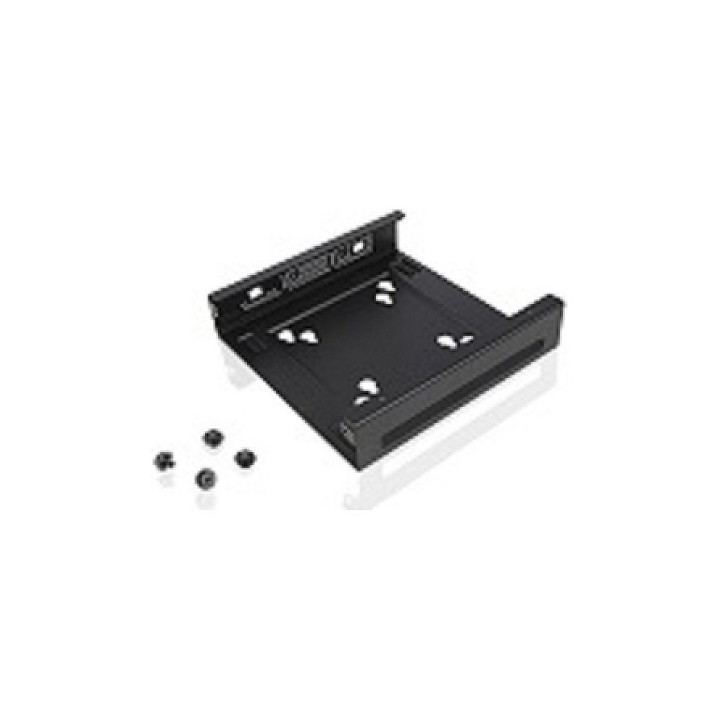
Lenovo Accessories Think Centre Tiny VESA Mount II obrazki
Lenovo Accessories Think Centre Tiny VESA Mount II
Opis produktu
The ThinkCentre Tiny VESA Mount II is a unique design specifically for housing the Tiny PC while featuring the universal VESA mount configuration. The VESA standard enables this mount to attach to anything that is VESA-compatible for the utmost in mounting flexibility. This versatile mounting device can be used separately or combined with other options for secure mounting functionality. The ThinkCentre Tiny VESA Mount is a required component for the following ThinkCentre Tiny options
Specyfikacja
- Product colour: Black
- Type: Feet
- Weight: 325 g
- Harmonized System (HS) code: 84733080
Szczegóły produktu
- Marka Lenovo
- Kod produktu 667b6a37606d4e0eab97e8fa
- Dostępność 6 Przedmioty
- EAN13 0191376177370
- MPN 4XF0N03161#
Specyfikacja
- Kolor Czarny
Producent
Producent
Lenovo Technology B.V. Sp. z o.o. Oddział w Polsce
ul. Gottlieba Daimlera 1 02-460 Warszawa Polska
Osoba odpowiedzialna w UE
Lenovo (Slovakia) s.r.o.
Landererova 12 811 09 Bratislava SLOVAKIA
E-mail: balenovo_sk@lenovo.com
Telefon: +421 2/686 880 00
Bezpieczeństwo
Informacje o bezpieczeństwie
List of safety warnings Computer monitor parts and accessories based on the requirements of General Product Safety Regulation (GPSR) 2023/988: 1. Risk of electric shock: * Make sure the accessories are compatible with the voltage and current in your country. * Do not use damaged power cables or plugs. * Disconnect accessories from power before cleaning or maintenance. * Do not touch accessories with wet hands. * Avoid using accessories in damp places. 2. Fire risk: * Use only accessories approved by the monitor manufacturer. * Do not cover accessories (e.g. power supply) during use to prevent overheating. * Do not use accessories near heat sources or open fire. 3. Risk of damage to monitor and accessories: * Make sure accessories are firmly fastened to avoid falling and damage. * Do not overload monitor ports with too many connected accessories. * Use accessories according to their purpose and instruction manual. 4. Health Risks: * Avoid prolonged staring at the monitor screen to prevent eye strain. * Maintain proper distance from the monitor and adjust screen brightness. * Ensure proper posture when working with your monitor. 5. Child safety: * Small accessory components (e.g. screws, end caps) may pose a choking hazard. Keep them out of reach of children. * Do not allow children to play with computer accessories. 6. Disposal: * Dispose of used electronic accessories in accordance with local environmental regulations. * Do not throw away accessories in ordinary garbage. 7. Cleaning: * Disconnect the accessories from the power supply before cleaning. * Use a soft, dry cloth to clean your accessories. * Do not use cleaning products containing alcohol, ammonia or abrasives. 8. Storage: * Store accessories in a dry and cool place, away from direct sunlight. * Protect accessories from moisture and extreme temperatures.
Uchwyty i podstawki
- Nowy
- Nowy
- Nowy
- Nowy
- Nowy