- Nowy
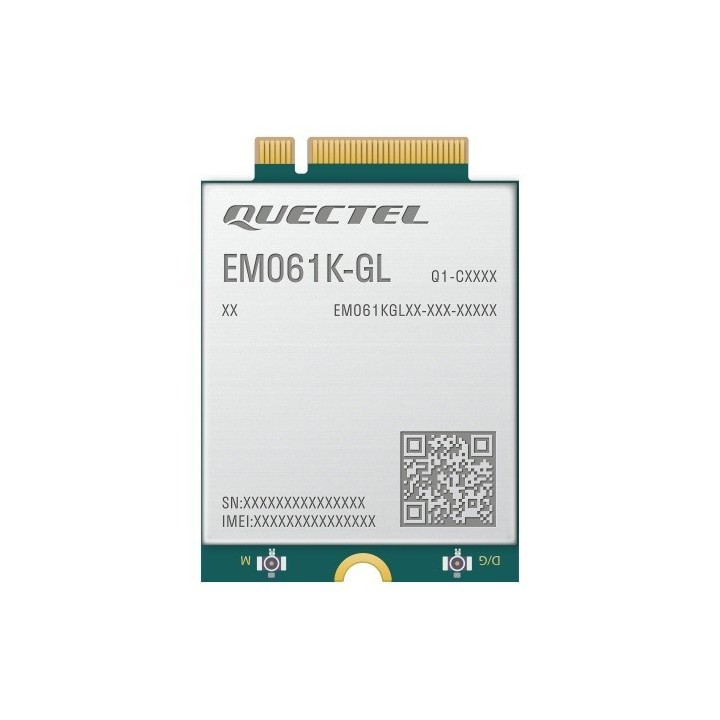
Moduł ThinkPad Quectel EM061K-GL LTE-A CAT6 M.2 WWAN 4XC1Q24438 obrazki
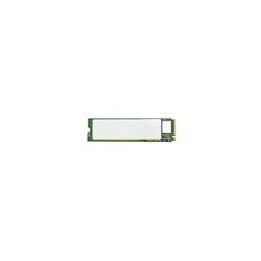
Moduł ThinkPad Quectel EM061K-GL LTE-A CAT6 M.2 WWAN 4XC1Q24438
Opis produktu
Moduł ThinkPad Quectel EM061K-GL LTE-A CAT6 M.2 WWAN to zaawansowany moduł LTE kategorii 6. Moduł ten obsługuje teoretyczną szczytową prędkość transmisji danych wynoszącą 300 Mb/s w łączu pobierającym i teoretyczną szczytową szybkość transmisji danych wynoszącą 50 Mb/s w łączu wysyłającym. Zaprojektowany w formacie M.2, moduł ułatwia migrację klientów pomiędzy różnymi modułami. Ponadto zapewnia szybsze, dokładniejsze i bardziej niezawodne możliwości pozycjonowania.
- Moduł LTE-A CAT6 w formacie M.2
- Wbudowany eSIM (opcjonalnie), DSSA
- Ogólnoświatowy zasięg LTE-A i UMTS/HSPA+
- Interfejs USB 2.0
Specyfikacja
- Interfejs: M.2
- Transmisja danych: HSPA+
- Sieć UMTS (WCDMA): 1700 MHz
- Sieć LTE: 2600 MHz (38)
- Max. prędkość pobierania: 300 MB/s
- Max. prędkość wysyłania: 50 MB/s
- Karta SIM: eSIM
- Antena (sieci drobne): Wewnętrzna
- Czytnik kart pamięci: Brak
- Standard pamięci SD / CF: Nie dotyczy
- Obsługa sieci Aero2: Nie
- Obsługiwane systemy operacyjne: Windows
- Kolor (wyliczeniowy): Nie dotyczy
- Wymiary: 30 x 42 x 2.3 mm
- Waga: 6.2 g
Szczegóły produktu
- Marka Lenovo
- Kod produktu 66834601f7c970644c652b55
- Dostępność 107 Przedmioty
- EAN13 0195892103172
- MPN 4XC1Q24438
Specyfikacja
- Obsługiwane systemy Windows 11
Producent
Producent
Lenovo Technology B.V. Sp. z o.o. Oddział w Polsce
ul. Gottlieba Daimlera 1 02-460 Warszawa Polska
Osoba odpowiedzialna w UE
Lenovo (Slovakia) s.r.o.
Landererova 12 811 09 Bratislava SLOVAKIA
E-mail: balenovo_sk@lenovo.com
Telefon: +421 2/686 880 00
Bezpieczeństwo
Informacje o bezpieczeństwie
List of warnings regarding the safety of miniPCI cards, miniPCIe based on the requirements of Regulation (EU) 2023/988 on general product safety (GPSR) * Risk of electric shock: * Make sure your computer is disconnected from power before installing or disassembling the card. * Do not touch the card or connect with wet hands. * Risk of hardware damage: * Use the right tools and be careful during installation so as not to damage your card or other computer components. * Check that the card is properly attached to the slot to avoid short circuits or damage. * Make sure the connectors are clean and free of debris before connecting the card. * Compatibility: * Make sure the card is compatible with your laptop or desktop model and operating system. * Risk of overheating: * Provide adequate ventilation inside the computer case to avoid overheating of the card. * Monitor card temperature and install additional cooling if needed. * Software Installation: * Install the latest drivers and software provided by the card manufacturer to ensure proper operation. * Electrostatic discharge protection (ESD): * Use an antistatic strip when manipulating the card to prevent damage caused by electrostatic discharges. * Child Hazard: * Keep cards and small items out of reach of children to avoid ingestion. * Recycling: * Return used cards to the appropriate recycling point for electronics. * Work safety: * Work in a well-lit area and keep your workstation tidy. * Updates: * Regularly check for card software updates.
Karty rozszerzeń i kontrolery
- Nowy
- Nowy
- Nowy
- Nowy
- Nowy
- Nowy
Ostatnio oglądane
Produkty, które ostatnio zwróciły Twoją uwagę.
- Nowy
- Nowy
- Nowy
- Nowy
- Nowy
- Nowy
- Nowy
- Nowy
- Nowy
- Nowy
- Nowy