- Nowy
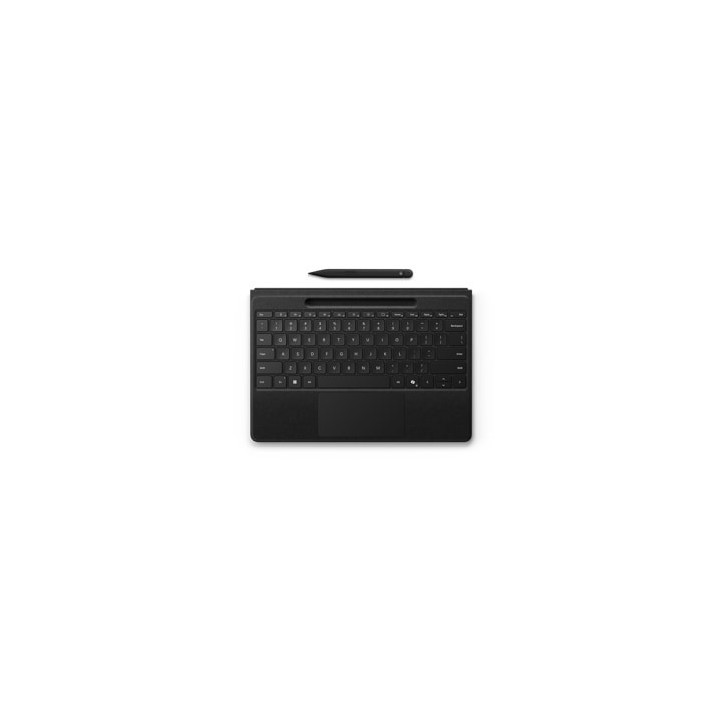
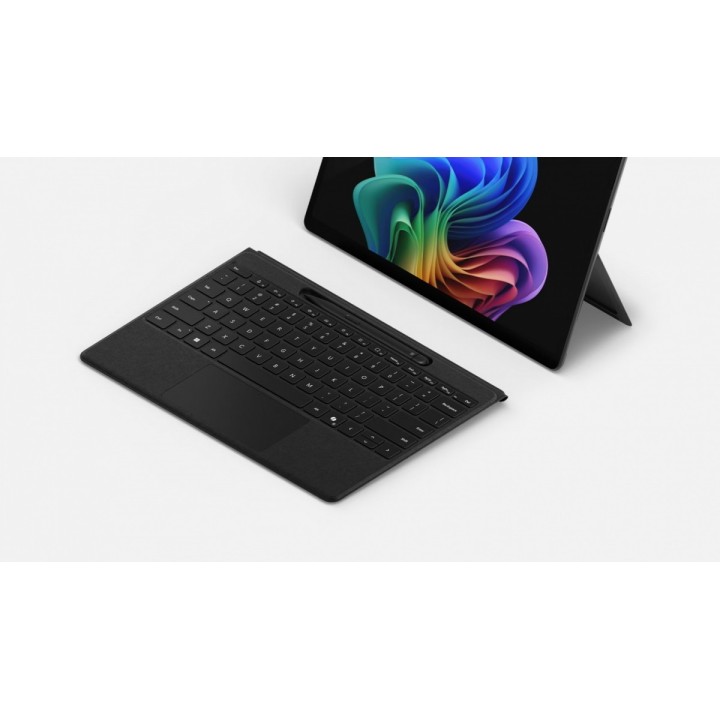
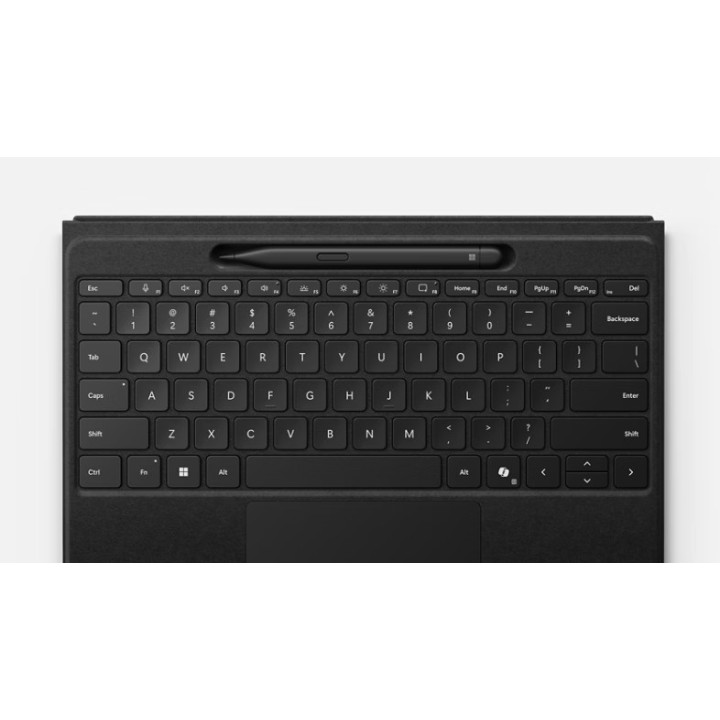
Microsoft Surface Pro Flex Keyboard to lekka, elegancka i funkcjonalna klawiatura zaprojektowana z myślą o urządzeniach Surface Pro. Powłoka z materiału Alcantara zapewnia komfort pisania i estetyczne wykończenie w kolorze czarnym, a podświetlane klawisze ułatwiają pracę w słabszym oświetleniu.
Urządzenie oferuje bezprzewodowe połączenie Bluetooth LE oraz magnetyczny sposób montażu do Surface Pro. Wbudowany gładzik obsługuje bodźce dotykowe z regulowaną czułością kliknięcia, a akcelerometr zwiększa funkcjonalność przy przełączaniu trybów pracy. Klawiatura zawiera tacę do przechowywania i ładowania pióra Surface Slim Pen 2, dzięki czemu pióro jest zawsze gotowe do użycia.
Układ QWERTY (angielski) z pełnym rzędem klawiszy funkcyjnych obejmuje dedykowane skróty — klawisz Copilot, regulację jasności, skróty Windows, sterowanie multimediami oraz wyciszanie mikrofonu. Po odłączeniu klawiatura pracuje autonomicznie z deklarowanym czasem pracy do 41 godzin ciągłego pisania.
Kompaktowe wymiary i niska waga sprawiają, że Surface Pro Flex jest wygodna w podróży i codziennej pracy. Produkt jest kompatybilny z wybranymi modelami Surface Pro (m.in. Pro 8, Pro 9, Pro 10 for Business oraz edycjami 11th).
Microsoft Ireland Operations Limited
One Microsoft Place, South County Business Park, Leopardstown, Dublin D18 P521 D18 P521 Dublin Ireland
Formularz kontaktowy: https://support.microsoft.com/en-us
Telefon: +353 (1) 2953826
Microsoft Ireland Operations Limited
One Microsoft Place, South County Business Park, Leopardstown, Dublin D18 P521 D18 P521 Dublin Ireland
Formularz kontaktowy: https://support.microsoft.com/en-us
Telefon: +353 (1) 2953826
List of keyboard safety warnings based on the requirements of General Product Safety Regulation (EU) 2023/988 (GPSR): * Make sure you use the keyboard as intended, avoid over-pressing or hitting the keys. * Protect your keyboard from flooding with liquids, as this can damage your electronics. * If you are using a wireless keyboard, be sure to replace the batteries regularly and dispose of them as per your regulations. * Keep your keyboard clean, vacuum it regularly, and clean with gentle agents to prevent dust and dirt buildup. * If the keyboard has LED backlighting, avoid staring at intense light for a long time, especially in dark environments. * Store your keyboard in a dry place, away from direct sunlight and heat sources. * Make sure that the keyboard cable is not an obstacle and does not threaten to trip. * If the keyboard has sharp edges, be careful to avoid cuts. * If you experience skin allergies to the materials from which the keyboard is made, stop using it and consult your doctor. * Do not use a damaged keyboard where the keys are loose or missing. * Keep your workstation organized to avoid accidental damage to your keyboard. * Avoid using the keyboard in conditions of high humidity or dustiness, as this can negatively affect its operation. * If you notice the keyboard overheating, disconnect it from the power source immediately. * If the keyboard is equipped with a USB receiver, store it in a safe place to avoid being swallowed by children. * Make sure that children do not play with the keyboard or its elements. * Do not try to repair the keyboard yourself if you are not qualified. * Pay attention to the ergonomics of the work to avoid problems with the wrists and hands during prolonged use of the keyboard.
Produkty, które ostatnio zwróciły Twoją uwagę.