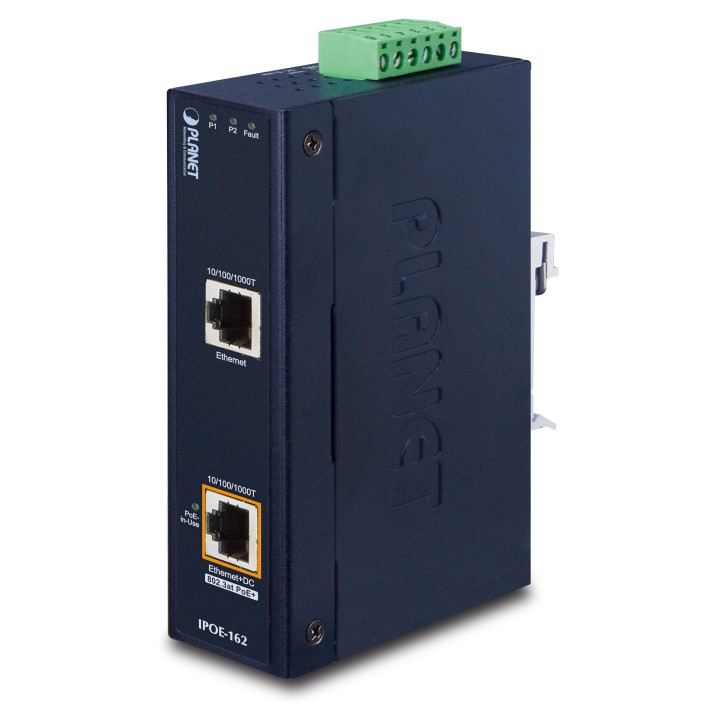
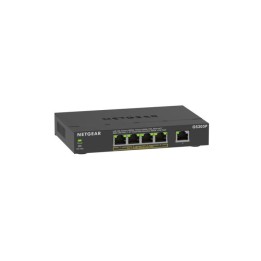
Planet IPOE-162 Single-Port, Mid-span Industrial IEEE 802.3at Power over Ethernet Plus Injector zapewnia maksymalną moc wyjściową do 30 watów przez kable Ethernet. Jest on specjalnie zaprojektowany, aby spełnić rosnące zapotrzebowanie na urządzenia sieciowe o większej mocy, takie jak kamery sieciowe PTZ (Pan, Tilt & Zoom), kamery szybkoobrotowe PTZ, kolorowe telefony dotykowe Voice over IP (VoIP), wielokanałowe (11a/b/g/n) punkty dostępu do bezprzewodowej sieci LAN i inne urządzenia sieciowe, które wymagają większej mocy do stabilnej pracy.

Szybkie i łatwe wdrożenie sieci PoE o dużej mocy
IPOE-162 może dostarczyć 30-watowe zasilanie 56V DC przez kable Ethernet Cat.5/5e/6, co pozwala na jednoczesne przesyłanie danych i zasilania przez kabel pomiędzy Injectorem (IPOE-162) a PoE PD (zasilanym urządzeniem) lub Splitterem PoE (IPOE-162S/POE-162S). Maksymalna odległość pomiędzy Injectorem a Splitterem wynosi 100 metrów. IPOE-162 jest również kompatybilny z IEEE 802.3af PoE PD lub PoE Splitter i zapewnia maksymalną moc wyjściową do 15,4 W. Z zainstalowanymi urządzeniami Industrial IEEE 802.3at Power over Ethernet Plus, administrator systemu musi używać tylko jednego pojedynczego kabla Ethernet RJ45 do przenoszenia zarówno zasilania, jak i danych do każdego urządzenia. Dzięki temu wdrożenie sieci będzie łatwiejsze i bardziej niezawodne.
Wygodny i niezawodny system zasilania
Aby ułatwić 802.3at PoE wykorzystanie z powszechnie stosowanym 12~48V DC wejściem zasilania dla transportu i przemysłowych aplikacji poziom, IPOE-162 przyjmuje 12~48V DC do 56V technologii zwiększenia mocy, aby rozwiązać problem źródła zasilania, ale nie wymaga specjalnych zasilaczy. Jego szeroki zakres napięć projekt jest odpowiedni dla całego świata operability z wysokiej dostępności aplikacji wymagających podwójne lub zapasowe wejścia zasilania.

Stabilna wydajność pracy w trudnych warunkach
Obecnie zapotrzebowanie na PoE rozszerza się z zastosowań komercyjnych na wiele krytycznych sieci w trudnych warunkach środowiskowych. IPOE-162 jest jednym z idealnych rozwiązań zapewniających wysoki poziom odporności na zakłócenia elektromagnetyczne i silne przepięcia elektryczne typowe dla środowisk występujących na halach fabrycznych lub w szafach kontroli ruchu drogowego przy krawężnikach. IPOE-162 może stabilnie pracować w zakresie temperatur od -40 do 75 stopni C, co pozwala użytkownikom na wygodne zastosowanie urządzenia w niemal każdym miejscu sieci. IPOE-162 jest również wyposażony w kompaktową metalową obudowę o standardzie IP30, która umożliwia montaż na szynie DIN lub na ścianie w celu efektywnego wykorzystania przestrzeni w szafie.
Specyfikacja
- Rodzaj portów głównych: RJ45
- Rodzaj urządzenia: Injector / Extender
- Zastosowanie: Transfer danych
- Ilość portów PoE: 1 szt
- Budżet mocy PoE: 30 W
- Obsługa PoE: tak
- Przepustowość portów głównych: Gigabit Ethernet
- Ilość w opakowaniu zbiorczym: 20 szt
- Kolor: Czarny
- Wysokość: 13.5 cm
- Szerokość: 3.2 cm
- Głębokość: 8.78 cm
- Waga: 0.489 kg
- Dane producenta: PLANET TajwanNew Taipei City2314110F No. 96 Minquan Rd. Xindian Dist. New Taipei City Taiwan sales@planet.com.twwww.planet.com.tw +886222199518
- Dane osoby odpowiedzialnej w UE: Konsorcjum FEN Sp. z o.o.PolskaPoznań60-415Czarnkowska 13Konsorcjum Fen sp. z o. o.gpsr@fen.plhttps://b2b.fen.pl/+48 616690700