- Nowy
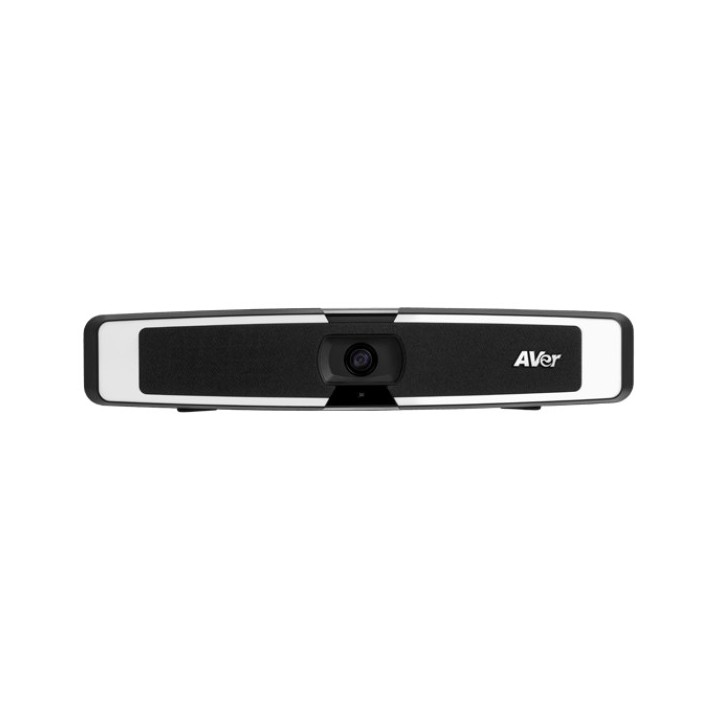
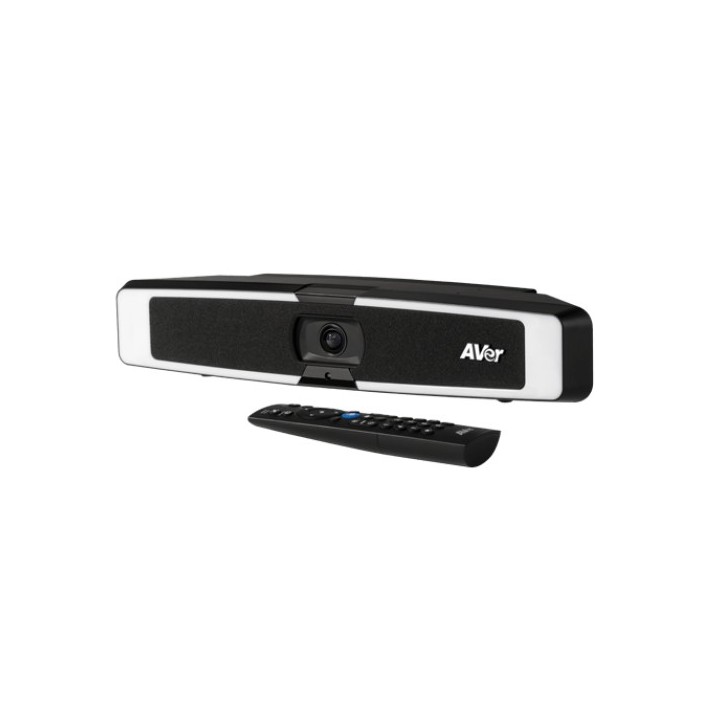
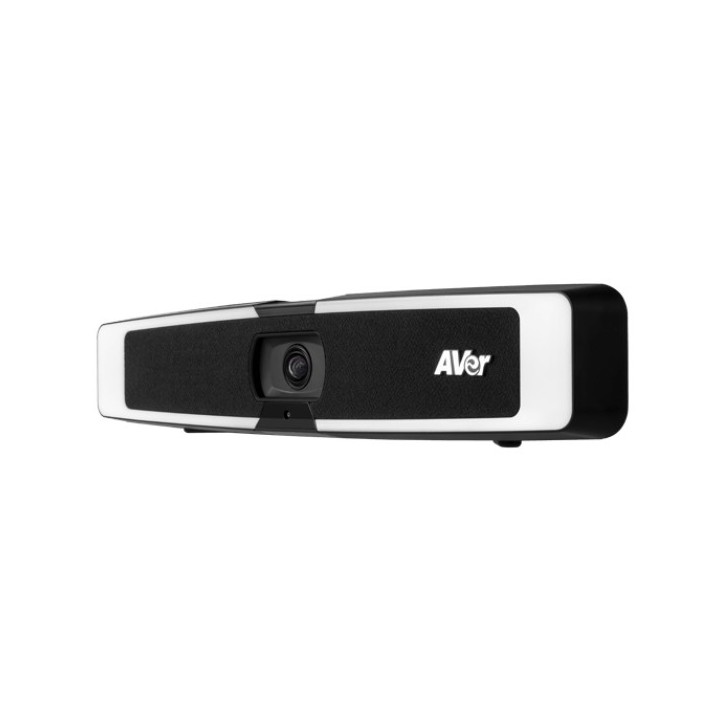
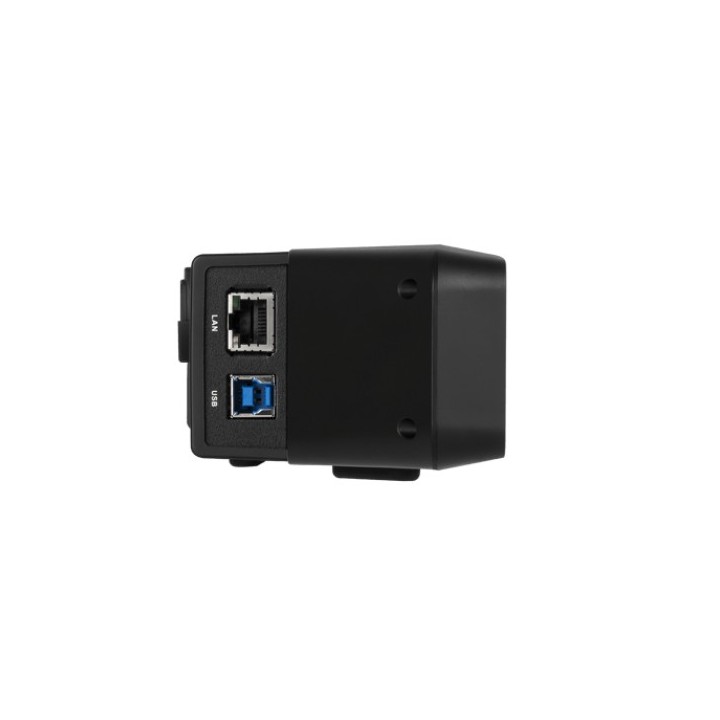
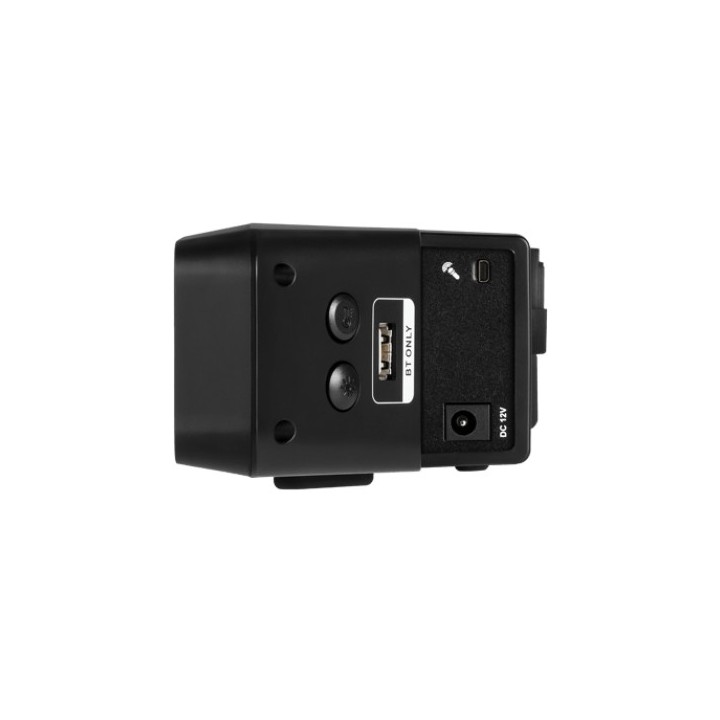
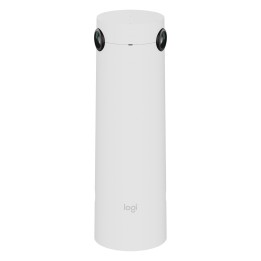
Aver VB130 to kamera typu videobar przechwytująca obraz w standardzie rozdzielczości 4K, zapewniając najlepszą jakość obrazu podczas spotkań online. Urządzenie doposażone jest w 5 jednokierunkowe mikrofony oraz głośnik dostosowany do spotkań biznesowych oraz zdalnej nauki. Szerokie pole widzenia 120 stopni pozwoli na objęcie obiektywem większej ilości osób. Innowacyjną cechą VB130 jest wbudowany pierścień składający się z diod LED wokół obiektywu, zapewnia bardzo dobrą jakość nawet w bardzo niekorzystnych warunkach oświetleniowych. Ponadto model automatycznie dostosowuje natężenie oświetlenia oraz temperaturę koloru. Kamera posiada dodatkowe funkcje jak audiotracking, oraz śledzenie po zaprogramowanych strefach, które sprawiają, że prowadzenie spotkań online staje się wygodne i intuicyjne. Kamera 4X zoom Rozdzielczość: 4K w 60 klatkach sek. Kąt widzenia: FOV: 120 stopni 10 presetów Minimalna odległość robocza: 60 cm Balans bieli: automanual, sterowanie ręczne za pomocą PTZApp2 True WDR BLC (back light compensation) kompensacja światła otoczenia Redukcja szumów otoczenia 3D Audio 5 jednokierunkowych mikrofonów (maks. zasięg 4 m) Pasmo przenoszenia: 180Hz 20kHz Czułość: 37dB Redukcja szumów i echa 6watowy stereofoniczny głośnik szerokopasmowy z profesjonalnym portem basowym dostrojonym do komunikacji Pojemność do 94dB SPL 2dB na 0.5 metra Złącza USB 3.1 typ B Gniazdo DC do zasilacza 12V2A RJ45 USB 2.0 typ A (dongiel wifi) Port mikrofonowy Zawartość opakowania VB130 Kabel zasilający (3 m) Kabel USB 3.1 typ B na typ A (5m) Uchwyt do montażu na ścianie Pilot Kompatybilność z aplikacjami Zoom, Microsoft Teams, Skype, Skype for Business, Google Meet, RingCentral, BlueJeans , Intel Unite, Fuze, Adobe Connect, CyberLink U Meeting, Cisco WebEx GoToMeeting, LiveOn, Microsoft Lync, TrueConf, VCube, Vidyo, vMix, WebRTC, Wirecast, XSplit Wymagania systemowe Windows 710 Mac OS X 10.7 Google Chromebook wersja 29.0.1547.70 Współpraca z darmowymi oprogramowaniami: EZManager 2 PTZApp 2 EZLive Niektóre ważne funkcje, takie jak auto framing lub audio tracking, mogą być domyślnie wyłączone. Aby je aktywować należy pobrać oprogramowanie PTZApp2, dostępne za darmo na stronie producenta:Download Center AVer Global. Dzięki tej aplikacji można łatwo i swobodnie dostosować ustawienia urządzenia i wybrać tryby śledzenia, które najlepiej spełnią oczekiwania. Jakość tego rozwiązania jest potwierdzona 3letnią gwarancją producenta.
AVerMedia Technologies Europe B.V.
Westblaak 140 3012 KM Rotterdam Holandia
E-mail: sales.europe@avermedia.com
List of safety warnings for video conferencing sets and cameras based on the requirements of Regulation (EU) 2023/988 on General Product Safety (GPSR) 1. Risk of electric shock: * Make sure that the device is connected to a working socket with grounding. * Do not touch the plug or cable with wet hands. * Avoid using the device in places with high humidity. 2. Risk of overheating: * Provide adequate ventilation while maintaining at least 5 cm of free space around the device. * Do not block ventilation openings. 3. Fire risk: * Use only original chargers and accessories recommended by the manufacturer. * Do not leave the device on unattended near flammable materials. 4. Risk of bodily injury: * Avoid using the device in a position that causes excessive heat pressure on the skin to prevent burns. * Use the device on a stable surface to minimize the risk of falling. 5. Hazards in humid environments: * Do not use the unit outdoors in rain or in areas with high humidity, such as bathrooms. * If the device is flooded, immediately disconnect it from the power source and contact the service. 6. Hazards at high temperatures: * Do not expose the device to direct sunlight. * Avoid using the device at temperatures exceeding the recommended range (usually 5-35°C). 7. Risk of damage during cleaning: * Before cleaning, disconnect the device from the power supply and use a soft, slightly damp cloth. * Avoid using strong detergents that can damage the surface of the device. 8. Caution when replacing accessories: * Use only the accessories recommended by the manufacturer. * When replacing batteries, follow the manufacturer's instructions and do not expose the battery to high temperatures. 9. Risks associated with battery use: * Avoid damage to the battery by impact or puncture. * If the battery overheats or swells, stop using the device immediately. 10. Child Hazards: * Keep power cables out of reach of children. * Make sure that children do not play with the device or accessories that can be dangerous. 11. Risk of mechanical damage and injury: * The device's fall may cause the screen to shatter, which can lead to user cuts. * Use durable protective cases and tempered glass for your screen. If the screen is damaged, do not use the device until repaired. 12. Risk of electromagnetic interference * Using the device near medical devices such as pacemakers can cause electromagnetic interference. * Maintain a distance of at least 15 cm between the device and medical devices. 13. Effects on vision * Long-term use of the device, especially in dark conditions, can lead to eye strain. * Use eye protection mode if available, and take breaks from the screen regularly. 14. Regular maintenance * Failure to regularly clean ports and sockets can lead to damage or failure. * Clean ports and sockets regularly using a dry and clean cloth, avoiding moisture input. 15. Allergic reactions to materials * Materials used in the device housing (e.g. silicone, metal) can cause skin irritation or allergic reactions. * In case of redness or discomfort, remove the device and consult a dermatologist. Clean the case regularly to avoid accumulation of sweat or dirt.
Produkty, które ostatnio zwróciły Twoją uwagę.