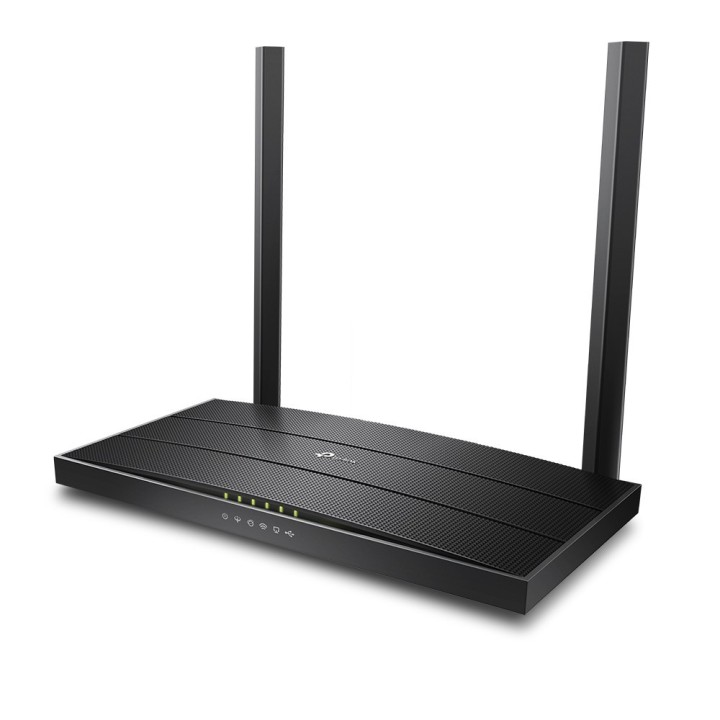
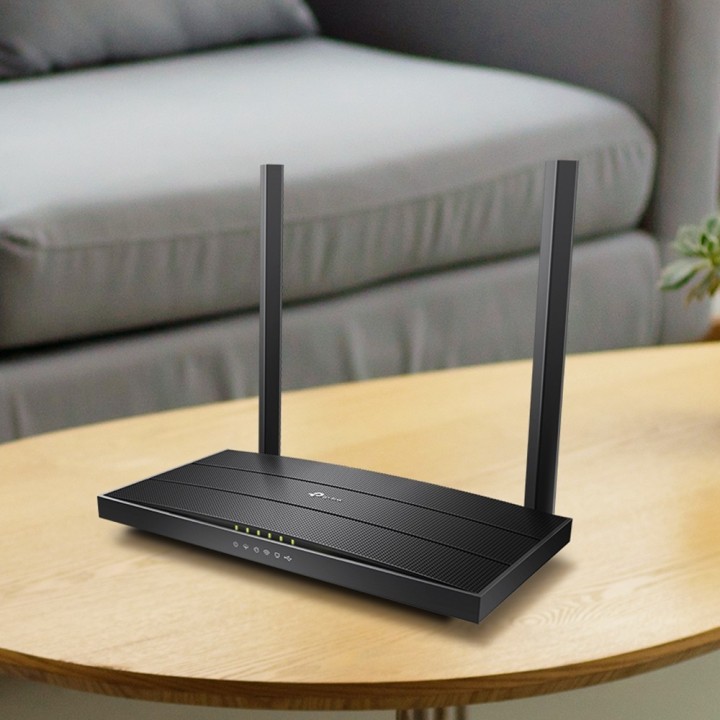
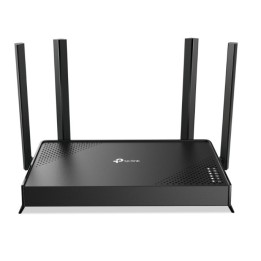
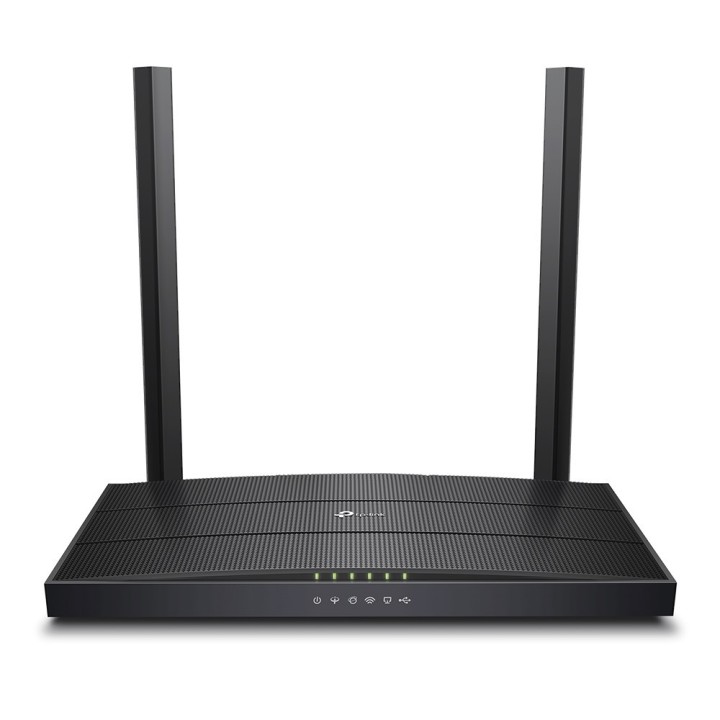
Router TP-LINK Archer VR400

Cena: 396,49 zł
Brutto
Dostępność produktu: Dostępny 1 szt.
Czas dostawy Wysyłka w ciągu 2 dni roboczych
Koszt dostawy Bezpłatna dostawa od 250 zł.

Opis produktu

Bezprzewodowy router/modem VDSL/ADSL

Szybka sieć Wi-Fi Jednoczesne rozgłaszanie sieci bezprzewodowej o prędkości 300 Mb/s w paśmie 2,4GHz oraz sieci o prędkości 867 Mb/s w paśmie 5GHz.

Maksymalny zasięg Dwie zintegrowane anteny dookólne wzmocnione technologią Beamforming zapewniają stabilne połączenia bezprzewodowe i optymalny zasięg sieci.

Szerokie możliwości łączenia się z siecią Pełna zgodność ze standardami VDSL2/ADSL2+/ADSL2/ADSL oraz możliwość korzystania z usług Internetu światłowodowego, kablowego oraz 3G/4G.

Dostęp do sieci w całym domu z technologią OneMeshTM Obsługa produktów z serii TP-Link OneMeshTM pozwala na utworzenie wygodnej sieci mesh.

Technologia MU-MIMO Dane przesyłane są do wielu urządzeń jednocześnie, co zwiększa wydajność pracy urządzenia.

Gigabitowe porty Możliwość korzystania z gigabitowych prędkości.

Aplikacja Tether - Z aplikacją dostępną na urządzenia obsługujące system iOS lub Android zarządzanie siecią i jej konfiguracja są niezwykle łatwe.

Specyfikacja

  • Wysokość (mm): 167.5
  • Szerokość (mm): 243.5
  • Głębokość (mm): 32.7
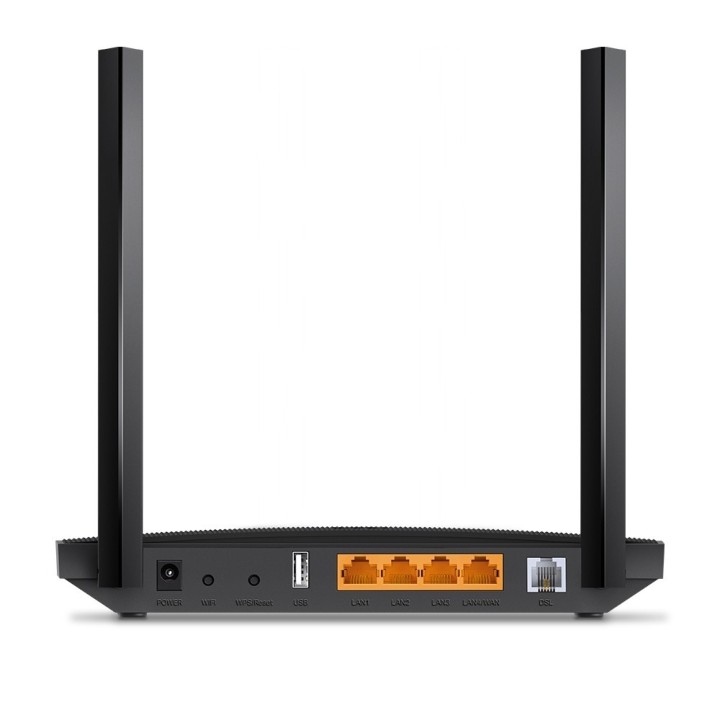
  • Złącza WAN: 1x 10/100/1000BaseT (RJ45)
  • Złącza LAN: 3x 10/100/1000BaseT (RJ45)
  • Porty pozostałe: 1 x USB 2.0, 1 x ADSL2+
  • Diody sygnalizacyjne: Tak
  • Obsługa sieci bezprzewodowej: tak
  • Antena: Zewnętrzna
  • Ilość anten: 3
  • Zastosowane zabezpieczenia: WPA, WPA2, WPA2-PSK, WPA-PSK, WEP 64/128-bit
  • Standardy i protokoły sieciowe: IEEE 802.11a, IEEE 802.11ac, IEEE 802.11b, IEEE 802.11g, IEEE 802.11n, IEEE 802.3, IEEE 802.3ab, IEEE 802.3u
  • Funkcje: Quality of Service: ATM QoS, Kontrola przepustowości (IP QoS), Guest Network: Sieć dla gości w paśmie 2,4GHz Sieć dla gości w paśmie 5GHz
  • Konfiguracja i zarządzanie: Przeglądarka WWW
  • Certyfikaty: CE
  • Gwarancja: 3 lata
  • Linia: Archer
  • Przeznaczenie: ADSL, xDSL (sieci lokalne; telewizja kablowa)
  • Technologie: USB 2.0
  • Pozostałe parametry: Routing statyczny RIP v1/v2 DNS Relay, DDNS IGMP V1/V2/V3, Kontrola rodzicielska NAT Mapowanie (grupowanie) portów, Beamforming: 5GHz, VPN IPSec: Obsługa do 10 tuneli IPSec VPN, Udostępnianie urządzeń USB: Serwer Samba(udostępnianie dysków) FTP Serwer druku Serwer mediów Modem 3G/4G, Protokoły: IPv4 oraz IPv6, VPN Pass-Through: PPTP, L2TP, IPSec Passthrough, Dynamiczny DNS: DynDns, NO-IP, Przekierowanie portów: Serwery wirtualne, Port Triggering, DMZ, ALG, UPnP, DHCP: Serwer, Klient, Lista klientów DHCP, Rezerwacja adresów, DHCP Relay, Dostępne tryby pracy: Router VDSL/ADSL, Router bezprzewodowy, Router 3G/4G, Bezpieczeństwo transmisji: Zapora NAT Firewall, Kontrola dostępu, Wiązanie adresów IP/MAC
  • Wyposażenie: Zasilacz sieciowy, Kabel sieciowy Ethernet, Kabel telefoniczny RJ-11, Splitter ADSL, Instrukcja obsługi

Szczegóły produktu

  • Marka TP-LINK
  • Kod produktu 67cf126bf6990fd45a118f7c
  • Dostępność 1 Przedmiot
  • EAN13 6935364096854
  • MPN ARCHERVR400

Specyfikacja

  • Rodzaj urządzenia Router ADSL
  • Pasma Wi-Fi 2.4 GHz
    5 GHz

Producent

Producent

TP-Link Polska Sp. z o.o.

Ożarowska 40/42 05-850 Duchnice Polska

E-mail: info.pl@tp-link.com

Telefon: +48 22 360 63 63

Osoba odpowiedzialna w UE

TP-Link

Ożarowska 40/42 05-850 Duchnice Polska

E-mail: office.poland@tp-link.com

Telefon: +48 22 360 63 00

Bezpieczeństwo

Informacje o bezpieczeństwie

List of safety warnings for WiFi and Access Point Routers based on the requirements of Regulation (EU) 2023/988 on General Product Safety (GPSR) 1. Risk of electric shock: * Make sure that the device is connected to a working socket with grounding. * Do not touch the plug or cable with wet hands. * Avoid using the device in places with high humidity. 2. Risk of overheating: * Provide adequate ventilation while maintaining at least 5 cm of free space around the device. * Do not block ventilation openings. 3. Fire risk: * Use only original power supplies and accessories recommended by the manufacturer. * Do not leave the device on unattended near flammable materials. 4. Hazards at high temperatures: * Do not expose the device to direct sunlight. * Avoid using the router at temperatures above the recommended range (usually 5-35°C). 5. Risk of damage during cleaning: * Before cleaning, disconnect the device from the power supply and use a soft, slightly damp cloth. * Avoid using strong detergents that can damage the surface of the device. 6. Warnings for children: * Keep power cables out of reach of children. * Make sure that children do not play with the device or accessories that can be dangerous. 7. Regularly check the technical condition of the device: * Check the condition of the device regularly for mechanical damage, cracks or other defects. * Do not use the device if it has visible mechanical damage. 8. Use in humid environments * Avoid using your router in the bathroom, in the rain or in other humid environments 9. Interference with other devices * Using a router near medical devices such as pacemakers can cause electromagnetic interference. * Keep a distance of at least 15 cm between your router and medical devices. 10. Regular maintenance * Failure to regularly clean ports and sockets can lead to damage or failure. * Clean ports and sockets regularly using a dry and clean cloth, avoiding moisture input. 11. Risk of loss of water resistance * Do not immerse in water if it is not waterproof. 12. Electromagnetic interference * Smartwatches can interfere with medical devices such as pacemakers. 13. Small parts: * Components of the device, can be swallowed by children. * Keep your device and its accessories out of reach of children. Do not allow children to use the device themselves without supervision. 14. Risk of battery damage * Improper use, such as overheating or using a non-original charger, can lead to battery damage and, in extreme cases, to battery explosion. * Charge your device at room temperature and use only original accessories. Do not expose your smartwatch to high temperatures. 15. Maintenance and cleaning * Impurities such as sweat or dirt can cause discomfort and damage to materials. * Clean your smartwatch and strap regularly with a soft, damp cloth. Avoid using harsh chemicals.

Ładowanie...
Wróć na górę