- Nowy
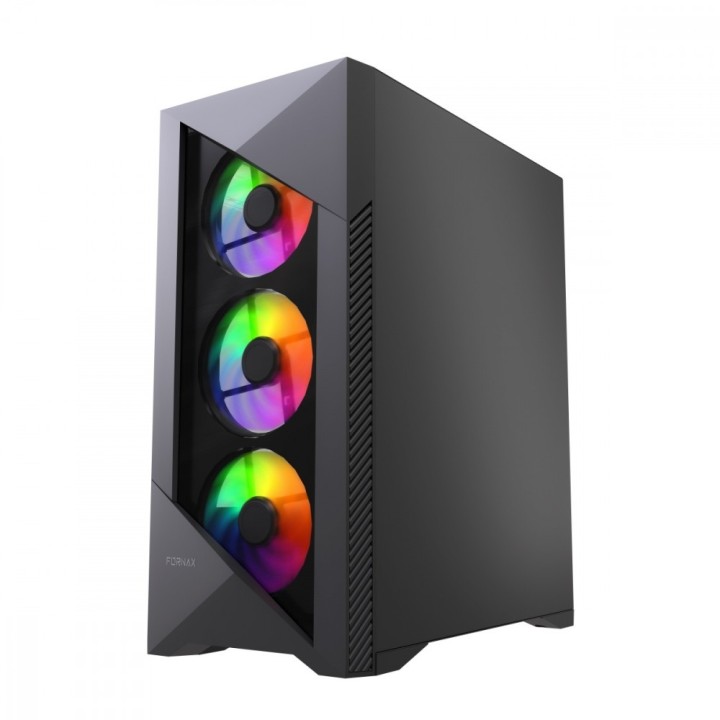
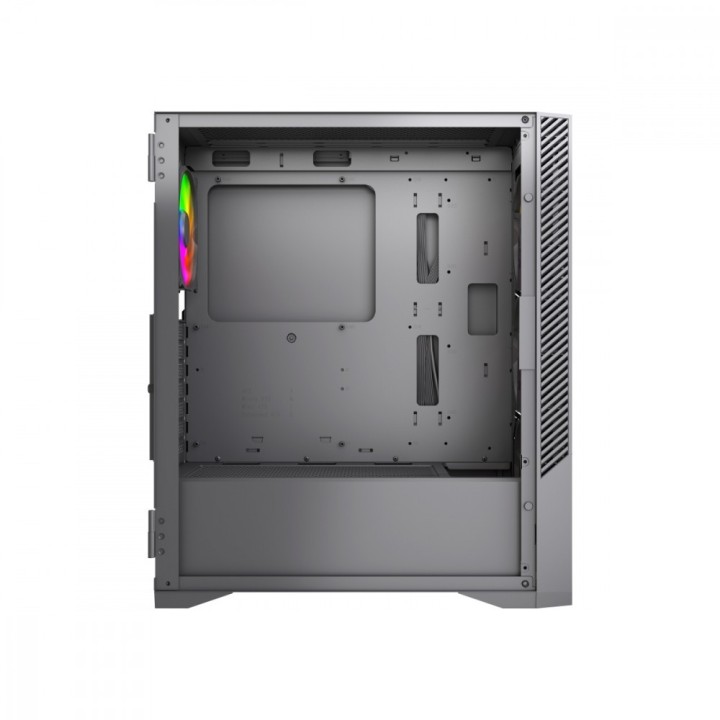
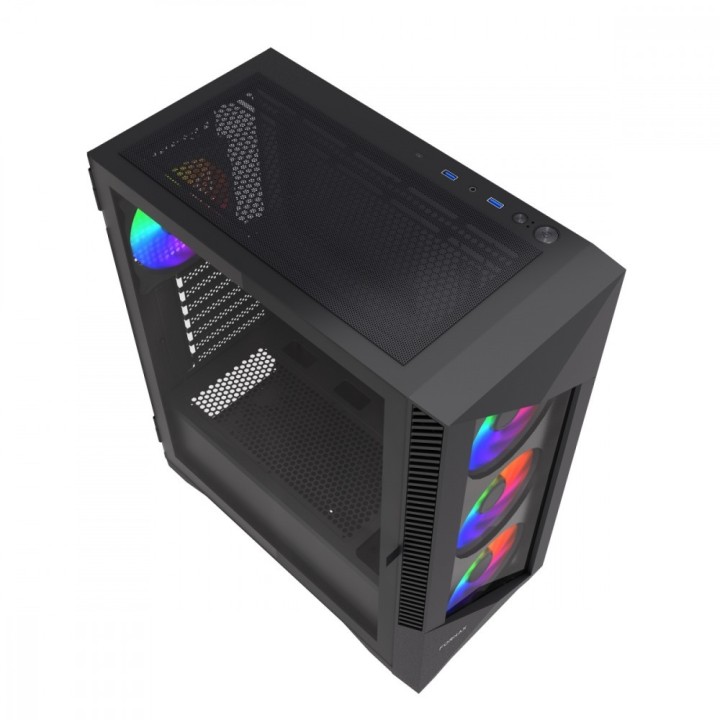
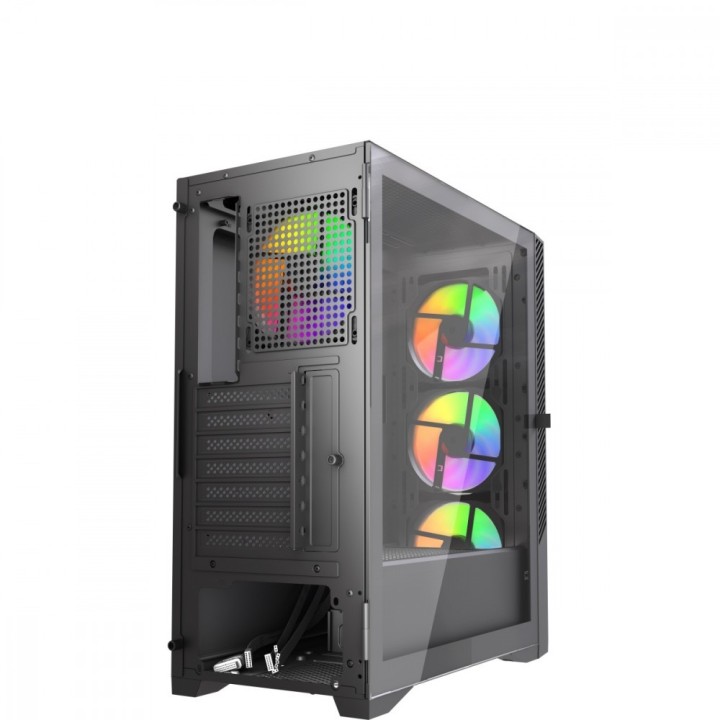
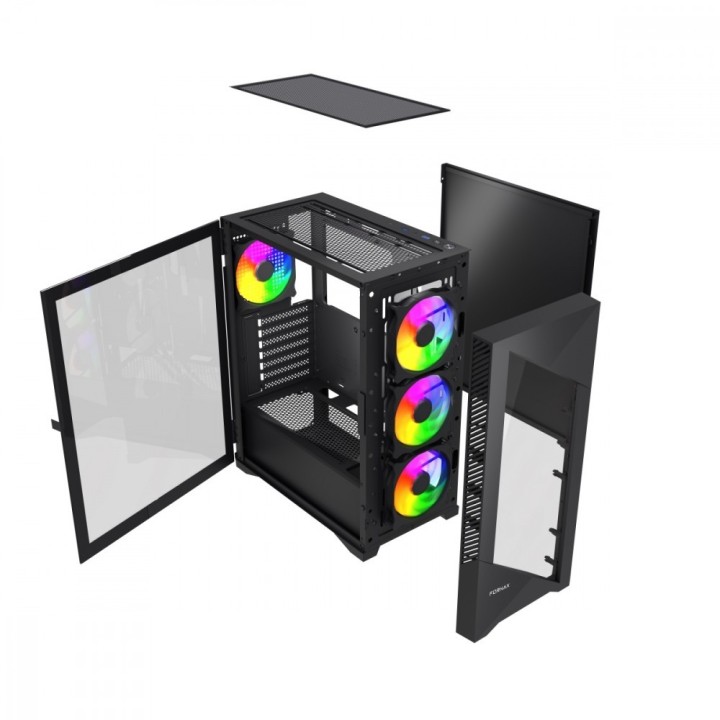
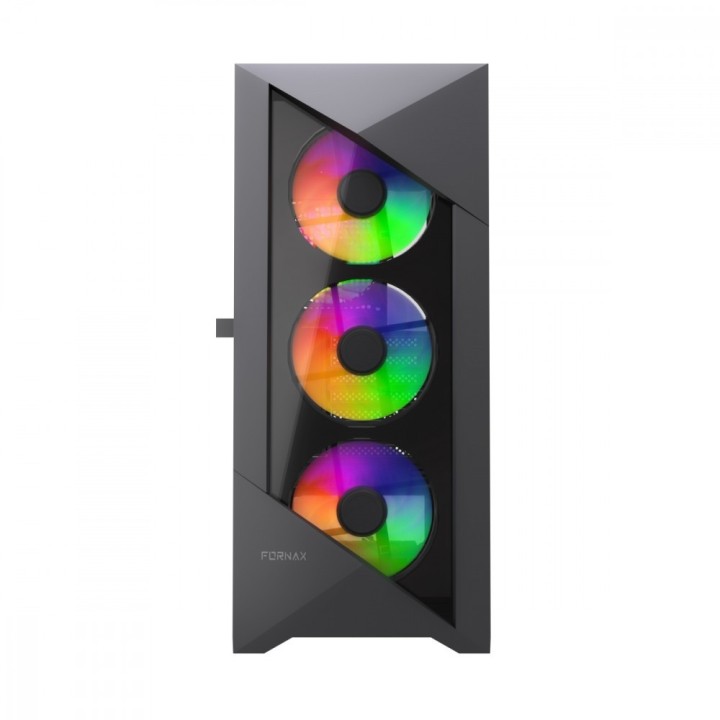
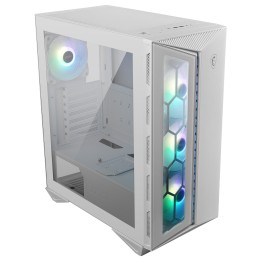
Obudowa Midi Tower Fornax 900 ARGB obrazki
Obudowa Midi Tower Fornax 900 ARGB
Opis produktu
Gamingowa obudowa Fornax 900ARGB, ATX
- Obudowa komputerowa ATX Gaming z
- 4 zainstalowane wentylatory ARGB z PWM
- Obudowa ma miejsce na 2*3.5"HDD, 3x 2.5"SSD
- Struktura tej obudowy jest specjalnie zaprojektowana dla dobrego zarządzania kablami
- Obudowa ma zainstalowane 2xUSB 3.1, 1xUSB Type-C, gniazdo audio combo
Specyfikacja
- Typ obudowy: Midi Tower
- Format obudowy: ATX
- Podświetlenie obudowy: ARGB
- Liczba miejsc montażowych (sumaryczna): 5
- Miejsca montażowe 2,5'' wewn.: 3
- Miejsca montażowe 2,5'' zewn.: 0
- Miejsca montażowe 3,5'' wewn.: 2
- Miejsca montażowe 3,5'' zewn.: 0
- Miejsca montażowe 5,25'' wewn.: 0
- Miejsca montażowe 5,25'' zewn.: 0
- Moc zasilacza: Brak
- Liczba zainstalowanych wentylatorów: 4
- Zainstalowane wentylatory: 3 x 120 mm ARGB (przód)
- Maksymalna ilość wentylatorów: 6
- Opcjonalne wentylatory: 2 x 120 mm (góra)
- Opcjonalne chłodzenie wodne: 1 x 120 mm (tył)
- Ilość miejsc na karty rozszerzeń: 7
- Złącza na przednim panelu: 2 x USB 3.2 Gen1
- Maksymalna długość karty graficznej: 320 mm
- Maksymalna wysokość chłodzenia CPU: 155 mm
- Maksymalna długość zasilacza: 150 mm
- Kolor (wyliczeniowy): Czarny
- Wymiary: 390 x 200 x 456 mm
- Waga: 4.7 kg
- Uwaga: CE+WEEE
Szczegóły produktu
- Marka Gembird
- Kod produktu 67df6e0f7dce932bfd4d505d
- Dostępność 21 Przedmioty
- EAN13 8716309133685
- MPN CCCFC900ARGB
Specyfikacja
- Kolor Czarny
- Format obudowy Midi Tower
- Zasilacz w zestawie Nie
- Liczba wentylatorów w zestawie (szt.) 4 szt.
- Obsługiwane formaty płyt ATX
- Maksymalna długość GPU (mm) 320 mm
- Maksymalna wysokość chłodzenia CPU (mm) 155 mm
Producent
Producent
Gembird Europe B.V.
Wittevrouwen 56 1358 CD Almere Netherlands
E-mail: postmaster@gmb.nl
Telefon: +31-(0)36-5211588
Bezpieczeństwo
Informacje o bezpieczeństwie
List of safety warnings for computer enclosures based on the requirements of General Product Safety Regulation (EU) 2023/988 (GPSR): 1. Risk of electric shock: * Make sure your computer's power supply is properly grounded. * Do not touch the power supply components with wet hands. * Disconnect the computer from power before opening the case. 2. Risk of cuts: * Beware of sharp metal edges when assembling components. * Secure the edges that can cause cuts. * Use protective gloves when working with the case. 3. Risk of fire: * Do not block ventilation openings in the housing. * Make sure that your computer components do not overheat. * Use a power supply with adequate power to avoid overloading. 4. Risk of damage to components: * Ensure proper air circulation in the housing. * Do not place heavy objects on the housing to avoid damage. * Make sure all components are properly fixed in the housing. 5. Hazards for children: * Keep small items (screws, jumpers) out of reach of children. * Do not allow children to open the computer case themselves. 6. Weight Hazards: * When moving your computer case, make sure you are able to support its weight. * Ask the other person for help if the case is too heavy. 7. Cleaning warnings: * Disconnect the computer from power before cleaning the case. * Use a soft, dry cloth to clean the case. * Do not use cleaning products containing corrosive substances. 8. Modification warnings: * Housing modifications may affect the safety and performance of your computer. * Perform modifications only if you have relevant experience and knowledge. 9. Warnings on Dust inhalation: * When cleaning components in the housing with compressed air, use a mask. * Take special care and ensure proper ventilation.
Obudowy
- Nowy
- Nowy
- Nowy
- Nowy
- Nowy
- Nowy
- Nowy
- Nowy
- Nowy
- Nowy
Ostatnio oglądane
Produkty, które ostatnio zwróciły Twoją uwagę.
- Nowy
- Nowy
- Nowy
- Nowy
- Nowy
- Nowy
- Nowy
- Nowy
- Nowy
- Nowy
- Nowy