- Nowy
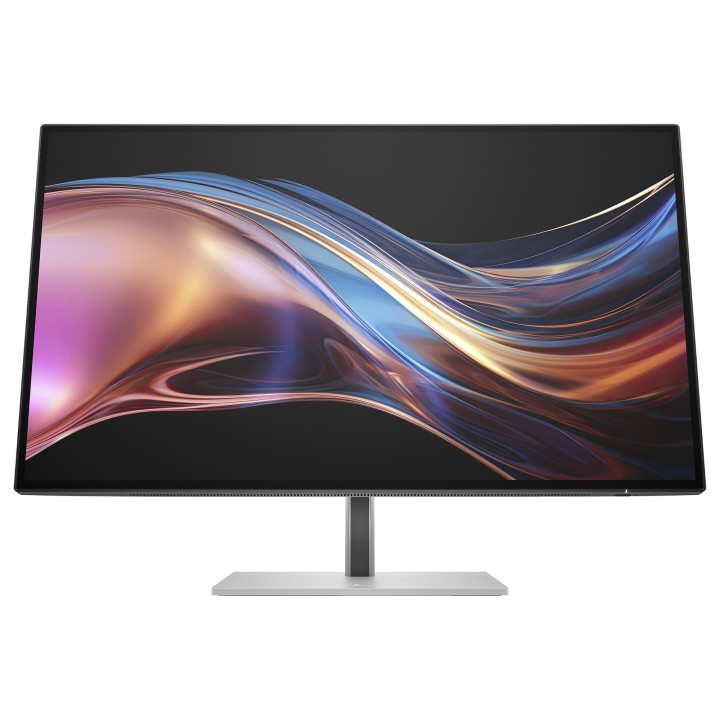
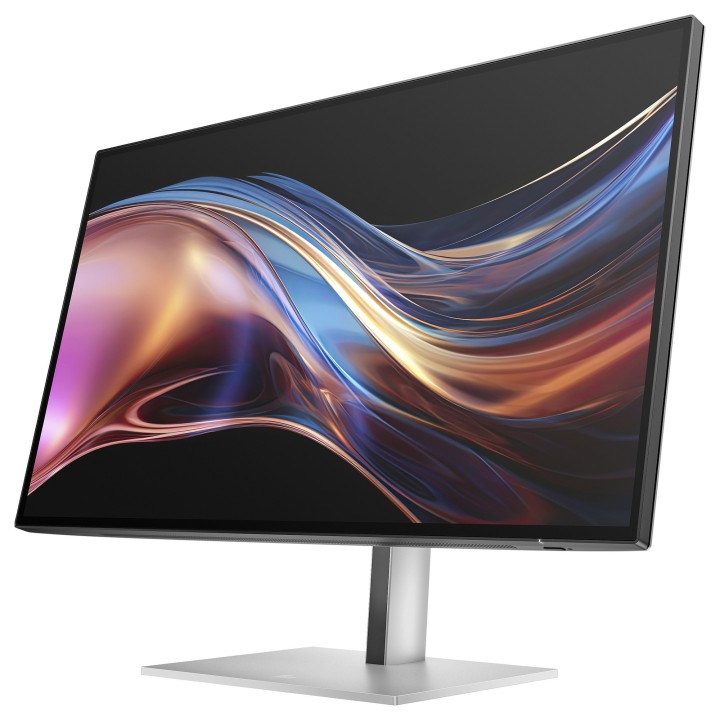
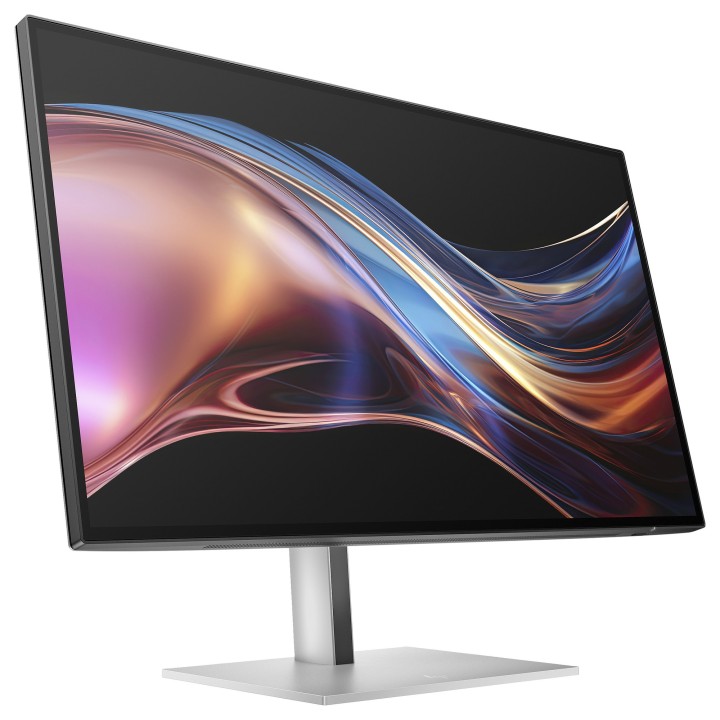
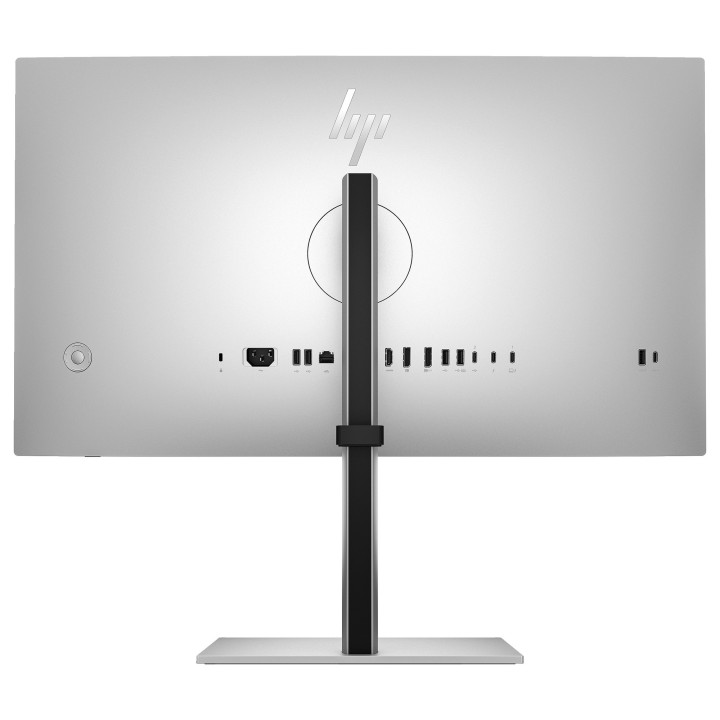
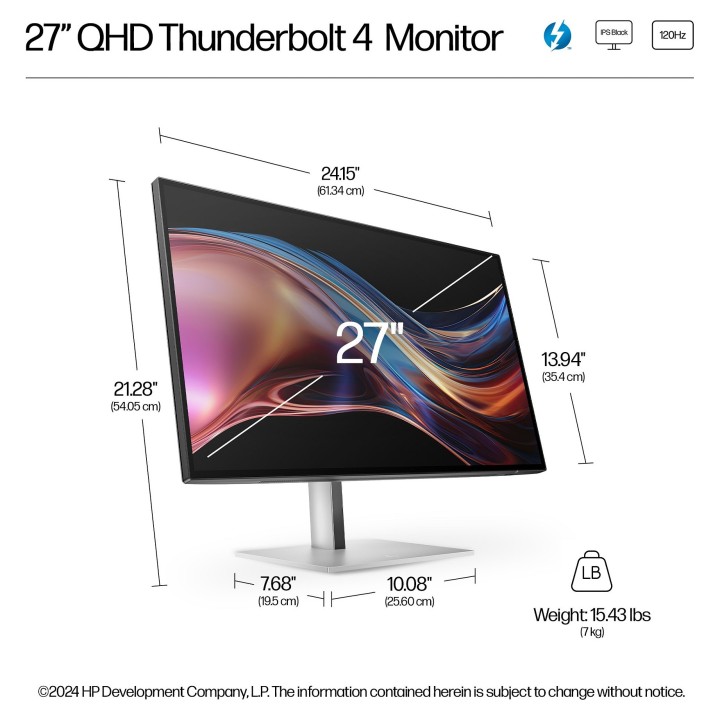
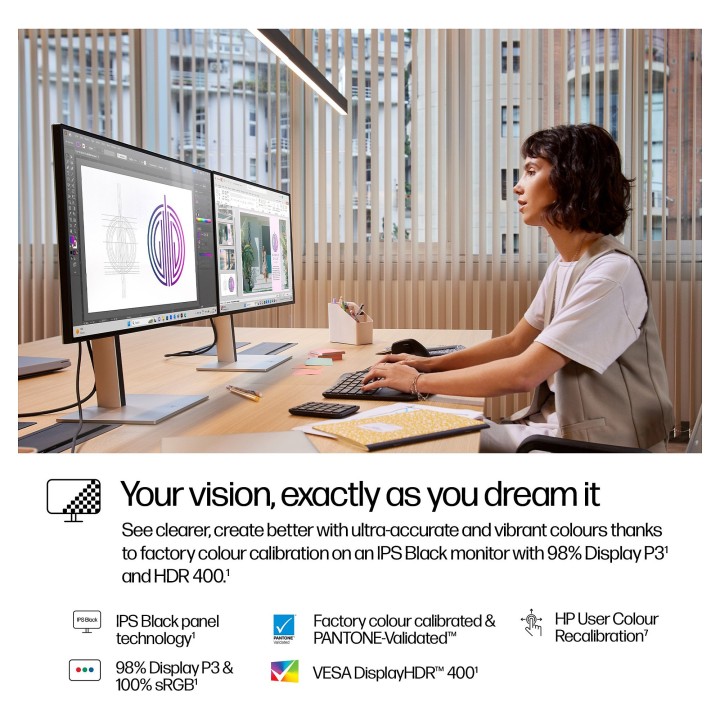
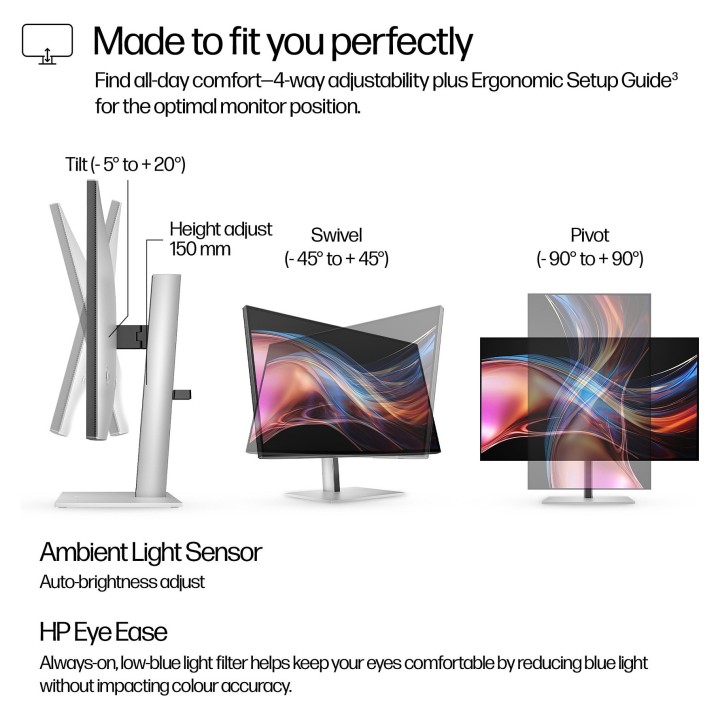
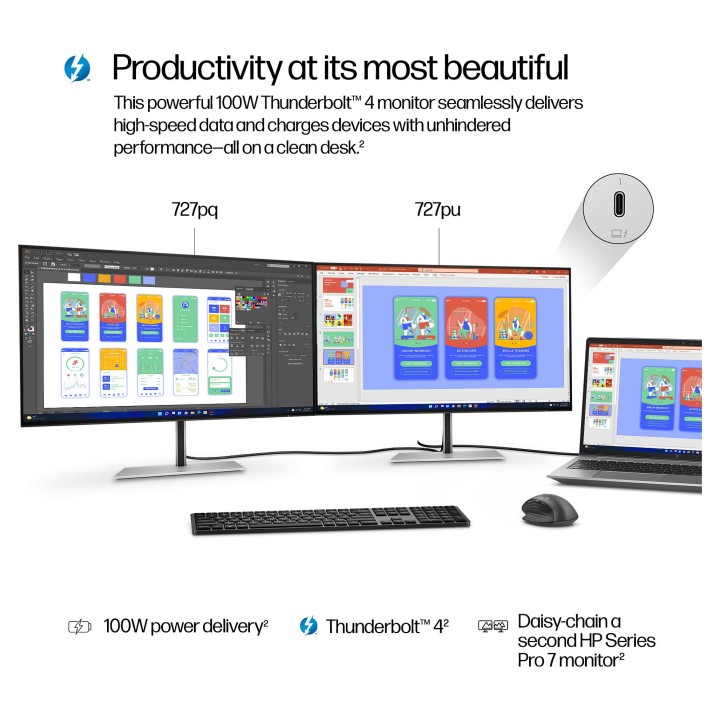
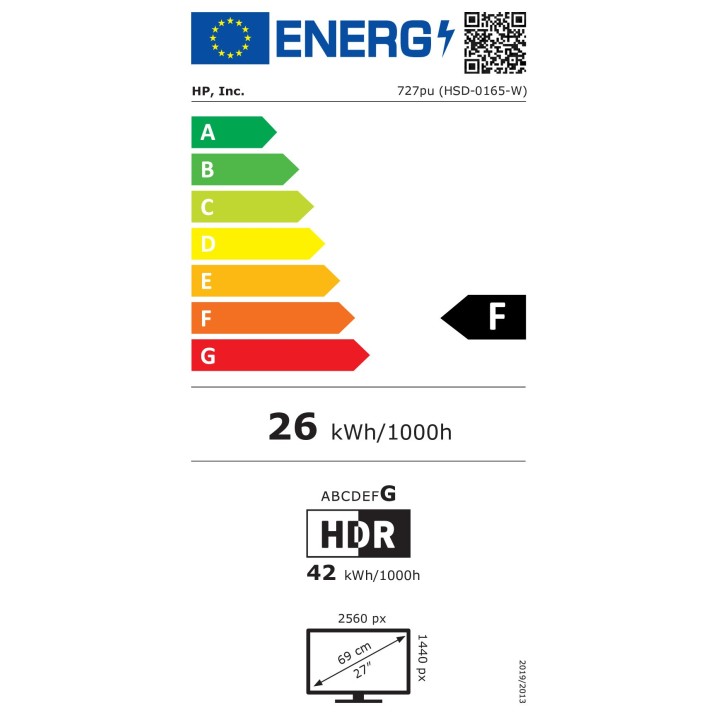
HP S7 Pro 727pu to 27-calowy monitor QHD (2560 x 1440) z panelem IPS Black zaprojektowany do pracy kreatywnej i wielozadaniowości. Matowa, antyrefleksyjna powłoka z twardością 3H i współczynnikiem zamglenia 25% zapewnia czytelny obraz w różnych warunkach oświetleniowych, a jasność na poziomie 400 cd/m² oraz obsługa HDR (DisplayHDR 400) podkreślają szczegóły w jasnych partiach obrazu. Panel obsługuje 1,07 miliarda kolorów (10 bit) i wysokie pokrycie przestrzeni barw — 100% sRGB i 98% DCI‑P3 — co umożliwia wierne odwzorowanie barw przy obróbce grafiki i wideo.
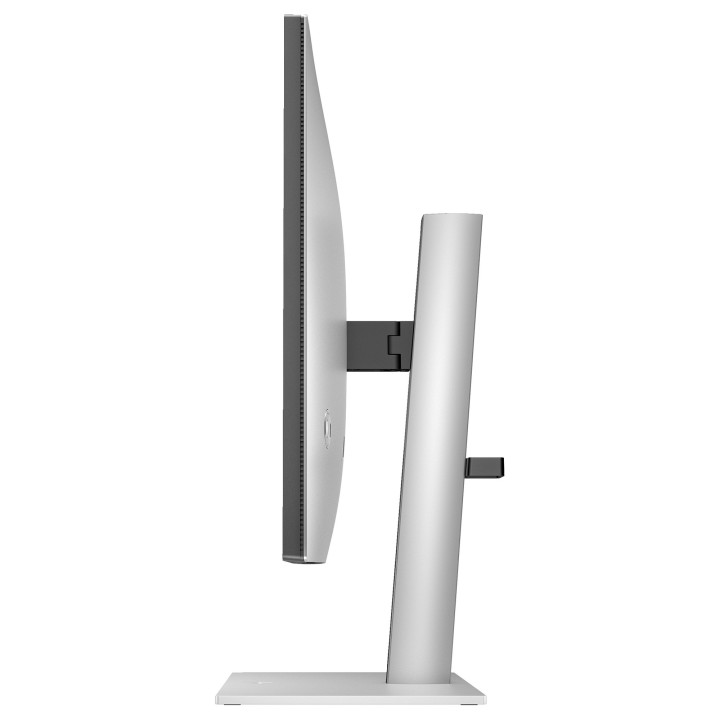
Monitor oferuje dynamiczne parametry obrazu: natywna częstotliwość odświeżania do 120 Hz oraz czas reakcji 5 ms (GTG) z technologią overdrive. Obsługa Adaptive Sync (FreeSync Premium) eliminuje zrywanie obrazu przy pracy z kompatybilnymi źródłami. Do wygodnej pracy biurowej i studyjnej przeznaczono także funkcje ergonomiczne — regulację wysokości (maks. 150 mm), pivot, obrót i regulację pochylenia — oraz standard montażu VESA 100 x 100 mm.
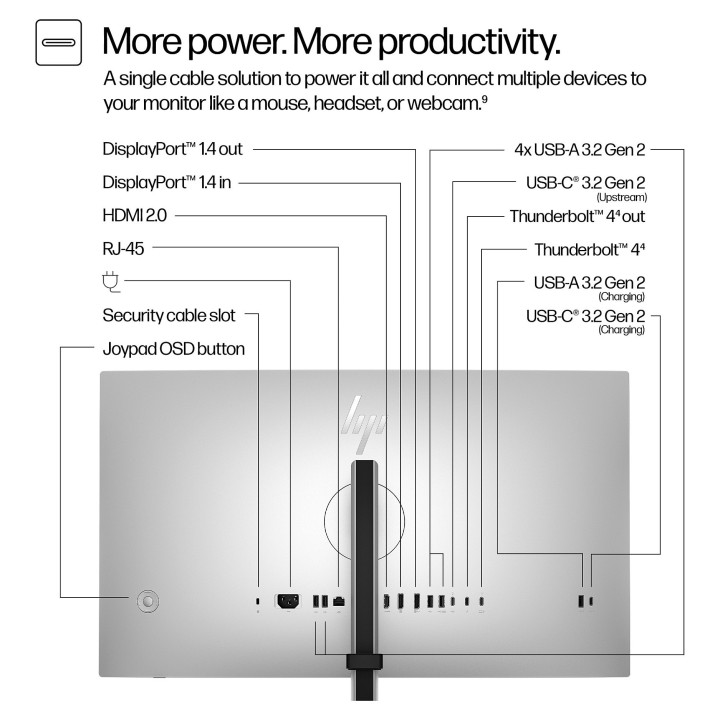
Szerokie możliwości łączności i rozbudowany hub USB ułatwiają organizację stanowiska: dwa porty Thunderbolt 4 (z możliwością ładowania 100 W), USB-C z funkcją DisplayPort Alternate Mode, DisplayPort 1.4, HDMI 2.0, rozbudowany hub USB 3.2 Gen 2 z portami USB‑A i USB‑C oraz wbudowany port Ethernet i przełącznik KVM. Monitor zawiera także funkcje poprawiające komfort pracy: tryby redukcji niebieskiego światła i technologię Flicker‑free oraz czujnik oświetlenia otoczenia do automatycznej regulacji jasności.
HP Inc Polska Sp. z o.o.
ul. Szturmowa 2a 02-678 Warszawa Polska
E-mail: support@hp.com
Formularz kontaktowy: https://www.hp.com/us-en/contact-hp/contact.html
Telefon: +1 650-857-1501
HP Inc Polska sp. z o.o
Plac marsz. Józefa Piłsudskiego 1 00-078 Warszawa Polska
E-mail: support@hp.com
List of computer monitor safety warnings based on the requirements of General Product Safety Regulation (EU) 2023/988 (GPSR): * Risk to vision: Long-term gazing at the monitor screen may cause eye strain, dry eyes or headaches. * Limit the working time with the monitor. * Take regular breaks. * Maintain proper distance from the screen. * Ensure proper lighting in the room. * Set the brightness and contrast of the monitor to a comfortable level. * Ergonomics: Incorrect position when working with the monitor can lead to back, neck, and shoulder pain. * Set the monitor to the correct height so that the top edge of the screen is at eye level or slightly below. * Use an adjustable chair and desk to ensure an ergonomic position. * Maintain proper posture while sitting. * Risk of electric shock: Improper use or damage to the monitor can lead to electric shock. * Do not use the monitor in humid environments. * Do not touch the monitor with wet hands. * Do not put any items inside the monitor. * If the power cable is damaged, replace it with a new one. * Disconnect the monitor from power before cleaning. * Fire risk: Overheating or short circuiting in the monitor can cause a fire. * Do not cover the ventilation holes of the monitor. * Do not place the monitor near heat sources. * Use only the original power supply that came with your monitor. * If the monitor overheats, disconnect it from power immediately. * Mechanical damage: The fall of the monitor can cause damage and pose a threat to the user. * Set the monitor on a stable surface. * Secure cables to avoid accidental tripping. * For monitor transport, use appropriate protective packaging. * Cleaning: Improper cleaning of the monitor can damage the screen or cause other problems. * Use only a soft, dry cloth to clean the screen. * Do not use cleaning products containing alcohol, ammonia or other corrosive substances. * Disconnect the monitor from power before cleaning. * Disposal: Incorrect disposal of the monitor can pose a threat to the environment. * Return the used monitor to the e-waste collection point. * Do not throw the monitor in a regular trash can. * Children: The monitor is not a toy and should not be used by children without supervision. * Make sure children do not touch the power cables. * Make sure kids don't play around with the monitor packaging. * Repairs: Do not try to repair the monitor yourself. * Any repairs should be done by qualified personnel. * Monitor portability: Be careful when moving your monitor. * Disconnect all cables before moving. * Use appropriate packaging. * Weather conditions: Do not expose the monitor to extreme temperatures or moisture. * Protect your monitor from direct sunlight. * Adjustable settings: Do not use extreme brightness or contrast settings. * These can cause faster eye strain. * Noise: If the monitor makes disturbing noises, turn it off immediately. * Contact the technical service. * Environmental protection: Be sure to turn off the monitor when not in use. * You save energy this way. * Software: Use only the software provided by the manufacturer. * You will avoid compatibility issues.
Produkty, które ostatnio zwróciły Twoją uwagę.