- Nowy
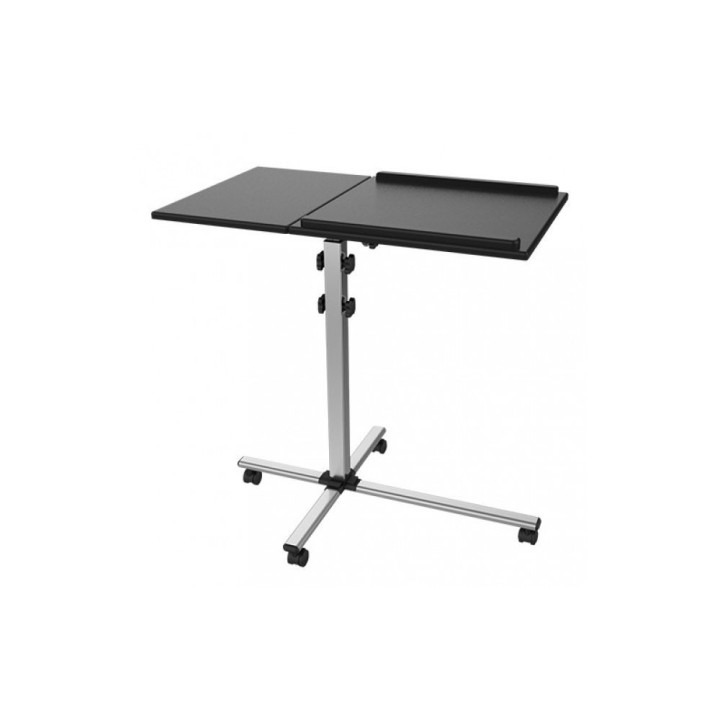
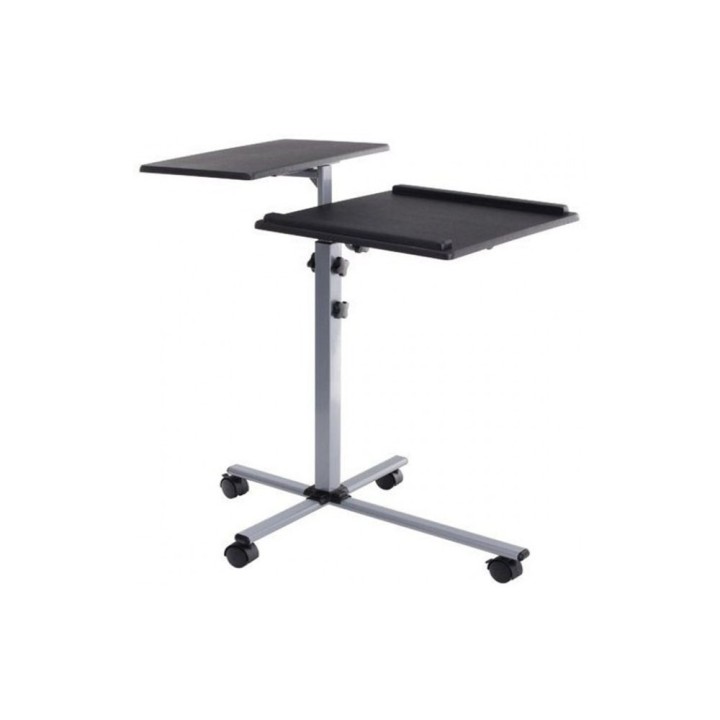
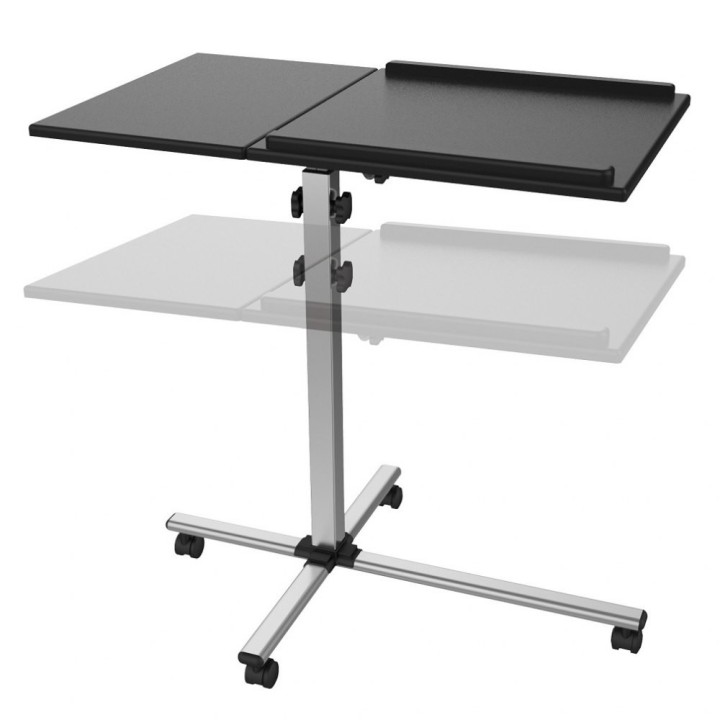
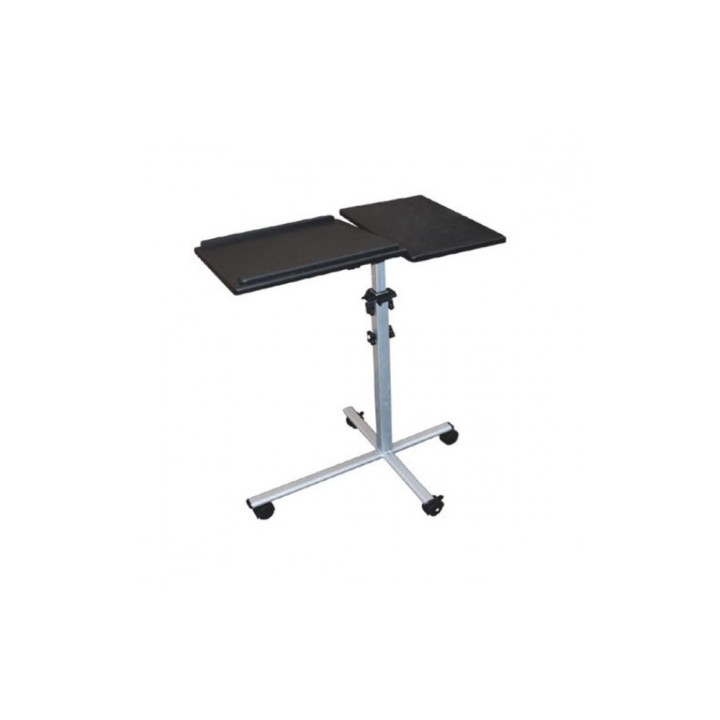
Stolik do projektora/notebooka, mobilny czarny obrazki
Stolik do projektora/notebooka, mobilny czarny
Opis produktu
Stolik do projektora/notebooka, mobilny czarny
- Uniwersalny, mobilny stolik prezentacyjny do projektora oraz notebooka
- Idealny podczas prowadzenia szkolenia czy prezentacji
- Dzielona, duża powierzchnia robocza pomieści zarówno projektor jak i notebook
- Niezależna regulacja wysokości oraz kąta nachylenia każdej półki
- Jedna półka wyposażona w ranty zapobiegające zsunięciu się projektora czy notebooka
- Podstawa wyposażona w 4 kółka (2 z blokadą) ułatwiające przemieszczanie
Specyfikacja
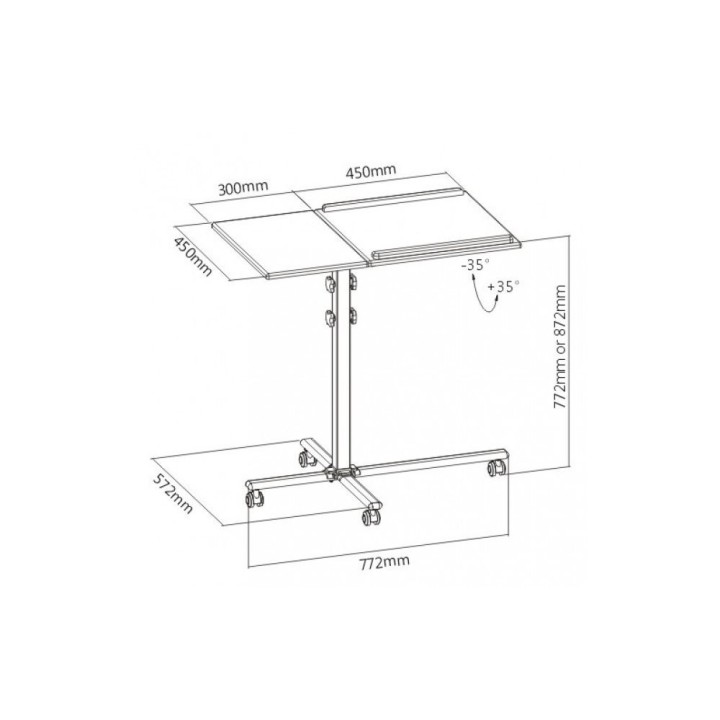
- Wymiary blatu (a x b): - 450 x 300 mm- 450 x 450 mm
- Wysokość (maks.): 87.2 cm
- Obciążenie (maks.): 10 kg
- Podstawa na kółkach: Tak
- Akcesoria w zestawie: - Mobilny stoli prezentacyjny- Elementy montażowe- Instrukcja użytkownika
- Kolor (wyliczeniowy): Czarny
- Wymiary: Wymiary podstawy: 772 x 572 mm
- Waga: 9.18 kg
- Pozostałe parametry: - Regulacja kąta nachylenia półek: +/-35° (niezależna)- Regulacja wysokości: 772 – 872 mm
- Uwaga: Kosz zgodnie z zasadami recyklingu
Szczegóły produktu
- Marka Techly
- Kod produktu 660fba4c71a267703cae4887
- Dostępność 3 Przedmioty
- EAN13 8051128101485
- MPN 101485
Producent
Producent
IC Intracom Italia SPA
Viale Europa, 33 33077 Sacile Italy
E-mail: info@icintracom.it
Telefon: +39 0434 735573
Bezpieczeństwo
Informacje o bezpieczeństwie
List of safety warnings for laptop tables based on the requirements of Regulation (EU) 2023/988 on General Product Safety (GPSR) 1. Stability: Make sure the table is stable and positioned on an even surface to avoid the laptop accidentally tipping over. 2. Ventilation: Do not block your laptop's vents to prevent overheating. 3. Overload: Do not overload the table with excessive weight to avoid damage or tipping over. 4. Height adjustment: If the table is adjustable in height, make sure the locking mechanism is properly secured before use. 5. Storage: Store the table in a safe place, away from children, to avoid potential injuries. 6. Cleaning: Clean the table according to the manufacturer's instructions, using appropriate cleaning agents to avoid damage to the material. 7. Use on soft surfaces: Avoid placing the table on soft surfaces, such as a bed or carpet, to ensure proper ventilation of the laptop. 8. Cables: Watch out for power cables and other wires to avoid tripping or damage. 9. Long-term use: During long-term use of the table, be sure to have an ergonomic position to avoid back and vision problems. 10. Damage: Regularly check the condition of the table, and if you notice damage (e.g. cracks, sharp edges) stop using.
Podstawki i stoliki
- Nowy
- Nowy
- Nowy
- Nowy
- Nowy
- Nowy
Ostatnio oglądane
Produkty, które ostatnio zwróciły Twoją uwagę.
- Nowy
- Nowy
- Nowy

- Nowy
- Nowy
- Nowy
- Nowy
- Nowy
- Nowy

- Nowy

- Nowy
- Nowy