- Nowy
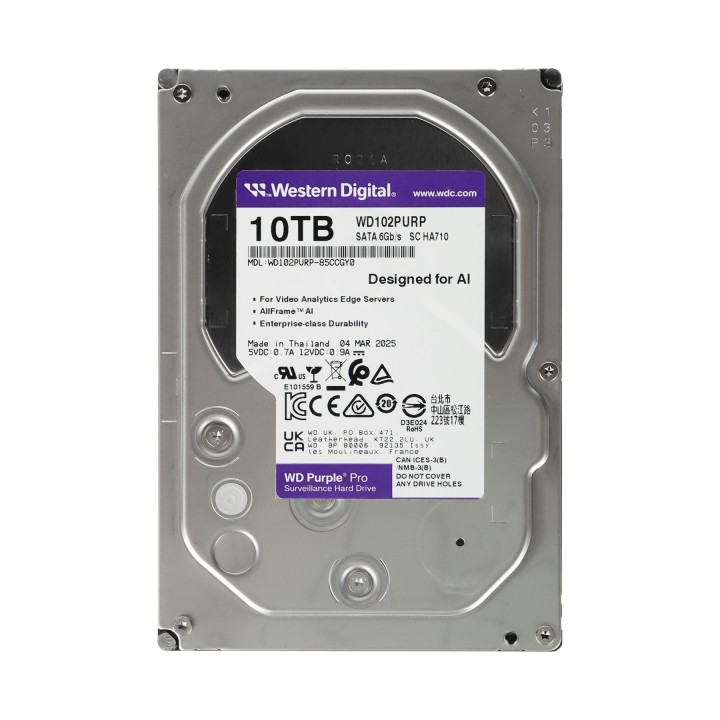
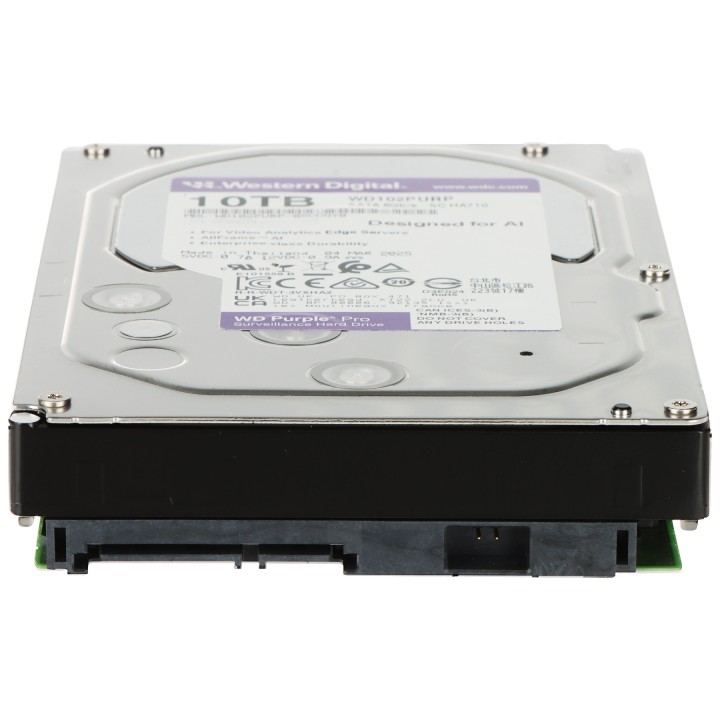
DYSK DO REJESTRATORA HDD-WD102PURP 10TB 24/7 WESTERN DIGITAL obrazki
DYSK DO REJESTRATORA HDD-WD102PURP 10TB 24/7 WESTERN DIGITAL
Opis produktu
Dyski twarde WD Purple Pro klasy surveillance oferują unikatową technologię AllFrame AI, która w połączeniu z mechanizmem transmisji strumieniowej ATA pomaga ograniczyć zjawisko „wypadania” klatek wideo, podnosi jakość odtwarzanego obrazu i umożliwia obsługę większej liczby dysków w środowisku NVR Dyski te są dedykowane do rejestracji wideo HD w trybie ciągłym 24/7 oraz posiadają zmniejszone zużycie energii Podłączany jest za pomocą złącza Serial ATA
Specyfikacja
- Pojemność: 10 TB
- Interfejs: SATA III - 6 Gb/s
- Prędkość obrotowa: 7200 obr./min
- Format szerokości: 3.5 "
- Pamięć cache: 512 MB
- Technologia: NCQ - optymalizacja pracy poprzez kolejkowania zadań AllFrame AI - Ograniczenie zjawiska "wypadania" klatek wideo Zoptymalizowany do obsługi do 64 jednostrumieniowych kamer HD Zoptymalizowany do obsługi do 32 jednoczesnych strumieni AI Enhanced Workload Rating - Zwiększony współczynnik obciążenia dysku - nawet do 550 TB rocznie MTBF (średni czas pomiędzy awariami) - 2 500 000 h
- Waga: 0.735 kg
- Producent / Marka: WESTERN DIGITAL
- Gwarancja: 4 lata
Szczegóły produktu
- Marka Hikvision
- Kod produktu 6915a5aeef13fc7af0ba56ed
- Dostępność 41 Przedmioty
- EAN13 5902887097256
- MPN HDDWD102PURP
Producent
Producent
HIKVISION POLAND Sp. z o.o.
Żwirki i Wigury 16b 02-092 Warszawa POLSKA
E-mail: pawel.meisinger@hikvision.com
Telefon: +48224600150
Osoba odpowiedzialna w UE
HIKVISION POLAND Sp. z o.o.
Żwirki i Wigury 16b 02-092 Warszawa POLSKA
E-mail: pawel.meisinger@hikvision.com
Telefon: +48 22 460 01 50
Bezpieczeństwo
Informacje o bezpieczeństwie
List of HDD security warnings based on the requirements of General Product Safety Regulation (EU) 2023/988 (GPSR): 1. Protection against mechanical damage: * I am aware that HDDs are sensitive to shocks and drops. Avoid exposing them to such situations, as they can lead to data loss or damage to the drive itself. * I secure the HDD during transport using appropriate shock-absorbing materials. 2. Protection against moisture and extreme temperatures: * I avoid storing and using HDDs in places with high humidity or extreme temperatures, as this can negatively affect their performance and durability. * I make sure the HDD is stored in a dry and cool place when not in use. 3. Correct connection and disconnection: * I connect and disconnect HDDs according to the manufacturer's instructions to avoid damaging the connectors or electronics of the drive. * I always disconnect the HDD from power before disconnecting it from my computer or other device. 4. Secure data formatting and deletion: * I use appropriate tools and methods to format and delete data from HDDs to prevent unauthorized access to sensitive information. * I am aware that simply deleting files does not guarantee permanent deletion of data and I may need specialized software to permanently delete data. 5. Compatibility and power supply: * I make sure the HDD is compatible with my computer system and has adequate power supply. * I use a power supply with adequate power and voltage to ensure stable HDD performance. 6. Caution when opening the enclosure: * I do not open the HDD enclosure unless I am entitled to do so and have the appropriate tools and knowledge. Opening the case may result in loss of warranty and damage to the drive. 7. Overload protection: * I avoid overloading the HDD by regularly deleting unnecessary files and data to ensure its efficient operation. 8. Disposal: * Dispose of used HDDs in accordance with local environmental regulations to prevent contamination and unauthorized access to data. 9. Protection against electromagnetic interference: * I avoid placing HDDs near strong sources of electromagnetic interference that can negatively affect their performance. * I protect the HDD from contact with magnets. 10. Regular backup: * I create regular backups of important data stored on HDDs to prevent data loss in the event of a disk failure.
Dyski HDD
- Nowy
- Nowy
- Nowy
- Nowy
- Nowy
- Nowy
- Nowy
- Nowy
- Nowy
Ostatnio oglądane
Produkty, które ostatnio zwróciły Twoją uwagę.

- Nowy
- Nowy
- Nowy
- Nowy
- Nowy

- Nowy