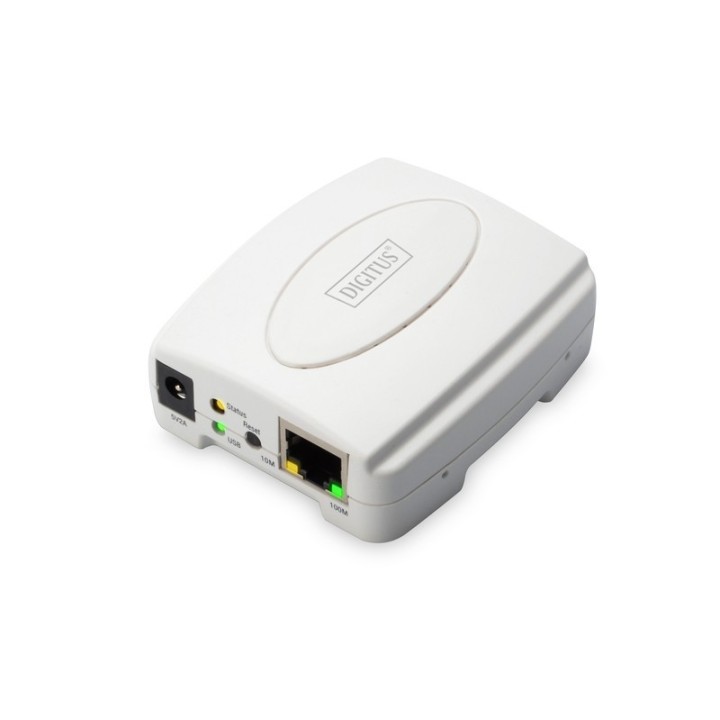
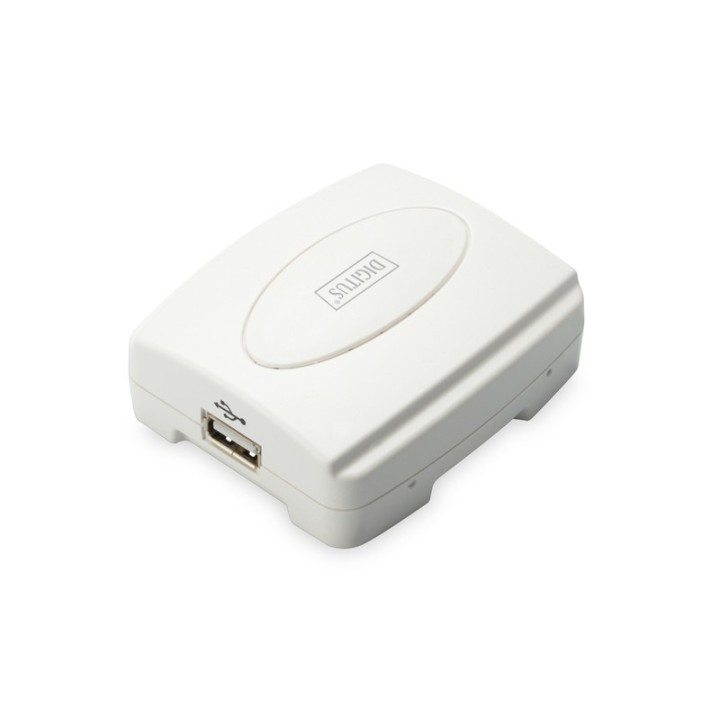
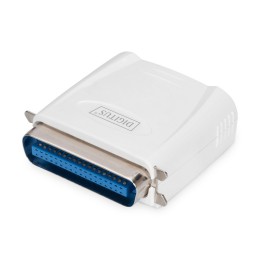
Serwer wydruku/Print server 1xUSB 2.0, 1xRJ45 Fast Ethernet 10/100Mbps
Opis produktu
Serwer wydruku USB, 1-port 1x RJ45, 1x USB A, USB 2.0 Dla wszystkich popularnych systemów operacyjnych
Serwer drukarki Fast Ethernet to łatwy sposób podłączenia drukarki do komputera. Ten produkt obsługuje nie tylko dobrze znaną sieć i protokoły drukowania, ale również drukowanie peer-to-peer oraz drukowanie z serwera. Jest on kompatybilny ze wszystkimi systemami operacyjnymi (Windows, Mac lub Linux). Obsługuje również zarządzanie internetowe, Windows Configuration Utility oraz protokół SNMP. Dzięki łatwej instalacji można go zacząć używać od razu!
Specyfikacja
- Port drukarki: 1 x USB Type A
- Porty we/wy (sieciówka drobna): 1 x 10/100 Mbit/s
- Standardy sieciowe: 802.3u
- Protokoły sieciowe: TCP/IP, IPX/SPX, NetBEUI i AppleTalk
- Protokoły drukowania: LPR, IPP, SMB/TCP, Raw Printing i Unix Logical
- Liczba anten (sieci drobne): Nie dotyczy
- Antena (sieci drobne): Nie dotyczy
- Obsługiwane systemy operacyjne: Windows XP
- Wymiary: 60 x 71 x 27 mm
- Waga: 60 g
- Pozostałe parametry: Obsługuje drukowanie peer-to-peer (TCP/IP/IPX/NetBEUI/AppleTalk) Obsługuje drukowanie serwerowe (Novell NetWare i Windows) Obsługuje serwer DHCP i protokół klienta Obsługuje zarządzanie oparte o sieć, narzędzie konfiguracji Windows i protokół SNMP Oferuje prostą procedurę instalacji, panele konfiguracji i diagnostyczne
- Uwaga: CE+WEEE

Szczegóły produktu
- Marka Digitus
- Kod produktu 660fbaa871a267703caee0af
- Dostępność 11 Przedmioty
- EAN13 4016032446286
- MPN DN130032
Producent
Producent
ASSMANN Electronic GmbH,
Auf dem Schuffel 3 58513 Ludenscheid GERMANY
E-mail: info@assmann.com
Formularz kontaktowy: https://www.digitus.info/en/contact/contact-form/
Telefon: +49 2351 554 0
Bezpieczeństwo
Informacje o bezpieczeństwie
List of safety warnings for network equipment based on the requirements of General Product Safety Regulation (GPSR) 2023/988: 1. Risk of electric shock: * Make sure that the device is connected to a working socket with grounding. * Do not touch the plug or cable with wet hands. * Avoid using the device in places with high humidity. 2. Risk of overheating: * Provide adequate ventilation while maintaining at least 5 cm of free space around the device. * Do not block ventilation openings and avoid putting network equipment on soft surfaces such as blankets or pillows. 3. Fire risk: * Use only original power supplies and accessories recommended by the manufacturer. * Do not leave the device on unattended near flammable materials. 4. Risk of bodily injury: * Use the device on a stable surface to minimize the risk of falling. 5. Hazards in humid environments: * Do not use network equipment outdoors in rain or in places with high humidity. * If the device is flooded, immediately disconnect it from the power source and contact the service. 6. Hazards at high temperatures: * Do not expose the device to direct sunlight. * Avoid using network equipment at temperatures above the recommended range (usually 5-35°C). 7. Risk of damage during cleaning: * Before cleaning, disconnect the device from the power supply and use a soft, slightly damp cloth. * Avoid using strong detergents that can damage the surface of the device. 8. Caution when replacing accessories: * Use only the accessories recommended by the manufacturer. * When replacing batteries, follow the manufacturer's instructions and do not expose the battery to high temperatures. 9. Risks associated with battery use: * Avoid damage to the battery by impact or puncture. * If the battery overheats or swells, stop using the device immediately. 10. Warnings for children: * Keep power cables out of reach of children. * Make sure that children do not play with the device or accessories that can be dangerous. 11. Electromagnetic interference: * Using network equipment near medical devices such as pacemakers can cause electromagnetic interference. * Maintain a distance of at least 15 cm between network equipment and medical devices. 12. Fire hazard: * Storing network equipment near flammable materials or using non-original power supplies may increase the risk of fire. * Use your smartphone away from fabrics, paper, and other flammable materials. 13. Regular maintenance: * Failure to regularly clean ports and sockets can lead to damage or failure. * Clean ports and sockets regularly using a dry and clean cloth, avoiding moisture input.
Switche
Ostatnio oglądane
Produkty, które ostatnio zwróciły Twoją uwagę.