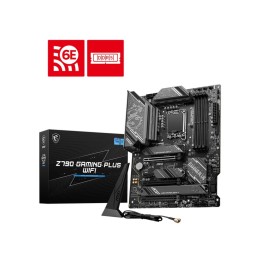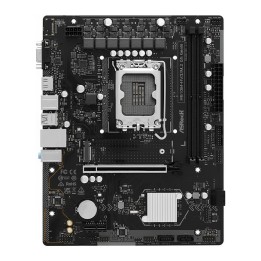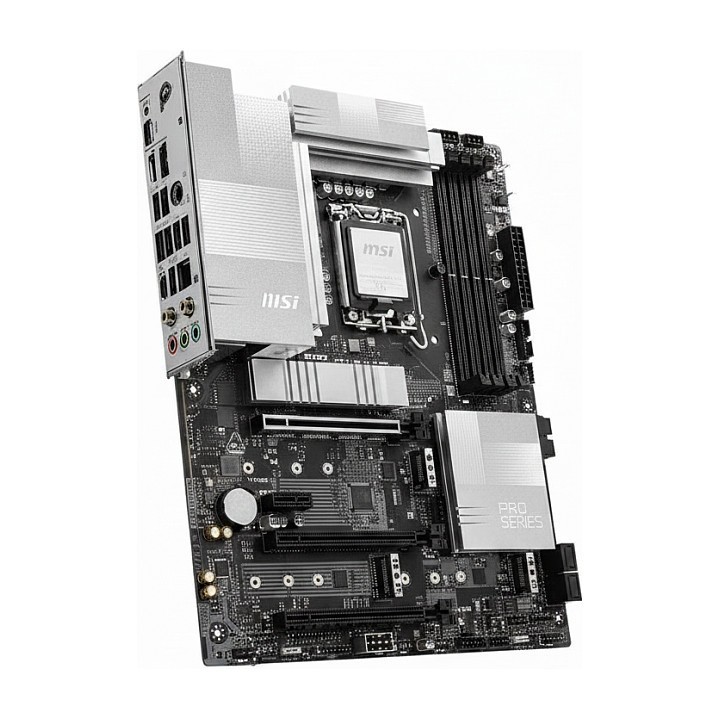
MSI Pro Z890-P WiFi6E płyta główna ATX Socket 1851 DDR5

Cena: 1 276,99 zł
Brutto
Dostępność produktu: Dostępny 1 szt.
Czas dostawy Wysyłka w ciągu 3 dni roboczych
Koszt dostawy Bezpłatna dostawa od 250 zł.

Opis produktu

Mainboard > mit CPU-Sockel > Sockel 1851

Szczegóły produktu

  • Marka MSI
  • Kod produktu 69dfa072f3b9d49e269c613e
  • Dostępność 1 Przedmiot
  • EAN13 4711377429627
  • MPN 7E34019R

Specyfikacja

  • Typ pamięci RAM DDR5
  • Wi-Fi Tak
  • Gniazdo procesora LGA1851
  • Maksymalna pojemność RAM (GB) 256 GB
  • Chipset Intel Z890
  • Złącza wewnętrzne 24pin ATX zasilanie
    4pin wentylator obudowy
    4pin wentylator procesora
    4pin wentylator procesora chłodzenie cieczą
    8-pin PCIe
    8pin 12V zasilanie
    Adresowalna dioda LED
    Czujnik otwarcia obudowy (chassis intrusion)
    M.2
    Przedni panel audio
    SATA III 6Gb/s
    System panel (front)
    Taśma LED RGB
    TPM
    USB 2.0/1.1
    USB 3.2 Gen 1 Type-A
    USB 3.2 Gen 2x2 Type-C
    Złącze kontrolera strojenia
  • Format płyty ATX

Producent

Producent

MSI Polska SP. z o. o.

Magazynowa 1 55-040 Kobierzyce Polska

E-mail: info.pl@msi.com

Osoba odpowiedzialna w UE

MSI Computer Europe B.V.

Science Park 5706 5692ER Son Eindhoven Netherlands

E-mail: GPSR@msi.com

Telefon: +31-40-267-6100

Bezpieczeństwo

Informacje o bezpieczeństwie

List of motherboard safety warnings based on the requirements of General Product Safety Regulation (EU) 2023/988 (GPSR): * Risk of electric shock: Make sure the power supply is disconnected before installing or disassembling any components. Do not touch pins, connectors or paths on the board with wet hands or in humid environments. * Short-circuit risk: Be careful that no metal objects come into contact with the plate during installation or use. * Risk of Electrostatic Damage (ESD): Use an antistatic band when working with the motherboard to avoid damage to sensitive components. * Risk of injury: Sharp edges and small elements on the board can pose a risk of injury. Be careful when manipulating. * Fire risk: Incorrect connection of power supply or overheating of components can lead to fire. Make sure all connections are correct and cooling is adequate. * Risk of component damage: Do not use excessive force when installing components to avoid damaging the board or the component itself. * Compatibility: Make sure that all components (processor, RAM, graphics card) are compatible with your motherboard. * Stability: Place the motherboard on a stable, flat surface to prevent mechanical damage. * Overheating: Provide adequate cooling to prevent the motherboard and its components from overheating. Clean radiators and fans regularly. * Kids: Keep the motherboard and small items out of reach of children to avoid the risk of ingestion or other accidents. * Installation: Disconnect the motherboard from power before any interference.

Ładowanie...
Wróć na górę