- Nowy
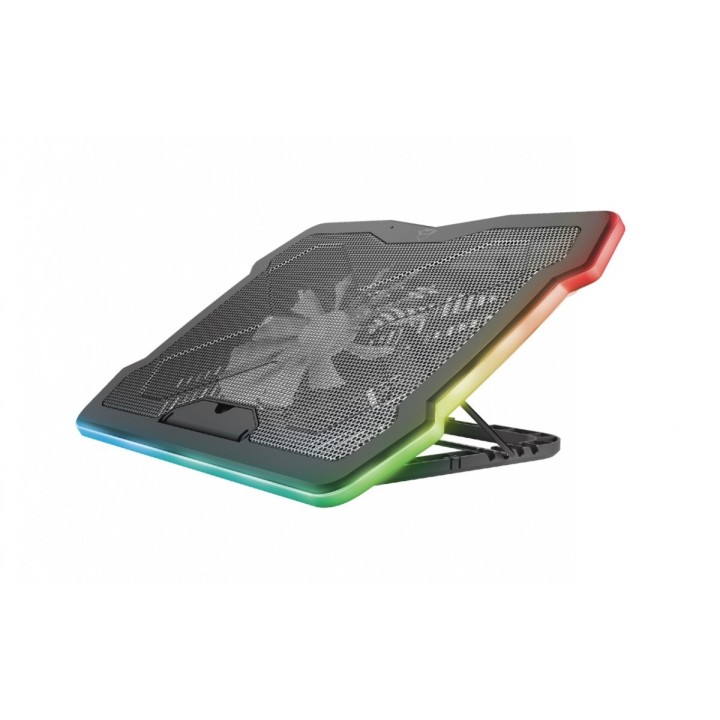
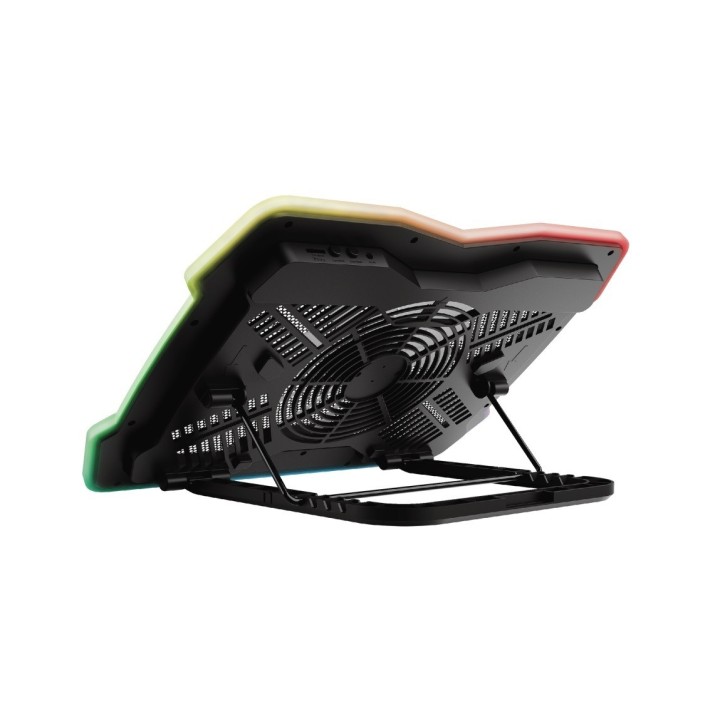
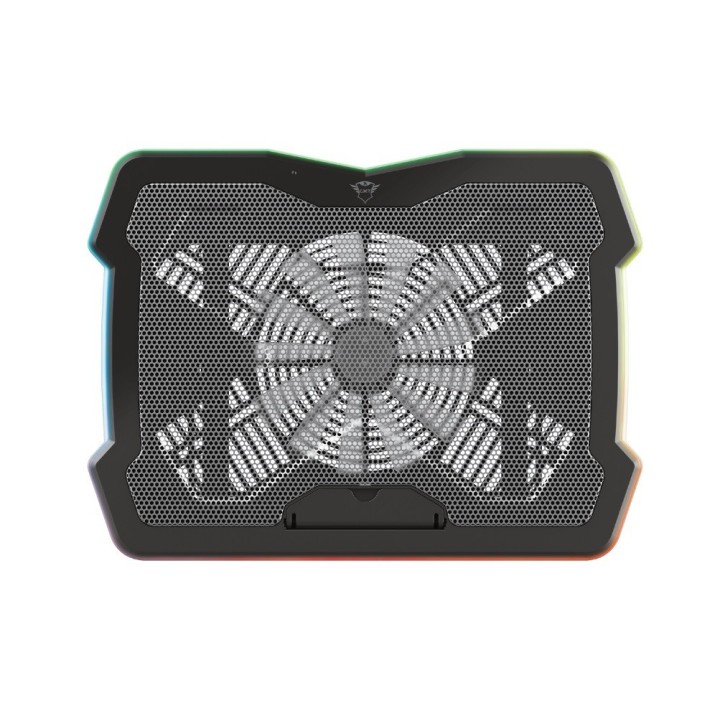
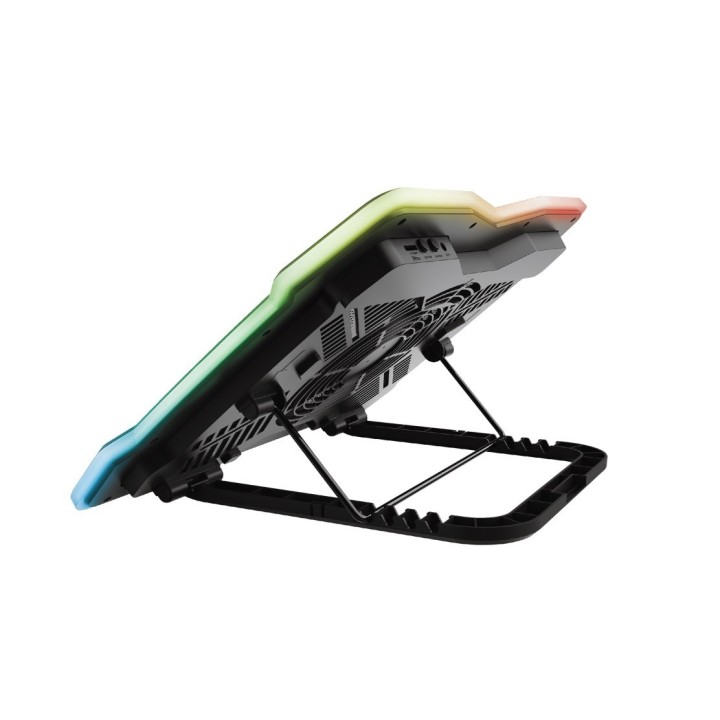
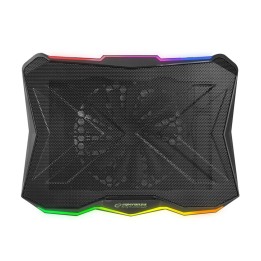
Podkładka chłodząca GXT 1126 AURA obrazki
Podkładka chłodząca GXT 1126 AURA
Opis produktu
Podstawka chłodząca pod laptop Trust GXT 1126 AURA
Podświetlana wielokolorowo podstawka chłodząca zapewniająca chłodzenie laptopa podczas najbardziej gorących sesji grania.
Specyfikacja
- Przekątna ekranu ntb: 17,3''
- Chłodzenie (Tak/Nie): Tak
- Wentylator: 20 cm
- Liczba wentylatorów: 1
- Prędkość wentylatora (maks.): 700 obr./min
- Przepływ powietrza: 68 cfm
- Regulacja obrotów: Tak
- Głośność: 30 dB
- Hub USB: Nie
- Funkcje specjalne: Podświetlanie wielokolorowe
- Zasilanie (lista): USB 5V
- Akcesoria w zestawie: Kabel zasilający USB Instrukcja obsługi
- Kolor (wyliczeniowy): Czarny
- Wymiary: 421 x 312 x 26 mm
- Waga: 1 kg
- Pozostałe parametry: Liczba stopni podnoszenia: 5 Maks. wysokość podnoszenia: 20 cm
- Uwaga: CE+WEEE
Szczegóły produktu
- Marka Trust
- Kod produktu 660fbdce71a267703cb2a8d7
- Dostępność 30 Przedmioty
- EAN13 8713439241921
- MPN 24192
Specyfikacja
- Liczba wentylatorów (szt.) 1 szt.
- Aktywne chłodzenie Tak
- Hub USB Nie
Producent
Producent
Trust International B.V.
Laan van Barcelona 600, 3317 DD Dordrecht, Netherlands 3317 DD Dordrecht Netherlands
Formularz kontaktowy: https://www.trust.com/en/support/contact
Bezpieczeństwo
Informacje o bezpieczeństwie
List of safety warnings for the cooling stand based on the requirements of General Product Safety Regulation (EU) 2023/988 (GPSR): 1. Risk of electric shock: * Make sure that the device is connected to a working socket with grounding. * Do not touch the plug or cable with wet hands. * Avoid using the device in places with high humidity. 2. Risk of overheating: * Provide adequate ventilation while maintaining at least 5 cm of free space around the device. * Do not block ventilation openings. 3. Risk of fire: * Use only original accessories recommended by the manufacturer. * Do not leave the device on unattended near flammable materials. 4. Risk of bodily injury: * Use the device on a stable surface to minimize the risk of falling. 5. Hazards in humid environments: * Do not use your laptop outdoors in rain or in areas with high humidity, such as bathrooms. * If the device is flooded, immediately disconnect it from the power source and contact the service. 6. Hazards at high temperatures: * Do not expose the device to direct sunlight. * Avoid using your laptop at temperatures above the recommended range (usually 5-35°C). 7. Risk of damage during cleaning: * Before cleaning, disconnect the laptop from power and use a soft, slightly damp cloth. * Avoid using strong detergents that can damage the surface of the device. 8. Caution when replacing accessories: * Use only the accessories recommended by the manufacturer. * When replacing batteries, follow the manufacturer's instructions and do not expose the battery to high temperatures. 9. Risks associated with battery use: * Avoid damage to the battery by impact or puncture. * If the battery overheats or swells, stop using the device immediately. 10. Warnings for children: * Keep power cables out of reach of children. * Make sure that children do not play with the device or accessories that can be dangerous.
Podstawki i stoliki
- Nowy
- Nowy
- Nowy