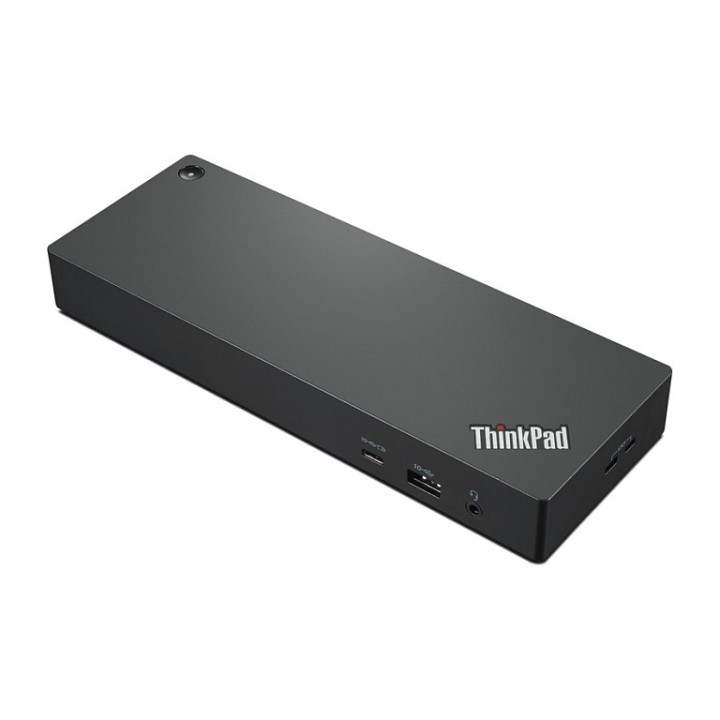
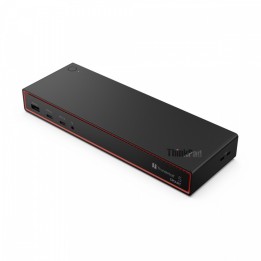
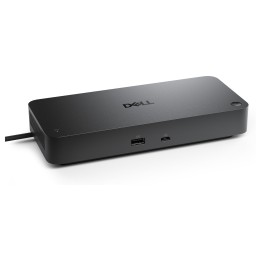
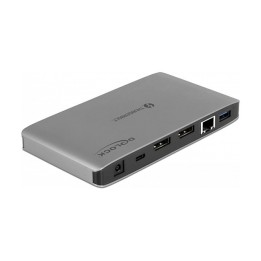
Stacja dokująca ThinkPad Universal Thunderbolt 4 Dock 40B00135EU

Cena: 1 155,99 zł
Brutto
Dostępność produktu: Dostępny 200 szt.
Czas dostawy Wysyłka w ciągu 3 dni roboczych
Koszt dostawy Bezpłatna dostawa od 250 zł.

Opis produktu

Stacja dokująca ThinkPad Universal Thunderbolt 4 Dock 40B00135EU (następca 40ANY230EU)
Najprostszym sposobem na rozszerzenie funkcjonalności laptopa jest zastosowanie stacji dokującej. Pozwala ona na zwiększenie liczby wejść umożliwiających podłączenie do urządzenia przydatnych akcesoriów poprzez m.in. takie złącza jak USB-C, USB czy HDMI (w zależności od modelu). Stacja dokująca to rozwiązanie eliminujące stosowanie niepotrzebnych i zabierających sporo miejsca kabli czy przejściówek.

Stacje Lenovo stworzone są tak, aby efektywnie współpracować z seriami notebooków tworzonymi przez producenta. Wykonano je z solidnych materiałów, zapewniających trwałość i pewność działania. Małe wymiary pozwolą swobodnie zabrać stację wraz z laptopem w podróże służbowe oszczędzając cenną przestrzeń w torbie, plecaku czy walizce.

Smartfind - Service & Accessories

Specyfikacja

  • Porty we/wy (replikatory/stacje dok.): 1 x USB 3.0 Type C
  • Dokowanie (laptopy): Thunderbolt 4
  • Pasuje do: P14s 2nd Generation-20VX MT 2021 P14s 2nd Generation-20VY MT 2021 P15s 2nd Generation-20W6 - P15s Gen 2 P15s 2nd Generation-20W7 - P15s Gen 2 T14 2nd Generation-20W0 MT 2021 T14 2nd Generation-20W1 MT 2021 T14 2nd Generation-20W2 MT 2021 HC T14 2nd Generation-20W3 MT 2021 HC T14s 2nd Generation-20WM - T14s Gen 2 T14s 2nd Generation-20WN - T14s Gen 2 T15 2nd Generation-20W4 - T15 Gen 2 T15 2nd Generation-20W5 - T15 Gen 2 X1 Carbon 9th Generation-20XW - X1 Carbon Gen 9 X1 Carbon 9th Generation-20XX - X1 Carbon Gen 9 X1 Nano-20UN MT 2020 X1 Nano-20UQ MT 2020 X1 Titanium G1-20QA MT 2020 X1 Titanium G1-20QB MT 2020 X1 Yoga 6th Generation-20XY - X1 Yoga Gen 6 X1 Yoga 6th Generation-20Y0 - X1 Yoga Gen 6 X12 Detachable 1st Generation-20UV MT 2020 X13 G2-20WK - X13 Gen 2 X13 G2-20WL - X13 Gen 2 X13 Yoga 2nd Generation-20W8 MT 2021 X13 Yoga 2nd Generation-20W9 MT 2021
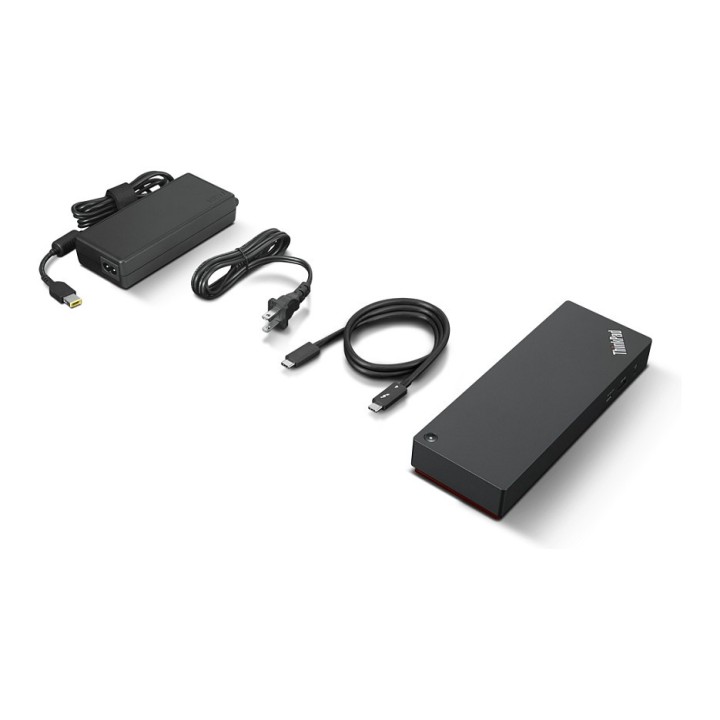
  • Akcesoria w zestawie: Zasilacz 135W Kabel Thunderbolt
  • Kolor (wyliczeniowy): Czarny
  • Wymiary: 220 x 80 x 30 mm
  • Waga: 450 g
  • Uwaga: CE+WEEE

Szczegóły produktu

  • Marka Lenovo
  • Kod produktu 660fbea371a267703cb41fc4
  • Dostępność 200 Przedmioty
  • EAN13 0195348677325
  • MPN 40B00135EU

Specyfikacja

  • Złącze do komputera Thunderbolt 4
  • Liczba portów USB-A (szt.) 5 szt.
  • Liczba obsługiwanych monitorów (szt.) 4 szt.
  • Liczba portów USB-C (szt.) 1 szt.
  • Moc ładowania laptopa (W) 100 W

Producent

Producent

Lenovo Technology B.V. Sp. z o.o. Oddział w Polsce

ul. Gottlieba Daimlera 1 02-460 Warszawa Polska

Osoba odpowiedzialna w UE

Lenovo (Slovakia) s.r.o.

Landererova 12 811 09 Bratislava SLOVAKIA

E-mail: balenovo_sk@lenovo.com

Telefon: +421 2/686 880 00

Bezpieczeństwo

Informacje o bezpieczeństwie

List of safety warnings for docking stations based on the requirements of General Product Safety Regulation (EU) 2023/988 (GPSR) * Risk of electric shock: * Make sure that the docking station is connected to an efficient grounded outlet. * Do not touch the plug or cable with wet hands. * Avoid using the docking station in areas with high humidity. * Risk of overheating: * Provide adequate ventilation while maintaining at least 5 cm of free space around the docking station. * Do not block ventilation openings. * Do not place the docking station on soft surfaces such as blankets or pillows. * Fire risk: * Use only original power supplies and accessories recommended by the manufacturer. * Do not leave the docking station on unattended near flammable materials. * Risk of bodily injury: * Use the docking station on a stable surface to minimize the risk of falling connected devices. * Avoid using the docking station in a position that causes excessive heat pressure on the skin to prevent burns. * Hazards in humid environments: * Do not use the docking station outdoors in rain or in places with high humidity, such as bathrooms. * If the docking station is flooded, immediately disconnect it from the power source and contact the service. * Hazards at high temperatures: * Do not expose the docking station to direct sunlight. * Avoid using the docking station at temperatures above the recommended range (usually 5-35°C). * Risk of damage during cleaning: * Disconnect the docking station from the power supply before cleaning and use a soft, slightly damp cloth. * Avoid using strong detergents that can damage the surface of the docking station. * Caution when replacing accessories: * Use only accessories recommended by the manufacturer. * When replacing batteries, follow the manufacturer's instructions and do not expose the battery to high temperatures. * Battery Use Hazards: * Avoid damaging the battery by impact or puncture. * If the battery overheats or swells, stop using the docking station immediately. * Child warnings: * Keep power cables out of reach of children. * Make sure your kids don't play with the docking station or accessories that can be dangerous. * Cleanliness: * Failure to regularly clean ports and sockets can lead to damage or failure. * Clean ports and sockets regularly using a dry and clean cloth, avoiding moisture input.

Ładowanie...
Wróć na górę