- Nowy
Switch Przełącznik typu desktop SG1210MP 8GE PoE+ 1GE 1SFP obrazki
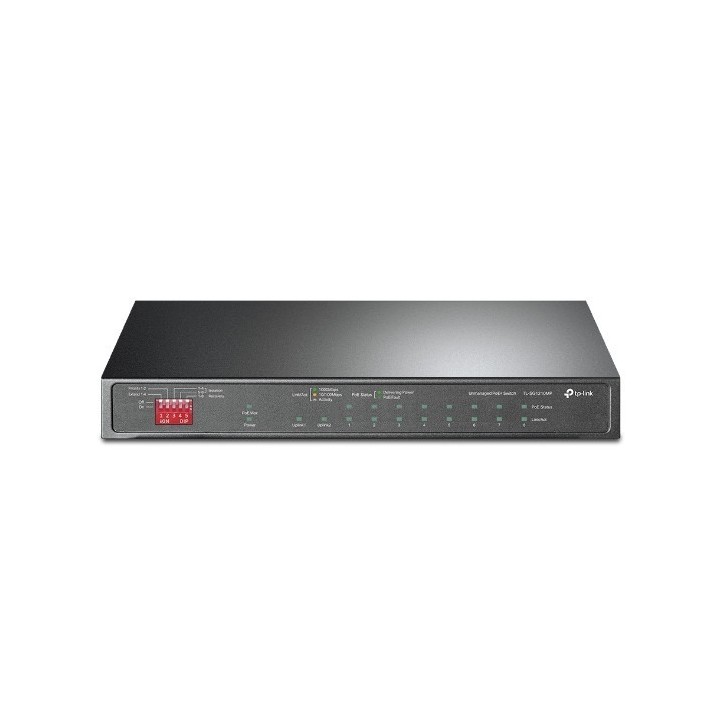
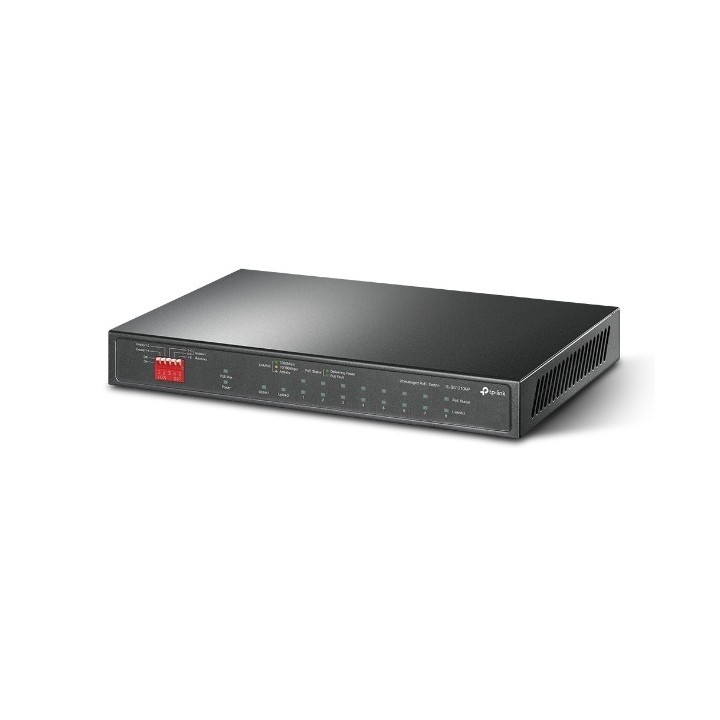
Switch Przełącznik typu desktop SG1210MP 8GE PoE+ 1GE 1SFP
Opis produktu
Switch SG1210MP 8GE PoE+ 1GE 1SFP
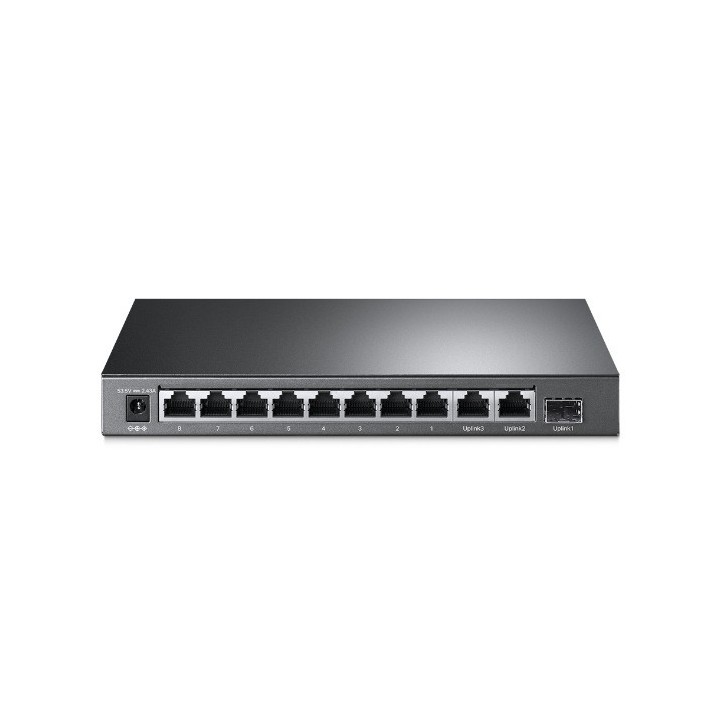
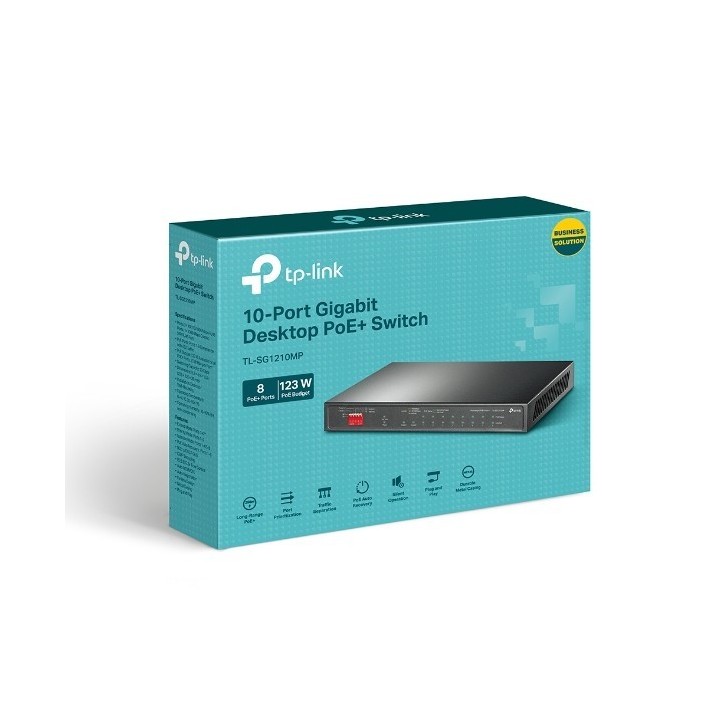
Przełącznik typu desktop, 10 Gigabitowych Portów, w tym 8 Portów PoE+
- 9 Gigabitowych portów RJ45 i 1 Gigabitowy port combo SFP/RJ45
- 8 portów PoE+, zasilanie i przesył danych za pomocą jednego przewodu
- Zgodność ze standardem IEEE 802.3af/at PoE+.
- Łączna moc zasilania do 123W. Do 30W zasilania na każdym porcie PoE.
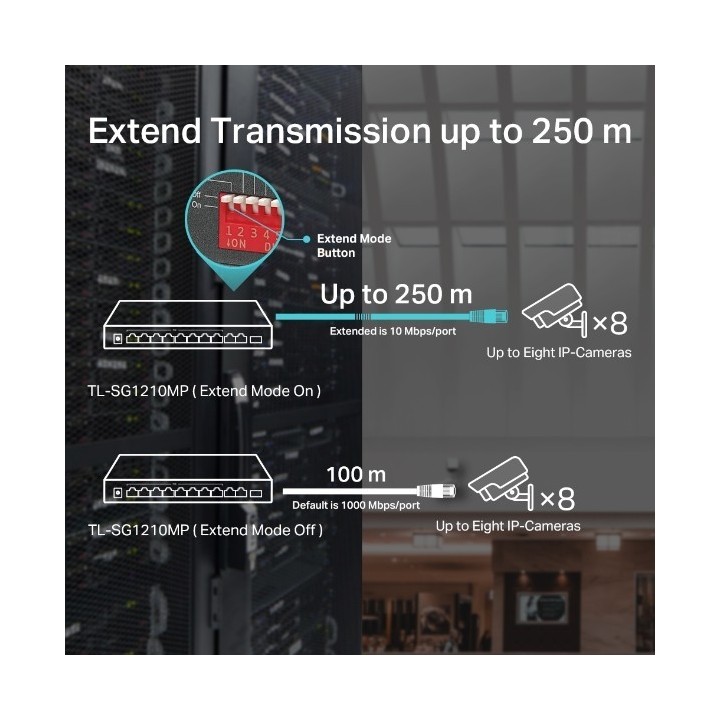
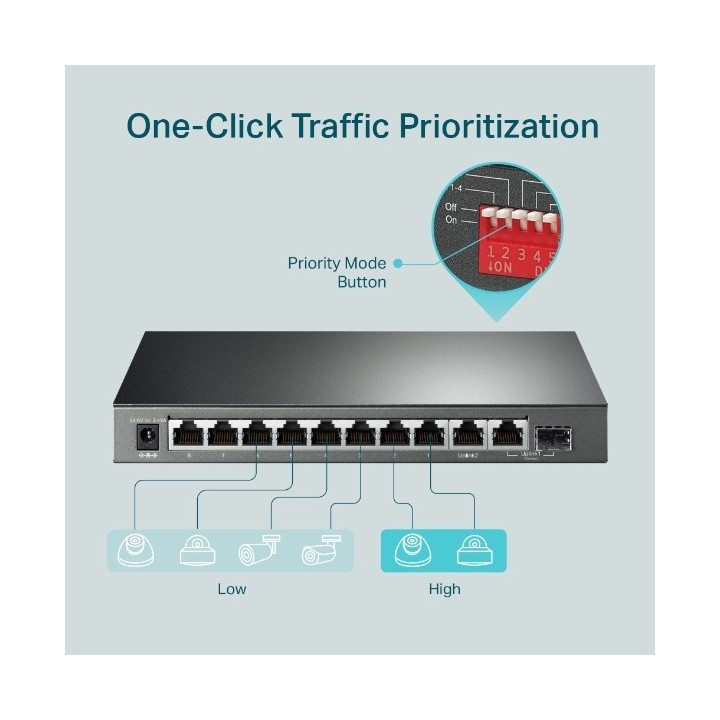
Do 250 m zasięgu transmisji danych i zasilania w trybie Extend. Tryb Priority zapewnia wysoki priorytet dla portów 12, aby utrzymać wysoką jakość działania systemów podatnych na zakłócenia, takich jak np. wideomonitoring.
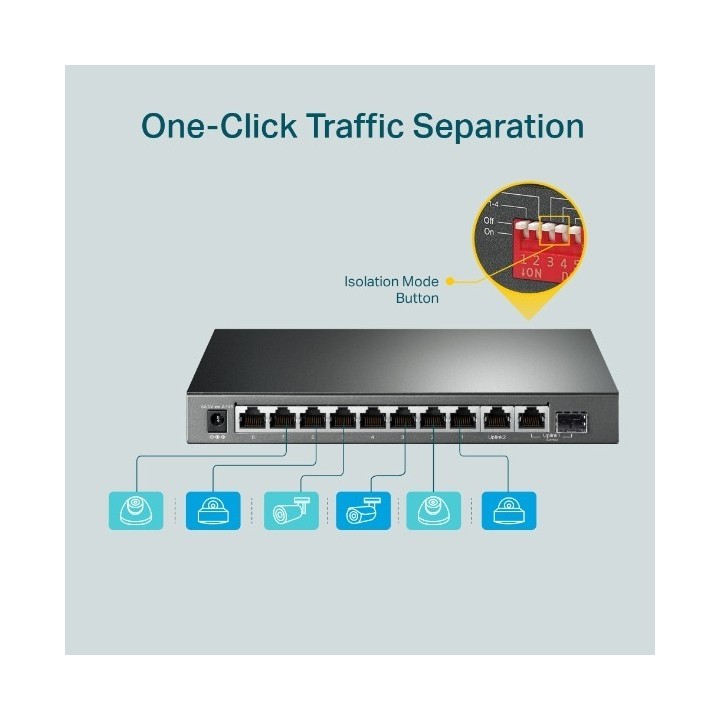
- Tryb Isolation umożliwia oddzielenie jednym kliknięciem ruchu generowanego przez klienta dla zwiększenia jego ochrony i wydajności
- Automatyczne restartowanie urządzeń PoE, które nie odpowiadają lub z którymi połączenie zostało przerwane (funkcja PoE Auto Recovery)
- Podłączanie typu plug and play, bez potrzeby konfiguracji i skomplikowanej instalacji
- Bezwentylatorowa konstrukcja ogranicza zużycie energii i zapewnia cichą pracę urządzenia
- AUTO Negocjacja
- AUTO MDI/MDIX
Okablowanie sieciowe 10BASE-T: Kabel UTP kat. 3, 4 lub 5 (do 100m)
- Kabel EIA/TIA-568 100 (do 100m)
- 100BASE-TX: Kabel UTP kat. 5, lub 5e (do 100m)
- Kabel EIA/TIA-568 100 (do 100m)
- Zabezpieczenia fizyczne Tak
- Porty PoE (RJ45) Zgodność ze standardami 802.3af/at
- Porty PoE: 18
Specyfikacja
- Klasa przełącznika: Niezarządzalny
- Zastosowanie (switche): Dom i małe biuro (do 16 portów)
- Architektura sieci (switche): GigabitEthernet
- Liczba portów 10/100/1000 Mbps: 9
- Liczba portów PoE (PoE + PoE+): 8
- Liczba portów COMBO: 1
- Tryb przekazywania: Store-and-forward
- Przepustowość (switche Gbps): 20 Gb/s
- Prędkość przekazywania (Mpps): 14.88 Mbit/s
- Rozmiar tablicy adresów MAC: 40000
- Obsługa ramek Jumbo: Tak
- Rozmiar ramki Jumbo: 16 KB
- Możliwość łączenia w stos: Nie
- Bezpieczeństwo: Metoda transmisji Store-And-Forward Funkcje zaawansowane Zgodność z urządzeniami zasilanymi PoE (PD) działającymi w standardzie IEEE 802.3af/at Tryb Extend na portach 1-4 (do 250 m zasięgu transmisji danych i zasilania PoE) Tryb Priority na portach 1-2 Tryb Isolation na portach 1-4 lub 5-8 PoE Auto Recovery na portach 1-8 Automatyczne zapamiętywanie i wygaszanie adresów MAC Obsługa kontroli przepustowości IEEE802.3x
- Zarządzanie, monitorowanie, konfiguracja: Maks. zużycie energii 7,93 W (220 V/50 Hz, bez podłączonych urządzeń PoE) 141,4 W (220 V/50 Hz, z podłączonymi urządzeniami PoE o mocy 123 W) Ilość generowanego ciepła 27.04 BTU/h (bez podłączonych urządzeń PoE) 482.17 BTU/h (z podłączonymi urządzeniami PoE o mocy 123 W)
- Typ obudowy: Desktop (PC/Switche)
- Wentylator (switche): Nie
- Zasilacz (switche): Zewnętrzny
- Pobór mocy: 123 W
- Akcesoria w zestawie: Switch TL-SG1210MP, Zasilacz, Instrukcja Instalacji
- Zasilanie: Zewnętrzny zasilacz: 53.5V DC / 2.43A
- Wymiary: 209 × 126 × 26 mm
- Pozostałe parametry: Środowisko pracy Dopuszczalna temperatura pracy: 0-40 (32~104); Dopuszczalna temperatura przechowywania: -40-70 (-40~158) Dopuszczalna wilgotność powietrza: 10%-90%, niekondensująca Certyfikaty FCC, CE, RoHS
- Uwaga: CE+WEEE
Szczegóły produktu
- Marka TP-LINK
- Kod produktu 660fbf0171a267703cb4b4be
- Dostępność 2 Przedmioty
- EAN13 6935364052683
- MPN TLSG1210MP
Specyfikacja
- Liczba portów (szt.) 9 szt.
- Rodzaj zarządzania Niezarządzalny
- Montaż Rack Nie
- Bez wentylatora Tak
- Budżet PoE (W) 125 W
- Typ obudowy sieciowej Desktop (PC/Switche)
Producent
Producent
TP-Link Polska Sp. z o.o.
Ożarowska 40/42 05-850 Duchnice Polska
E-mail: info.pl@tp-link.com
Telefon: +48 22 360 63 63
Osoba odpowiedzialna w UE
TP-Link
Ożarowska 40/42 05-850 Duchnice Polska
E-mail: office.poland@tp-link.com
Telefon: +48 22 360 63 00
Bezpieczeństwo
Informacje o bezpieczeństwie
List of safety warnings for network equipment based on the requirements of General Product Safety Regulation (GPSR) 2023/988: 1. Risk of electric shock: * Make sure that the device is connected to a working socket with grounding. * Do not touch the plug or cable with wet hands. * Avoid using the device in places with high humidity. 2. Risk of overheating: * Provide adequate ventilation while maintaining at least 5 cm of free space around the device. * Do not block ventilation openings and avoid putting network equipment on soft surfaces such as blankets or pillows. 3. Fire risk: * Use only original power supplies and accessories recommended by the manufacturer. * Do not leave the device on unattended near flammable materials. 4. Risk of bodily injury: * Use the device on a stable surface to minimize the risk of falling. 5. Hazards in humid environments: * Do not use network equipment outdoors in rain or in places with high humidity. * If the device is flooded, immediately disconnect it from the power source and contact the service. 6. Hazards at high temperatures: * Do not expose the device to direct sunlight. * Avoid using network equipment at temperatures above the recommended range (usually 5-35°C). 7. Risk of damage during cleaning: * Before cleaning, disconnect the device from the power supply and use a soft, slightly damp cloth. * Avoid using strong detergents that can damage the surface of the device. 8. Caution when replacing accessories: * Use only the accessories recommended by the manufacturer. * When replacing batteries, follow the manufacturer's instructions and do not expose the battery to high temperatures. 9. Risks associated with battery use: * Avoid damage to the battery by impact or puncture. * If the battery overheats or swells, stop using the device immediately. 10. Warnings for children: * Keep power cables out of reach of children. * Make sure that children do not play with the device or accessories that can be dangerous. 11. Electromagnetic interference: * Using network equipment near medical devices such as pacemakers can cause electromagnetic interference. * Maintain a distance of at least 15 cm between network equipment and medical devices. 12. Fire hazard: * Storing network equipment near flammable materials or using non-original power supplies may increase the risk of fire. * Use your smartphone away from fabrics, paper, and other flammable materials. 13. Regular maintenance: * Failure to regularly clean ports and sockets can lead to damage or failure. * Clean ports and sockets regularly using a dry and clean cloth, avoiding moisture input.
Switche
- Nowy
- Nowy
- Nowy
- Nowy
- Nowy
- Nowy
- Nowy
- Nowy

Ostatnio oglądane
Produkty, które ostatnio zwróciły Twoją uwagę.
- Nowy

- Nowy
- Nowy
- Nowy
- Nowy
- Nowy
- Nowy
- Nowy