- Nowy
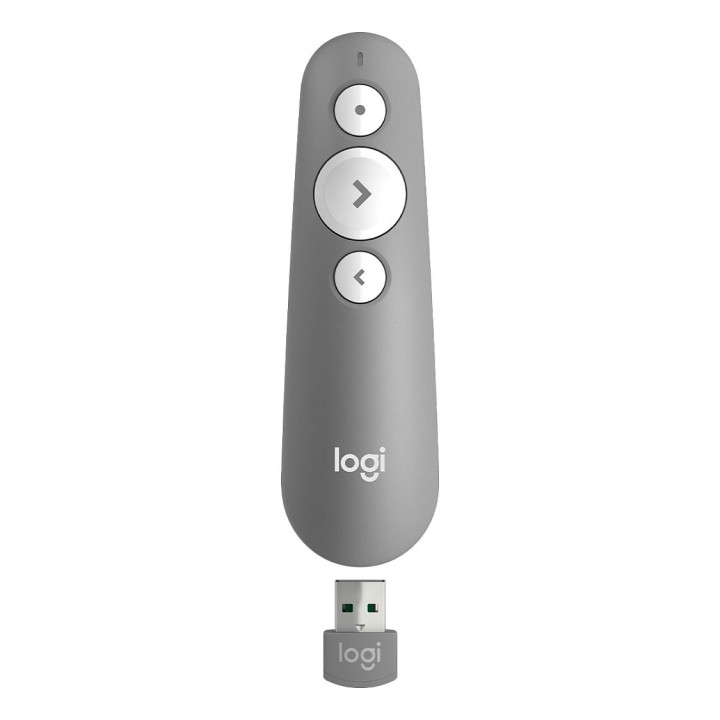
Pilot do prezentacji R500 Presenter Mid Grey 910-006520 obrazki
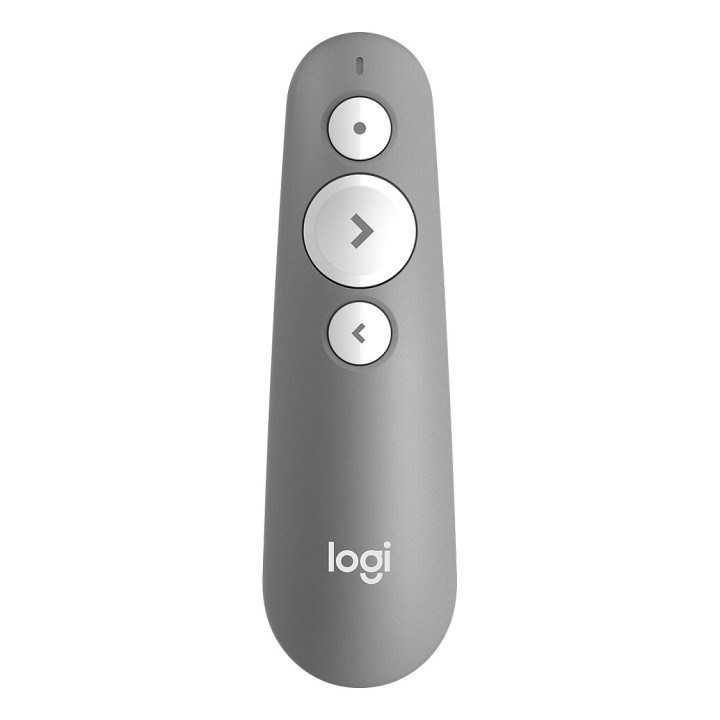
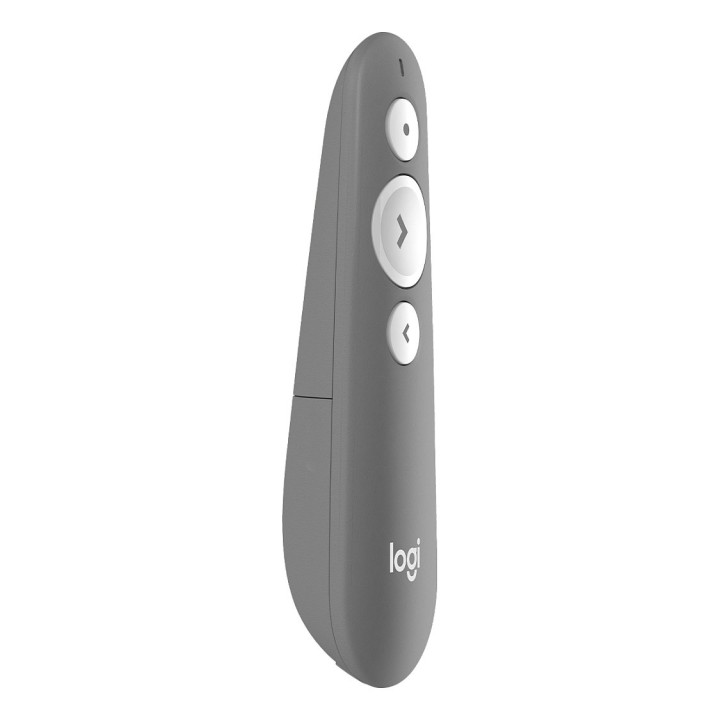
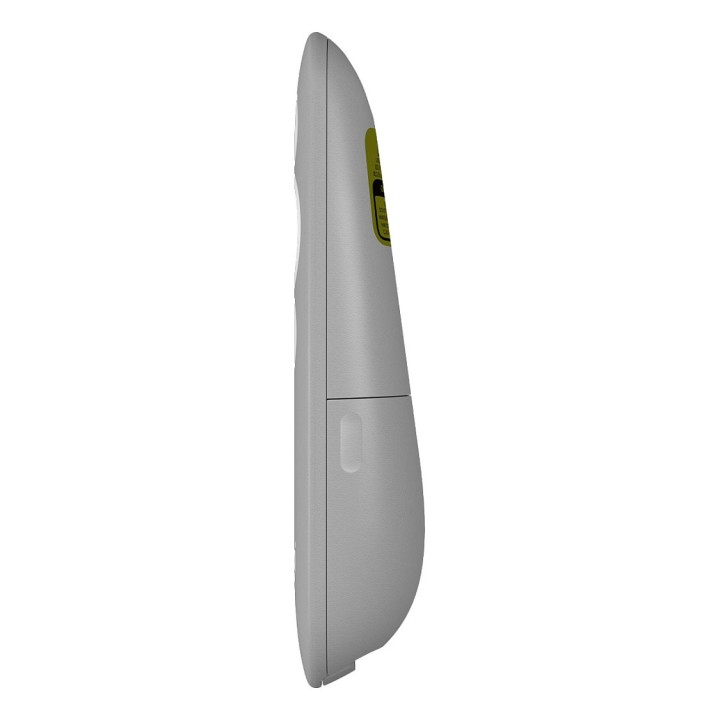
Pilot do prezentacji R500 Presenter Mid Grey 910-006520
Opis produktu
Laserowy pilot do prezentacji R500. Zgodność z wieloma programami.
Prezentacje bez wysiłku
Przedstawiaj imponujące prezentacje za pomocą laserowego pilota do prezentacji R500. Poruszaj się swobodnie po prezentacji i nawiguj po slajdach z odległości do 20 metrów i wskazuj precyzyjnie wymagane obszary za pomocą czerwonego wskaźnika laserowego. Pilot R500 został zoptymalizowany pod kątem obsługi systemów Windows, macOS i wiodącego oprogramowania do tworzenia prezentacji.
Prezentuj z łatwością
Pilot do prezentacji R500 to proste w obsłudze, niezawodne i nieskomplikowane urządzenie, które pozwala skupić się na prezentowaniu.
Intuicyjna nawigacja po slajdach
Charakterystyczna, wykorzystująca trzy przyciski konstrukcja pilota R500 oznacza, że możesz poruszać się po slajdach prezentacji z łatwością, bez konieczności spoglądania w dół, aby wybrać odpowiednie ustawienie przy użyciu palców.
Czerwony wskaźnik laserowy
Prezentuj szczegóły dzięki prostemu w obsłudze, jasnemu, czerwonemu wskaźnikowi laserowemu.
Aplikacja Logitech Presentation
Możesz dostosować funkcje przycisków, monitorować żywotność baterii i ustawić zegar ekranowy, korzystając z aplikacji Logitech Presentation. Nie musisz się obawiać przejścia komputera w tryb uśpienia, ponieważ aplikacja zapewnia jego aktywność podczas prezentacji.
Zasięg działania 20 metrów
Połącz pilot R500 z komputerem przy użyciu odbiornika USB lub energooszczędnej technologii Bluetooth. Następnie poruszaj się i prezentuj swobodnie nawet z odległości 20 metrów.
Stworzony z myślą o pewnym chwycie
R500 prezenter laserowy został zaprojektowany tak, aby doskonale pasował do dłoni, a jego miękka, gumowa powierzchnia i chropowate przyciski zapewniają pewny chwyt podczas prezentacji.
Specyfikacja
- Wskaźnik laserowy: Tak
- Zasięg: 20 m
- Komunikacja bezprzewodowa: 2,4 GHz
- Akcesoria w zestawie: Pilot do prezentacji Klucz USB 1 bateria typu AAA Dokumentacja
- Kolor (wyliczeniowy): Szary
- Wymiary: Pilot do prezentacji123,6 x 36,6 x 24,7 mmMasa: 53,5 g z baterią (bez odbiornika)Odbiornik6,6 x 17,5 x 25 mmMasa: 2 g
- Waga: 53.5 g
- Pozostałe parametry: Wymagania systemoweOdbiornik Logitech: Wymagane dostępne gniazdo USB Windows 7,8,10 lub nowsza macOS X 10.12 lub nowsza Chrome OS Linux 2.6+ Połączenie Bluetooth: Wymagana łączność Bluetooth Windows 8,10 lub nowsza macOS X 10.12 lub nowsza iOS 8 lub nowsza Android 5.0 lub nowsza Połączenie internetowe do pobrania oprogramowania
- Uwaga: CE+WEEE
Szczegóły produktu
- Marka Logitech
- Kod produktu 660fbf6c71a267703cb54ec5
- Dostępność 100 Przedmioty
- EAN13 5099206100589
- MPN 910006520
Specyfikacja
- Kolor Szary
- Liczba przycisków (szt.) 3 szt.
Producent
Producent
Logitech Europe S.A.
Catharijnesingel 47 3511GC Utrecht Netherlands
Telefon: +41 0 21 863 55 11
Osoba odpowiedzialna w UE
Logitech Europe S.A.
Catharijnesingel 47 3511GC Utrecht Netherlands
Telefon: +41 0 21 863 55 11
Bezpieczeństwo
Informacje o bezpieczeństwie
List of pilot safety warnings based on the requirements of General Product Safety Regulation (EU) 2023/988 (GPSR): * Batteries: * Use only batteries of the appropriate type and in accordance with the manufacturer’s instructions. Improper use of batteries can cause leakage, overheating, and even explosion. * Do not mix batteries of different types (e.g. alkaline and zinc-carbon) or old with new ones, as this can lead to leaks and damage. * Remove used batteries from the remote control to prevent leaks that can damage your device. * Batteries should be kept out of reach of children as they pose a choking hazard. * Cleaning: * Remove batteries from the remote control before cleaning. * Clean the remote control with a dry or slightly damp cloth. Do not use strong detergents, solvents or other chemicals that can damage the housing or electronics. * Be careful that moisture does not get inside the remote control, as this can cause corrosion and damage. * Usage: * Do not expose the remote control to extreme temperatures (e.g. direct sunlight, near heat sources). * Avoid dropping the remote or exposing it to strong impacts. This can cause internal or external damage. * Do not try to repair the remote yourself. Any repairs should be carried out by qualified personnel. * Storage: * Store the remote control in a dry and cool place, away from moisture and extreme temperatures. * If you do not plan to use the remote for a long time, remove the batteries from it. * Children: * Young children should not play with the remote control without supervision. There is a risk of swallowing small items (e.g. battery cover).
Pozostałe urządzenia wskazujące
- Nowy
- Nowy
- Nowy
- Nowy
- Nowy
- Nowy
Ostatnio oglądane
Produkty, które ostatnio zwróciły Twoją uwagę.