- Nowy
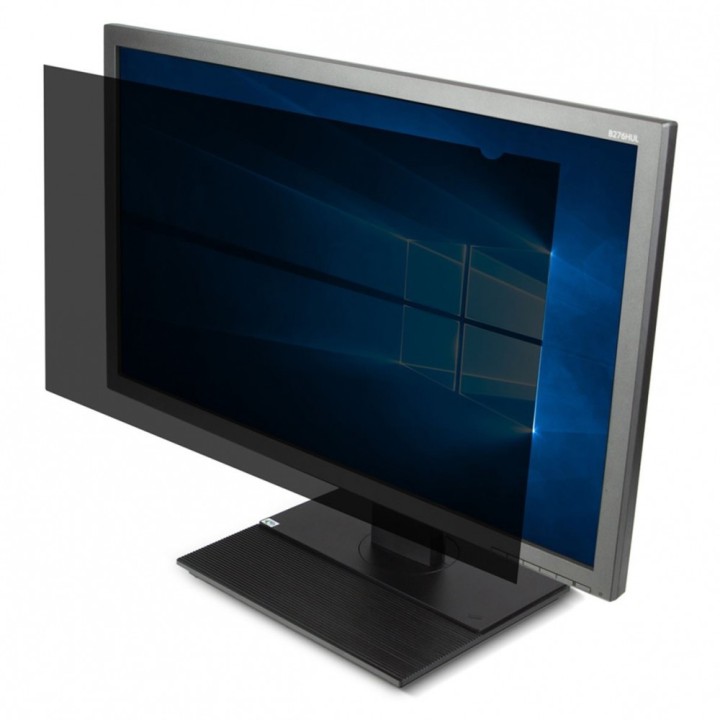
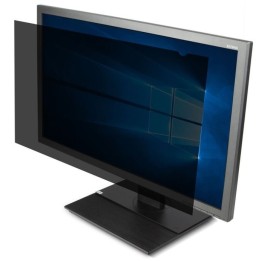
Filtr prywatyzujący 24 cali W (16:10) obrazki
Filtr prywatyzujący 24 cali W (16:10)
Opis produktu
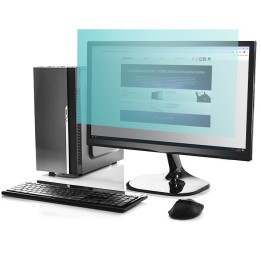
Życie zawodowe stało się bardziej mobilne i coraz częściej pracujemy w ruchliwych miejscach publicznych, takich jak kawiarnie, lotniska lub wspólne biura. Ekrany prywatności zapewniają komfort pracy z poufnymi informacjami, gdziekolwiek jesteś, dzięki zawężeniu kąta widzenia na urządzeniu, dzięki czemu dane na ekranie są wyraźnie widoczne tylko bezpośrednio przed nim.
Specyfikacja
- Part number: ASF24WEU
- Kolor filtra: Czarny
- Przekątna ekranu 2: 24''
- Proporcje obrazu: 16:10
- Szerokość: 52 cm
- Długość: 33 cm
Szczegóły produktu
- Marka Targus
- Kod produktu 660fbfba71a267703cb5bbcb
- Dostępność 7 Przedmioty
- EAN13 5051794008982
- MPN ASF24WEU
Specyfikacja
- Przekątna ekranu (cal) 24 cal
Producent
Producent
Targus
Berner Str. 40 60437 Frankfurt Niemcy
E-mail: support@targus.com
Formularz kontaktowy: https://eu.targus.com/pages/support
Osoba odpowiedzialna w UE
Targus Europe Ltd.
Van Hilststraat 19 5145 RK Waalwijk Netherlands
E-mail: AMurphy@targus.com
Formularz kontaktowy: https://eu.targus.com/pages/contact-us
Telefon: +44 7720 285 161
Bezpieczeństwo
Informacje o bezpieczeństwie
List of safety warnings for privatization filters based on the requirements of General Product Safety Regulation (EU) 2023/988 (GPSR): * Beware of sharp filter edges - I may cut myself during assembly or disassembly. * Do not bend or break the filter during use. This can cause damage and loss of functionality. * Use the filter according to the manufacturer's instructions. Improper use can lead to damage to the device screen or the filter itself. * Protect the filter from high temperatures and direct sunlight. This can negatively affect its properties and durability. * Clean the filter according to the manufacturer's instructions, using gentle cleaning agents. Avoid using aggressive substances that can damage the surface. * Make sure the filter is properly matched to your device's screen. Improper fit may result in problems with visibility and comfort of use. * Avoid excessive pressure on the screen when installing the filter. This can damage the screen. * Regularly check the condition of the filter for damage. A damaged filter may not perform its function. * If the filter is damaged, remove it from the device. Using a damaged filter can be dangerous for your device screen. * After removing the filter, store it in a safe place. * Dispose of the damaged filter in an appropriate manner, in accordance with local regulations on electronic waste. * Do not disassemble the filter on the first parts. * If you have a problem installing the filter, please contact a professional. * If you notice a deterioration in image quality after installing the filter, check if the filter is compatible with the device. * Do not try to repair the filter yourself.
Filtry prywatności
- Nowy
- Nowy
Ostatnio oglądane
Produkty, które ostatnio zwróciły Twoją uwagę.
- Nowy
- Nowy

- Nowy
- Nowy
- Nowy
- Nowy
- Nowy
- Nowy
- Nowy
- Nowy
- Nowy
- Nowy