- Nowy
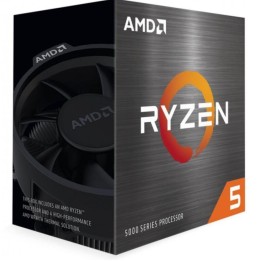
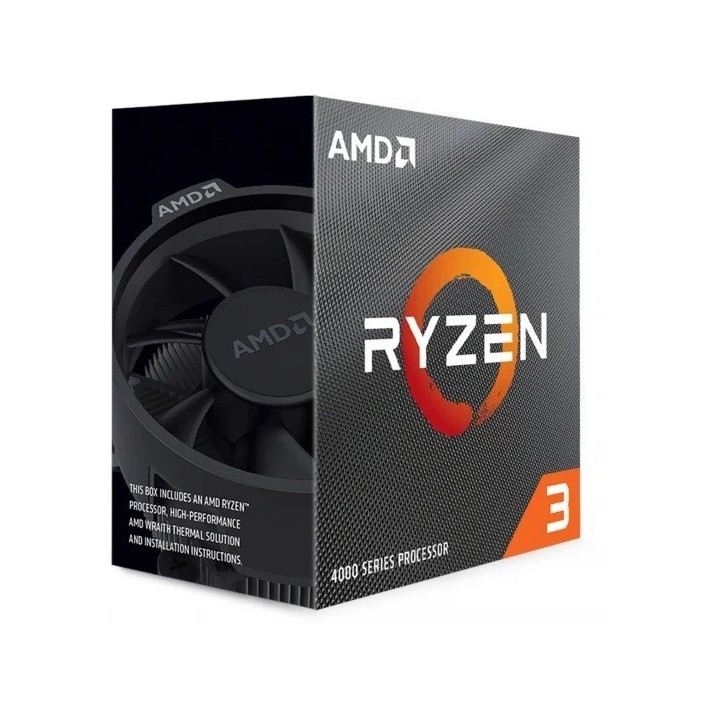

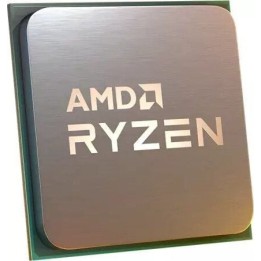
Procesor Ryzen 3 4100 100-100000510BOX
Advanced Micro Devices, Inc. (AMD)
Logic Drive, Bianconi Avenue, Citywest D24 T683 Dublin Ireland
E-mail: product-compliance@amd.com
Formularz kontaktowy: https://www.amd.com/en/corporate/contacts.html
Telefon: +353 21-435-57000
Advanced Micro Devices, Inc. (AMD)
Logic Drive, Bianconi Avenue, Citywest D24 T683 Dublin Ireland
E-mail: product-compliance@amd.com
Formularz kontaktowy: https://www.amd.com/en/corporate/contacts.html
Telefon: +353 21-435-57000
List of processor safety warnings based on the requirements of General Product Safety Regulation (EU) 2023/988 (GPSR): * Assembly and Disassembly: * Always disconnect your computer from power before installing or disassembling the processor. * I ground myself before touching components to avoid electrostatic damage. * Compatibility: * Make sure the processor is compatible with the motherboard and CPU socket on your computer. * Check if your computer's power supply has enough power to support the new processor. * Cooling: * Use a suitable cooling system (e.g. Heatsink with fan or water cooling) to prevent overheating of the processor. * Regularly clean the cooling system from dust to ensure efficient heat dissipation. * Thermal paste: * Apply a thin and even layer of thermal paste between the processor and heat sink to improve heat conduction. * Be careful not to apply too much paste, as this can lead to short circuit and damage to components. * Overheating: * Monitor CPU temperature with appropriate software. * If the CPU temperature exceeds the recommended values, immediately turn off the computer and check the cooling system. * Mechanical damage: * Be careful when installing the processor so as not to damage the pins or contacts. * Do not bend the CPU pins as this may prevent proper operation. * Danger of Swallowing: * Small CPU components (e.g. pins) may pose a choking hazard, especially for young children. * Keep your processor and small items out of reach of children. * Work safety: * Work in a well-lit area to avoid errors during installation. * If you don’t feel confident, ask an experienced technician for help. * Liability: * I am not responsible for hardware damage caused by improper installation or use of the processor. * Risk of electric shock: * Do not touch the processor or other computer components with wet hands. * Disposal: * Used or damaged processor must be disposed of in accordance with local electronic waste regulations.






Produkty, które ostatnio zwróciły Twoją uwagę.