- Nowy
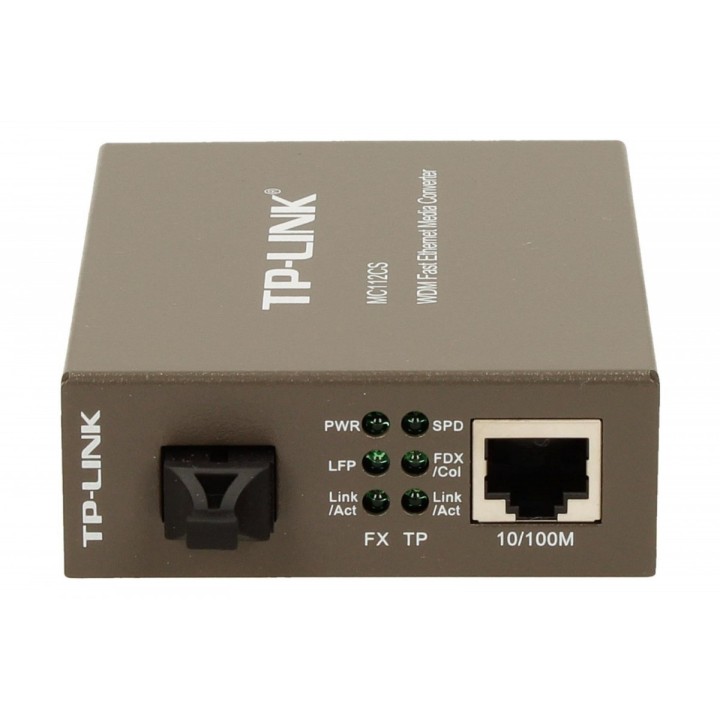
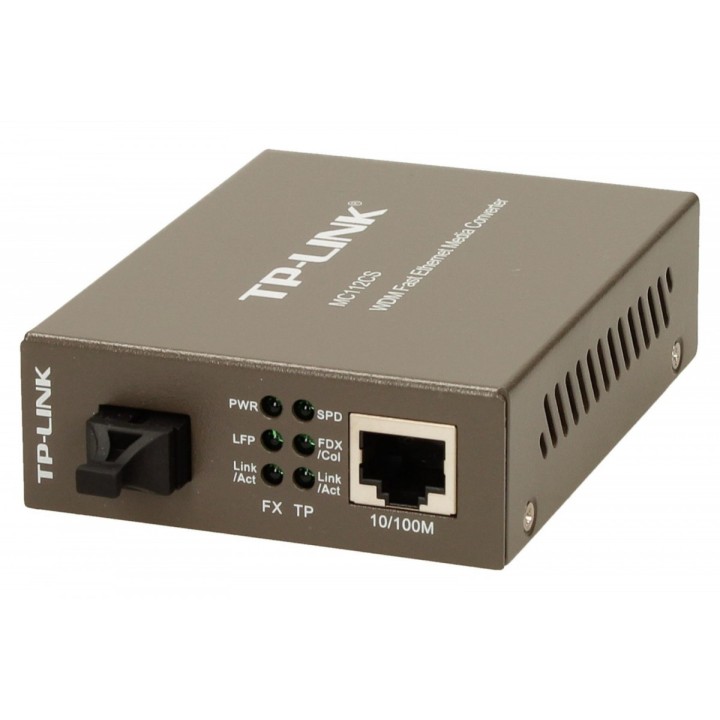
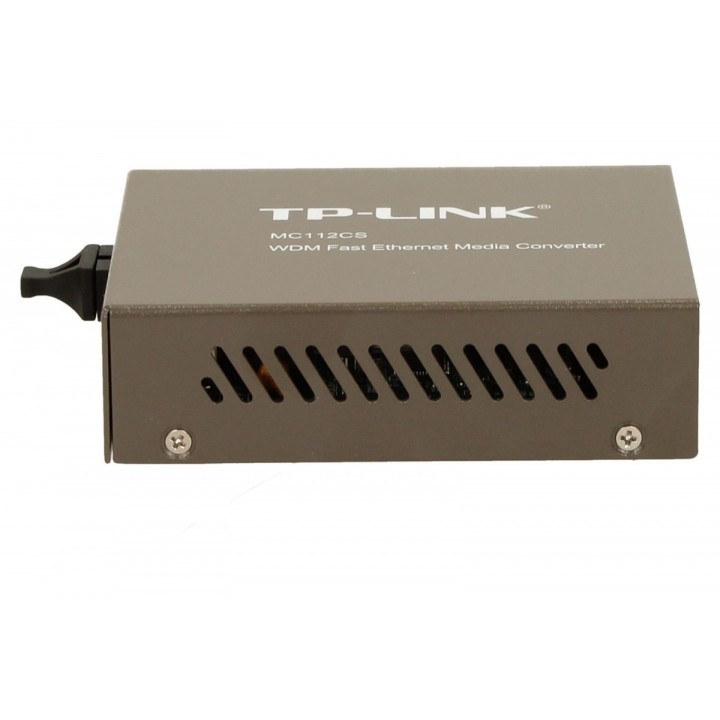
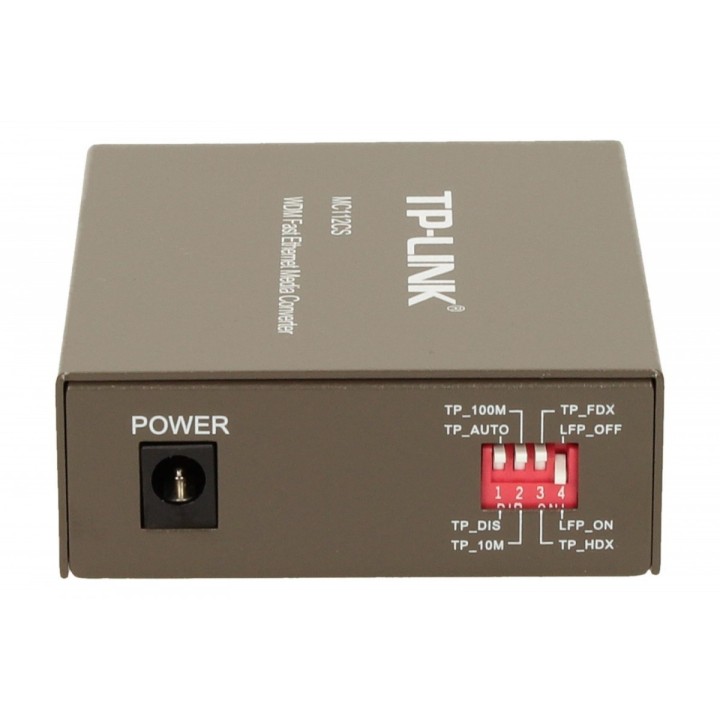
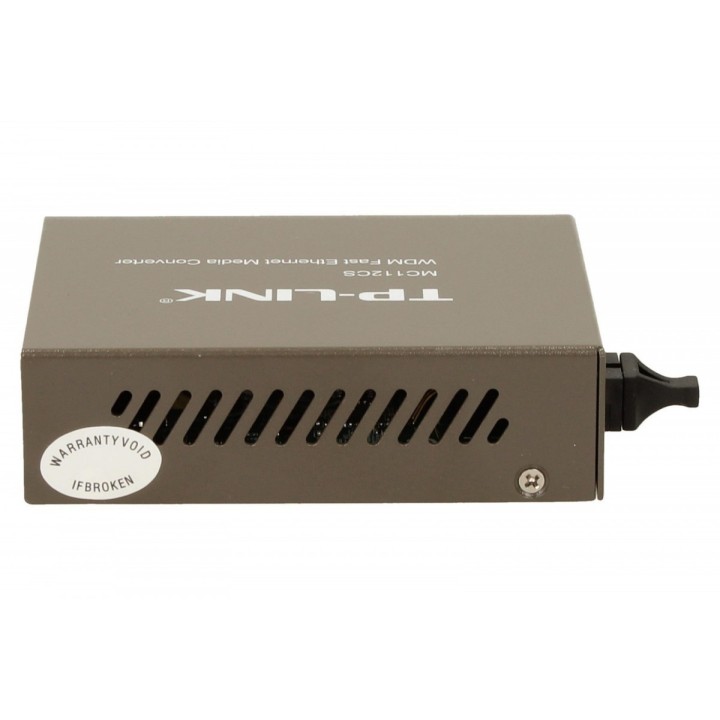
MC112CS media konwerter 10/100 WDM obrazki
MC112CS media konwerter 10/100 WDM
Opis produktu
Media konwerter MC112CS umożliwia zamianę sygnału optycznego 100BASE-FX na sygnał 100Base-TX przewodzony kablem miedzianym i w odwrotnym kierunku. Dzięki wykorzystaniu technologii WDM urządzenie zarówno wysyła jak i odbiera dane na jednym włóknie światłowodowym. Pozwala to zaoszczędzić połowę kosztów przeznaczonych na okablowanie. Pracując zgodnie ze standardami IEEE 802.3u 10/100Base-TX oraz 100Base-FX konwerter wykorzystuje jednomodowy światłowód ze złączami SC. Zgodnie ze specyfikacją długofalowej transmisji optycznej LX zapewnia szybką prędkość przewodowej transmisji danych. Urządzenie wysyła sygnały o długości fali 1310nm, a odbiera o długości fali 1550nm. W związku z tym, urządzenie do którego podłączony jest konwerter musi wysyłać sygnały o długości fali 1550nm, natomiast odbierać o długości fali 1310nm. Przykładowym urządzeniem TP-LINK współpracującym z konwerterem MC112CS jest konwerter MC111CS.
Konwerter MC112CS może pracować jako urządzenie wolnostojące, lub być montowane w szafie 19' TP-LINK. Psiada funkcję automatycznej negocjacji szybkości połączeń i automatycznego krosowania (Auto MDI/MDI-X).
Specyfikacja
- Specyfikacja techniczna: MEDIA KONWERTER I MODUŁStandardy i protokoły: IEEE 802.3, IEEE 802.3u, IEEE 802.3xPodstawowe funkcje:    Technologia WDM    Tryb pracy pełnego i pół dupleksu na porcie FX    Kontrola przepływu danych w trybie pełnego dupleksu (standard IEEE 802.3x)    Kontrola przepływu danych w trybie pół dupleksu (Backpressure)    Funkcje Link Fault Passthrough oraz Far End Fault minimalizują straty sygnału spowodowane błędami połączeń    Zwiększenie zasięgu transmisji światłowodowej do 20km Porty:    1 port SC 100M    1 port RJ45 100M (Auto MDI/MDIX)WDM TX 1310nmWDM RX 1550nmKabel sieciowy 10BASE-T Kabel UTP kat. 3, 4 lub 5 (do 100m)Kabel STP EIA/TIA-568 100Ω (do 100m) Kabel sieciowy 100BASE-T Kabel UTP kat. 5, lub 5e (do 100m)Kabel STP EIA/TIA-568 100Ω (do 100m)Kabel sieciowy 100BASE-FX Światłowód jednomodowy Wskaźniki LED: PWR, FDX/Col, Link/Act, SPDWymiary (S×G×W): 94,5*73,0*27,0 mm (3,7*2,9*1,1 cali) Zasilanie: Zasilacz zewnętrznyCertyfikaty: FCC, CEŚrodowisko pracy:    Dopuszczalna temperatura pracy: 0℃~40℃ (32℉~104℉)    Dopuszczalna temperatura przechowywania: -40℃~70℃ (-40℉~158℉)    Dopuszczalna wilgotność powietrza: 10%~90%, niekondensująca    Dopuszczalna wilgotność przechowywania: 5%~90%, niekondensująca
- Uwaga: CE+WEEE
Szczegóły produktu
- Marka TP-LINK
- Kod produktu 660fb8c071a267703cab5bd6
- Dostępność 2 Przedmioty
- EAN13 6935364030421
- MPN MC112CS
Specyfikacja
- Liczba portów (szt.) 1 szt.
Producent
Producent
TP-Link Polska Sp. z o.o.
Ożarowska 40/42 05-850 Duchnice Polska
E-mail: info.pl@tp-link.com
Telefon: +48 22 360 63 63
Osoba odpowiedzialna w UE
TP-Link
Ożarowska 40/42 05-850 Duchnice Polska
E-mail: office.poland@tp-link.com
Telefon: +48 22 360 63 00
Bezpieczeństwo
Informacje o bezpieczeństwie
List of safety warnings for network equipment based on the requirements of General Product Safety Regulation (GPSR) 2023/988: 1. Risk of electric shock: * Make sure that the device is connected to a working socket with grounding. * Do not touch the plug or cable with wet hands. * Avoid using the device in places with high humidity. 2. Risk of overheating: * Provide adequate ventilation while maintaining at least 5 cm of free space around the device. * Do not block ventilation openings and avoid putting network equipment on soft surfaces such as blankets or pillows. 3. Fire risk: * Use only original power supplies and accessories recommended by the manufacturer. * Do not leave the device on unattended near flammable materials. 4. Risk of bodily injury: * Use the device on a stable surface to minimize the risk of falling. 5. Hazards in humid environments: * Do not use network equipment outdoors in rain or in places with high humidity. * If the device is flooded, immediately disconnect it from the power source and contact the service. 6. Hazards at high temperatures: * Do not expose the device to direct sunlight. * Avoid using network equipment at temperatures above the recommended range (usually 5-35°C). 7. Risk of damage during cleaning: * Before cleaning, disconnect the device from the power supply and use a soft, slightly damp cloth. * Avoid using strong detergents that can damage the surface of the device. 8. Caution when replacing accessories: * Use only the accessories recommended by the manufacturer. * When replacing batteries, follow the manufacturer's instructions and do not expose the battery to high temperatures. 9. Risks associated with battery use: * Avoid damage to the battery by impact or puncture. * If the battery overheats or swells, stop using the device immediately. 10. Warnings for children: * Keep power cables out of reach of children. * Make sure that children do not play with the device or accessories that can be dangerous. 11. Electromagnetic interference: * Using network equipment near medical devices such as pacemakers can cause electromagnetic interference. * Maintain a distance of at least 15 cm between network equipment and medical devices. 12. Fire hazard: * Storing network equipment near flammable materials or using non-original power supplies may increase the risk of fire. * Use your smartphone away from fabrics, paper, and other flammable materials. 13. Regular maintenance: * Failure to regularly clean ports and sockets can lead to damage or failure. * Clean ports and sockets regularly using a dry and clean cloth, avoiding moisture input.
Switche
- Nowy
- Nowy
- Nowy
- Nowy
- Nowy
- Nowy
- Nowy
Ostatnio oglądane
Produkty, które ostatnio zwróciły Twoją uwagę.
- Nowy
- Nowy
- Nowy
- Nowy
- Nowy
- Nowy
- Nowy
- Nowy
- Nowy
- Nowy
- Nowy