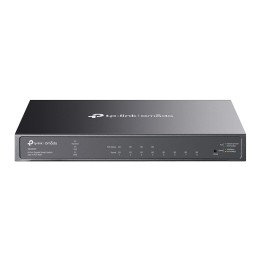
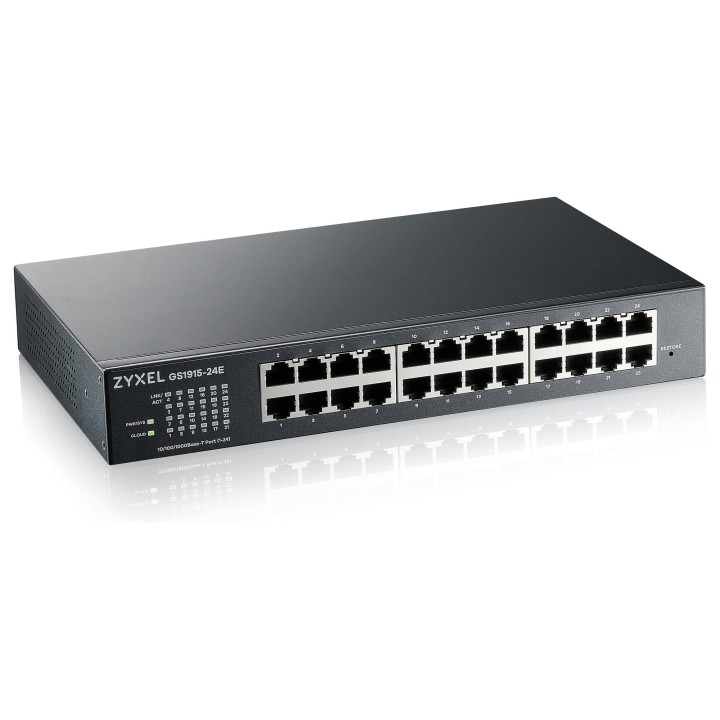
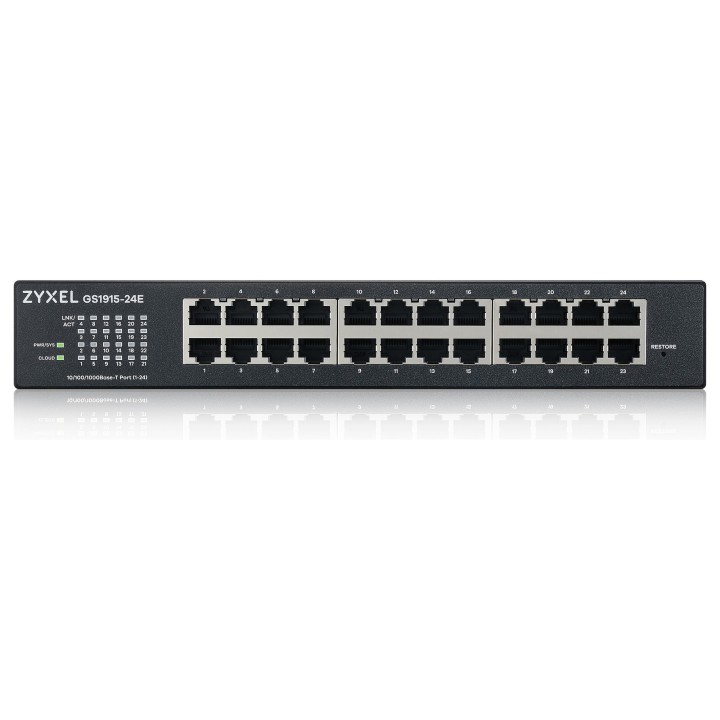
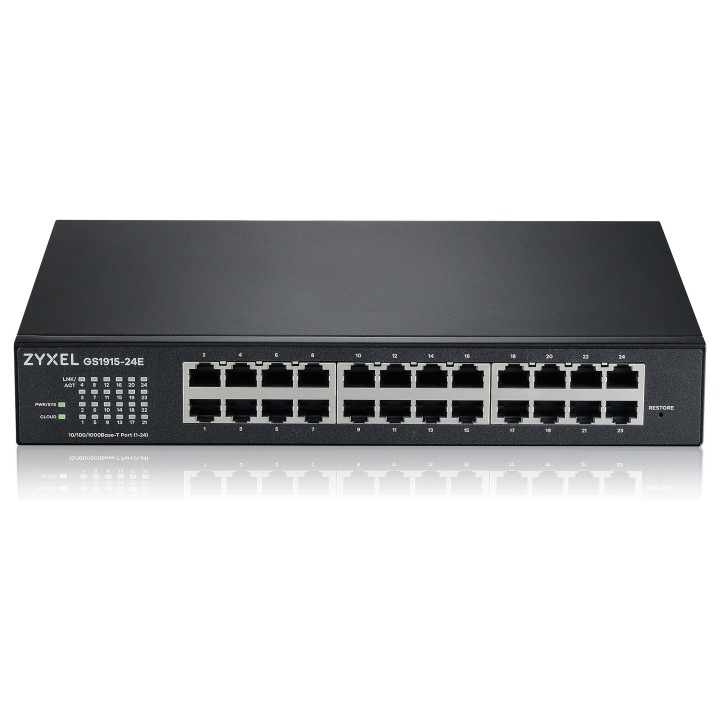
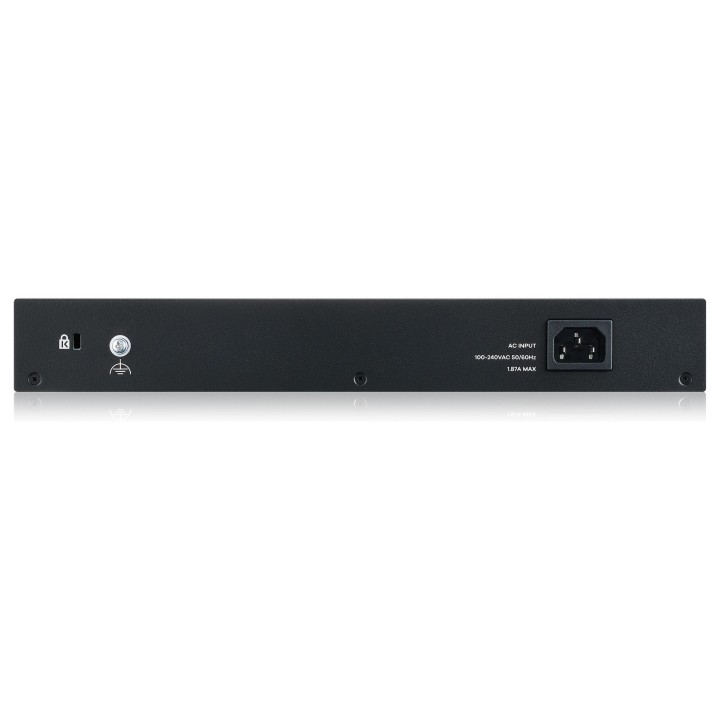
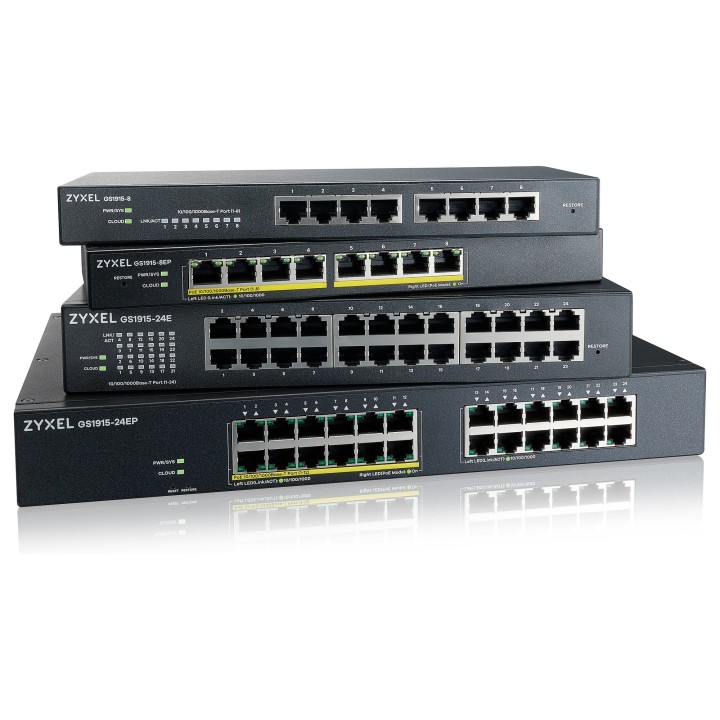
Przełącznik GS-1915 GS1915-24E-EU0101F

Cena: 714,49 zł
Brutto
Dostępność produktu: Dostępny 7 szt.
Czas dostawy Wysyłka w ciągu 3 dni roboczych
Koszt dostawy Bezpłatna dostawa od 250 zł.

Opis produktu

Maksymalnie zwiększ wydajność i sprawność dzięki prostej sieci chmurowej

Przełącznik GS1915 Series Cloud


Kompaktowy i przystępny cenowo
Seria przełączników w chmurze

Seria GS1915 obejmuje cztery 8/24-portowe przełączniki, z opcją PoE lub bez niej. Dwa modele PoE ułatwiają tworzenie różnorodnych konfiguracji sieciowych dzięki elastycznemu budżetowi PoE wynoszącemu 60 W (8EP) i 130 W (24EP) ze wszystkimi portami PoE obsługującymi IEEE 802.3at PoE+. Przełączniki tej serii są wyposażone w przydatne funkcje i doskonałą wydajność dzięki funkcji plug-n-play.


Nebula, inteligentne zarządzanie chmurą

Seria GS1915 obsługuje darmowe zarządzanie w chmurze Nebula. Nebula zapewnia zarówno intuicyjny interfejs internetowy, jak i aplikację mobilną, aby zapewnić usprawnione doświadczenie w instalacji i zarządzaniu siecią, bez dodatkowych kosztów oprogramowania lub kontrolera sprzętowego. Typowy tryb autonomiczny jest nadal dostępny dla Twoich preferencji.

8c2c6fb5c266709c4136ba22ac5fd95e.png


Zawsze i wszędzie z aplikacją mobilną Nebula

  •  Łatwe włączanie urządzeń: Skanowanie kodu QR
  •  Rzut oka na status sieci
  •  Zdalne sterowanie siecią
  •  Restartuj AP, kamerę poprzez cykl zasilania PoE
  •  Blokuj klientów z nietypowym ruchem


Ekosystem Nebuli

Nebula wspiera kompleksową gamę produktów od przełącznika, AP, firewalla bezpieczeństwa, po mobilne routery 5G/LTE. Przynosi łatwe i zunifikowane doświadczenie sieciowe.


Łatwe zasilanie urządzeń w sieci

GS1915-8EP i GS1915-24EP obsługują odpowiednio 60W i 130W budżetu zasilania, idealne do konfiguracji kilku dodatkowych AP i kamer w domach i małych firmach. Dzięki aplikacji Nebula, łatwo jest zresetować nieprawidłowo działającą kamerę poprzez włączenie zasilania, nawet gdy jesteś poza domem.


Specyfikacja

  • Klasa przełącznika: SMART
  • Zastosowanie (switche): Średnie i duże firmy (powyżej 16 portów)
  • Warstwa przełączania (switche): L2
  • Architektura sieci (switche): GigabitEthernet
  • Liczba portów 10/100 Mbps: Brak
  • Liczba portów 10/100/1000 Mbps: 24
  • Liczba portów 10/100/1000/2500 Mbps: Brak
  • Liczba portów 10Gb: Brak
  • Liczba portów PoE (PoE + PoE+): Brak
  • Liczba portów PoE+: Brak
  • Liczba portów COMBO: Brak
  • Liczba portów SFP: Brak
  • Liczba portów SFP+: Brak
  • Liczba portów QSFP+: Brak
  • Port konsoli: Nie
  • Przepustowość (switche Gbps): 48 Gb/s
  • Prędkość przekazywania (Mpps): 35.7 Mpps
  • Bufor pakietów: 525 KB
  • Rozmiar tablicy adresów MAC: 8000
  • Obsługa ramek Jumbo: Tak
  • Rozmiar ramki Jumbo: 9 KB
  • Możliwość łączenia w stos: Nie
  • Liczba grup VLAN (tylko mng i smart): 256
  • VLAN: 802.1Q Static VLANs: 256 Port-based VLAN Voice VLAN MAC-based VLAN Vendor ID based VLAN VLAN Trunking LACP algorithm of source/ destination IP
  • Obsługiwane protokoły i standardy: IEEE 802.3 10BASE-T Ethernet IEEE 802.3u 100BASE-TX Ethernet IEEE 802.3ab 1000BASE-T Ethernet IEEE 802.3x flow control IEEE 802.3az EEE support/Green Ethernet IEEE 802.1p CoS support
  • QoS: 802.1p queuing methods: SPQ, WRR, WFQ Storm control: broadcast, multicast, unknown unicast (DLF) Port-based rate limiting (ingress/egress) 802.3x flow control 802.1p Class of Service (SPQ, WFQ, SPQ/WFQ combination capable) DiffServ (DSCP)
  • Bezpieczeństwo: Layer 2 MAC filtering Static MAC forwarding SSH v2 SSL Port isolation Port security MAC freeze CPU protection SHA2 HTTPS Certification Login authentication by RADIUS RADIUS accounting Authorization on RADIUS Multiple RADIUS servers DHCP Snooping
  • Zarządzanie, monitorowanie, konfiguracja: IPv6 Management: IPv6 over Ethernet (RFC 2464) IPv6 addressing architecture (RFC 4291) Dual stack (RFC4213) ICMPv6 (RFC4884) Path MTU (RFC 1981) Minimum Path MTU size of 1280 (RFC 5905) Encapsulation for maximum PMTU size of 1500 Neighbor Discovery (RFC4861) Manageability: SNMP v1, v2c, v3 SNMP trap group RMON (1, 2, 3, 9) ICMP echo/echo reply Syslog Display port utilization IEEE 802.1AB LLDP IEEE 802.1AB LLDP-MED Custom default Support NebulaFlex for Cloud Management Device Management: Standalone management by Web interface Cloud management by Nebula Control Center Setup Wizard Management through Web, SNMP Remote firmware upgrade by FTP/Web Configuration saving and retrieving DHCP client DHCP relay per VLAN Daylight saving NTP (IPv4/IPv6) Port mirroring Schedule PoE PoE default consumption mode ZON Utility: Discovery of Zyxel switches, APs and gateways Centralized and batch configurations IP configuration IP renew Device factory reset Device reboot Device locating Web GUI access Password configuration One-click quick association with Zyxel AP Configurator (ZAC) Automatic detection of the latest firmware Displays device serial number and hardware version Cloud mode on/off option for Hybrid series devices Smart Connect: Discover neighboring devices One-click remote management access to the neighboring Zyxel devices Reset neighboring devices remotely to factory defaults
  • Funkcje L2: L2 Multicast Static L2 Multicast Forwarding IGMP snooping (v1, v2, v3)
  • Typ obudowy: Desktop (PC/Switche)
  • Wentylator (switche): Nie
  • Zasilacz (switche): Wewnętrzny
  • Pobór mocy: 15.5 W
  • Czas pracy pomiędzy awariami (MTBF): 674068 h
  • Akcesoria w zestawie: Przewód zasilający Zestaw do montażu na ścianie Zestaw do montażu rack
  • Zasilanie: 100 - 240 V AC, 50/60 Hz
  • Wymiary: 267 x 162 x 42 mm
  • Waga: 1.57 kg
  • Wymagania środowiskowe: Temperatura pracy: 0°C - 40°C Wilgotność podczas pracy: 10% - 95% (bez kondensacji) Temperatura przechowywania: -40°C - 70°C Wilgotność podczas przechowywania: 10% - 95% (bez kondensacji)
  • Certyfikaty: RoHS EMC: CE, FCC, RCM, Class A BSMI CNS 13438 Safety: LVD EN 62368-1 BSMI CNS 14336-1
  • Uwaga: CE+WEEE

Szczegóły produktu

  • Marka Zyxel
  • Kod produktu 660fc24a71a267703cb8b96c
  • Dostępność 7 Przedmioty
  • EAN13 4718937626786
  • MPN GS1915-24E-EU0101F

Specyfikacja

  • Rodzaj zarządzania SMART
  • Bez wentylatora Tak
  • Liczba portów SFP (szt.) 0 szt.

Producent

Producent

Zyxel Communications A/S

Generatorvej 8D 2860 Søborg Dania

E-mail: sales@zyxel.eu

Formularz kontaktowy: https://www.zyxel.com/service-provider/global/en/contact-us

Osoba odpowiedzialna w UE

Zyxel Networks A/S

Gladsaxevej 378 2860 Søborg Denmark

E-mail: sales@zyxel.dk

Formularz kontaktowy: https://www.zyxel.com/global/en/contact

Telefon: +45 39550700

Bezpieczeństwo

Informacje o bezpieczeństwie

List of safety warnings for network equipment based on the requirements of General Product Safety Regulation (GPSR) 2023/988: 1. Risk of electric shock: * Make sure that the device is connected to a working socket with grounding. * Do not touch the plug or cable with wet hands. * Avoid using the device in places with high humidity. 2. Risk of overheating: * Provide adequate ventilation while maintaining at least 5 cm of free space around the device. * Do not block ventilation openings and avoid putting network equipment on soft surfaces such as blankets or pillows. 3. Fire risk: * Use only original power supplies and accessories recommended by the manufacturer. * Do not leave the device on unattended near flammable materials. 4. Risk of bodily injury: * Use the device on a stable surface to minimize the risk of falling. 5. Hazards in humid environments: * Do not use network equipment outdoors in rain or in places with high humidity. * If the device is flooded, immediately disconnect it from the power source and contact the service. 6. Hazards at high temperatures: * Do not expose the device to direct sunlight. * Avoid using network equipment at temperatures above the recommended range (usually 5-35°C). 7. Risk of damage during cleaning: * Before cleaning, disconnect the device from the power supply and use a soft, slightly damp cloth. * Avoid using strong detergents that can damage the surface of the device. 8. Caution when replacing accessories: * Use only the accessories recommended by the manufacturer. * When replacing batteries, follow the manufacturer's instructions and do not expose the battery to high temperatures. 9. Risks associated with battery use: * Avoid damage to the battery by impact or puncture. * If the battery overheats or swells, stop using the device immediately. 10. Warnings for children: * Keep power cables out of reach of children. * Make sure that children do not play with the device or accessories that can be dangerous. 11. Electromagnetic interference: * Using network equipment near medical devices such as pacemakers can cause electromagnetic interference. * Maintain a distance of at least 15 cm between network equipment and medical devices. 12. Fire hazard: * Storing network equipment near flammable materials or using non-original power supplies may increase the risk of fire. * Use your smartphone away from fabrics, paper, and other flammable materials. 13. Regular maintenance: * Failure to regularly clean ports and sockets can lead to damage or failure. * Clean ports and sockets regularly using a dry and clean cloth, avoiding moisture input.
Ładowanie...
Wróć na górę